- Apitd_api_header_style::delete
- Apitd_api_header_style::update_key
- Apitd_api_header_style::update
- Apitd_api_header_style::add
- ApiAPI – Header style – Introduction
- Apitd_api_top_bar_template::update_key
- Apitd_api_top_bar_template::update
- Apitd_api_top_bar_template::add
- ApiAPI – Top Bar Template – Introduction
- Apitd_api_single_template::update_key
- Apitd_api_single_template::update
- Apitd_api_single_template::add
- ApiAPI – Single Template – Introduction
- Apitd_api_footer_template::update_key
- Apitd_api_footer_template::update
- Apitd_api_footer_template::add
- ApiAPI – Footer Template – Introduction
- Apitd_api_smart_list::update_key
- Apitd_api_smart_list::update
- Apitd_api_smart_list::add
 Catalin
 Hi,
If you want to change that main menu background you should use the following custom CSS code for this and the result is here -> https://www.screencast.com/t/YeLo46VH8MXC
.td-business .td-header-style-1 .td-header-main-menu {

background: red;

}
If is not what you mean, provide more details so I will be able to provide a more accurate response.
Thanks for the message!
 Simion C.
 Hi,
For header style 10 there is no limit for the logo size
– https://forum.tagdiv.com/logo-favicon/
You can use any image you like for the logo. Only make sure you are uploading it in full size
– https://www.screencast.com/t/fKKihfMF
– https://www.screencast.com/t/3uNPVljTAC1e
Thanks
 virgboggie
The main header is not appearing on my public homepage in some browsers. It is appearing on Safari, but doesn’t appear in Firefox or Chrome. What is weird is that the header does appear on those browsers when I am editing the page using tagDiv Composer.
 luchogf
Hi! I have all ready install Say What? demo but i would like to configure de Craft Ideas Header.
I tried setting it up by putting:
HEADER STYLE 10, like in Craft Ideas Demo but de Logo upload is limit to 272 x 90px and 544 x 180px.
And the site looks like this: https://www.dropbox.com/s/9py8brntlwy83wo/Captura%20de%20pantalla%202017-10-19%20a%20la%28s%29%2010.50.58.png?dl=0
What I can do? Thank you
Simion C. Hi,
1. Please note that the theme width overall cannot be changed. It should not be attempted by custom code. The theme has a fixed width, and all the elements used are dependent on this fact. Modifying the width will most likely break the website. There are precise values used that will not display properly under different circumstances.
On pages you can stretch rows to full width, using the composer. Header and footer elements can be stretched in the theme panel. But a general setting for width is not available.
2. You could adjust the line height for the header menu
– https://www.screencast.com/t/ki24ggk4sU
Increasing the line height value will affect the header menu height.
3. The search icon is a font, it could be increased with some CSS
– https://www.screencast.com/t/WobUXDutVP4
Hamburger menu icon as well
– https://www.screencast.com/t/hOC404fGB
This is the code used in the example, adjust it as you like
.header-search-wrap .td-icon-search {

font-size: 50px;

}

#td-top-mobile-toggle i {

font-size: 50px;

}
The Travel blog demo uses a different header style, so the code will not work. Either change the header style to 6, or modify the header style in the code. Might need to adapt more of the code as well.
When you uninstall the demo, this will remove all the demo settings. The theme panel will be reset. The theme has an option to export/import theme panel settings
– https://forum.tagdiv.com/import-export-theme-settings/
That should be the only case that the theme panel is affected.
Thanks
Simion C. Hi,
At the moment there is no setting to allow font customization of the logo. That would be possible with code only
– https://forum.tagdiv.com/topic/how-to-change-the-font-in-the-header-please/
– https://forum.tagdiv.com/topic/header-style-10-not-responsive/
– https://forum.tagdiv.com/topic/how-to-set-text-logo-and-text-logo-tagline-font-and-size/
Sorry for any inconvenience this might have caused for you.
Thanks
Simion C. Hi,
1. Grids and blocks will display posts according to the configuration you set for each of them. If you use the same settings for the grid and the block, then the posts displayed will be the same. Please check this block settings tutorial
– https://forum.tagdiv.com/block-settings-tutorial/
Filter the elements on the page differently so they will not display the same posts. If it is required to use the same categories you can use the offset feature
– https://forum.tagdiv.com/offset-feature/
2. You could do that with a code like this
– https://www.screencast.com/t/egH4VJoYVgh
.td-header-style-5 .sf-menu > li.td-normal-menu > ul.sub-menu {

left:0;

}
Enter it in Theme panel->Custom CSS section.
3. The width of the page cannot be changed. It is not recommended to make any modifications concerning the width of the theme. This will break the website layout, all the elements on the page are dependent on the fixed width defined in the theme stylesheet.
4. You can try plugins to create a table, at the moment the composer does not have a specific element for table creation. Try a few plugins and see which one works properly.
5. As well, plugins can be used to create subscription forms. I believe there are many free subscription plugins that would allow you to do this.
Please let us know if you have more questions, or you need further help.
Thanks
Simion C. Hi,
Use the code as provided, replace only the page ID and it should work properly regardless of header style used. Enter the code in Theme panel->Custom CSS section
– https://www.screencast.com/t/XNm2oSNTe
Or use the Live CSS editor when editing the page
– https://www.screencast.com/t/Yp5Ru45nZ
Then check the results.
Thanks
Simion C. Hi,
I don’t know how you could change a menu items actual link or link text dynamically. Maybe it would be easier to use a plugin with the capabilities you need, to display such information, instead of a menu. You can then maybe try and integrate that widget in the header or in the page content.
Thanks
 samsilver
 Good morning Simion,
Thanks for your reply. The instruction on how to display the latest article or disable it helped me.
For the header & subheader (I don’t mean menus), please see screenshot. On my articles, I always include a subheader. But this only display on the article page. What I want is to display both the header and subheader of an article on my homepage like: http://www.zeit.de/index.
Also see my screenshot here: https://www.screencast.com/t/pi5RDssk7U
Thanks
Catalin Hello whyistayhungry,
Try to use the code below and place it in Theme panel->Custom CSS area.
.td-header-style-6 .td-header-main-menu.td-affix {

-webkit-background-color: white; color: red;

}
Thanks for the message!
 Maiko
Maiko Hi again,
we needed to switch the theme demo from news magazine one and now this code is not working for main menu borders:
.td-header-style-6 .td-header-menu-wrap-full{
border-bottom: 5px solid red;
}
.td-header-style-6 .td-header-top-menu-full {
border-bottom: 1px solid red;
border-top: 3px solid red;
}
.td-header-style-6 .sf-menu > li > a {
line-height: 75px;
}
how can we make it work with the second Travel Blog demo?
 simchris
 https://enable-cors.org/server_nginx.html
etc.
Google:
https://www.google.com/search?q=how+to+add+CORS+rule+on+nginx&oq=how+to+add+CORS+rule+on+nginx&aqs=chrome..69i57.5311j0j7&sourceid=chrome&ie=UTF-8
 Rafael Fernandez
 Hi,
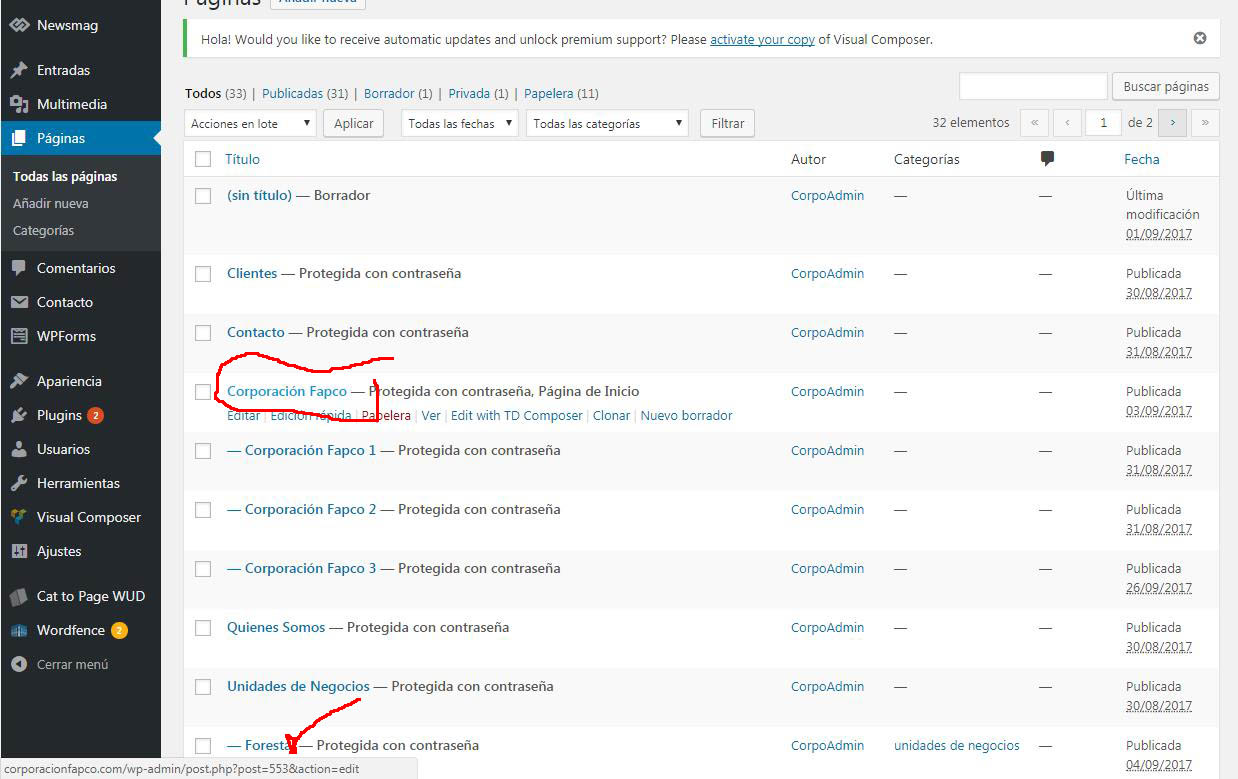
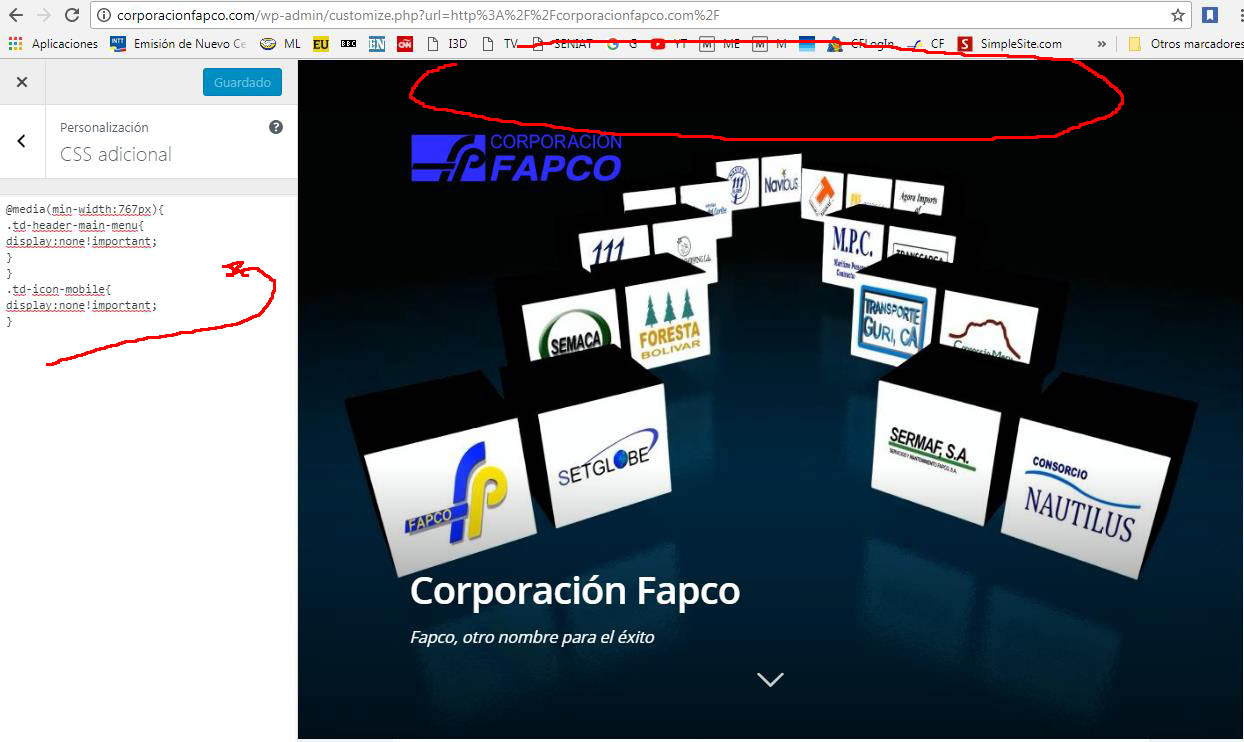
It does not work, maybe I’m not putting it where it should go
This is another code, but hide the menu on all pages and I just need it to be on the landing page and I’m learning as fast as I can.
thank you very much for your help,
regards
@media(min-width:767px){
.td-header-main-menu{
display:none!important;
}
}
.td-icon-mobile{
display:none!important;
}
http://corporacionfapco.com/wp-content/uploads/2017/10/Clip0001-1.jpg”
http://corporacionfapco.com/wp-content/uploads/2017/10/Clip0002-1.jpg
http://corporacionfapco.com/wp-content/uploads/2017/10/Clip0003-1.jpg
Simion C. Hi,
The header cannot be disabled, there is no option for that. The footer can be disabled in the theme panel, but for the whole website.
The theme blocks will only work within the theme, they will not work with another theme. Everything is custom coded and designed. Blocks and modules are complex elements, there are many processes related to them. Maybe there are plugins that you can use to share content with other websites.
Or maybe these solutions would be helpful
– https://stackoverflow.com/questions/14117763/how-do-you-put-only-a-certain-section-of-a-website-into-an-iframe
– http://www.dimpost.com/2012/12/iframe-how-to-display-specific-part-of.html#.U8jdd3dj42A.wordpress
Thanks
Simion C. Hi,
You will have to edit and make the modifications to the actual header templates, not the main header file
– https://www.screencast.com/t/U7nPNZTujn
The header templates can be customized through a child theme
– https://forum.tagdiv.com/the-child-theme-support-tutorial/
Thanks
samsilverDear Team,
Please I want to display my header and subheader on my site like this one below:
http://www.zeit.de/entdecken/index
Secondly, I wouldn’t like the neuest article of my site to be displaying on homepag. I want to display/configure the artikel I want to display.
Thank you for your reply. Below is my page.
https://bremer.de/
 andrewm
Hi, thanks for the theme, it’s great. We’ve just implemented the mobile theme and love the options, especially re: advertising.
One small question: On our home page the latest articles are displayed under the header text ‘Latest Articles’. How can we remove that text?
Thanks 😉
 alohaboy
Hi,
i would like to offer some partner-websites a widget which should look like a block of my website and refers to my website by clicking on a article-teaser. It should look like this:

Is it somehow possible to make a Website without any header and footer which just shows one block as a widget? This site should be implemented in another site via IFRAME.
Thanks
Simion C. Hi,
You could do it for specific pages, using the unique page IDs. For example this code will remove the menu on desktop and mobile, just for a specific page
– https://www.screencast.com/t/X7Syqm1juG
– https://www.screencast.com/t/KFeQeTPIf
.page-id-2906 .td-header-menu-wrap-full {

display: none;

}
Thanks
Simion C. Hi,
The header style you are using at the moment is style 7. I have inspected the menu, but there is no problem with it when hovered or active
– https://www.screencast.com/t/iMi5vMHff4bg
– https://www.screencast.com/t/ku2OekxEtT
If the problem is happening when you switch to header style 5, please note that the gadgets demo you have installed has some custom design, that applies to that header style only
– https://www.screencast.com/t/tJYkpVk7XW
A combination of that design and theme panel settings can cause the issue you are describing. Either use a different header style like you are now, or simply modify the black color in the location shown in the screenshot.
Regarding the logo not displaying, there seems to be a CSS code that prevents in to appear
– https://www.screencast.com/t/reCe8EbRqyg7
– https://www.screencast.com/t/vvc2D0NpK
Check the theme panel custom code sections, or any location you have inserted custom code. Removing that code will cause the logo to appear
– https://www.screencast.com/t/IAIWo4Rx
Thanks
 cecil_l
Hello 🙂
I want to insert custom search bar in the header and
login menu below main menu like this site
http://naver.com
I copied header.php from mother to child theme folder location and inserted some codes by adding-search-bar-guide
but everytime failed..
Which file should I edit for this task? if you don’t mind..
Could you please inform some codes or links for this?
Thank you very much 🙂
Catalin Hello Stevivor,
Notice that the Newsmag width is set up to 1021px. For more information about our Ads, please read our documentation here -> https://forum.tagdiv.com/newsmag-header-ads/
Hope this helps!
Thanks for your understanding!
 rpats
rpats Thanks Simion! This is the website https://showscene.ca It looks like the header ads have stopped (I’ve looked at multiple pages today and none have come up), but the footer ads are still there. I’ve triple checked the theme panel ads section, and there is no code in the footer section, only have the code in the sidebar section. Here is a screen shot of the ad placement I’m seeing https://showscene.ca/wp-content/uploads/2017/10/footer.jpeg and here https://showscene.ca/wp-content/uploads/2017/10/footer2.jpeg
Thanks for taking a look!!
-
This reply was modified 8 years by
rpats.