- TutorialsFrom WPBakery to tagDiv Composer
 Calin
Calin Hi,
On my mobile, the logo is displaying completely – https://i.imgur.com/fw2KGlW.png
What I can suggest is to edit the homepage, select the mobile version and adjust the width for the columns https://i.imgur.com/gXpkyr6.png – https://i.imgur.com/DO4OrQs.png
Calin Hello,
The Newsmag theme provides the responsive version and mobile theme plugin for mobile versions. The Responsive version will display the desktop version adjusted for mobile, and the mobile theme plugin, if it is used, will have a simple layout that can not be edited. This is to achieve a better speed, and it is usually used for blogs.
If you want to use the mobile theme plugin, but you do not want it on the homepage, then you need to use the Gutenberg editor to edit the homepage and select the mobile icon – https://i.imgur.com/QK7YcB0.png – https://i.imgur.com/rfGLrQn.png
To disable the login you need to The theme panel > header > Sign In / Join – https://i.imgur.com/e04V50I.png and if the mobile theme is enabled, go to the theme panel > mobile theme > header and disable the show sign in / join – https://i.imgur.com/vw2VIqJ.png
Thank you!
 Jeffmart
Guys, I need help.
How do I prevent the tagDiv Mobile Theme from using the mobile theme on the homepage only? I have special advertising positions on the homepage and a complete editorial organization, and the mobile theme doesn’t allow customization. I also can’t create a mobile version of the homepage in Page Builder (these options simply don’t appear, and I’m a Newsmag PRO user).
Oh, yeah… Also, I can’t get the login option to disappear from the mobile menu. It’s disabled in the theme panel, but it still appears.
Can you help me?
 cqubeofficial
I am not able to edit homepage. Im getting 404 error.
 ROY.wu
 Thanks for your answer
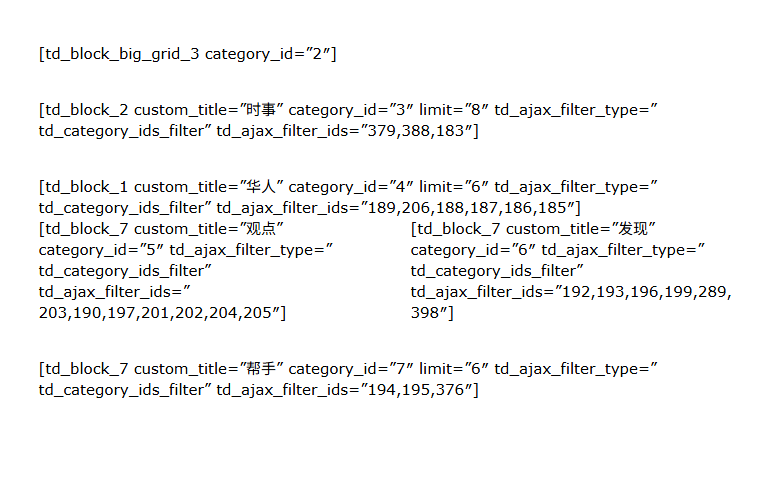
This is the homepage situation after I upgraded the theme
Your answer has solved my problem.
But the article you recommended also illustrates that continuing to use standard plug-ins will slow down the website.
So can I only use tagDiv Cloud Library to redesign the website? I don’t have this kind of experience and I just want to keep it. Are there any more good ways to import and export?
There is another problem:

 Simion C.
 Hi,
That’s a setting for the row https://prnt.sc/-TcHBuUCzGoK for mobile. So for example if you set a background video for the row on desktop, and on mobile you want a different video, or an image instead of the video, then that option can be used.
The section you have in the homepage now at the top is a row with a background image, containing a block which displays 1 post. Which is fine if that is what you want. Let me know if you need help customizing it.
Thanks.
Simion C. Hi,
That is pretty unusual. I know it can happen sometimes, usually due to code in the htaccess https://www.siteground.com/kb/website-downloading-index/ and other causes https://theguidex.com/wordpress-download-file-instead-of-opening-in-browser/ But not due to using the AMP plugin. I don’t think I’ve seen a case where the AMP plugin would cause such an issue.
If I check your website now, the homepage loads correctly on mobile https://prnt.sc/hrqZdSQr_uW- No AMP. But as you said, it may not for visitors that accessed the website when the issue was happening.
You could try this code in the functions file or load it with a code snippet plugin https://pastebin.com/8CAVb8BH It sets a few meta tags for the homepage which should instruct the browser to not use a stored version of the page. Leave the code there for a day or two, then remove it. And please be sure to clear all the caches, from the website and from the hosting if there is any.
Thanks.
Simion C. Hi,
Yes you should. The theme uses only the content from that page on mobile, which google “sees” anyway when it crawls the website’s homepage as a mobile user agent. The mobile page itself isn’t used or needed for anything else.
Thanks.
Simion C. That’s a very unusual issue. I see no conflict or something that could create such a problem.
Eventually I created a cloud header template with the composer, I made it to look like the one you were using. This one uses the fonts correctly. Please check it as well. This type of header can be customized with the composer, you can edit it from the homepage for example. You could continue using this header, and if you want to customize it and you need help, please let me know.
Thanks.
Simion C. Hi,
The fonts don’t seem to load in the post page. They load in the homepage https://prnt.sc/0Jwqzu9GTdSr but they don’t load in the post page at all, which is a bit unusual. Could be some kind of plugin conflict, have you tried to deactivate all non theme plugins to see if the issue is solved? If its the same, then I will take a look at it as well. Please send us an email at contact@tagdiv.com and provide admin login (user and pass) for the website and I will investigate.
Thanks.
 GangaIndoage
Homepage deisgn and catgeory page is design is distorted
Simion C. Hi,
Please check this guide https://forum.tagdiv.com/add-logo-newspaper/
So in the composer you can switch to the mobile header https://prnt.sc/1ptXmMAn6dsC then click on the logo and remove the demo logo https://prnt.sc/VjSp1uJqKfbw
Then the same for the mobile sticky headerhttps://prnt.sc/u2q9o4aIefxO
As a note, the Metropolitan demo uses 2 headers, one for the homepage and one for the rest of the website. Both of them must be customized https://prnt.sc/n1xSPoyZYDcI
Please try it.
Thanks.
 StefanGebala
Hi,
I’m experiencing a strange issue with TagDiv. My homepage for last years was displaying correctly, and we haven’t made any changes lately, but suddenly it looks broken — the columns in firts paragraf (after slider) aren’t displaying properly. When I try to edit the page, I get the following error:
Errors at columns: 2(models) : 5(dom). The model does not match the content Current state has involved an issue. You could try an UNDO operation (CTRL+Z / CTRL+SHIFT+Z)
Homepage:
https://www.wyborkierowcow.pl/
Can I pls ask to help me with this?
 martialwarrior
I have asked for TagDiv support for help with an issue with the header logo image on the Front Page of my Newspaper themed website, https://www.thethinkingconservative.com/. TagDiv’s support person, Bettina, did something to make the logo fit in a larger space on my Front Page which I wanted done, but did not explain how she did it although I asked. There is an issue with what she did however, the larger header logo shows up larger in the Brave browser, but not in the Chrome browser.
I have no idea what Bettina did and a different support person did not know either and told me to upload a larger image in the TagDiv editor for the Front Page. When I attempted to upload a larger logo image like your support recommended, it literally broke the Front Page of my website and now it won’t open in TagDiv Composer no matter how long I wait, so I can no longer edit the Front Page in TagDiv Composer and the Front Page is no longer showing correctly on the website. The header area, menu etc. is missing from the entire website.
This code can be seen at the bottom of the broken Front Page
[td_flex_block_1 modules_on_row=”” image_size=”” image_floated=”hidden” image_width=”eyJwaG9uZSI6IjMwIn0=” image_height=”eyJwaG9uZSI6IjExMCJ9″ show_btn=”none” show_excerpt=”eyJwaG9uZSI6Im5vbmU
I have checked and everything is correct with the templates, menus etc. and it is not a plugin issue, but because I can’t open the homepage to edit it there is nothing I can do. I deleted the larger image I had uploaded from the library, but the image didn’t show up in uploads in File Manager in cPanel which I thought was strange.
I do not want to upload a new Front Page template as it took so much work to get the Front Page correct and I can’t just upload the header template because I can’t open the Front Page with the TagDiv editor.
Please look at the Front Page of the website and you will see the issues.
How do I fix this?
Simion C. Hi,
Only one demo can be installed at a time. Previewing demos can be done on our live demos https://demo.tagdiv.com/select_demo/newspaper-prebuilt-websites/?demo-type=all An installed demo will look like the live demos.
Or you could install the theme on a staging/testing website or local install, and test there.
Or you could import what you need from the cloud library, most of the homepages and templates are available there separately https://prnt.sc/m3Xvzh0DiM_a
Please take into account what uninstalling a demo or installing a new demo means. Everything that the old demo imported will be removed, and the theme panel will be reset.
Thanks.
 olivervossmann
Hi everyone, when I’m on my homepage and click on a blog post, the font size and position of the main and top menus change slightly. How do I turn this off?
 Crw19
Crw19 Hi this is a link to the website – https://chad-wyatt.com/
I still cannot seem to get the images on the homepage module to fit the container correctly.
 stemalo
I added an adbox on homepage as told, did paste in there the custom code from google but it’s not showing up.
Simion C. The only breadcrumbs schema I see in the homepage is from Yoast https://prnt.sc/R3r1qchW9BHm and it is detected by Google, which is normal https://prnt.sc/6LSR2kgXffny
If that is what you want to remove, I don’t think there is an option for it, maybe only like this https://wordpress.org/support/topic/removing-breadcrumb-schema-with-yoast-seo/
In case I am misunderstanding the issue please let me know.
Thanks.
Simion C. I think you sent us an email concerning a popup. While I check that I will take a look at the homepage as well, maybe there is a way to fix it. I replied in the email, please check as well and let me know.
Thanks.
 jayharel
 Check out my homepage: https://www.sexcoaching.com/
There’s no breadcrumbs element here.
Test it with the Google schema tester and you’ll see what I’m talking about:https://search.google.com/test/rich-results?url=https%3A%2F%2Fwww.sexcoaching.com%2F
Simion C. Hi,
If you mean this setting https://prnt.sc/Y3YoO7nmX7SB please note that this won’t apply to pages built with the composer. In the composer you can use the option on the rows https://prnt.sc/Q9znwAaSVIJ8 and stretch them as needed.
That option from the theme panel is meant for pages built with the wordpress editors, the classic editor or the block editor. We added it because some of the theme demos are wider, and if the website where a demo is installed already had pages built with wordpress, instead of recreating them with the composer and making them wider, that option will make them all at once.
So for a page like your homepage, you must edit it with the composer, click on the rows and stretch them to 1200px, it takes very little time.
Thanks.
 Ans
AnsHi Support,
Please allow us to add “&post_type=post” to Search of Mobile Theme, thank you.
Now it searches all pages and homepage, which will give unexpected results.
 Hoàng Trí
 The homepage I designed was completely new with Elementor, not using TD Composer, I only used it to design the interface for the Post, Category and Tag pages, the Homepage completely used Elementor.
I tried all the ways you listed before but they didn’t work, it only stopped when I turned off the TD Composer Plug in
 IdentidadyFuturo
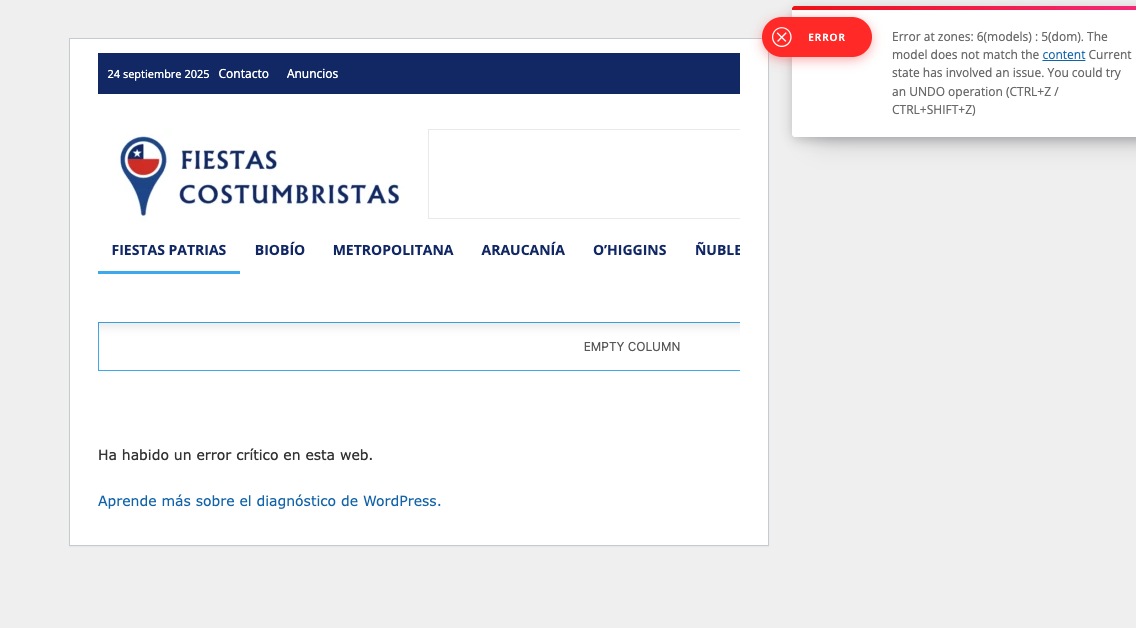
I was updating the YouTube API integration in the social media counter, and after saving the changes the homepage started displaying an error. When I try to access the related custom page, I get the same error as well.
Could this be related to API credentials, rate limits, or a misconfiguration in the plugin/theme? What steps should I follow to debug and fix this issue?
http://www.fiestascostumbristas.cl