- NewsmagHomepage – How to build and set it
- NewsmagtagDiv Composer Tutorial
- NewsmagNewsmag documentation
- NewsmagMain menu
- NewsmagLogo & Favicon
- NewsmagPage templates
 mefta
meftaGreetings,
I followed the instructions on http://screencast.com/t/REm4OHzaNFKN in order to remove the comment count, author and date from all the blocks I used on the homepage of http://bit.ly/1wJQy7F , however, it does not work. Kindly advise what to do. Thank you.
 Pedro Ferreira
Hi guys,
Did a couple of searches on this topic but nothing came up. I updated my Newspaper version in the last month and all wen’t ok except the “last 7 day popular sort” funtion which seems to be “frozen” on my website. If you look at my homepage (midpage, right) i have a component that lists the most popular articles in the last 7 days (frozen), the latest posts (ok), and the all time popular ones (ok).
I’ve tried to remove and reinsert the funcion to check if it somewhat “rebooted” the function but with no success. How can i fix this?
Cheers,
 nevchy
After updating theme to version 4.6.2 from 4.6.1 and try to update new visual compozer my homepage shows this :
Fatal error: Allowed memory size of 134217728 bytes exhausted (tried to allocate 71 bytes) in /home/kanal9tv/public_html/wp-includes/plugin.php on line 207
 Alin [tagDiv]
 Hi,
Yes you can add background only if you use a page template with background, but when you use also site background it will appear that issue on mobile(Big Slide images don’t resize) and Big Slide background will be catted: http://screencast.com/t/iGxwgJqNDdA – http://screencast.com/t/KxuL3Rv1a
Like I said above we know about this issue and it will be fixed in Newspaper 5 version. Till then please use only background for site or Homepage BG template. Sorry for inconvenience!
Thanks!
 Yannis
 Alin,
I tried something else because I wanted a full-width slider. I changed the header-style-8.php file and added this code in a separate div:
<!– Show Slider –>
<div><?php putRevSlider(“slider1″,”homepage”) ?></div>
<!– END Show Slider –>
I saved the header-style-8.php in the child Theme: …/themes/Newsmag-Child/parts/header/header-style-8.php
Unfortunately it doesn’t work. It works ONLY if I modify the same file in the Newsmag theme, not in the child theme. Any idea why this happens?
Yannis
 milankresoja
Dear,
I’ve noticed that post view counter is not working for direct visits, but only if you, for example, open article by clicking on a homepage article thumb.
I had Facebook campaign for one of the articles, and in Google Analytics I see that I had 1300 page visits (for that particular article) on the same day, but view counter on the website is showing that I had 19 visits total.
Can you please let me know hot to fix this?
Milan
Alin [tagDiv] Hi,
Sorry for misunderstanding I thought that you want it for post template 8. So if the solution that you used in 1.5 version doesn’t work anymore, please try this for header style 8: http://screencast.com/t/QuIMq7s0
<?php if (is_front_page()){
                    putRevSlider("slider1");
                }           else{
                    locate_template('parts/header/ads.php', true);
                }?>
Result: – Homepage: http://screencast.com/t/1V9cYckqFf
– Post page : http://screencast.com/t/54R8kgijlv
Hope this helps!
-
This reply was modified 11 years by Alin [tagDiv].
Yannis Actually, I had changed nothing in single_template_8.php.
All I had done was to create a header ad with the code <?php putRevSlider(“slider1″,”homepage”) ?>. That was done in the Theme Panel –> Ads. It was much easier than altering the single_template_8.php, but since this option does not work anymore, then I will have to modify the relevant php file.
 Lastminutegoals
Hello.
I would like to know if it’s possible to have a default pagination (not Ajax) type on custom pages that I make.
http://i.gyazo.com/8fc316e8b15a55363528044ce0a57eba.png
I tried with the backend editor, but the only options are “Load More” and “Next/Prev ajax”.
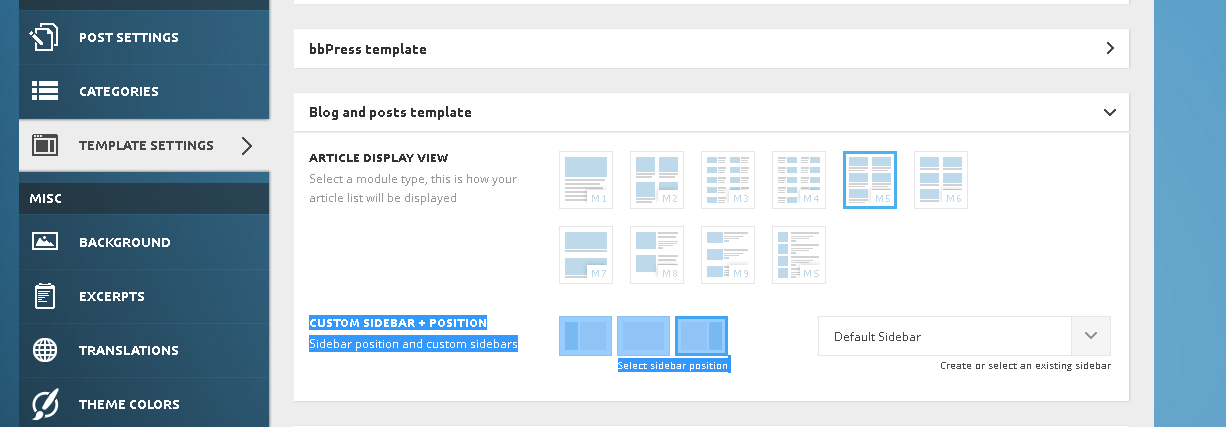
I have actually found a workaround for this, by chaging my front page from a custom page to my “Latest posts”. Those type of “default”-ish pages have the pagination I want. However, the problem is that in theme options, it won’t let me have sidebar for individual posts only, because in the theme Panel -> Template settings, both Blog & post settings fall in the same category.
http://i.gyazo.com/7af92f732b4f5cf1fc71636a7c15f706.png
I hope you can assist me with this. Thanks in advance
 Lucian
 Hi,
What theme version you use as we had fixed this infinite scroll issue in previous theme versions so please make sure you update the them to the latest version (4.6.1). You can also check our demo and see how it should work: http://demo.tagdiv.com/newspaper/homepage-infinite-scroll/
Use this guide and the FTP method to update the theme: https://forum.tagdiv.com/how-to-update-the-theme/
Thanks
Alin [tagDiv] Hi,
Please change your page template, because if you use Homepage with background, Big Slider will be added automatically to your page. So if you don’t want to use Big Slider use a template without background: http://screencast.com/t/6FE4Ufy1BoyN
Thanks!
 makedaman
 What i mean by that, is that how can I control the backround color of the big slider ? Like in the this link : http://www.screencast.com/t/tFz5ZHWII
I cant do it with Homepage with article list
Thanks.
Alin [tagDiv] Hi,
Lucian already replied there: https://forum.tagdiv.com/topic/load-more-pagination/
3. Please provide a link where you use next/prev pagination as on your homepage you use a block with load more pagination. Also make sure that that you use block title, because next/prev pagination will be hidden also if the title is hidden: http://screencast.com/t/Bj4hxd3uTQck – http://screencast.com/t/viWr3V4kk
Result: http://screencast.com/t/Mqla2yDOF5
Thanks!
YannisHi,
I had created a slider and inserted it as a Header ad in Theme Panel Ads with the code:
<?php putRevSlider(“slider1″,”homepage”) ?>
Style 8 has been chosen for the header.
This worked fine in theme version 1.5 but it no longer works in version 1.6.
As you can see in https://www.athensprivatetoursgreece.com/, slider does not show at all.
Can you please suggest a solution?
Yannis
Alin [tagDiv] Hi,
You use SEO by Yoast so you can change that from homepage: http://screencast.com/t/L8LxxL7EH
Thanks!
 waleedaslam
 Embedding in another way, through a plugin, gives the text as http://gty.im/464777896 on the homepage. (http://candescenta.com/2015/02/a-new-generation-of-data-requires-next-generation-systems/)
waleedaslam Take a look at http://candescenta.com/2015/03/man-utd-defeat-sunderland/
The view image| gettyimages text shows up as excerpt on the homepage blocks.
waleedaslam Lol, that was quite easy. Thank you so much.
I have another query; the embedded image that I use, it embeds some text with it (which shows up in the excerpt on homepage- in block 6, 13 etc.). Is there any way to tell the theme that this text belongs to the embedded picture and not the actual paragraph of the article.
makedaman Ok thanks!
I have this problem there? How can i change the big slider backround or make it transparent ?
I was able to do it in the homepage with article list + BG but not with this one
Thanks again!
 vivek
vivekPlease visit my website http://www.newskabaap.com to understand the problem. My homepage is showing wierd. You will see content before the big slide(which i never kept it).. Can you please let me know how to fix that?
 elete
elete Hi,
I just updated via FTP to version 1.6. It actually worked when deactivating visual composer. See here: http://todosobrecamisetas.com/homepage
I have the plug in license already, but I am not sure if I should upload the latest version of the theme supports a certain one. What do you recommend I do? Thanks.
 Sayeed
Hi…
My last thread was quite messed up. So I created a new one with clear questions.
1.Infinite Load Pagination
How can I add a Text or Animated Symbol like this one http://imgur.com/Qb3GOvs when a user scroll down and wait for next page to load on Infinite Load pagination. (I do not want to use the Load More pagination option after X pages)
How can I reduce the time of next page load on infinite scroll? Currently when a user scrolls down to the bottom of the homepage to the last post then only it loads the another page. Is there any to make next page post earlier or faster.
2.Load More Pagination
When I activated the “Load More” pagination, even after going to the last post of the site it was showing the “load More” button. How to fix it?
How can I customize the font size, color & background of “load more” button?
3.Next/Prew Ajax
When I activated this pagination there was no buttons or any number on the homepage. How to fix it?
My site is http://www.magscroll.com
Please delete this thread: https://forum.tagdiv.com/topic/load-more-pagination/
Thanks!
 miltonrodas
Hello, I cannot find a solution or a reason to why this happened. I have a second person who was working with me on this (he was supposed to be “knowledgeable” coder, but I guess he is more lost than I am).
Please check at holamucha[dot]com
– I believe the problem lies with “blocks” being out of order, hence, code is out of order
– I cannot find right order for blocks to be in.
– Maybe it is not blocks at all…and my “coder” did something being curious about, that he now knows not how to fix.
On that note, can you also provide information on skilled technical people who may be experts with this theme? Anyone here a freelancer?
Alin [tagDiv] Hi,
Please use this css to hide the date on slider: http://screencast.com/t/UZkrsXDNG
.iosSlider .slide-meta .entry-date{

display: none;

}
If you want to hide it only on homepage please add also .home: http://screencast.com/t/ExhsxS5d
Thanks!
 cyberlism7
 Hi Alin
I want the browser’s title on the homepage to be: (Website Name)| (Website description)
as shown in the General settings here: 
If I use visual composer’s homepage template, the homepage’s title will override the (Website name) on browser’s tab, as seen here: 

How can I fix this?
Thanks