
No search results were found in Documentation!
 vishal-sharma
Dear author, I have purchased and implemented your theme on the following domain. entertainmentpunjab.com
I need immediate help for the following issue. I want to create an infinite scroll of posts where the footer of my single post ends example is the post below.
http://www.entertainmentpunjab.com/2016/02/happy-raikoti-desi-crew-crazy-demands-song-out-now/
at the bottom of this post you will find related articles section and more from author below this section I want to call all posts the once that are running in home page below load more button. Kindly assist me in doing so by letting me know where i have to make changes in code in loop-single.php file and what is the code.
Thanks & Regards,
Vishal
 neakriti
Is it possible to scroll to the next post from the current one with infinite scroll?
That is when a reader finishes reading a post, ajax-fetch the next post and add it at the end? (same to infinite scroll when using blocks).
 Josan
JosanHello, I installed Infinite Scroll and Load More Ajax Pagination Plugin to load Infinite posts in Single post.
I need help to configure it correctly because i can’t find Navigation Selector, Next Selector, Item Selector & Content Selector

I tried this manual but failed to find them.
http://pixellanguage.com/wordpress-infinite-and-load-more-pagination-plugin/
Thanks
 dimitris
Hello, it would be great if you could add an infinite load of the next post on single post pages. So when user just scrolls down the next article will be displayed (it would be perfect if it would work without having to click load more).
Infinite loading posts is used in many big news sites such as Time.com, LA Times, Quartz, Vogue.com, i’m sure every user of your theme will love this
Thanks for your great product
 gokaytem
Hello. I’m new buyer. Firstly congratulations and thanks for this perfect theme.
I’d like to learn what size of a post image. I selected style 2 for post template. And I use the template like in the demo homepage (http://demo.tagdiv.com/newspaper/)
Depending on my before theme my post image size is in 765*400 dimensions. But I think this dimension is not suitable for Newspaper theme. Please look at this : 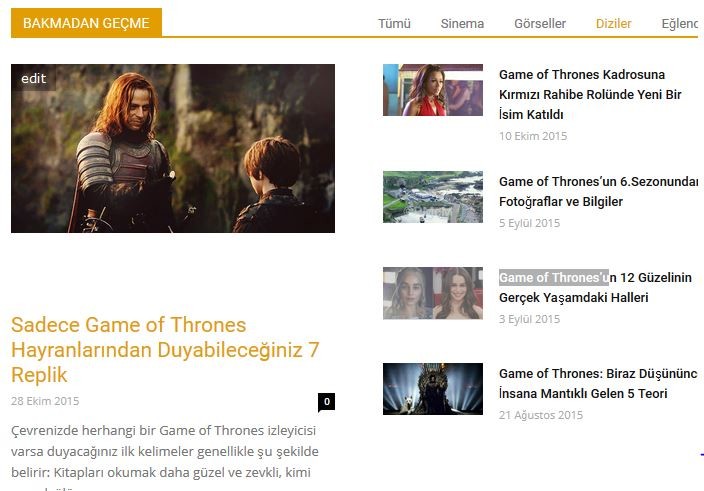 (don’t miss section)
If possible I want to ask more questions :
1: how can I achieve to do black color of a section’s background in homepage (not title background). like this : 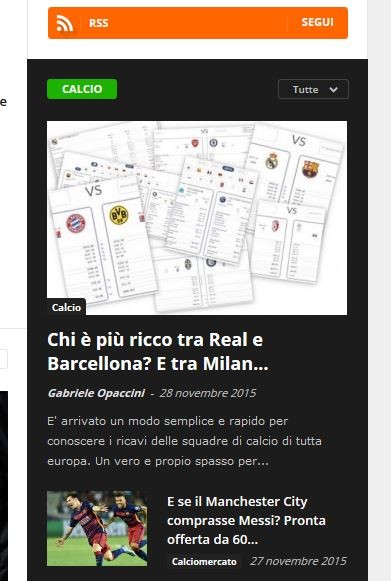
2: A post has 1 or 2 category. But to obtain mega menu I made all category as sub-category of parent catogories. That’s why in top of posts previews not only selected categories but parent categort. This is weird to me. Not ?
3: Is this possible that latest articles block in homepage has infinite scroll not pagination ?
4: I want to not show author box for my posts. Normally in my other theme It wasn’t previewed unless typing author description in backend panel.
Thank you so so much.
Greetings from Turkey.
 sfeaton
I am not sure where to post this….
Do you have plans to make the blog post themselves be infinite scroll from one post to the next? This is the latest trend and will drastically increase page views.
Here is what I mean:
http://www.bloomberg.com/news/articles/2015-11-09/banking-giants-learn-cost-of-preventing-another-lehman-moment
http://dailycaller.com/2015/11/09/federal-judge-stops-nsas-mass-collection-program/
 tomawebdev
 Something for reference:
(1) http://premium.wpmudev.org/blog/boost-time-on-site-by-auto-loading-new-posts-like-qz-com-and-medium/
(2) https://www.sebastiendumont.com/plugins/auto-load-next-post/
(3) http://www.infinite-scroll.com/
(4) https://wordpress.org/plugins/auto-load-next-post/
(5) http://demos.sebastiendumont.com/auto-load-next-post/template-sticky/
Does not work on the template Newspaper
https://wordpress.org/support/topic/does-not-work-on-the-template-newspaper
 Atreaer
 It worked perfectly! Thank for the code and support!
One more small thing: I’m trying to implement infinite scrolling on posts. I’ve tried several plugins, and also tried the Infinite Scrolling feature in Jetpack, with adding theme support in functions.php with the code
add_theme_support( ‘infinite-scroll’, array(
‘container’ => ‘content’,
‘footer’ => ‘page’,
) );
Jetpack seems to recognize this, but unfortunately it wont load the posts.
Here is the site if it helps any: http://lumens.hu/
and a random post: http://lumens.hu/index.php/2015/09/10/this-is-not-a-dummy-dummy/
Thank you for your continued support and efforts to make this theme the best you could!
 sylcharlestone
Hello,
I have a few questions, to which I hope I can find some solution.
I used to have 20 websites and I’ve just merged them into 1 large website. It happens that among the 500+ pages I have now, 95% are pages, and not posts. I have always used pages as posts and vice versa over the years on my former websites
I realize now, after having imported everything, and put it all in order, that pages have very few rights, be it in the composition of articles or display features. What would seem simple is to use a plugin that will transform all the pages into posts but this will mess up in depth the thousands of internal links, linking articles between themselves.
I’d have the first following questions that concern giving the same features to pages as posts:
1) In “related posts” or to display social networks, can this appear in pages and not posts only ?
2) In the mega menu, only posts appear, not pages, is there a way around it? Because of that I have categories that display nothing as I’ve no posts, but only pages.
3) All in all, is there anything I can do to for the pages to be used and display like posts ?
Other questions:
A) In the mega menu, as in http://www.consobrico.com, if you check the menu with “Salle de bain”, only the first 7 or 8 categories are displayed. However I have 11, but unless the visitor know he needs to scroll down within the menu, these are invisible. Is there a way to have all the categories displayed ?
B) In the category section, for ex: http://www.consobrico.com/category/salledebain/colonne-de-douche/ is it possible to have infinite scroll or “display more’ rather than Page 1/3, Page 2/3 etc…
C) I seem to have mistakenly erased the contact page ex: http://demo.tagdiv.com/newspaper/contact/ with the contact box, etc.. how can I retrieve it?
D) I’ve always used for almost all my content creation the “Thrive Content Builder” plugin. It seems to work nicely with the theme, however it doesn’t display the summary in categories for example http://www.consobrico.com/category/salledebain/colonne-de-douche/ (if you need my login details, let me know where I should send you send these to).
Sorry for all these questions, hopefully we can work out solutions.
Thanks again.
John
 yasirhashmi15
Hello,
This is my test site http://43c.81d.myftpupload.com/ on home page i have infinite scroll block/module. Its working but after few rows or around after 30 posts it’s stop working. Do you know why and how i can fix this?
Thanks.
Yasir
 cleardice
 Hi,
a)i tried all things your listed options, except “you have to set a featured video”, nothing works.
I dont understand what is meant by “set a featured video”.
Do we have to set every single video imported to the site, to featured image? but this doesn’t make sense.
We use a video robot and it imports different videos from youtube etc.
The index page shows these different videos and they change hourly. In the hundreds.
But still after clicking on them it opens the page but there is no video.
I didn’t set up a single post page. We just installed the theme and child theme as in documentation,
and loaded the settings and demos. http://www.yougothype.com is our page. i hope this is the link you want.
Please help.
b)Infinite Load doesn’t seem to work on any page.
Again we followed the email steps you sent but they didn’t work.
Our settings:
In Visual Composer for Main Page/Index page:
Parent – Homepage Infinite Scroll
Template- Homepage Blank
Used Block 8
-multiple category filter(hollywood, rides, luxury)
-Random Posts
Limit Post Number-5 (this is set automatically)
Pagination – infinite load is set
(load more was also tried. this shows on page. but when clicked its shows load circle but nothing more is added or changed. so this doesn’t work either. FYI.)
But please help with the Infinite Load.
Without these the site is useless 🙁
best regards,
Bora
 Lucian
 Hi,
You can do this by editing your post’s template files and use the do_shortcode function to place there, after the posts content any widgets you build using visual composer’s page builder. You can find more details on how to do this in this tread: https://forum.tagdiv.com/topic/implement-infinite-scroll-on-single-posts/#post-43481
Thanks
Lucian Hi,
We haven’t tested the theme using any of those plugins so I can’t provide an accurate answer on this.
I suggest you also address the issues you have using them to plugins authors and make sure that you sue them right.
The theme already has a built in infinite scroll pagination for blocks which you can use to display your content and use the infinite scroll pagination feature.
You can configure a block to use the infinite scroll pagination and on templates on which you can’t use the page builder add the block shortcode inside the template where you need this.
Here is an example for using block 13 with infinite scroll pagination on single post page after the related posts section:
– use VC page builder to customize the block: http://screencast.com/t/MYIDubqBqFJ
– switch to classic mode and get the block shortcode: http://screencast.com/t/tymN00V7m
– add the shortcode to post template, you’d have to edit the loop-single.php template and add the block shortcode using the do_shortcode function, like this: http://screencast.com/t/Qod46BQhTZtt
* here is the code I’ve used: http://pastebin.com/yRjEcaD2
– the result: http://screencast.com/t/kcqFH6hM
Thansk
 articlescholar
 Hi Lucian,
I tried a few plugins and nothing worked:
https://wordpress.org/plugins/unlimited/
https://wordpress.org/plugins/infinite-scroll/
Those work on other themes. Also, to be clearer, here’s what I want to accomplish – specifically in SINGLE POSTS (it’s actually a popular feature due to popularity of mobile devices):
Lucian Hi,
We haven’t made any test using plugin like that.
Not really sure where would you want the infinite scroll feature. If you would want this for related articles section you could try to call a block customized by you using the VC page builder and render it via the do shortcode function in posts’s template replacing the related posts area.
I haven’t tried to do this so I can’t guarantee this will also work but you could give it a try.
Thanks
articlescholarHi, I would like to implement infinite scrolling on single posts, is there a tested plugin for this? Will the embedded ads work as fine?
Thanks.
 Rhastalavista
Hi! I like the infinite scroll function and I use it to fill empty spaces in the sidebar for the long posts. But I would prefer that infinite scroll would stop working when user get to the comment fields. Is it possible?
my website – teen-spirit.ru
 lexsiks
 There was a question – you can adjust the number of displayed posts?
Or add a feature infinite scroll?
-
This reply was modified 11 years by
lexsiks.
 bt012008
Hi there,
On my homepage, I have ‘block 7’ set up to display my older posts. However if you ‘load more’ posts when scrolling down, some of the posts repeat. Check it out:
In the ‘block 7’ settings, I have the following enabled:
– Sort order: Popular (last 7 days)
– Limit post number: 6
– Pagination: Infinite load
– Infinite load show ‘Load more’ after x pages: 2
Could you help me make it so that the posts don’t repeat?
Thanks!
Ben
 duclux
Why this css appear in template when view source, how to hide or remove it:
My site: http://www.baihocmoi.com/
<script type="text/javascript">/*<![CDATA[*/jQuery(document).ready(function(){var ajaxRevslider=function(obj){var content="<h2>THIS IS SOME TITLE</h2><br/>";content+="Type:"+obj.type+"</br>";content+="ID:"+obj.id+"</br>";content+="Aspect Ratio:"+obj.aspectratio+"</br>";data={};data.action='revslider_ajax_call_front';data.client_action='get_slider_html';data.token='1a59f464b3';data.type=obj.type;data.id=obj.id;data.aspectratio=obj.aspectratio;jQuery.ajax({type:"post",url:"http://www.baihocmoi.com/wp-admin/admin-ajax.php",dataType:'json',data:data,async:false,success:function(ret,textStatus,XMLHttpRequest){if(ret.success==true)

content=ret.data;},error:function(e){console.log(e);}});return content;};var ajaxRemoveRevslider=function(obj){return jQuery(obj.selector+" .rev_slider").revkill();}

var extendessential=setInterval(function(){if(jQuery.fn.tpessential!=undefined){clearInterval(extendessential);if(typeof(jQuery.fn.tpessential.defaults)!=='undefined')

jQuery.fn.tpessential.defaults.ajaxTypes.push({type:"revslider",func:ajaxRevslider,killfunc:ajaxRemoveRevslider,openAnimationSpeed:0.3});}},30);});/*]]>*/</script><!--[if lt IE 9]><script src="http://html5shim.googlecode.com/svn/trunk/html5.js"></script><![endif]--><meta name="generator" content="Powered by Visual Composer - drag and drop page builder for WordPress."/> <!--[if IE 8]><link rel="stylesheet" type="text/css" href="http://www.baihocmoi.com/wp-content/plugins/js_composer/assets/css/vc-ie8.css" media="screen"><![endif]--><style type="text/css">img.latex{vertical-align:middle;border:none}</style><style>.block-title a,

.block-title span,

.td-tags a:hover,

.td-scroll-up-visible,

.td-scroll-up,

.sf-menu ul .current-menu-item > a,

.sf-menu ul a:hover,

.sf-menu ul .sfHover > a,

.sf-menu ul .td-menu-item > a:hover,

.td-rating-bar-wrap div,

.iosSlider .slide-meta-cat,

.sf-menu ul .current-menu-ancestor > a,

.sf-menu ul .current-category-ancestor > a,

.td-404-sub-sub-title a,

.widget_tag_cloud .tagcloud a:hover,

.td-mobile-close a,

ul.td-category a,

.td_social .td_social_type .td_social_button a,

.dropcap,

.td-forum-category-title .td-forum-category-name,

.td_display_err,

.td_block_mega_menu .td-ajax-next-page:hover,

.td_block_mega_menu .td_ajax-prev-page:hover,

.post-via span,

.td_wrapper_video_playlist

.td_video_controls_playlist_wrapper{background-color:#d93}.block-title,

.sf-menu li a:hover,

.sf-menu .sfHover a,

.sf-menu .current-menu-ancestor a,

.sf-menu .current-category-ancestor a,

.header-search-wrap

.dropdown-menu,

.sf-menu > .current-menu-item > a,

.ui-tabs-nav,

.woocommerce .product .woocommerce-tabs ul.tabs,.td-forum-list-head,.td-login-panel-title{border-color:#d93}.widget_price_filter .ui-slider-handle,

.td_wrapper_video_playlist .td_video_currently_playing:after{border-color:#d93 !important}.author-box-wrap .td-author-name a,

blockquote p,

.page-nav a:hover,

.widget_pages .current_page_item a,

.widget_calendar td a,

.widget_categories .current-cat > a,

.widget_pages .current_page_parent > a,

.td_pull_quote p,

.page-nav-post a:hover span,

.td-forum-last-comment-content .td-forum-last-author,

.td-topics-title-details a,

.td-posted-in

a{color:#d93}.woocommerce .button,

.woocommerce .form-submit #submit,

.widget_price_filter .ui-slider-handle,

.jetpack_subscription_widget input[type="submit"],

.pp_woocommerce .pp_close,

.pp_woocommerce .pp_expand,

.pp_woocommerce .pp_contract,

.pp_woocommerce .pp_arrow_previous,

.pp_woocommerce .pp_arrow_next,

.pp_woocommerce

.pp_next:before,

.pp_woocommerce .pp_previous:before,

#bbpress-forums

.button{background:#d93 !important}.woocommerce .woocommerce-message,

.woocommerce .woocommerce-info,.bbp-template-notice,.td-reply-list-header{border-color:#d93 !important}.woocommerce .woocommerce-message:before,

.woocommerce .woocommerce-info:before,.td-login-button{background-color:#d93 !important}.buddypress #buddypress div.dir-search input[type="submit"],

.buddypress #buddypress .message-search input[type="submit"],

.buddypress #buddypress .item-list-tabs ul li.selected a,

.buddypress #buddypress .generic-button a,

.buddypress #buddypress .submit input[type="submit"],

.buddypress #buddypress .ac-reply-content input[type="submit"],

.buddypress #buddypress .standard-form input[type="submit"],

.buddypress #buddypress .standard-form .button-nav .current a,

.buddypress #buddypress .standard-form .button,

.buddypress #buddypress input[type="submit"],

.buddypress #buddypress a.accept,

.buddypress #buddypress #activate-page .standard-form input[type="submit"],

.buddypress #buddypress .standard-form #group-create-body input[type="button"],

.post-password-required input[type="submit"]{background:#d93 !important}.buddypress #buddypress .groups .item-meta,

.bbp-forum-title:hover,

.td_login_tab_focus,

.block-mega-child-cats a.cur-sub-cat{color:#d93 !important}.page-nav .current,

.page-nav-post

span{background-color:#d93;border-color:#d93}.wpb_btn-inverse,

.ui-tabs-nav .ui-tabs-active a,

.post .wpb_btn-danger,

.form-submit input,

.wpcf7-submit,

.wpb_default,

.woocommerce .product .woocommerce-tabs ul.tabs li.active,

.woocommerce.widget_product_search input[type="submit"],.more-link-wrap,.td_read_more{background-color:#d93 !important}.header-search-wrap .dropdown-menu:before{border-color:transparent transparent #d93}.td-mobile-content .current-menu-item > a,

.td-mobile-content a:hover{color:#d93 !important}.category .entry-content,

.tag .entry-content,.td_quote_box{border-color:#d93}.td-timeline-block-title{background-color:#d93 !important}.td-timeline-wrapper-links{border-color:#d93 !important}.td-timline-h1-link

span{background-color:#d93 !important}.td-page-title .td-search-query{color:#d93}.td-sbig-title-wrap .td-sbig-title,

.td-slide-item-sec .td-sbig-title-wrap,

.td-big-grid-title .td-sbig-title-wrap{background-color:rgba(221,153,51,0.7)}::-moz-selection{background:#ffcb65;color:#fff}::selection{background:#ffcb65;color:#fff}.post header h1, .post header h1

a{font-family:Tahoma,Verdana,Geneva}.td_mod_mega_menu .item-details

a{font-family:"Helvetica Neue",Helvetica,Arial,sans-serif;font-size:14px}</style><script>var td_blocks=[];function td_block(){this.id='';this.block_type=1;this.atts='';this.td_cur_cat='';this.td_column_number='';this.td_current_page=1;this.post_count=0;this.found_posts=0;this.max_num_pages=0;this.is_ajax_running=false;this.header_color='';this.ajax_pagination_infinite_stop='';}

var td_ad_background_click_link="";var td_ad_background_click_target="";var td_ajax_url="http://www.baihocmoi.com/wp-admin/admin-ajax.php";var td_get_template_directory_uri="http://www.baihocmoi.com/wp-content/themes/Newspaper";var tds_snap_menu="";var tds_header_style="";var tds_mobile_swipe="swipe";var td_search_url="http://www.baihocmoi.com/search";var td_please_wait="Please wait...";var td_email_user_pass_incorrect="User or password incorrect!";var td_email_user_incorrect="Email or username incorrect!";var td_email_incorrect="Email incorrect!";var tds_more_articles_on_post_enable="";var tds_more_articles_on_post_time_to_wait="";var tds_more_articles_on_post_pages_distance_from_top="0";var tds_theme_color_site_wide="#dd9933";</script>
 DonUchiha
I noticed that infinite loading was a bit sluggish. It seems to only load once you scroll all the way to the bottom and sometimes the user has to was a few seconds for it to show the next set of posts.
Would it be possible to start the loading before you reach the bottom? like 600px away from the bottom or something.
Also any other tips on making it load faster?
thanks
 Sayeed
 Hi…
Sorry i did not explained my points.
1. I would like to make the background color of the text on slider non-transparent (http://imgur.com/1TI6xSm) currently it’s transparent blue.
2. The solution you provide me for the Link hover underline
.td_mod_wrap .entry-title a:hover{
text-decoration: none !important;
color:red;
}
Only changes the homepage title… the rest of the title such as slider and side bar are still having the underline when we take mouse pointer there…. I would like to change the underline to color hover on all of it.
3. Adding Loading More Stories Text http://imgur.com/hljefwa I would like to make something like this on infinite scroll so once the user reaches the footer it shows this text before infinite scroll load others posts.
Thanks!…
SayeedHi Could You Please Help Me With These Queries
1. How Can Make the text background color strong? I mean i do not want it to be transparent.
2. How can I remove the underline from the post titles when we take the arrow on it… and change to color hover?
3. I would like to add text like “Loading More” in infinite scroll… some times the users internet is slow so it takes few seconds to load other posts to load… it would be great if i can add the text so that the users will know that there is more to go.
4. I tried to translate the Word “Latest Stories” of home page but it is not working from the Translation Option… Can you help me with it as well?
5. How can I add author image below post title on Post Page?
Please help me out with these queries…
Thanks
 rnbjunk
 Hi Emil, when i load source of my site, i see a lot of codes coming from newspaper theme that actually i don’t use, and that are heaving codes on every page: view-source:http://www.rnbjunk.com/
<!– Style compiled by theme –>
<style>
.block-title a,
.block-title span,
.td-tags a:hover,
.td-scroll-up-visible,
.td-scroll-up,
.sf-menu ul .current-menu-item > a,
.sf-menu ul a:hover,
.sf-menu ul .sfHover > a,
.sf-menu ul .td-menu-item > a:hover,
.td-rating-bar-wrap div,
.iosSlider .slide-meta-cat,
.sf-menu ul .current-menu-ancestor > a,
.sf-menu ul .current-category-ancestor > a,
.td-404-sub-sub-title a,
.widget_tag_cloud .tagcloud a:hover,
.td-mobile-close a,
ul.td-category a,
.td_social .td_social_type .td_social_button a,
.dropcap,
.td-forum-category-title .td-forum-category-name,
.td_display_err,
.td_block_mega_menu .td-ajax-next-page:hover,
.td_block_mega_menu .td_ajax-prev-page:hover,
.post-via span,
.td_wrapper_video_playlist
.td_video_controls_playlist_wrapper
{
background-color: #6e61b0;
}
.block-title,
.sf-menu li a:hover,
.sf-menu .sfHover a,
.sf-menu .current-menu-ancestor a,
.sf-menu .current-category-ancestor a,
.header-search-wrap
.dropdown-menu,
.sf-menu > .current-menu-item > a,
.ui-tabs-nav,
.woocommerce .product .woocommerce-tabs ul.tabs,
.td-forum-list-head,
.td-login-panel-title
{
border-color: #6e61b0;
}
.widget_price_filter .ui-slider-handle,
.td_wrapper_video_playlist .td_video_currently_playing:after
{
border-color: #6e61b0 !important;
}
.author-box-wrap .td-author-name a,
blockquote p,
.page-nav a:hover,
.widget_pages .current_page_item a,
.widget_calendar td a,
.widget_categories .current-cat > a,
.widget_pages .current_page_parent > a,
.td_pull_quote p,
.page-nav-post a:hover span,
.td-forum-last-comment-content .td-forum-last-author,
.td-topics-title-details a,
.td-posted-in a
{
color: #6e61b0;
}
.woocommerce .button,
.woocommerce .form-submit #submit,
.widget_price_filter .ui-slider-handle,
.jetpack_subscription_widget input[type=”submit”],
.pp_woocommerce .pp_close,
.pp_woocommerce .pp_expand,
.pp_woocommerce .pp_contract,
.pp_woocommerce .pp_arrow_previous,
.pp_woocommerce .pp_arrow_next,
.pp_woocommerce
.pp_next:before,
.pp_woocommerce .pp_previous:before,
#bbpress-forums .button
{
background: #6e61b0 !important;
}
.woocommerce .woocommerce-message,
.woocommerce .woocommerce-info,
.bbp-template-notice,
.td-reply-list-header
{
border-color: #6e61b0 !important;
}
.woocommerce .woocommerce-message:before,
.woocommerce .woocommerce-info:before,
.td-login-button
{
background-color: #6e61b0 !important;
}
.buddypress #buddypress div.dir-search input[type=”submit”],
.buddypress #buddypress .message-search input[type=”submit”],
.buddypress #buddypress .item-list-tabs ul li.selected a,
.buddypress #buddypress .generic-button a,
.buddypress #buddypress .submit input[type=”submit”],
.buddypress #buddypress .ac-reply-content input[type=”submit”],
.buddypress #buddypress .standard-form input[type=”submit”],
.buddypress #buddypress .standard-form .button-nav .current a,
.buddypress #buddypress .standard-form .button,
.buddypress #buddypress input[type=”submit”],
.buddypress #buddypress a.accept,
.buddypress #buddypress #activate-page .standard-form input[type=”submit”],
.buddypress #buddypress .standard-form #group-create-body input[type=”button”],
.post-password-required input[type=”submit”]
{
background: #6e61b0 !important;
}
.buddypress #buddypress .groups .item-meta,
.bbp-forum-title:hover,
.td_login_tab_focus,
.block-mega-child-cats a.cur-sub-cat
{
color: #6e61b0 !important;
}
.page-nav .current,
.page-nav-post span
{
background-color: #6e61b0;
border-color: #6e61b0;
}
.wpb_btn-inverse,
.ui-tabs-nav .ui-tabs-active a,
.post .wpb_btn-danger,
.form-submit input,
.wpcf7-submit,
.wpb_default,
.woocommerce .product .woocommerce-tabs ul.tabs li.active,
.woocommerce.widget_product_search input[type=”submit”],
.more-link-wrap,
.td_read_more {
background-color: #6e61b0 !important;
}
.header-search-wrap .dropdown-menu:before {
border-color: transparent transparent #6e61b0;
}
.td-mobile-content .current-menu-item > a,
.td-mobile-content a:hover
{
color: #6e61b0 !important;
}
.category .entry-content,
.tag .entry-content,
.td_quote_box
{
border-color: #6e61b0;
}
.td-timeline-block-title {
background-color: #6e61b0 !important;
}
.td-timeline-wrapper-links {
border-color: #6e61b0 !important;
}
.td-timline-h1-link span {
background-color: #6e61b0 !important;
}
.td-page-title .td-search-query {
color: #6e61b0;
}
.td-sbig-title-wrap .td-sbig-title,
.td-slide-item-sec .td-sbig-title-wrap,
.td-big-grid-title .td-sbig-title-wrap
{
background-color: rgba(110, 97, 176, 0.7);
}
::-moz-selection {
background: #a093e2;
color: #fff;
}
::selection {
background: #a093e2;
color: #fff;
}
a, .widget_recent_comments .recentcomments .url {
color: #6e61b0;
}
.cur-sub-cat {
color:#6e61b0 !important;
}
.blog-stack .sf-menu .current-menu-item a,
.blog-stack .sf-menu .current-menu-parent .current-menu-item a,
.blog-stack .sf-menu .current-menu-parent > a,
.blog-stack .sf-menu > li:hover > a,
.blog-stack .sf-menu ul li:hover > a,
.blog-stack .td-post-text-content .more-link-wrap:hover a,
.blog-stack .sf-menu ul .td_mega_menu_sub_cats a.cur-sub-cat,
.blog-stack .sf-menu ul .td_mega_menu_sub_cats a.cur-sub-cat:hover,
.blog-stack .td-mega-menu .block-mega-child-cats a:hover,
.blog-stack .td_mod_mega_menu:hover .item-details a,
.blog-stack .sf-menu .current-menu-ancestor > a,
.blog-stack .sf-menu .current-category-ancestor > a
{
color:#6e61b0;
}
.blog-stack .sf-menu > .current-menu-ancestor > a,
.blog-stack .sf-menu > .current-category-ancestor > a
{
color:#6e61b0 !important;
}
.blog-stack .sf-menu ul li {
background-color: #6e61b0;
}
.blog-stack .td-post-text-content .more-link-wrap a:hover {
outline-color: #6e61b0;
}
a:hover,
.widget_recent_comments .recentcomments .url:hover
{
color: #ed4fef;
}
.td-menu-header .td-sp,
.sf-sub-indicator{
background-image: url(‘http://cdn.rnbjunk.com/wp-content/themes/Newspaper/images/header/elements-menu.png’);
}
@media only screen and (-webkit-min-device-pixel-ratio: 2),
only screen and (-moz-min-device-pixel-ratio: 2),
only screen and (min-device-pixel-ratio: 2) {
.td-menu-header .td-sp, .sf-sub-indicator{
background-image: url(‘http://cdn.rnbjunk.com/wp-content/themes/Newspaper/images/header/elements-menu@2x.png’);
}
}
</style>
<!– JS generated by theme –>
<script>
var td_blocks = []; //here we store all the items for the current page
//td_block class – each ajax block uses a object of this class for requests
function td_block() {
this.id = ”;
this.block_type = 1; //block type id (1-234 etc)
this.atts = ”;
this.td_cur_cat = ”;
this.td_column_number = ”;
this.td_current_page = 1; //
this.post_count = 0; //from wp
this.found_posts = 0; //from wp
this.max_num_pages = 0; //from wp
this.is_ajax_running = false;
this.header_color = ”;
this.ajax_pagination_infinite_stop = ”; //show load more at page x
}
var td_ad_background_click_link=””;
var td_ad_background_click_target=””;
var td_ajax_url=”http://www.rnbjunk.com/wp-admin/admin-ajax.php”;
var td_get_template_directory_uri=”http://www.rnbjunk.com/wp-content/themes/Newspaper”;
var tds_snap_menu=”snap”;
var tds_header_style=””;
var tds_mobile_swipe=””;
var td_search_url=”http://www.rnbjunk.com/search/”;
var td_please_wait=”Please wait…”;
var td_email_user_pass_incorrect=”User or password incorrect!”;
var td_email_user_incorrect=”Email or username incorrect!”;
var td_email_incorrect=”Email incorrect!”;
var tds_more_articles_on_post_enable=””;
var tds_more_articles_on_post_time_to_wait=””;
var tds_more_articles_on_post_pages_distance_from_top=”0″;
var tds_theme_color_site_wide=”#6e61b0″;
</script>
Woocommerce, Buddypress, are some example and stuff like that. I cannot disable them from the theme panel, i need to know how can i customize the theme so use only the things that are really important for my site, without codes of stuff that are not working on it.
Do you have a guideline to have a lighter version of the theme, in order to load only the essentials?
Fabian
 luke86
I have installed a plugin called Facebook Comments (https://wordpress.org/plugins/facebook-comments-plugin/). The plugin is working but it is being displayed in the wrong location. It is appearing at the bottom of the post, above the author box, related posts and sharing options. I would rather the comments appear underneath these (like it does with the default comments system).
Also, on my homepage I want to use the Big Grid: see http://www.monged.com/
The issue is that I want more posts to be displayed and the infinite scroll. Is this possible please.
see http://www.viralnova.com/ for reference.
Many thanks,
Luke


