
- NewsmagLogo & Favicon
- NewsmagWhat’s included in Newsmag theme package
- NewsmagMain menu
- NewsmagHeader styles
- NewsmagFooter templates
- NewsmagTheme colors introduction
 Bogdan B.
 And isn’t this exactly the hybrid menu style? Left logo and blue bottom underline: http://screencast.com/t/BTQM5Bm3Tuhz
I’m not sure what you are trying to achieve. Please provide more details.
Thank you!
 AndroidKosmos
 Hey,
that’s not exactly what i want. I want the wenu with the left logo and the blue underline in the menu.
Bogdan B. Hello,
Well colors are more easy to change than to position the logo in another header style. Here is a list of header styles you can choose from: https://forum.tagdiv.com/header-styles/. Choose the one that is closer to your request as possible and you can then change the colors in the them panel.
Thank you!
 Alin [tagDiv]
 Hi,
You can try this custom css for logo text and tagline text – http://screencast.com/t/bUsoWA4K
.td-logo-text {

font-size: 60px !important;

}

.td-tagline-text {

font-size: 20px !important;

}
Let us know how it goes and if it doesn’t work please provide your site url so we can inspect this.
Thanks!
 kenview
In the Newsmag Theme … how do I change the font size in the “TEXT LOGO TAGLINE” area of Logo and Favicon?
I have tried using some of the suggestions in this Topic area in the “Custom CSS box” in “Custom Code” and have tried to use “!important” (and the editor seems to reject that) but so far no success.
Any suggestions please
Thanks
Ken
AndroidKosmosHey,
i need a special header stlye, so is it possible to have the “Top Menu” with my logo?
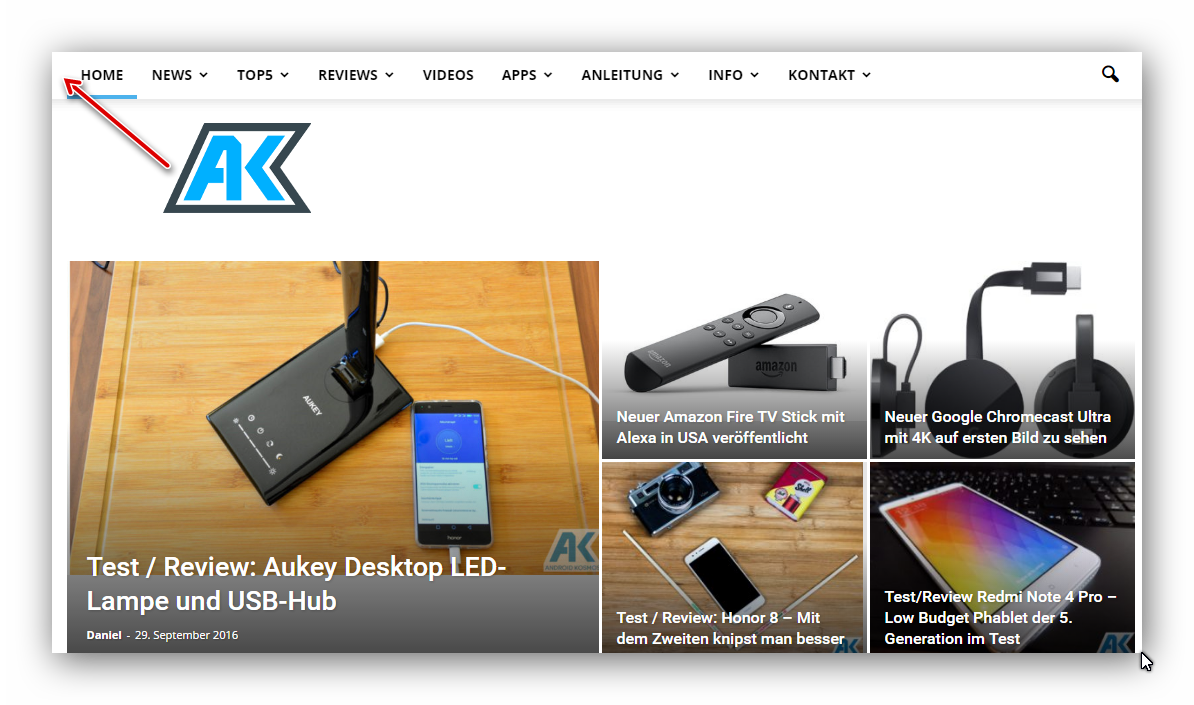
Like the Hybrid Menu but i dont like the color style.
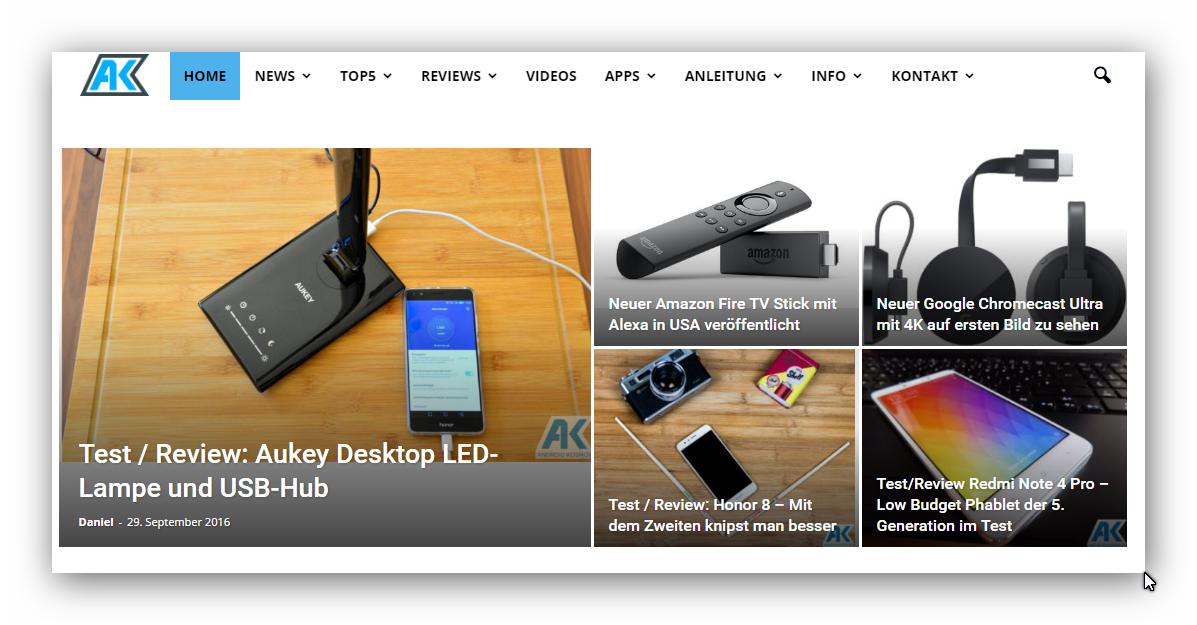
best
 fwoedit
 I’ve tried clearing the CSS everywhere, but it’s still there.
The logo itself is about 156 high.
The extra space below suggests something else is causing the issue.
Bogdan B. Hello,
The logo will get re-sized on post styles that do not use the full logo. If you want the full logo to show we suggest using the 3 post styles that display the logo in it;s full size without altering it. These are headers 9, 10 and 11
Thank you!
 Catalin
 Hello simplypotter,
Please notice that the size of the logo cannot be changed from Theme panel and we do not recommend doing this because you can damage the layout of the theme. Please keep in mind that our theme has a lot of header style which uses a lot of logo sizes. Please consult our documentation here -> https://forum.tagdiv.com/header-styles/
Hope this helps!
Thanks for the message!
 nelsonlivefwoedit
Hi there:
A space appears below my logo and above the Main Nav.
I’ve tried resizing the logo, deleting the logo, deleting all custom CSS, but I can’t seem to get rid of it.
Any suggestions?
 simplypotter
How do I change the size of the logo in my header? Currently mine is way too small! http://www.simplypotter.com
Catalin Hi marius,
You can use a bit of CSS code if you want to hide the login for mobile mode. Try the code below and place it in Theme panel->Custom CSS area.
The code is ->
.td-menu-logout{
display:none;
}
Hope this helps!
Catalin Hello,
Please try to use the code below and place it in Theme panel->Custom CSS area.
.td-header-style-11 .td-logo-wrap-full{

border-bottom:0;

}
Thanks for the message!
 Andrei L.
 HI
Try this css in theme panel > custom code > custom css to correct the logo position: http://screencast.com/t/2mDs6IRa
.td-logo{

    margin-left: auto;

    margin-right: auto;

}

.td-header-style-9 .td-header-sp-logo img {

    width: 350px!important;

}
Thanks!
Bogdan B. Hello,
1. The sorting option for these elements can be seen in the code like so: http://screencast.com/t/Uf8r4ahIF
2. You can disable the footer logo on mobile only using this css:
@media (max-width: 767px){

.footer-logo-wrap, .td-footer-wrapper .td-pb-span3{

display:none!important;;

}}
Thank you!
Catalin Hello marioecg,
I guess that you are a bit confusing according to our logos. Please keep in mind that in the header exist only 1 logo which can be inline with menu items or above the menu items according to header style used by you. For more information about our Header Templates, please consult the documentation here -> https://forum.tagdiv.com/header-styles/ Also, please notice that you cannot have a new logo for each page or something like this. The logo can be set it from Theme panel, like this -> https://forum.tagdiv.com/logo-favicon/ and it is unique for the entire website.
If is not what you mean, please provide more details so I will be able to provide a more accurate response.
Thanks for your understanding!
 Nano
NanoHi, I am using Style- 1 which has predefined layouts. It has three column sections.
1. Editors Pick 2. Popular Posts 3. Popular Categories.
Most probably “Popular Categories” are chosen based on the number of posts under it and then top 9 categories with maximum number of posts are displayed.
But what about editors pick and popular posts section? I know that these sections are pre-occupied with contents but since it’s also based on some algorythm so I want to know it selects posts to show under these sections so that I can be aware of what’s going to be displayed there.
Or its simply a random selection? I mean it has no connection with being popular or latest. Please help to have little control over it ( I know that there are other footer templates too like Style-5 where I can define these sections by myself but I particularly like this template and just want to know how it selects posts )
Second question:
Have a look at this footer screenshot of my website: https://i.imgur.com/prZpN8n.jpg
The logo displayed on footer looks very big and it takes so much space of footer. How can I disable the footer logo from Mobile only? I like the logo on desktop version though.
Thank you.
nelsonlive Please see example here http://www.mediafire.com/view/6r26vxyh8d238nc/title+header.PNG
We wish to have headers sponsored by a company
eg. News brought to you by (Company logo)
 Stangerson
Hello,
I use News Magazine and style 11 : top menu /+ full bottom logo, but I have one trouble, I don’t know how delete one ligne after my logo and before my slider… Can you help me ?
Thanks in advance 🙂
[URL=http://www.hostingpics.net/viewer.php?id=549977Capturedcran20161022175418.png][IMG]http://img15.hostingpics.net/pics/549977Capturedcran20161022175418.png[/IMG][/URL]
 ashishb01
Hi,
I am using Avada for my main site and just configuring NewsMag for a News site as a wordpress subdirectory install.The idea is to keep the look and feel as similar as possible.
In my main site, the Logo is alongside the menu, but not enclosed within the menu. Much like this:
https://www.dealwithautism.com/adhd-symptoms-in-girls/
How Can in achieve a similar setting in Newsmag
 marioecg
I want to put a different logo in the main nav and footer than the one in the header, is there a way to do this?
 kerunet
Hi, we use your Newspaper theme in our site http://www.digitalbizmagazine.com/. As you can see we are having an issue with our header. On the one hand, at the home page our logo appears on the left, instead of centered. On the other hand, in the whole website the logo is bigger than it used to be.
I hope you can help us. Thank you so much.
Bogdan B. Well unfortunately if you want to increase it you will have to change a few values in the tablets section. Just add the code in all 3 devices spots here: http://screencast.com/t/hAg23vn6yg2
For desktop the code is ok but the values need changing for tablets. Decrease the values a bit so the ad does not fall under the logo on tablets. That’s about it.
Thank you!
 Edward
 https://themeforest.net/item/newspaper/5489609
Changelog
Version 7.4 – September 12th, 2016
new: we are very happy to announce that this version of the theme supports retina featured images.
new: twitter video support
fix: Social counter header can be changed again
fix: footer copyright section on mobile theme now works as expected
fix: fixed author name on mobile theme + theme logo
fix: various bbpress css fixes
fix: category template subcategory dropdown list color
fix: better aligment for images without any aligment option (left, middle or right)
fix: cleaned up the social counter CSS
fix: WordPress RSS widget was broken
new: all blocks can now have custom classnames in the wrapper. The class can be added in visual composer while editing the block.
Or see in themeforest-5489609-newspaper.zip
-
This reply was modified 9 years by
Edward.


