- ApiUsing the Theme API in plugins
- ApiPractical example – How to add a new Block and Module
- ApiAPI – Smart Lists – Introduction
- ApiAPI – Category top section style – Introduction
- ApiAPI – Category top section template – Introduction
- Apitd_api_module::update
- Apitd_api_module::add
- ApiAPI – Modules – Introduction
 Anamaria
 Hello,
1.
In order to disable the option “Exit mobile version”, you need to disable this setting: https://i.imgur.com/LxpDtB2.png
The excerpt option is not added to work for mobile theme and amp, only mobile page and responsive version.
You can change the text for about us here -> https://i.imgur.com/qmC40ri.png and follow us here -> https://i.imgur.com/zHHi7Ck.png
2. Yes, is the same page without mobile theme and amp.
Yes, it is used mobile theme. We have 3 options:
Mobile – Displays content using the Mobile Theme on small screen devices (no AMP)
Mobile + Amp – Displays content using the Mobile Theme on both mobiles and AMP
AMP – Uses the responsive version of the theme on small screen devices and Mobile Theme only on AMP.
For forum is used bbpress but this is made custom.
Thank you!
Anamaria Hello,
Usually, this happens with cache plugins. If the cache plugin does not have mobile support then the mobile theme version can be delivered instead.
The solution would be to use the recommended WP Super Cache plugin instead and activate these settings (especially the mobile device support): https://forum.tagdiv.com/cache-plugin-install-and-configure/
Also, please let me know what plugin for the cache you use now.
I hope this helps.
Thank you!
 nitrofox
Hi all,
Since the last update that when entering my site via mobile, it opens the responsive desktop version on the first visit, and not the mobile theme, but if you do F5 Refresh, it opens the mobile theme version, I don’t understand why this is happening.
The only thing I did recently was the last update, and I also updated the Google Adsense GDPR message, for some reason the first visit to the site via mobile does not pull the mobile theme version, only if you revisit the site on the next visit.
Thanks
 scollen
Hi there
What is the difference in setup between these two tagdiv url’s:
1. https://tagdiv.com/category/documentation/?amp
– I see this url has AMP enabled.
– Does AMP always create the “Exit Mobile Version”? Is there a way to disable that?
– You have absolutely no excerpts in your AMP version. How would one include excerpts in the AMP version?
– Can you point me to the URL that explains where and how to adjust the ‘About Us’ and ‘Follow Us’ adjustments that you made?
2. https://tagdiv.com/category/documentation/
– This is exactly the same page with AMP disabled, correct?
– This is using a mobile theme or not using a mobile theme?
Another question, what forum software/plugin are you using here?
Thank you!
 kellykim
I make the mobile page, but it doesn’t work.
how can I solve this problem?
 larutachina
 I already fixed the menu problem but I still have the blank space between the header and the content in the mobile version. I just downloaded the theme again but I still have the same problem.
 renovaweb
Hello !
I really like this theme, thanks !
But the mobile version doesn’t work (critical error)
Homepage seems fine
I tried with AMP, AMP + Mobile, Mobile
I tried with AMP plugin not activated too
Website: https://dev.magazine3rve.cc/
PHP 8 with php ini ressources boosted to max
WordPress 6.4.1 with Newspaper Child theme Version : 9.0c
NewspaperVersion : 12.6.1
PHP errors on inner pages or articles
Warning: require_once(/home/mag3rve/dev.magazine3rve.cc/wp-content/themes/Newspaper/legacy/common/wp_booster/td_css_res_compiler.php): Failed to open stream: No such file or directory in /home/mag3rve/dev.magazine3rve.cc/wp-includes/template.php on line 790
Fatal error: Uncaught Error: Failed opening required ‘/home/mag3rve/dev.magazine3rve.cc/wp-content/themes/Newspaper/legacy/common/wp_booster/td_css_res_compiler.php’ (include_path=’.:/opt/cpanel/ea-php80/root/usr/share/pear’) in /home/mag3rve/dev.magazine3rve.cc/wp-includes/template.php:790 Stack trace: #0 /home/mag3rve/dev.magazine3rve.cc/wp-content/plugins/td-composer/legacy/common/wp_booster/td_autoload_classes.php(42): load_template(‘/home/mag3rve/d…’, true) #1 [internal function]: td_autoload_classes->loading_classes(‘td_css_res_comp…’) #2 /home/mag3rve/dev.magazine3rve.cc/wp-content/plugins/td-composer/legacy/common/wp_booster/td_global.php(780): class_exists(‘td_css_res_comp…’, true) #3 /home/mag3rve/dev.magazine3rve.cc/wp-content/plugins/td-composer/legacy/common/wp_booster/td_wp_booster_functions.php(1184): td_global::reset_theme_settings() #4 /home/mag3rve/dev.magazine3rve.cc/wp-includes/class-wp-hook.php(324): hook_wp_head(”) #5 /home/mag3rve/dev.magazine3rve.cc/wp-includes/class-wp-hook.php(348): WP_Hook->apply_filters(NULL, Array) #6 /home/mag3rve/dev.magazine3rve.cc/wp-includes/plugin.php(517): WP_Hook->do_action(Array) #7 /home/mag3rve/dev.magazine3rve.cc/wp-includes/general-template.php(3052): do_action(‘wp_head’) #8 /home/mag3rve/dev.magazine3rve.cc/wp-content/plugins/td-standard-pack/Newspaper/header.php(11): wp_head() #9 /home/mag3rve/dev.magazine3rve.cc/wp-content/plugins/td-composer/td-composer.php(259): require_once(‘/home/mag3rve/d…’) #10 /home/mag3rve/dev.magazine3rve.cc/wp-includes/class-wp-hook.php(324): {closure}(”) #11 /home/mag3rve/dev.magazine3rve.cc/wp-includes/class-wp-hook.php(348): WP_Hook->apply_filters(”, Array) #12 /home/mag3rve/dev.magazine3rve.cc/wp-includes/plugin.php(517): WP_Hook->do_action(Array) #13 /home/mag3rve/dev.magazine3rve.cc/wp-content/themes/Newspaper/header.php(2): do_action(‘tdc_header’) #14 /home/mag3rve/dev.magazine3rve.cc/wp-includes/template.php(790): require_once(‘/home/mag3rve/d…’) #15 /home/mag3rve/dev.magazine3rve.cc/wp-includes/template.php(725): load_template(‘/home/mag3rve/d…’, true, Array) #16 /home/mag3rve/dev.magazine3rve.cc/wp-includes/general-template.php(48): locate_template(Array, true, true, Array) #17 /home/mag3rve/dev.magazine3rve.cc/wp-content/plugins/td-standard-pack/Newspaper/page.php(7): get_header() #18 /home/mag3rve/dev.magazine3rve.cc/wp-includes/template-loader.php(106): include(‘/home/mag3rve/d…’) #19 /home/mag3rve/dev.magazine3rve.cc/wp-blog-header.php(19): require_once(‘/home/mag3rve/d…’) #20 /home/mag3rve/dev.magazine3rve.cc/index.php(17): require(‘/home/mag3rve/d…’) #21 {main} thrown in /home/mag3rve/dev.magazine3rve.cc/wp-includes/template.php on line 790
Thank you very much !
 stefanoroma
Hi,
I migrate the website from https://www.cestaysetas.com/dev/ url to https://www.cestaysetas.com/ and it is a nightmare.
It’s really a very bad bad experience with this theme.
If you try with chrome smartphone simulation all is fantastic but if you try with real mobile (cache is deleted and it the same in new mobile) begin the nightmare.
– The header in mobile don’t work, it charge the theme default header
– Categories and post page are the dafault, it don’t load the CloudTheme
So please help because it is very noising problem.
I can’t undestand how you have 4.8 rating in Themeforest.
The website is: https://www.cestaysetas.com/ please check with your mobile.
 Andy81
Hi, How can I create custom menus for Desktop + Mobile that has login, socila icons and menus (when you click on 3 lines icon and menu appears) similar to what Downtown Pro and Echo Verse themes have)?
https://app.screencast.com/ff3AAhWJoHoqq
https://app.screencast.com/dTGJVj8aLfLG1
 christianmuda
Hi,
After changing to the newspaper theme, I have lost 70% of my organic traffic and the page is very slow in mobile. Do you have any suggestions of what I can do to speed up the site?
 Calin
Calin Hello,
Unfortunately, there is no option for that, it can be changed only using custom css, for this please use this custom css:
.td-icon-mobile:before {

    content: '\e80e';

}
The code should be set in the theme panel > custom css> advance css > phone section.
I hope this will help you!
Anamaria Hi,
Please disable the tagdiv mobile theme plugin.
Thank you!
 gugacwb
Hello,
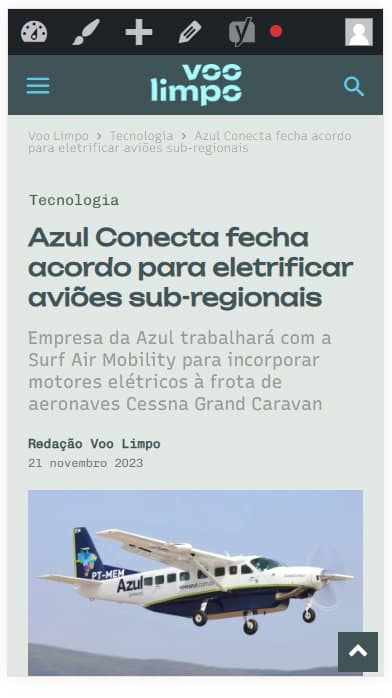
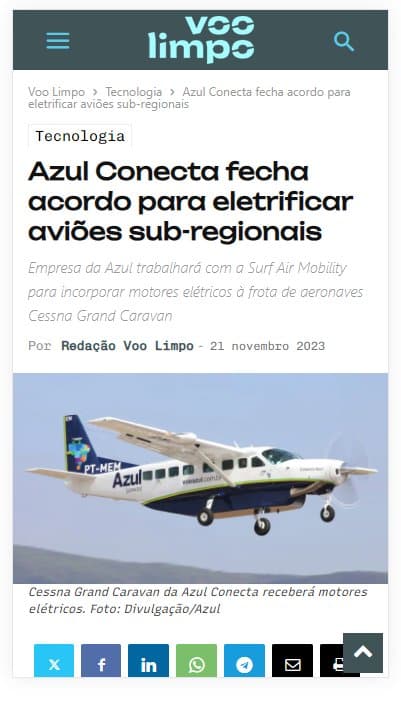
I am facing some issues with Mobile Theme/AMP. All the Custom Code I wrote at Mobile Theme Panel are not loading in AMP version when I´m not logged in. But when I’m logged in all the css codes are working just fine.
For example: https://voolimpo.com.br/tecnologia/2023/11/21/azul-conecta-fecha-acordo-para-eletrificar-avioes-sub-regionais/?amp
Logged in: https://voolimpo.com.br/wp-content/uploads/2023/11/css-1.jpg
Not logged in: https://voolimpo.com.br/wp-content/uploads/2023/11/css-2.jpg
What should I do to solve this issue?
Thank you.
 perspektive
 Hi, sorry, im not using the mobile-Theme (via Plugin) but a mobile template.
I now managed to change the logoproblems.
The problem with the post is the following: on the first post its not taking the mobile template but the original template. I adjusted everything there, but one problem remains
How can i disable “vertical” here for the mobile-view, but it stays “vertical” on the desktop-view?
Anamaria Hi,
Unfortunately, for the mobile theme/AMP plugin, the post cannot display the modified date.
With tagDiv Composer, you can add the element Single Post Modified Date in Single Post Template, and you can change the additional text in “Last updated on” => https://www.screencast.com/t/EvfUQMfzkd, and the Single Post Modified Date will show you the last time you edited that post => https://www.screencast.com/t/j74uz43paZj
-> https://forum.tagdiv.com/single-post-shortcodes/
Thank you!
 shivam327
Hi,
I want to show last modified date in single post .. I am using newspaper theme with newspaper mobile version.
 Bettina
 Hello @perspektive!
Delete the logo element and add the other one with your logo image and text. Scroll down in Composer, and you will see the sticky header. The logo should be changed there too.
Deactivate the mobile theme when you edit the post with Gutenberg.
Please see https://forum.tagdiv.com/the-mobile-theme/ and https://forum.tagdiv.com/mobile-theme-introduction/ for more information.
Thank you!
perspektiveHey there!
I changed the Header of the mainpage and the main blog-post-sample on the page perspektive-online.net to cloud-based samples. Then i modified them by the tagdiv composer
Unfortunatly sometimes it doesnt work
On the mainpage sometimes still the “coronavirus”-logo is displayed.
https://postimg.cc/yWBBdQbv
On the blogposts when clicking on the first post a old version of the mobile-theme is shown. It’s not a problem on older posts.
https://postimg.cc/p9N4SyNq
Can you help?
Thanks!
Anamaria Hi,
You can’t. That is why I said to disable the mobile theme for the contact page.
Thank you!
 TheNCBeatNow
 You’re giving me answers to everything but what I am asking.
How do I get a contact page on the mobile theme plugin????
Anamaria Hi,
You can disable the mobile theme only for that page to have it as you design with tagdiv Composer.
Using our theme you can choose from 3 mobile versions
-> mobile responsive => https://www.screencast.com/t/oJ2ShOp47
-> mobile theme plugin => https://forum.tagdiv.com/the-mobile-theme/
-> mobile page => https://tagdiv.com/newspaper-10-3-7-update-brings-customizable-and-fast-mobile-pages/
If you created the mobile pages with tagDiv Composer, then when you install the Mobile Theme plugin, your pages will be overwritten by the plugin (the mobile theme comes with its templates for page, post, category, etc so your current templates from the desktop theme will get converted to the mobile theme layout, the page content is made without builders in mobile editor => https://www.screencast.com/t/xbgZG8kH also, the options that are provided to edit the mobile theme version are limited (this keeps the things simple)).
This is a video about Responsive Newspaper Theme, AMP & Mobile Theme, Mobile Pages & Templates -> https://www.youtube.com/watch?v=SpGkOnJeNZY
So, the mobile responsive is what you see when that you select the viewport on phone => https://www.screencast.com/t/matV17hH, so some settings may apply for each viewport(where is the border blue), and others are not(where the border is black).
The mobile page has the mobile templates from Cloud Library => https://www.screencast.com/t/YCcZ8rL8
The Mobile responsive version of the theme and the mobile page editor can be edit with tagDiv Composer, the mobile theme plugin cannot.
For example, you can have the mobile theme plugin activated and use the mobile page/mobile responsive version for the homepage/pages, but for the categories pages/404 page, you can’t use the mobile page/mobile responsive version if you have the mobile theme plugin activated.
So, if you want to design the pages with tagDiv Composer, you can use the mobile page or mobile responsive version.
Thank you!
Anamaria Hello,
You have the mobile theme plugin activated, please deactivate it.
When the mobile theme plugin is used you need to set for pages the page content in mobile editor using only the options from that editor – https://i.imgur.com/p8EqE1b.png also there is an option to disable the mobile theme from a page/post – https://i.imgur.com/d3kTBRf.png this option appears in Gutenberg editor.
Using our theme you can choose from 3 mobile versions
-> mobile responsive => https://www.screencast.com/t/oJ2ShOp47
-> mobile theme plugin => https://forum.tagdiv.com/the-mobile-theme/
-> mobile page => https://tagdiv.com/newspaper-10-3-7-update-brings-customizable-and-fast-mobile-pages/
If you created the mobile pages with tagDiv Composer, then when you install the Mobile Theme plugin, your pages will be overwritten by the plugin (the mobile theme comes with its templates for page, post, category, etc so your current templates from the desktop theme will get converted to the mobile theme layout, the page content is made without builders in mobile editor => https://www.screencast.com/t/xbgZG8kH also, the options that are provided to edit the mobile theme version are limited (this keeps the things simple)).
This is a video about Responsive Newspaper Theme, AMP & Mobile Theme, Mobile Pages & Templates -> https://www.youtube.com/watch?v=SpGkOnJeNZY
So, the mobile responsive is what you see when that you select the viewport on phone => https://www.screencast.com/t/matV17hH, so some settings may apply for each viewport(where is the border blue), and others are not(where the border is black).
The mobile page has the mobile templates from Cloud Library => https://www.screencast.com/t/YCcZ8rL8
The Mobile responsive version of the theme and the mobile page editor can be edit with tagDiv Composer, the mobile theme plugin cannot.
For example, you can have the mobile theme plugin activated and use the mobile page/mobile responsive version for the homepage/pages, but for the categories pages/404 page, you can’t use the mobile page/mobile responsive version if you have the mobile theme plugin activated.
So, if you want to design the pages with tagDiv Composer, you can use the mobile page or mobile responsive version.
Thank you!
Anamaria Hello,
You have the mobile theme plugin activated, please deactivate it.
When the mobile theme plugin is used you need to set for pages the page content in mobile editor using only the options from that editor – https://i.imgur.com/p8EqE1b.png also there is an option to disable the mobile theme from a page/post – https://i.imgur.com/d3kTBRf.png this option appears in Gutenberg editor.
Using our theme you can choose from 3 mobile versions
-> mobile responsive => https://www.screencast.com/t/oJ2ShOp47
-> mobile theme plugin => https://forum.tagdiv.com/the-mobile-theme/
-> mobile page => https://tagdiv.com/newspaper-10-3-7-update-brings-customizable-and-fast-mobile-pages/
If you created the mobile pages with tagDiv Composer, then when you install the Mobile Theme plugin, your pages will be overwritten by the plugin (the mobile theme comes with its templates for page, post, category, etc so your current templates from the desktop theme will get converted to the mobile theme layout, the page content is made without builders in mobile editor => https://www.screencast.com/t/xbgZG8kH also, the options that are provided to edit the mobile theme version are limited (this keeps the things simple)).
This is a video about Responsive Newspaper Theme, AMP & Mobile Theme, Mobile Pages & Templates -> https://www.youtube.com/watch?v=SpGkOnJeNZY
So, the mobile responsive is what you see when that you select the viewport on phone => https://www.screencast.com/t/matV17hH, so some settings may apply for each viewport(where is the border blue), and others are not(where the border is black).
The mobile page has the mobile templates from Cloud Library => https://www.screencast.com/t/YCcZ8rL8
The Mobile responsive version of the theme and the mobile page editor can be edit with tagDiv Composer, the mobile theme plugin cannot.
For example, you can have the mobile theme plugin activated and use the mobile page/mobile responsive version for the homepage/pages, but for the categories pages/404 page, you can’t use the mobile page/mobile responsive version if you have the mobile theme plugin activated.
So, if you want to design the pages with tagDiv Composer, you can use the mobile page or mobile responsive version.
Thank you!
 surendra07
why my theme maximum time show default theme in Desktop and Mobile even when i update properly. Busyinside.com
 Zeeshan Rasheed
Hi,
I customized my theme pages with different blocks and section templates, and now my site https://www.bookwormworlds.com not showing on mobile even though I already created a mobile home page after this issue. Its just shows Newspaper demo data with newspaper header which totally different from my home page layout. Can you please help me out?
Thank You