
- TutorialsFrom WPBakery to tagDiv Composer
- TutorialsWhat is Ajax preloading?
 keyforweb
Hi, i’ve strange issue with visual composer on homepage:
I’m make my custom homepage with visual composer for desktop view and i hide some block only for mobile where a special block with infinite loop is used… It’s all ok in firefox and edge but when i try to view via google seach console or google chrome from desktop, i’ve see only mobile block…
My site is: http://www.keyforweb.it


[IMG][/IMG]
 snowcat
 jmaldonad
 Hello,
Here is a screenshot with the web menu and the mobile menu
https://www.screencast.com/t/2lEtTQdY7xH
The mobile menu does not show the menu “Nosotros”, it shows a white arrow all the way to the left.
This issue is happening only to the parent menu that has subpages inside.
Please help me to solve this issue.
Thanks
 sisco
siscoHI there, i want to know how is possible to integrate or Inculde AMP on newspaper Mobile theme ??
or should i use WPTOUCH if it’s compatible ?
or meaby the TagDiv Team updatet their product to AMP.!!
thanks for ur help. .-)
 floranto22
Quiero cambiar este texto que corresponde al theme mobile de Newspaper, ¿A dónde me tengo que dirigir para hacerlo, ya fui al theme panel en tranlations pero no hallé la zona?
esta es la página: http://ambitoaustral.com/
Textos a cambiar:
http://ambitoaustral.com/jpg/1.jpg
http://ambitoaustral.com/jpg/2.jpg
http://ambitoaustral.com/jpg/3.jpg
http://ambitoaustral.com/jpg/4.jpg
Gracias!
 Zakkery
 About mobile – thx, I will fix it. But what about first bug?
The problem is: This bug is not always visible. To find it – need click somw poata for a few minutes sometimes, and sometimes a few seconds. And after few secont (5-30 sec) he disappears. Checked for 3 different PCs in Google Chrome – but bug was always there!
I made video with bug. http://dropmefiles.com/cFGps
And the real problem is: I think that bug do negatively Affects the ranking in Google
 crazydiver
Hello,
Curious but how do I integrate Google’s Custom Search into the Mobile plugin theme?
Is there any easy to follow instructions on how to do this for desktop mode too?
Thank you.
 hawks13
 Does anyone know what might cause this issue or how to get it back to where you can just view it on one page in mobile?
 truth
truth hi,
have you followed these instructions?
Are you using the WP Super Cache plugin?
 ritesh2190
Hello,
As the normal responsive theme is very very slow, i decided to use the mobile theme instead. But my website still shows the normal responsive theme instead of the mobile theme. I have cleared the cache and tried too,but it doesn’t help.
 polys_a
Hello
I have a problem with the mobile ads for the https://lifenewscy.com.
The code I use is:
<div class=”td-all-devices”>
<Programmatic server Script>
</div>
the exact same code is working on http://themasports.com
I don’t know what is the problem but on Themasports is working fine.
Any help?
 d2inspire
Hi,
Is there anyway I can make infinite load on the mobile version instead of page wise display, now I can access my site from mobile but after few posts it shows pages 1,2,3 to click, I need all the posts one by one below.
–
Thanks
Haneef
 vishesh999
I went through all the Newspaper documentation and followed through all the steps to optimize the website, however, I am getting a very poor page insights score, and worst on the mobile version.
Mobile Score: 63
Desktop Score: 78
The website link is:
bookreviews.tv
I want to:-
1) Minify CSS
2) Minify HTML
3) Eliminate render-blocking JavaScript and CSS in above-the-fold content
 Roboman
On my android mobile browser and chrome browser I am not able to scroll with the scroll button in the bottom-right corner. It shows ok but it does not function.
How can I fix this?
hawks13For some reason, my smartlist postings aren’t coming up correctly on mobile. I am using smartlist 2 where is doesn’t require the user to hit the next button to load a new item. Instead, a user can just scroll down the page and see all the numbers. This use to be te same if someone viewed it on their mobile device. For some reason, if someone views it on their mobile device, they have to hit the next button to see the next list number. On a desktop, it still works where someone can just scroll down the page, just not for mobile and it’s annoying. For some of my smart list, I have a long intro. So if someone on mobile views that posting, they have to keep scrolling halfway down the page and load the next item. Is this a bug or did something change? Does anyone know how I can have a single page smartlist 2 for mobile where a user can just scroll down the page?
 fenomeno0chris
 Thank you very much for your fast and extensive response!
1) The line appears after you visit some articles and scrolling up and down. I don’t know if its just my mac, but that would be weird, since all macs are using same safari browser.
Another weird thing I noticed: If im using Google Chrome browser, the big grid at the top of the site has this great animation (image gets zoomed in), if I move the mouse cursor over one article. On safari there is no animation at all. 🙁
2) I know that your theme has a custom login build in and Im already using it, as you can see (by the way it looks awesome). My problem is, that a user gets an email notification from WordPress after he registered on my site. In this email, he gets a link to set a new password. By clicking the link he gets redirected to this unpleasant site:
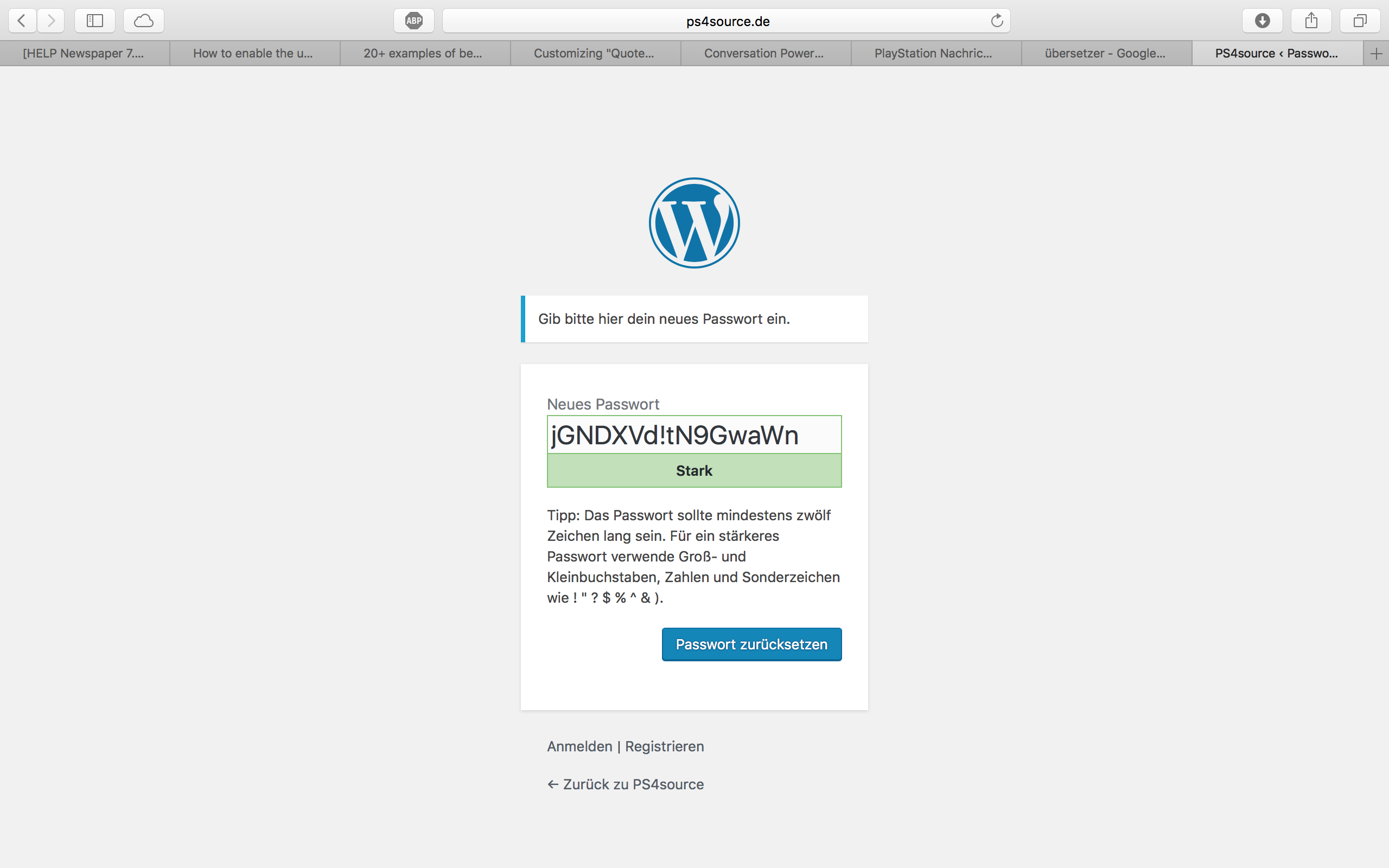
How can I change this registration process? Which plugin do you recommend?
2.1) Also Im using Disqus Comment System, as I mentioned before. Ive used my own button to let the users register without having to use a social media account. Unfortunately I don’t know the link address to open the beautiful login/registration window of newspaper7.
Right now it looks like this, which is not very beautiful:
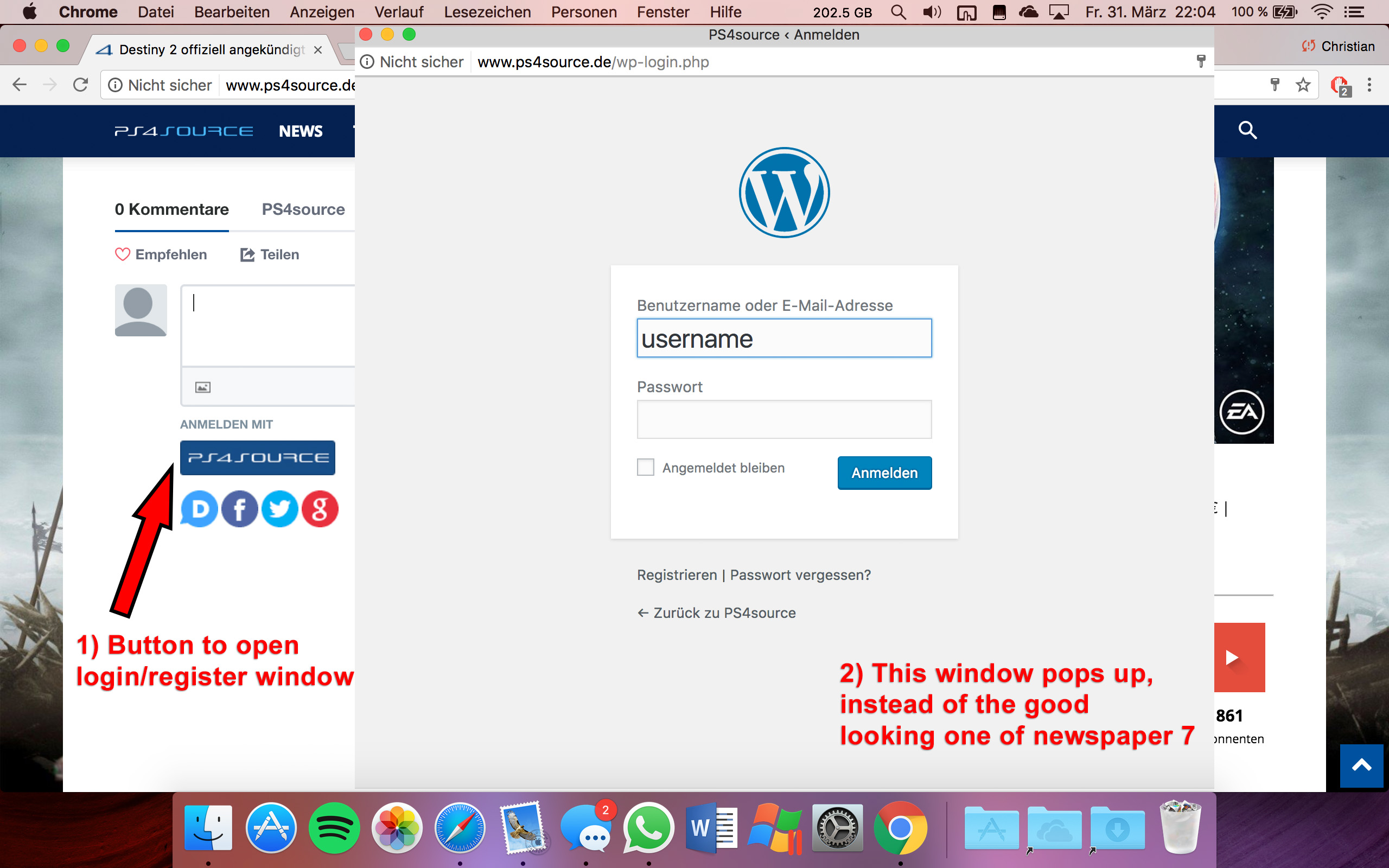
Disqus Button Code:
// Single Sign-on Integration

function dsq_sso_login() {
    global $current_site;
    $sitename = get_bloginfo('name');
    $siteurl = site_url();
    $button = get_option('disqus_sso_button');
    $sso_login_str = 'this.sso = {
          name: "' . esc_js( $sitename ) . '",
          button: "' . $button . '",
          url: "' . $siteurl . '/wp-login.php",
          logout: "' . $siteurl . '/wp-login.php?action=logout",
          width: "800",
          height: "700"
    };';
What should I enter at the url line, which is obviously responsible for the window?
3) CHECK
4) CHECK
5) Which Font do I have to use to get this vertical line on my quotes?
6,7,8) I do not know if I lost so many readers because the pagepeed has dropped or something else, but obviously I really want to get the numbers back to the state before I transferred to Newspaper7. Ive managed to increase the google pagespeed by reducing nearly all uploaded images. And I also read the Newspaper7 documentation to set the status parameters, the cache plugin and booster plugin as instructed. Unfortunately there are still some warnings, which should be solved as you can see here. Could you please help me, to get the best page speed as possible?
Should I change something on my .htaccess file?
# BEGIN WordPress
<IfModule mod_rewrite.c>
RewriteEngine On
RewriteBase /
RewriteRule ^index\.php$ - [L]
RewriteCond %{REQUEST_FILENAME} !-f
RewriteCond %{REQUEST_FILENAME} !-d
RewriteRule . /index.php [L]
</IfModule>

# END WordPress

# Deflate Compression by FileType
<IfModule mod_deflate.c>
 AddOutputFilterByType DEFLATE text/plain
 AddOutputFilterByType DEFLATE text/html
 AddOutputFilterByType DEFLATE text/xml
 AddOutputFilterByType DEFLATE text/css
 AddOutputFilterByType DEFLATE text/javascript
 AddOutputFilterByType DEFLATE application/xml
 AddOutputFilterByType DEFLATE application/xhtml+xml
 AddOutputFilterByType DEFLATE application/rss+xml
 AddOutputFilterByType DEFLATE application/atom_xml
 AddOutputFilterByType DEFLATE application/javascript
 AddOutputFilterByType DEFLATE application/x-javascript
 AddOutputFilterByType DEFLATE application/x-shockwave-flash
</IfModule>

# turns cache on for 1 month
<IfModule mod_expires.c>
ExpiresActive On
ExpiresDefault "access plus 1 week"
ExpiresByType image/jpg "access plus 1 week"
ExpiresByType image/jpeg "access plus 1 week"
ExpiresByType image/png "access plus 1 week"
ExpiresByType application/x-shockwave-flash "access plus 1 week"
</IfModule>

# gzip Compression if availiable
<IfModule mod_gzip.c>
 mod_gzip_on       Yes
 mod_gzip_dechunk  Yes
 mod_gzip_item_include file      \.(html?|txt|css|js|php|pl)$
 mod_gzip_item_include handler   ^cgi-script$
 mod_gzip_item_include mime      ^text/.*
 mod_gzip_item_include mime      ^application/x-javascript.*
 mod_gzip_item_exclude mime      ^image/.*
 mod_gzip_item_exclude rspheader ^Content-Encoding:.*gzip.*
</IfModule>

php_value memory_limit 256M
php_value max_input_vars 5000
php_value max_execution_time 300
php_value post_max_size 50M
php_value upload_max_filesize 50M
8) CHECK
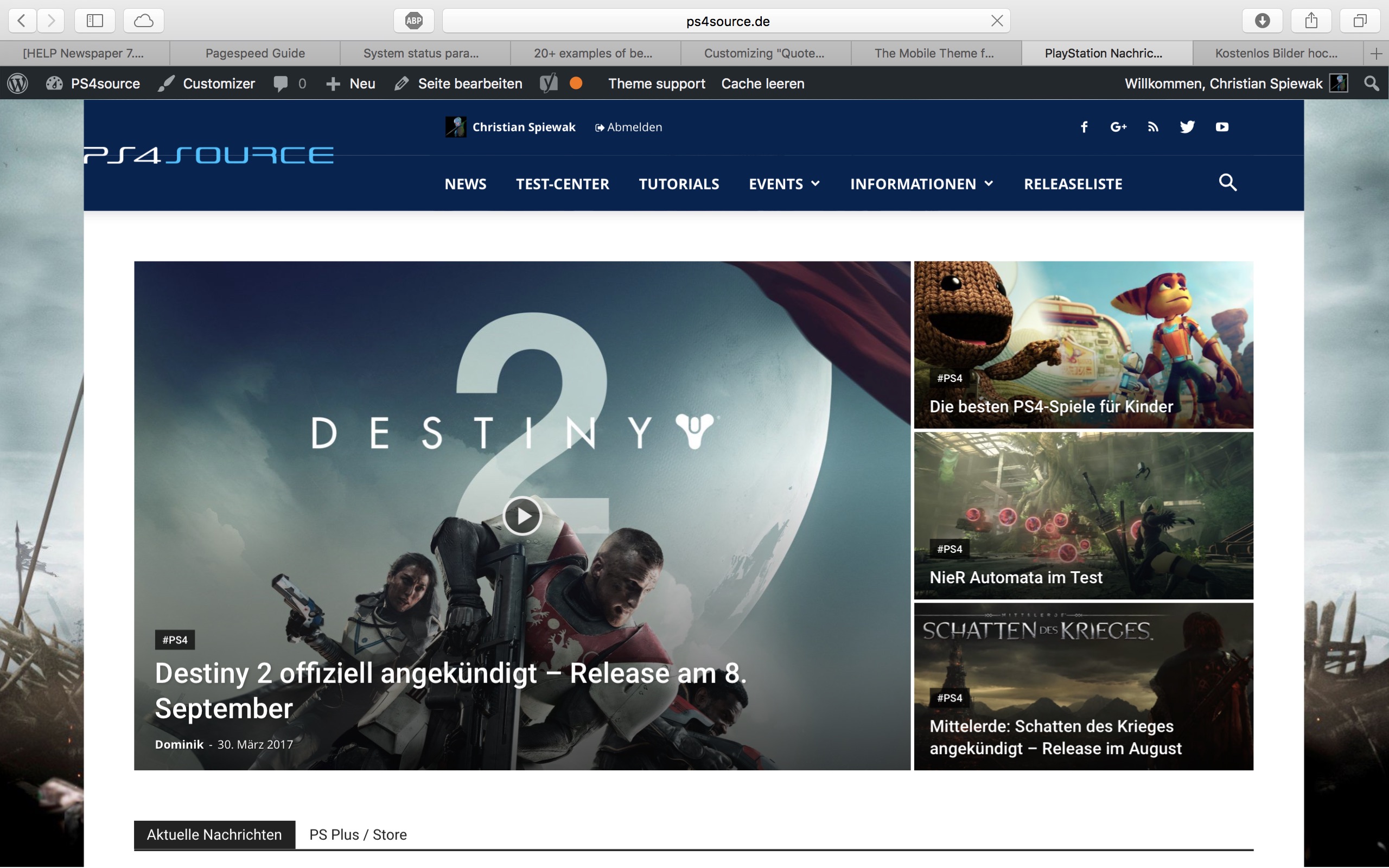
9) 
(link)
10) CHECK
11) [Newspaper->System status->php.ini configuration] I have this PHP Version 5.6.29-nmm1 (5.6 CGI). Is this ok?
-
This reply was modified 9 years by
fenomeno0chris.
 goldfish45
Dear sir,
My images / photos showing on pc/laptop but its not showing in any mobile browser. please tell me solution,
 adnan
adnanHi,
i am using a plugin for upload photos form users on comments, every thing work fine but the upload button looking bad in mobile device. You can look in : https://goo.gl/A6n3dT the upload button showing in same line on PC but when user come form a mobile device the upload icon move down after the “Publish Comment” button.
I consult to Plugin author and he advise me:
It depends on the template CSS, it seems from the screenshot the button style is made full width does the button is brought to the bottom, you can consult your theme provider to see if they can advise on the post comment button on mobile.
Thanks
 cipmweb
Hi there,
our readers are often reclaming a view error on mobile devices. The articles are impossible to see cause the default menu and search page appears, but is blocked.
the website is: http://www.ambientebio.it
Where i can send you the screeshot?
many thanks for your support.
FG
 Jose
Jose Hi @Simion C. and thanks for reply,
Yes, I found that info some ours ago thanks, and I repair the problem (fix).
But now….. I see a detail and I dont know how to do it…. I cant find info about also.
Can I add te RRSS icon in mobile menu? How?

Thanks
 Simion C.
 Hi,
I see that maybe you resolved your problem – https://www.screencast.com/t/XBQneBWF – https://www.screencast.com/t/Fp5yLFPTtQMY
When using the mobile theme page content must be entered in the mobile editor section – https://www.screencast.com/t/b5Fsjpd1Ym
More information about the mobile theme features here – https://forum.tagdiv.com/the-mobile-theme/
Thanks
Simion C. Hi,
You will need to make the modifications here – https://www.screencast.com/t/RHvvBclVs and it should work properly on mobile too.
Thanks
 dvdrdg2701
Please help. It’s urgent
I’m using newspaper 6.5, the website Fashion Weekly
looks very uncomfortable for mobile user.
I tried many plugins e.g wptouch, mobile smart but seems the problem resisting. wptouch, when I installed it, it has some incompatibility with visual composer.
please help and you can private message a dvdrdg@gmail.com
Big Thanks
 MarketExpertise
The search that automatically appears on the main menu does not work.
Nor does the mobile menu – it does nothing.
Can anyone help?
 Catalin
 Hello dhincapie,
I have tested again your website for two different mobile devices on android and I did not saw any problem with the main menu, as you can see here -> https://www.screencast.com/t/IpgD8OJtW What kind of browser is used by your customers? Please keep in mind that the theme is fully tested with these browsers -> https://www.screencast.com/t/ngcxMpD55YOz If your users use some default browsers of their’s mobile phone, it is possible that the theme does not work as expected and that why you receive bad reports. Use the theme only on tested browsers if you want to bring best results.
Thanks for your understanding!



