- TutorialsFrom WPBakery to tagDiv Composer
- TutorialsWhat is Ajax preloading?
 erickimani
I have created mobile pages for my home page and posts pages using tag div composer.
Problem is that the adverts I put on the mobile pages only show sometimes. I have placed them using custom ad codes when I test using a mobile phone
 ynom09
Hello,
Question1: I’m using the “news hub pro” newspaper theme (as seen in the demo https://demo.tagdiv.com/newspaper_news_hub_pro/) and I see that the header is not sticky in the mobile version. How do I fix it? in the Header template manager I do not see any option to fix this. I see only global fonts and colors options.
Question2: How do I make the top row sticky as well? This is the row that includes the logo, title, my account, search button, etc. Do I need to create child theme and my own CSS?
 drvarun5179
Hi,
I went through the forum to look for answers but could not.
I was previously running a very old (maybe Newspaper 8) and updated few weeks back. However, after update, the major concern which I am not able to fix is:
Not able to show Mobile theme plugin template on mobile devices. I have removed all cache plugins, purged cache from cloudfare, deleted any mobile page available (while editing home page with tag div composer). Despite that, I am unable to render mobile theme on mobile devices. I am attaching the screenshots as below: (I also tested the results on mobile devices simultaneously)
I simply seek clean and sleek design of mobile theme plugin which was previously working fine. I am not aiming at any customized home pages or those bulky designs, a simple mobile page granted by mobile theme plugin.
Thanks
 Shubham Patel
 mobile screenshot https://prnt.sc/m8Txdap02nQt
Shubham Patel Not working in mobile page. See https://moneymuz.com/what-is-insurance-type-benefits/
 be2name
 Hello,
I think loosing visits and views after deinstalling AMP seems quite normal.
AMP pages are made for speed. Google prefers AMP versions of a website and ranks then much higher than others. Google even caches some of the content to deliver it fast to the visitors.
By disabling AMP your website will not be listed as high as the AMP version, especially if there are many competing websites with the same topic.
A normal mobile version or responsive website can’t be compared with AMP.
 jonny555
Hi,
How are you? I have been using the newspaper theme and all going well thanks.
Question:
On the mobile menu / desktop view – it opens up a mega menu drop down page with categories, newsletter and social media pages, it displays the template logo, how to I change the white logo section to my own logo ?
I cant seem to be able to find that area to change to my logo.
Thanks
Jonny
 Anamaria
 Hello,
Unfortunately, I don’t know where the problem of traffic drops could be. Also, if you are referring to google discover, please check these guides -> https://developers.google.com/search/docs/advanced/mobile/google-discover
-> https://yoast.com/google-discover/
Thank you!
Anamaria Hello,
I just checked now your website and seems to look fine -> https://i.imgur.com/GD2UKnU.png
Please make sure you have set the AMP and mobile theme like in our guides -> https://forum.tagdiv.com/tagdiv-amp-plugin-tutorial/
-> https://forum.tagdiv.com/the-mobile-theme/
Thank you!
Anamaria Hello,
So, the problem is with the image, which can’t be found, right?
If yes, then please edit with tagDiv Composer, select the row on the header (sticky header, mobile header and mobile sticky) go to the tab called CSS, and remove the background image -> https://i.imgur.com/wmUVOZ3.jpg you need to check each row.
Thank you!
 DBK
DBKhttps://www.politicaltruthnow.com/
Hi, I have a problem with the mobile version. Sometimes my logo is PoliticalTruth, sometimes it’s TodayNews. I used a pre-built template.
Also I want to turn off the featured images in the post, but the option in theme panel doesn’t work. Please give me solution. Thank you
 Olli
Olli Me again …
Please also see this screenshot:
https://www.directupload.net/file/d/6560/8yhlchnm_jpg.htm
It is a screenshot of my website which I made some minutes ago through my mobile phone. As you can see on the screenshot the AMP version seems to work, but something is going absolutely wrong here …
Please help.
Thank you!
OlliHi!
I have EXACTLY (!) the same issue as you can read here:
https://forum.tagdiv.com/topic/amp-plugin-and-tagdiv-mobile-theme-plugin-conflict/
A few weeks ago I had both plugins (AMP and MobileTheme) installed and both displayed perfectly in my WordPress backend. Because I was very unhappy with the design options of “AMP” and “Mobile Theme”, I deactivated and deleted these plugins again.
But now I’m again very unhappy with the page speed, which is why I installed and activated both plugins again.
Now I have the same problem as the user “vanisticz” from the above topic: The AMP plugin is displayed perfectly in my WordPress backend (as long as the mobile theme plugin is disabled). As soon as the Mobile Theme Plugin is ACTIVATED, the AMP Plugin disappears in my WordPress backend.
It won´t help you to fix this problem but my website is: https://www.motivationsheld.de/
I believe that you need access to my backend and CPanel?
Please let me know!
Thank you!
 itgrcapitallink
When you visit the http://www.capitallinkshipping.com from desktop you will see the layout for mobile.
Why?
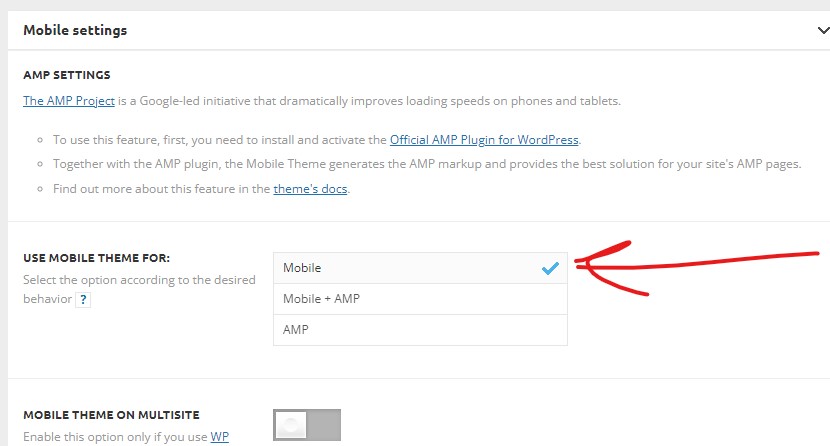
The mobile setting of tagdive is “Use mobile theme for: Mobile”
Thank you.
 tiaeaglemag
 Hi I disabled the optimiztion plugin and checked but its still not working on mobile.
 Bettina
 Hello!
Please provide a video when the mobile + amp is active and the results and also when AMP is disabled and the results also. So, we can check it too and investigate further to see what can be done.
Thank you!
 Eric
Eric The mobile custom category template is not working. It adheres to the desktop custom category model and ignores the mobile model. I went back to version 11.4.3 and the problem was fixed.
Anamaria Hello,
I did a test and for me works well the search is https://i.imgur.com/ybURb7D.jpg on the desktop, but it seems the problem is on mobile, please let me know if you optimise the js and CSS, if yes, please disable them, clear all cache and check after if it works.
Thank you!
Bettina Hello!
I’m sorry to hear about this.
Please read all about AMP here: https://forum.tagdiv.com/tagdiv-amp-plugin-tutorial/ and Mobile theme here:
– https://forum.tagdiv.com/the-mobile-theme/
– https://forum.tagdiv.com/mobile-theme-introduction/
You can use the Mobile theme plugin without AMP too.
Thank you!
 meugamer
I recently removed the mobile+amp option, leaving only mobile. However, the hits to the site from google search, dropped dramatically. Simply, google has stopped highlighting us in “Top News” or pinning us at the top.
However, when I switch back to mobile+amp, everything returns to normal.
The problem, is there is a script that only works on the version without amp and I need to use on the site currently. Is there a tutorial where I can follow and check what happened. Since it is very weird this situation.
 frank3011
Dear Sirs I have installed RomaniaNews prebuilt, but in the mobile version (the responsive version and not with the mobile plugin theme) I have many types of sub footer. I want to edit copyright Newspaper WordPress Theme by TagDiv (is not possible via TagDivcomposers,I also edited footer.php but nothing has changed). Thanks
Anamaria Hello,
Usually, this happens with cache plugins. If the cache plugin does not have mobile support then the mobile theme version can be delivered instead.
The solution would be to use the recommended WP Super Cache plugin instead and activate these settings (especially the mobile device support): https://forum.tagdiv.com/cache-plugin-install-and-configure/
Also, please make sure you have enabled the mobile cache if the plugin has this option
I hope this helps.
Thank you!
 AlexLuwees
So I have my landing page, and it has a Flex Block 1, displaying some content of a specific category.
I made the mobile version of the landing page, but now the blocks are independent. How can I connect the content of
2 different blocks so it displays the same?
I don’t want to change the filter both on the desktop and on the mobile view. I want my client to just change his desktop view and the mobile blocks to sync with those changes.
 fbmuse1
 https://s1.hostingkartinok.com/uploads/images/2022/05/588891b90d147e4bbffc801b41668c32.jpg
https://s1.hostingkartinok.com/uploads/images/2022/05/f2108d0eb4a7371bf07de5df713ebd0f.jpg
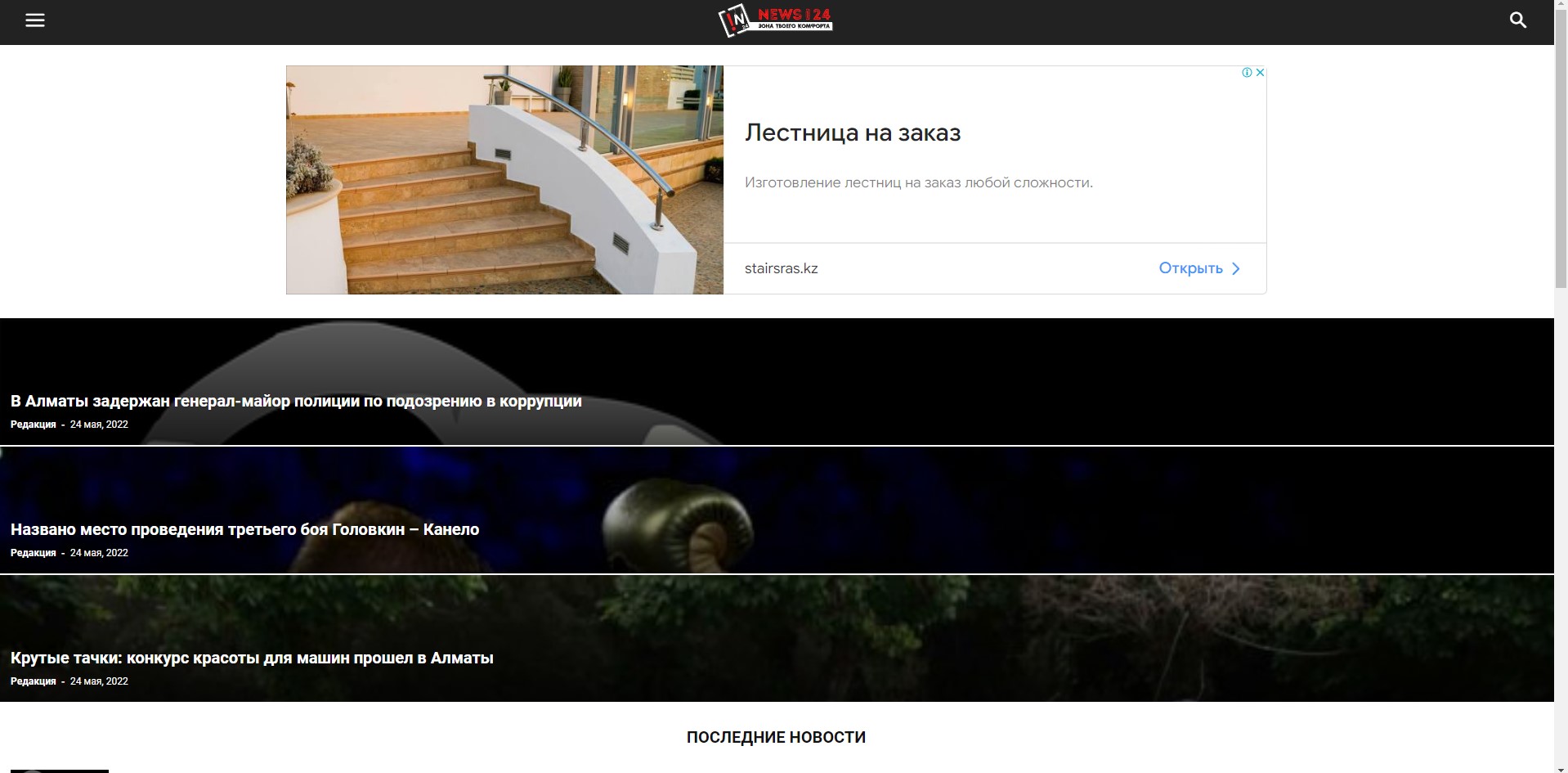
Когда стоит настройка MOBILE то на телефоне и на ПК показывает обычную тему.
Когда стоит настройка mobile+amp показывает и на телефоне и на ПК мобильную тему.
А должно быть на телефоне мобильная тема, а на ПК обычная тема. Как быть:?
fbmuse1Здравствуйте. Дело в том, что когда я ставлю настройку в мобильной теме то есть mobile, показывает на PC тоже как мобильную тему.