
- ApiPractical example – How to add a new Block and Module
- ApiAPI – Smart Lists – Introduction
- ApiAPI – Category top section style – Introduction
- ApiAPI – Category top section template – Introduction
- Apitd_api_module::update
- Apitd_api_module::add
- ApiAPI – Modules – Introduction
- ApiUsing the Theme API in plugins
 sloope
Hi there,
on my website there was always the “scroll to top” Button in the mobile version. Suddenly it’s missing and I can’t remember where to re-add it?
thanks!
 brettage66
 I assume you mean a 3rd party since i see no tagDiv cache settings?
I went to WP Supercache, set all recommended settings, clicked Update Status, clicked Delete Cached Pages. Same result.
My custom mobile page:
https://www.manliness.com/wp-content/uploads/2025/06/Screenshot-2025-06-12-at-13.24.38.png
What i’m seeing on mobile (in incognito):
https://www.manliness.com/wp-content/uploads/2025/06/IMG_0221-scaled.png
 Calin
Calin Hi,
Please check the plugins settings and enabled the cache for mobile, after that clear all cache and try again.
Thank you!
 kestasve
Hello,
I have tried to look forum but couldnt find any solution how to make transparent menu on mobile version https://prnt.sc/2RNGji7no6g9.
I would like to have same design like on desktop or tablet version https://prnt.sc/4yivBSN4273V
Another question where I can find an option to upload the video as on your demo site? https://prnt.sc/M9_hDl4jUB99
Thank you very much.
brettage66Hello, I’ve set up a custom mobile page but it isn’t showing when i view on a mobile device. What i see looks nothing like my custom page.
See screenshots. It looks like my mobile page “Mobile homepage” is set up. Please advise.
https://www.manliness.com/wp-content/uploads/2025/06/Screenshot-2025-06-12-at-05.03.04.png
https://www.manliness.com/wp-content/uploads/2025/06/Screenshot-2025-06-12-at-05.02.33.png
Calin Hi YamhillAdvocate, please do what I’m asking. Contact the cache author and ask how you can remove the cache from your website after the cache plugin is disabled.
“Sorry but none of that made any sense to me. I disabled the cache plugin and the mobile plugins, and it’s still showing a mobile version on desktop.” – this is because the cache is delivered from a file, there are cache plugins that are working even when they are disabled, until the cache file is deleted.
 YamhillAdvocate
 Sorry but none of that made any sense to me. I disabled the cache plugin and the mobile plugins, and it’s still showing a mobile version on desktop.
Weirdly it started showing the desktop version on mobile this morning, but then switched back to mobile again.
There is clearly an issue with your theme. Sure while I am logged in as an admin it shows the website correctly on desktop but for anyone not logged in it shows the mobile version.
Yes this is with the most update version of your theme
 SnakeEater
 Got the same issue, I am now trying to enable the separate Mobile Cache in LiteSpeedCache and hope that fixes the issue.
Calin Hi YamhillAdvocate,
Please try like this: check when you are logged in on the website if is displaying the right version or not, if is displaying the right version then you have a cache from a plugin, or maybe from server or CDN that is applying on your website.
Also, if the problem was resolve for a few minutes after the cache was cleared then this is a cache problem, but latter you disabled the mobile plugin … but there was still cache version delivered, not without cache.
When you are using the mobile theme plugin the cache plugin should support mobile cache (to have a separate cache version that will be delivered only on mobile devices, for example – https://i.imgur.com/4MtTg1K.png – https://forum.tagdiv.com/cache-plugin-install-and-configure/
Thank you!
YamhillAdvocate Nevermind I spoke too soon, within a few minutes it went right back to showing only the mobile version on desktop again
Nginx Helper plugin is disabled (which is the cache plugin) so it’s not that. And I also disabled tagDiv Mobile Theme so its not that either. Likewise AMP is disabled, so again it’s not that.
BTW I have these same plugins on other instances of this theme on my other websites such as https://www.yamhilladvocate.com/ and it’s not causing the problem but I am using an older version. So the problem seems to be your newer theme versions.
-
This reply was modified 1 year by
YamhillAdvocate.
-
This reply was modified 1 year by
 Reportec
Hello,
the site is blocked in the mobile version, when I publish it also from desktop it only shows in that version. only if I am logged in I see the page in the right way.
Where can I solve this error?
I await your
Calin Hi,
The mobile menu is using a fixed code and you can not edit it to much, you can set only the background color, image and social links.
If you want to style it in your way you can use the main id #td-login-mob – https://i.imgur.com/wOXX56C.png
Thank you!
Calin Hi,
1. It will be need to use tagDiv Composer to edit the page, select the element and select the module there the background color can be changed – https://i.imgur.com/nZyjONM.png
2. For this you need to edit with tagDiv Composer and go down on page and select the last css from content and remove the css or adjust it – https://i.imgur.com/cFAN4o8.png
3. This situation – https://i.imgur.com/twW9Ykc.png is because you are using the tagDiv mobile theme plugin and the responsive version will be used.
Thank you!
 jinxstrange
 Specifically, I was able to target td-login-modal-wrap, and .mfp-container, and elements within #td-login-div like td-login-form-div, .td-login-button, etc to style the popup generated on desktop when that Header login element is clicked.
What I couldn’t find through any means I used, was what containers and elements were called when generating the mobile version.
jinxstrange Hello. I’m sorry, your response doesn’t make a lot of sense to me. I am using a hamburger menu for the categories list, yes. For the log in menu, I am using the “Header login” element. I know the pop up is mobile – I was able to style the desktop version, but what I can’t discern is how and where to style the mobile version of the popup.
Calin Hi,
That popup is from mobile menu, but I see that no you no longer use the mobile menu and you are using a the header categories list and for login the same header login as on desktop.
Calin Hi,
This situation is related to the cache plugin you are using, this can not or do not have the option to cache the mobile version separate and deliver the mobile cache when a mobile is used and the cache of desktop version and a desktop is used. IN this situation if you want to keep the current cache plugin (or server/CDN cache, you need to disable the tagDiv mobile theme plugin and make sure that all cache and object cache is cleared).
Thank you!
Calin Hi Ari,
1. You need to use tagDiv Composer edit the homepage and select the logo from header, then select the svg tab and remove the code from there – https://i.imgur.com/zkR1mV6.png this operation is need to be done on all header logos you are using (header, footer, sticky header, mobile header) – https://forum.tagdiv.com/add-logo-newspaper/
2. From blocks it can be removed globally using the theme panel settings from Theme panel > blocks settings > meta info on modules/blocks – https://i.imgur.com/daSq2MT.png and for removing it from articles use tagdiv Composer to edit the single post template, and use the right click on element you want to delete – https://i.imgur.com/rl6q5O2.png – https://i.imgur.com/GTJmGPV.png
3. Unfortunately the element for the location is not working like that to display for each user the location where he/she is accessing the website, sorry!
Thank you!
Calin Hi,
This situation appears because you are using the tagDiv Mobile theme plugin and not the responsive version. Please go to plugins and disable the tagDiv Mobile Theme plugin, cleared all cache and the problems will be resolved.
Thank you!
Calin Hi nikkigaskins,
The situation remains the same as before: if you disable the AMP plugin, users will no longer see the AMP version of your site—they’ll be served the mobile version instead. However, since Google has already indexed the AMP pages, those links may still appear in search results. As @simchris mentioned, using a redirect option can help preserve some of the traffic coming from those indexed AMP links until Google reindexes your site and removes the AMP pages from its index.
Thank you!
 arno
arnoHi,
On mobile, the menu and search don’t work. Only the logo works correctly and links to the homepage.
When tapping the menu or search icon, nothing happens.
Can you help me fix this?
Thanks in advance.
Website: https://valxor.com
 iv-2
iv-2Hi everyone,
I need help with these 3 issues:

I would like to know how to change the hover color of the text shown in the image.
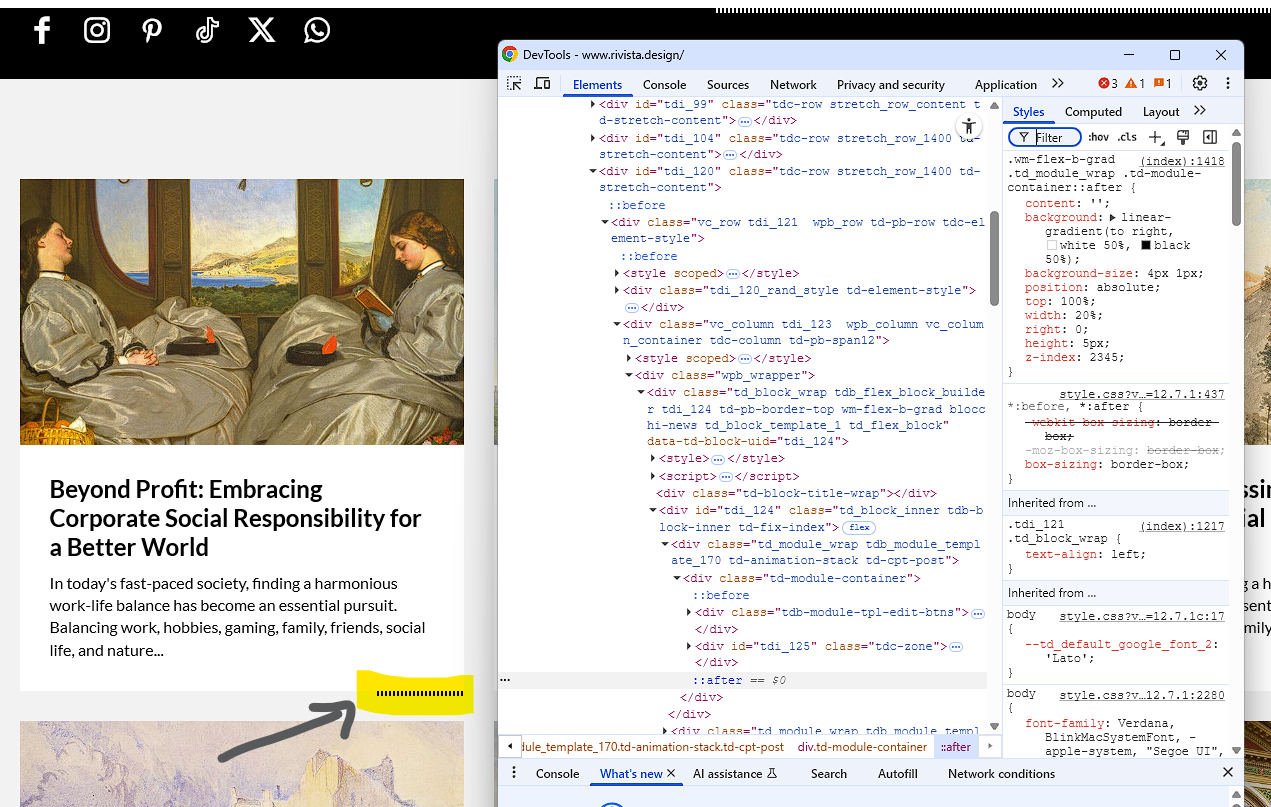
I would like to know how to remove this “after” element.
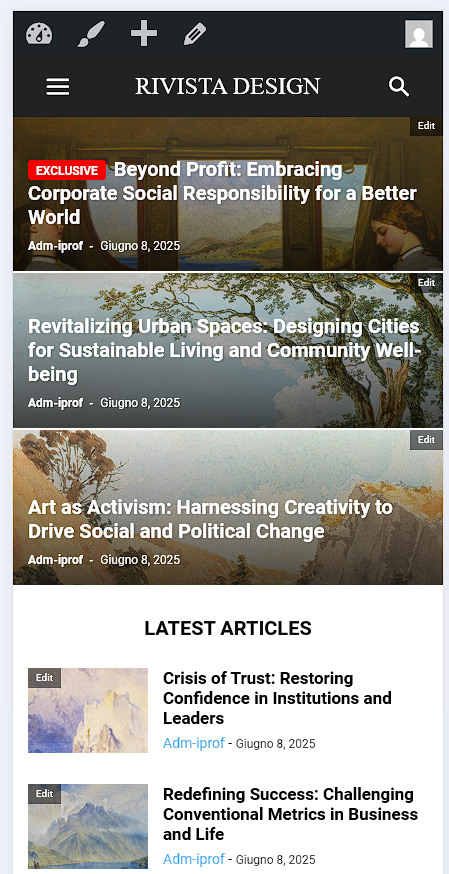
I would like to understand why the default template is not loading correctly, and instead it shows a basic template.
Thanks in advance for your support!
jinxstrangeCurrent implementation can be at test site here. The element is part of a four-column menu embedded in the page, not the actual header: https://dirgemagazine.com/
I was able to target the desktop modal for styling through CSS after inspecting the elements of the popup. I was not able to do this with the mobile version.
I tried using the Moda Pop-up element, but I found it confusing in this context and couldn’t corrolate it to this modal.
I activated the Mobile Theme early on and it enacted some unsavory effects (such as setting all post types to mobile), which persisted even after deactivation. I had to fix that by executing a code snippet. I can’t tell if this mobile header login modal was imposed by the Mobile Theme.
I set the colors and fonts while Mobile Theme was activated, and it had no effect. I deactivated mobile theme again, and there was still no change.
I either need to know the specific classes that inform this mobile modal, or I need to know where I can go to actually style it. Nothing I have tried has seemed to affect it whatsoever.
Of secondary concern, the mobile version of the modal includes an arrow that, when clicked, invites me to use the menu creator, which I do not understand at all in this context, and does not seem intentional.


Thank you.
YamhillAdvocateWhen loading the website on Edge or Chrome it is locked in mobile version instead of the desktop version I see while logged in as admin
I have tried rolling back to older version of your theme but its not working
Also the mobile options for front page grid etc doesnt seem to be working either
Disabling the tagDiv Mobile Theme does not correct the problem, the front page is still locked in mobile mode
 nikkigaskins
 Thanks for each of your responses.
I’m surprised it’s not a quick, simple solution – such as simply deactivating the AMP plugin that’s compatible with the Newsmag template.
Previously, I used the plugin, “AMP for WP,” to make my webpages mobile on my previous website theme (WPZoom’s Tribune); however, I could easily make the pages mobile only again by deactivating the plugin.
I will try both of your suggestions over the weekend and report back. Stay tuned.
Thank you.



