
- NewsmagSmart list ads
- NewsmagIntroduction
- NewsmagMain menu
- NewsmagLogo & Favicon
- NewsmagHeader ads
- NewsmagSmart sidebar
- NewsmagSharing buttons
- NewsmagCategory tag on modules/blocks
- NewsmagBackground introduction
- NewsmagTheme colors introduction
 Vlad S
 Hello!
Unfortunately due to the cache this is happening. The standard layout is responsive and if you use mobile theme plugin then the mobile theme will be displayed only on mobile devices. This is an older situation and after a lot of investigations our developers reached this conclusion.
Thank you!
 ehgns3015
I attached a screenshot.
I want to set the mobile page menu so that the logo can fit in the black menu like a screenshot, but it doesn’t work even if I click it.
No matter how many times i click it, it doesn’t change and stays in its original state, so please tell me how to solve this problem.
ehgns3015I attached a screenshot.
I want to set the mobile page menu so that the logo can fit in the black menu like a screenshot, but it doesn’t work even if I click it.
No matter how many times i click it, it doesn’t change and stays in its original state, so please tell me how to solve this problem.
 meri
meriHi,
When you look at https://www.coupdepoker.com/?amp you can see white lines above and below the 2 first images.
Can you help fixing this problem?
Thanks
meriHi,
I need to hide on mobile and tablet the first image of a post for a specific category.
You privided this custom css:
.category-poker-en-ligne .td-post-content .su-row:nth-child(2) amp-img {
display: none;
}
It works fine for old posts like https://www.coupdepoker.com/poker-en-ligne/test-pmu-poker/?amp
But it does not work for new posts like https://www.coupdepoker.com/poker-en-ligne/code-bonus-pokerstars/?amp
Can you kindly help me fix it?
Thanks
 Christiaan
 Thank. I resolved. Work ok.
But i have other problem. Por example y newspaper 11.2 don’t show more tools for post settings. I have only two options. Besides it there is not an option for featured images and so many images duplicates in my template.
Finally, the template show en page speed with 20 for mobile https://developers.google.com/speed/pagespeed/insights/?hl=es&url=www.elpirata.pe.
It no speed offer to customers
 krenarthaci
 MOBILE ISSUE.. **
IN FRONTPAGE /DESKTOP/ WE CUSTOMIZE IT,BUT KNOW WHEN WE GO ON MOBILE TO OUR FRONTPAGE IT DOESNT LOOK GOOD BCUZ WE MADE SOME CHANGES THERE.. SO HOW TO MAKE THESE CHANGES TO APPEAR JUST IN DESKTOP NOT MOBILE **** CSS CHANGES!!!!!
AND EXAMPLE I CREATED A MOBILE PAGE AND EDITED IT BUT I WANT TO CHANGE THE LAYOUT HOW CAN I DO THAT OR THAT IS NOT POSSIBLE? ***
 tapan29588
 Yes normal header ad is done. But the problem is in Auto Ad, Anchor Ad and Vintage Ad which pop up after opening the page.
Example-
Anchor Ads – https://prnt.sc/1mutldu
Vintage Ads – https://prnt.sc/1mustzo
Both of the above ads work properly when I install another theme on my site. So I think the problem is in the mobile theme. Please resolve this quickly.
krenarthaci Hello.. here i have some other questions :
img one : https://ibb.co/dcPtxPm
img two : https://ibb.co/MDLk59w
img 3 : https://ibb.co/VQgZpVV
question 4.. I create a mobile page ill go to mobile but it doenst load.. why ??****
it loads the page without content.. ??
please check my images
 Anamaria
 Hello,
Unfortunately, for the mobile theme/AMP plugin, the post doesn’t have the option to display the modified date.
Thank you for understanding!
Anamaria Hello,
To remove the background image for the menu on mobile, please access Newspaper -> Theme panel -> Background -> Mobile menu/search background and remove the image from here https://www.screencast.com/t/ATV1Jr7s
Thank you!
Anamaria Hello,
Seems you have the Mobile theme plugin activate, when you install and activate the Mobile Theme plugin, your pages will be overwritten by the plugin (the mobile theme comes with its own templates for page, post, category, etc so your current templates from the desktop theme will get converted to the mobile theme layout, the page content is made without builders in mobile editor => https://www.screencast.com/t/xbgZG8kH also, the options that are provided to edit the mobile theme version are limited (this keeps the things simple)).
Better deactivate the plugin and see the results
This is a video about Responsive Newspaper Theme, AMP & Mobile Theme, Mobile Pages & Templates -> https://www.youtube.com/watch?v=SpGkOnJeNZY
Also, if you create a mobile page, please check if is set correctly => https://tagdiv.com/newspaper-10-3-7-update-brings-customizable-and-fast-mobile-pages/
Thank you!
Anamaria Hello,
Using our theme you can choose from 3 mobile versions
-> mobile responsive => https://www.screencast.com/t/oJ2ShOp47
-> mobile theme plugin => https://forum.tagdiv.com/the-mobile-theme/
-> mobile page => https://tagdiv.com/newspaper-10-3-7-update-brings-customizable-and-fast-mobile-pages/
This is a video about Responsive Newspaper Theme, AMP & Mobile Theme, Mobile Pages & Templates -> https://www.youtube.com/watch?v=SpGkOnJeNZY
So, the mobile responsive is what you see then that you select the viewport on phone => https://www.screencast.com/t/matV17hH, so some settings may apply for each viewport(where is the border blue), and others are not(where the border is black).
The mobile page has the mobile templates from Cloud Library => https://www.screencast.com/t/YCcZ8rL8, so you need to add the newsletter submission box on the mobile page.
The mobile theme comes with its own templates for page, post, category, 404 etc so your current templates from the desktop theme will get converted to the mobile theme layout, the page content is made without builders in mobile editor => https://www.screencast.com/t/xbgZG8kH also, the options that are provided to edit the mobile theme version are limited (this keeps the things simple).
Mobile responsive version of the theme and the mobile page editor can be edit with tagDiv Composer, the mobile theme plugin not.
For example, you can have the mobile theme plugin activate and use the mobile page/mobile responsive version for the homepage/pages, but for the categories page/404 page you can’t use the mobile page/mobile responsive version if you have the mobile theme plugin activate.
Also, please provide some screenshots with “Further more the same changes (e.g. the newsletter submission box) appear on single post pages.”
Thank you!
 iamkingsleyf
Hi,
Please how do we change the date for mobile theme/AMP to display the last modified date? we use this for PC and want the same for mobile theme as well.
krenarthaci Hello thank you.. why we cannot edit mobile mode and add some layouts ??** templates from our library . thank u!
Vlad S Hello!
Can you show us where do you implement the code? If you are using Mobile Theme plugin insert the code into Theme panel – Mobile theme – Mobile Ads.
Thank you!
 SP1
SP1Hi,
Can someone please help me with how to change the mobile menu background image. We went to tag div composer, but when we click on the menu icon, there is no option to click on the mobile menu background change or maybe we missed the right step.
We imported the style news demo, hence the image of the style news demo appears when we click on the mobile menu. Can someone help how to change it or change it to a colour/gradient?
Thanks
motorbridge.com
 muktipolice
My homepage still has errors in mobile and desktop themes. Please solve this problem. You connected your friend to the administrator.
 Calin
Calin Hi,
Please let me know the results, also if you want we can take a look to see what can be the problem.
maybe you are referring to this option -> https://i.imgur.com/cxKJd0x.png this is display only when you use amp without mobile theme plugin.
Also did you use before the mobile theme or only the amp?
Thank you!
 Anonymous
 Hi!
Writing here just to tell that Unique Articles is running smoothly in Mobile Pages now. Don’t know if this fix was intended, but the problem is fixed. Thanks!
 e_tietze
Sire URL: http://www.ozarksfn.com
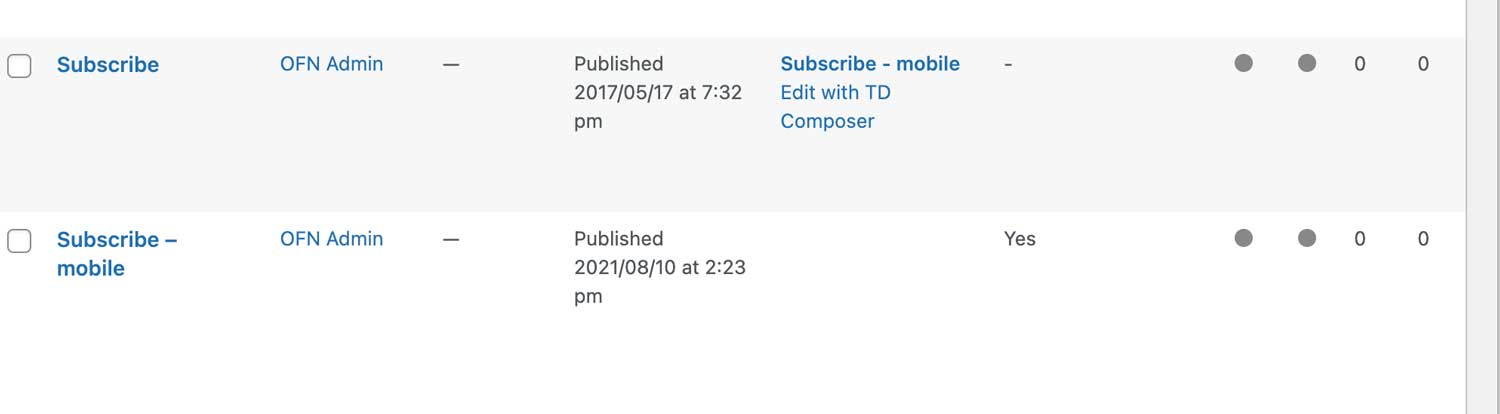
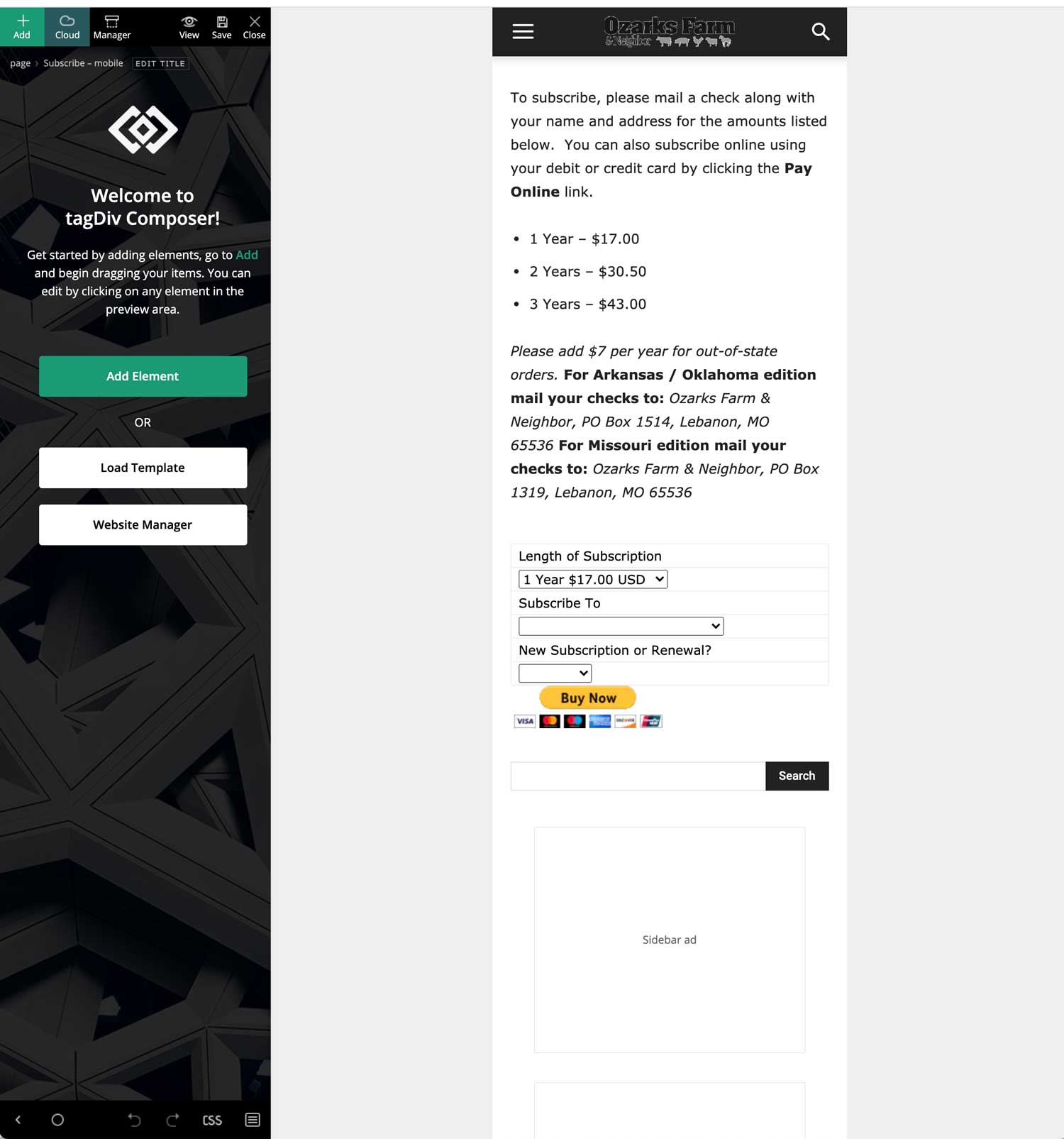
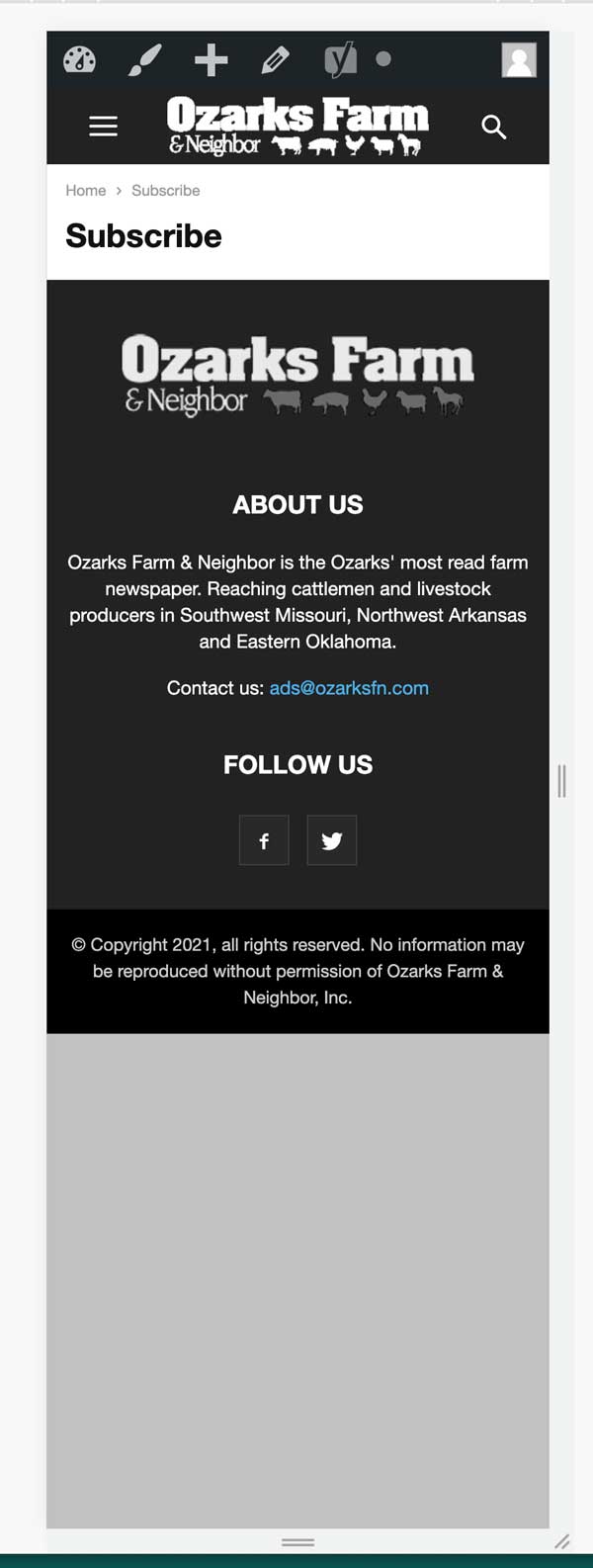
My site doesn’t seem to be properly loading mobile pages. I initially hadn’t made specific mobile pages but went ahead and made one for the one particular page I was looking at just to figure out the issue. When I go into my dashboard and pages it shows the mobile page linked to the non-mobile page (image below) and when I edit in TagDiv Composer it appears as it should (image below). But, when I pull it up on a mobile device or look at it in mobile mode on my computer it doesn’t show any of the content. It is doing this on multiple pages, I believe all of them actually, but not on posts. The posts appear just fine.
 tdeworld8
 What I’d like is to have the mobile theme plugin working with my normal desktop.
 Buffalo Monkey
Hello, I have been building out the homepage of my site but some of the changes I make e.g. a newsletter submission box, don’t appear on the mobile version.
Further more the same changes (e.g. the newsletter submission box) appear on single post pages.
How do I stop this happening?
Thanks
 ChandlerBing1985
 Ok, i found the “issue”. If I disable the cache of mobile devices, all the images are loading.
Any advice to trace the grade back to the pagespeed test? 😀
 periodical.apartments
Hi!
AMP validator swears at my pages.
Example:
https://www.apartments.news/dizaynerskie-shtuchki-i-krasivye-ukrasheniya-vashego-interera/amp/

I also noticed that the AMP page is somehow incorrectly displayed on the Desktop version of the site:

At the same time, in the mode of viewing from mobile devices, the page is displayed correctly:

Mobile + AMP — ON:

Without debug mode, PageSpeed sees the AMP page:

The latest version of the AMP plugin is installed.
I checked for a plugin conflict.
I disabled all plugins except AMP and Tagdiv.
I was cleaning the cache.
What to do? Help me please.

