- ApiAPI – Top Bar Template – Introduction
- ApiAPI – Single Template – Introduction
- ApiAPI – Footer Template – Introduction
- ApiAPI – Smart Lists – Introduction
- ApiAPI – Thumbnail – Introduction
- ApiAPI – Category top section style – Introduction
- ApiAPI – Category top section template – Introduction
- ApiAPI – Modules – Introduction
- ApiAPI – Blocks – Introduction
- ApiAPI – Header style – Introduction
- ApiUsing the Theme API in plugins
 Sprint News
 Using tagDiv Mobile Theme do not works properly
Look at the image:
– Title color: Black instead of bordeaux
– Term “By” instead of “Da”
and other stuff like this ones.
https://cdn1.imggmi.com/uploads/2019/8/19/e6a22caae07f2aeccb0430bcddce5301-full.jpg
 toimitus
Hi! I updated my client´s site on a test (staging) site. Everything okay except one major problem: a grid of small banner ads at the bottom of the front page totally broke down. It has been a neat grid in six columns containing Single Images thumbnails on top of each other like here, on the live site:
https://suomi-seura.fi
After updating both the theme and WPBakery on the staging site it looks like this:
https://https://suomiseura3.pilvia.site/fi/
Previous version of the theme that worked was 9.7.2. All pages of this site have been built with Visual Composer / WP Bakery.
Please help, thank you
 bstaff
Hi there love the theme. I have it licensed and running on two websites, both hosted on the same Go Daddy shared hosting account.
One is https://regulatorwatch.com (9.2.2) and the other is https://support.regulatorwatch.com (9.5). In the past few days a major error has started. On both sites when you log in to the Wp Admin dashboard, go to ANY page and click Edit with TD Composer an error is returned that says “This site can’t be reached”….. See attached image.
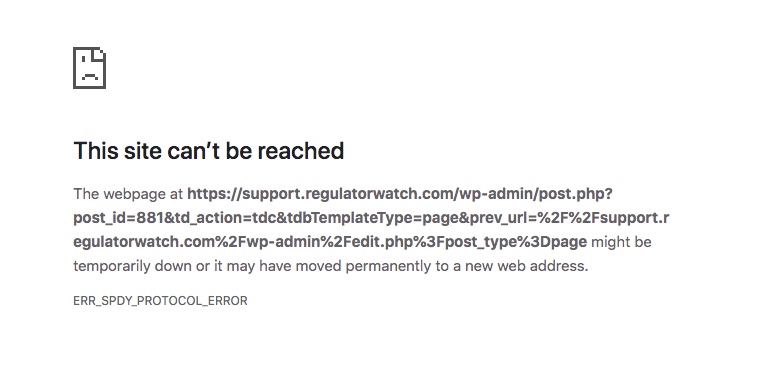
This error above is from the support.regulatorwatch.com website and it happens on every page when you click Edit with TD Composer. This also happens on every page on the main site regulatorwatch.com.
This problem is new only in the last couple of days. Each website is still up live and working. New posts and images can be added. It is simply the page editing that is not working. Major problem for me as I am still building the Support.regulatorwatch.com website.
Are you familiar with this type of error? Is it theme related? Or could it be a permissions issue with Go Daddy? Nothing has changed on my end. Plugins are updated. Themes have been totally fine and they are both different versions anyhow. I have not updated 9.2.2 yet as it’s the main site and wanted to make sure the updates were stable.
Let me know if you need login creds.
Help! Thanks.
 nishi_9057
I have checked all the tutorials about placing ad code in Mobile Theme. However, Google Adsense is showing two different ad codes for AMP Auto Ads, one goes for head tag and another to be placed into body tag. but the Mobile Theme has only one column for AMP Auto Ads. so my question is if i want to enable auto ads for AMP, which code should i place in the theme?
 Calin
Calin Hi,
You can try using other ads from other documentation -> https://forum.tagdiv.com/using-other-ads-non-adsense-ads/
Hope this will help you!
Thank you!
 lastwordonsports
First problem: Why are you trying to write to files inside the Plugin folder? wp-content/uploads is usually web-writeable on WordPress, whereas folders in themes and plugins should NOT be web writeable, for security reasons. When I unlock our site, the error message goes away.
As a WordPress developer (plugin, theme and core WP) absolutely dialed in on securing and hardening WordPress, I am dismayed that you want to create these files inside the plugin folder.
Warning: fopen(plugins/td-composer/includes/templates/font-awesome.php): failed to open stream: Permission denied in plugins/td-composer/includes/tdc_main.php on line 902

Warning: fopen(plugins/td-composer/includes/templates/typicons.php): failed to open stream: Permission denied in plugins/td-composer/includes/tdc_main.php on line 902

Warning: fopen(plugins/td-composer/includes/templates/open-iconic.php): failed to open stream: Permission denied in plugins/td-composer/includes/tdc_main.php on line 902

Warning: fopen(plugins/td-composer/includes/templates/td-multipurpose.php): failed to open stream: Permission denied in plugins/td-composer/includes/tdc_main.php on line 902
Second, we run tagDiv Composer on a *very* large MultiSite network (24 sites, 50+ gigs of content in wp-content/uploads). When we unlock the site (see first issue), tagDiv Editor just sits there and hour-glasses all day long. We have no issues with this on single standalone sites. Health Check is below the image…

`
### wp-core ###
version: 5.2.2
site_language: en_US
user_language: en_US
permalink: /%year%/%monthnum%/%day%/%postname%/
https_status: true
user_registration: false
default_comment_status: open
multisite: true
user_count: 3195
site_count: 24
network_count: 1
dotorg_communication: true
### wp-dropins (1) ###
sunrise.php: true
### wp-active-theme ###
name: LWOS Newspaper
version: 1.9.8
author: tagDiv
author_website: http://themeforest.net/user/tagDiv/portfolio
parent_theme: Newspaper
theme_features: post-formats, post-thumbnails, automatic-feed-links, html5, woocommerce, bbpress, align-wide, align-full, editor-font-sizes, editor-style, menus, widgets
theme_path: [REMOVED]/ms.lastwordonsports.com/wp-content/themes/Newspaper
### wp-themes (2) ###
Newspaper: version: 9.8, author: tagDiv
Twenty Sixteen: version: 2.0, author: the WordPress team
### wp-plugins-active (29) ###
Advanced Database Cleaner: version: 2.0.0, author: Younes JFR.
Akismet Anti-Spam: version: 4.1.2, author: Automattic
Broadcast: version: 44.02, author: edward_plainview
Classic Editor: version: 1.5, author: WordPress Contributors
Edit Flow: version: 0.9, author: Daniel Bachhuber, Scott Bressler, Mohammad Jangda, Automattic, and others
Email Users: version: 4.8.8, author: Mike Walsh & MarvinLabs
Force ReAuthentication: version: 1.3.1, author: Shrkey
Google Analytics Dashboard for WP (GADWP): version: 5.3.8, author: ExactMetrics
Head, Footer and Post Injections: version: 3.1.3, author: Stefano Lissa
Multisite Enhancements: version: 1.5.1, author: Frank Bültge
Multisite User Role Manager: version: 1.0.7, author: OzTheGreat (WPArtisan)
NextScripts: SNAP Pro Upgrade Helper: version: 1.5.9, author: NextScripts
NextScripts: Social Networks Auto-Poster: version: 4.3.8, author: NextScripts
Regenerate Thumbnails: version: 3.1.1, author: Alex Mills (Viper007Bond)
Richweb WP Lockdown: version: 2.6.5, author: Jordan Burch, Jacob Dunn & Doug Hazard
RSS Multi Importer: version: 3.15, author: Allen Weiss
tagDiv Cloud Library: version: 1.3, author: tagDiv
tagDiv Composer: version: 2.4, author: tagDiv
Unfiltered MU: version: 1.3.1, author: Automattic
User Role Editor: version: 4.51.2, author: Vladimir Garagulya
WordPress MU Domain Mapping: version: 0.5.5.1, author: Donncha O Caoimh
WP Crontrol: version: 1.7.1, author: John Blackbourn & crontributors
WP Dashboard Notes: version: 1.0.9, author: Jeroen Sormani
WPForms: version: 1.4.5.2, author: WPForms
WPForms Custom Captcha: version: 1.1.1, author: WPForms
WP Last Login: version: 2, author: Konstantin Obenland
WP Rollback: version: 1.6, author: Impress.org
Yoast SEO: version: 11.8, author: Team Yoast
Yoast SEO: News: version: 9.2, author: Team Yoast
### wp-plugins-inactive (2) ###
tagDiv Social Counter: version: 4.6, author: tagDiv
WPBakery Page Builder: version: 6.0.5, author: Michael M – WPBakery.com
### wp-media ###
image_editor: WP_Image_Editor_Imagick
imagick_module_version: 1673
imagemagick_version: ImageMagick 6.8.9-9 Q16 i586 2019-05-14 http://www.imagemagick.org
imagick_limits:
imagick::RESOURCETYPE_AREA:
imagick::RESOURCETYPE_DISK: -1
imagick::RESOURCETYPE_FILE: 6144
imagick::RESOURCETYPE_MAP:
imagick::RESOURCETYPE_MEMORY: 2 GB
imagick::RESOURCETYPE_THREAD: 10
gd_version: 2.1.1-dev
ghostscript_version: 9.26
### wp-server ###
server_architecture: Linux 3.16.0-8-686-pae i686
httpd_software: Apache
php_version: 5.6.40-0+deb8u4
php_sapi: apache2handler
max_input_variables: 1500
time_limit: 90
memory_limit: 300M
max_input_time: 20
upload_max_size: 72M
php_post_max_size: 72M
curl_version: 7.38.0 OpenSSL/1.0.1t
suhosin: false
imagick_availability: true
htaccess_extra_rules: true
### wp-database ###
extension: mysqli
server_version: 5.5.5-10.2.19-MariaDB-log
client_version: 5.5.62
### wp-constants ###
WP_HOME: undefined
WP_SITEURL: undefined
WP_CONTENT_DIR: [REMOVED]/ms.lastwordonsports.com/wp-content
WP_PLUGIN_DIR: [REMOVED]/ms.lastwordonsports.com/wp-content/plugins
WP_MAX_MEMORY_LIMIT: 300M
WP_DEBUG: false
WP_DEBUG_DISPLAY: true
WP_DEBUG_LOG: false
SCRIPT_DEBUG: false
WP_CACHE: false
CONCATENATE_SCRIPTS: undefined
COMPRESS_SCRIPTS: undefined
COMPRESS_CSS: undefined
WP_LOCAL_DEV: undefined
### wp-filesystem ###
wordpress: not writable (This is our security plugin, protecting the site)
wp-content: not writable (This is our security plugin, protecting the site)
uploads: writable
plugins: not writable (This is our security plugin, protecting the site)
themes: not writable (This is our security plugin, protecting the site)
 LG
LG Hi Vlad,
I’ve set it any and everywhere that setting appears and in every combination. Likewise with the imported layouts, the settings must be correct in the original downloads, but still they don’t work – then I try all other combinations and still nothing.
I’ll email you direct, as requested.
Many thanks.
Calin Hi,
Please try to set the ads like in this article Using other ads -> https://forum.tagdiv.com/newsmag-using-other-ads/ also make sure that your ads are working with a default WordPress theme, if is not working then the problem is with your ads.
Let me know the results!
Thank you!
Calin Hi,
Just make sure that you are set the ads as in our documentation https://forum.tagdiv.com/using-other-ads-non-adsense-ads/ -> http://prntscr.com/op1bto
If there is still a problem, please provide some more details, some screenshots with the ads code and a link where I can check the results
Thank you!
Calin Hi,
The ads set in mobile theme plugins should work just find on amp.
Create an AMP-compatible display ad unit -> https://support.google.com/adsense/answer/9187443?hl=en&visit_id=637006076689424888-346143683&rd=1
The first code that need to be insert in the head is all ready set in the theme, you’ll need to set only the other one in out ads section. -> http://prntscr.com/oolj09
If there is still a problem, please provide some more details.
Thank you!
 h1o2s6
 Hi,
Here is an article from my other website which I’m using the same iframe with 750×600 of size https://www.amazingpandph.com/new-guinea-eruption/
As I said there is a problem of video size on the newsmag theme 600×600 is a square form, not a rectangle https://www.amazingpandph.com/wp-content/uploads/2019/08/1-1-10.png
Thank you!
 d_alinus2018
Hello,
Any ideea, for google AMP mobile version where i can ad the google adsense code?I have added on section “Mobile Ads” but i have receive one message from Google Adsense that it’s not OK with the google policy.
Then, on the section “AMP ads” i see that i must to add “ADSENSE AUTO ADS FOR AMP” and i realy don’t know where i can find this code on google adsense account.
I see that on the google adsense account it’s a option to create ads for AMP but i must to insert a code on before </head> and another code before </body> and i cant’ find this option for AMP version.
Many regards
h1o2s6 hi,
I need to show my embedded youtube video with a square form on phone and tablet like this one on my other website https://www.amazingpandph.com/wp-content/uploads/2019/08/1-1-9.png
the newsmag theme shows the video differently despite I’m using the same iframe code with 600px of height https://www.amazingpandph.com/wp-content/uploads/2019/08/1-1-10.png
Thank you!
Calin Hi,
If you are using the mobile theme plugin, then the ads set in Theme Panel>mobile theme will be show om mobile device.
If you do not use the mobile theme, and you want to have separate banners ads, than you should set specific methods for each device https://forum.tagdiv.com/using-other-ads-non-adsense-ads/ -> http://prntscr.com/omu6di -> http://prntscr.com/omu6ld -> http://prntscr.com/omu73w
If you want to have more banners side by side you should use ad box with tagDiv Composer
http://prntscr.com/omubnx -> http://prntscr.com/omubbf
Thank you!
h1o2s6 hi,
finally, I find the file thanks to you but unfortunately, it can’t fix my problem …
For real I have an issue with the embed youtube video size I want it with a square form like this one ( https://www.amazingpandph.com/wp-content/uploads/2019/07/1-1-34.png ), You can check this on the website ( https://www.amazingpandph.com/missing-son-didecace/ ) ps: I’m using different theme..
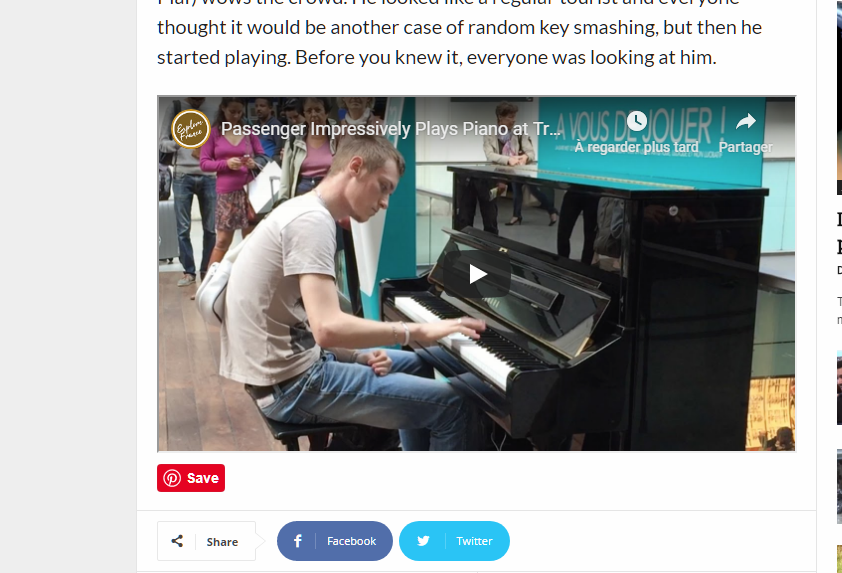
I really enjoy your theme design and fluidity that’s why I bought one but didn’t expect this issue ( https://www.amazingpandph.com/wp-content/uploads/2019/07/1-1-35.png ). I’m using this iframe code (<figure><iframe src=”https://www.youtube.com/embed/VGJUxiwZ1yk?rel=0&showinfo=0&iv_load_policy=3& frameborder=” width=”750″ height=”600″ allowfullscreen=”allowfullscreen”></iframe></figure>) the same code im using on my other site with 600 height,but with different result on the newmag theme : (http://www.dailyglad.com/passenger-sits-down-at-public-piano/).. please can you help me to fix this..
Thank you!
 cyrus
cyrus Hi Simion,
Thank for for the answers. For number 3, yes, that is what meant.
Based on your explanation of Pages VS Category, I think I am almost done building almost understand the functionality of the difference. I am stuck at one section between the difference, Please explain.
Some background.> Post page does not allow for DagDiv Builder to be enabled when I make my my home page the static page under “You home page displays” because I want the logo and the menu main page title to lead to the main page and for the main website address to lead to the main page, which is mostly informative single display images with stationary content, other than 1 section for news in the builder. Issue below
1. I built 8 pages, which are static, and built 1 page meant for all the news so anyone can pick general news and see all, or pick from the menu 3 categories that have there own individual pages under categories for their own specific topics. Although they all post to the Page for all the news. The issue is. UNDER SETTING AND READING, I picked Home Page to be my main static site, (most content is information only ), and post pages to be the news page under Pages, however it converts it to a category while deactivating the TagDivBuilder and just shows feeds. I would like the TagBuilder to be active, so that I may want to put a Revolution Slider, or a Topic header, how to do that without making the homepage the post page?
2. Under this scenario where Settings and Reading is set to Static for Homepage so that the site lands on the homepage without all articles going to it like a category, the Post page reads Home -Blog under the Post Page. How to Change the word Blog to something else? and Add other categories to the Crumbs?
I think I almost figured this whole Page-Category Issue out, and I am using the SEO for mask the Permalinks.
Thank You Simion,
Cyrus
cyrus Hi Simion,
Thank for for the answers. For number 3, yes, that is what meant.
Based on your explanation of Pages VS Category, I think I am almost done building almost understand the functionality of the difference. I am stuck at one section between the difference, Please explain.
Some background. Post page does not allow for DagDiv Builer to be enabled when I make my my home page the static page under “You home page displays” because I want the logo and the menu main page title to lead to the main page and for the main website address to lead to the main page, which is mostly informative single display images with stationary content, other than 1 section for news in the builder. Issue below
1. I built 8 pages, which are static, and built 1 page meant for all the news so anyone can pick general news and see all, or pick from the menu 3 categories that have there own individual pages under categories for their own specific topics. Although they all post to the Page for all the news. The issue is. UNDER SETTING AND READING, I picked Home Page to be my main static site, (most content is information only ), and post pages to be the news page under Pages, however it converts it to a category while deactivating the TagBuilder and just shows feeds. I would like the TagBuilder to be active, so that I may want to put a Revolution Slider, or a Topic header, how to do that without making the homepage the post page?
2. Under this scenario where Settings and Reading is set to Static for Homepage so that the site lands on the homepage without all articles going to it like a category, the Post page reads Home -Blog under the Post Page. How to Change the word Blog to something else? and Add other categories to the Crumbs?
I think I almost figured this whole Page-Category Issue out, and I am using the SEO for mask the Permalinks.
Thank You Simion,
Cyrus
 sejpost
I have a client that wants to put two tagged links behind the two banners that occupy the same location (under each article). Here is the code that displays the desktop or mobile image based on the user’s device. However, how do I add a separate link for each image? Right now, they share the same link, but the client wants to have the desktop image have one link and the mobile image have another link (using google UTM tags):



<li><a href="https://www.sharp.com/hospitals/coronado/appointments.cfm?sem=2326&utm_source=coronadotimes.com&utm_medium=Display&utm_content=340X80%20Sting%20Ray&utm_campaign=SCOR_Online%20Scheduling" target="_blank"><img border="0" src="/wp-content/uploads/2019/07/Sharp-Coronado-articlefooter-web.jpg" /><img border="0" src="/wp-content/uploads/2019/07/Sharp-Coronado-articlefooter-mobile.jpg" /></a></li>
 Yash M.
Hi there, please solve this problem. I am trying to solve from last 3 days. And continuously getting this error. So, I cannot make new templates.
https://www.right-brothers.net/wp-content/uploads/2019/07/Capture-1.jpg
Thanks. Yash M.
Calin Hi,
If you want to set the auto ads on mobile theme, then make sure that you set the both code for auto ads, one of them need to be set between <head></head> tags, the other one can be set there too, or in a mobile ads field
-> https://prnt.sc/olcsgk
-> http://prntscr.com/oltmh9
Also please check this documentation bout Auto ads -> https://support.google.com/adsense/answer/7478040?hl=en
Hope this will help!
Thanks!
 Catalin
 Hi,
I have checked your website and I saw that you are using the Smart List 2 for your post articles and mobile theme functionality. Please note that plugin change the style of the theme on mobile and that’s why you bring another layout than the desktop version. The mobile theme plugin has been designed to be very fast and that’s why the layout is different. Checking your source page, I saw that you are using the Newspaper 9.7.3 which is not the latest version of our theme. In the latest update, was introduced a new option that allows you to turn off the Mobile Theme for a specific page if you do not want to use it on that. I suggest you update the theme to the latest version of it and try to activate this option for that page and then, for this one you will bring the desktop version layout for smart list 2 which looks the same on both devices. -> https://forum.tagdiv.com/wp-content/uploads/2016/01/DISABLE_MOBILE_THEME.png For more details about this option, please check here -> https://forum.tagdiv.com/the-mobile-theme/
Thank you!
 skytech@101
Google adsense Ad is showing perfectly on other pages, but not showing on Home page. website is seenowtv.com
Please assist me resolve this issue as soon as possible.. thank you very much
 leepf
leepfHello, I am using Header Template 29, I found that the website search page and website page do not have the Chinese title of the website, but the domain name.
 How can I set the Chinese title?
Another question, how big should the logo image size in the mobile browser be? The logo image on my website in the mobile browser is a bit fuzzy.
 fatih-2
Before moving to TD Composer W3TC was the best caching solution for us. Page loads were 3 secs..and now we moved to wp super cache and page loads are around in 10 seconds. Mobile versions are started to load on desktop versions etc. Later we found out that A2 Hostings’s optimization infrastructure does not support WP supercache. So we are at impasse
Our hosting does not support wp supercache and our theme does not support W3TC or others.
There are some people using wp recket and I wonder if it works out for newspaper theme. From time to time, I regret moving to TD composer but it is way better than wp bakery. Any suggestion will help. Thanks
Catalin Hi,
The correct source for the Ad Code should have to look similar like below. Did you have tried this?
<div class="td-all-devices"> </div>
The result is here -> https://www.screencast.com/t/FlVO4QQFuua
Please note that your custom ad code should look like as I have pointed you above. If you add another class, this banner will not work as expected. Please check our documentation from here -> https://forum.tagdiv.com/newsmag-using-other-ads/ to see how your custom ads should be created. If you have any questions, please let us know and also, provide more details.
Thank you!