- ApiAPI – Top Bar Template – Introduction
- ApiAPI – Single Template – Introduction
- ApiAPI – Footer Template – Introduction
- ApiAPI – Smart Lists – Introduction
- ApiAPI – Thumbnail – Introduction
- ApiAPI – Category top section style – Introduction
- ApiAPI – Category top section template – Introduction
- ApiAPI – Modules – Introduction
- ApiAPI – Blocks – Introduction
- ApiAPI – Header style – Introduction
- ApiUsing the Theme API in plugins
 Sibi Paul
Sir,
I am using Newspaper Theme for My Website https://www.fastunlocker.com
My Server is Litespeed Enterprise Hosted in AWS
CDN Enabled
Optimized Using Litespeed Cashe
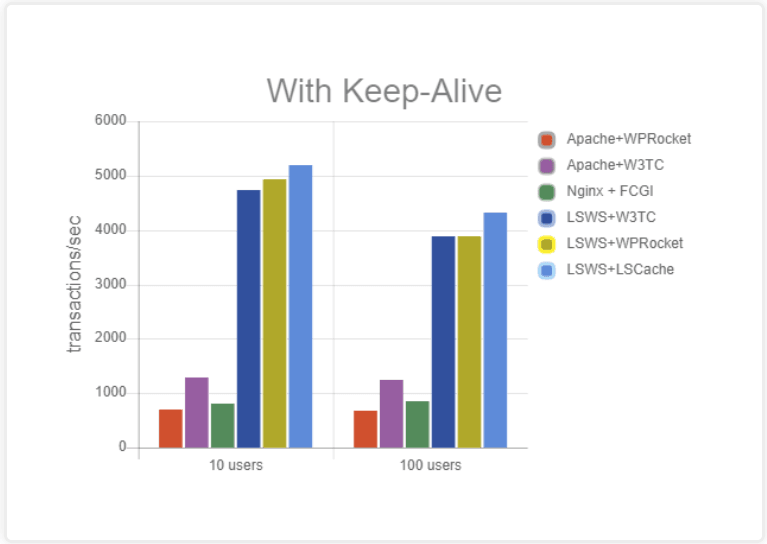
Refer this Page – https://blog.litespeedtech.com/2019/05/20/litespeed-cache-vs-wp-rocket/
Also, Check this Image – https://blog.litespeedtech.com/wp-content/uploads/2019/05/LSCWP-vs-WP-Rocket-a.png
Sir, I am almost happy with Everything in Newspaper Theme.
But,
Some Filesize is very huge in the Newspaper Theme.
When Compared to My Other Providers.
I have Subscription in Mythemeshop, GeneratePress… etc
When I Test Page speed after activating those themes,
Page size is around 60KB to 100KB
But, Newspaper Theme Page Size is 360+ KB
So, I would Like to Mention Two Test results
1 – https://gtmetrix.com/reports/www.fastunlocker.com/wa68Rx4a
2 – https://gtmetrix.com/reports/www.fastunlocker.com/PhPoslVb
The second one is the Newspaper Theme’s
I Really Appreciate its Facilities, When Compared to Other Themes… Newspaper is Fully Loaded.
I need a Small Help to Reduce the Size of Some Files.
site.com/wp-content/themes/Newspaper/images/icons/newspaper.woff?16
site.com/min/e7ce4.css
site.com/min/fe6e6.js
Kindly Help me on this…
The page is Optimized Great, But Size is High…
 Xristos
Hello,
How can I display more posts into TAG and CATEGORIES pages? For example in the Url: https://porto-rafti.gr/tag/porto-rafti-gr/ you can see 10 posts and then you change the page to see more. How can I see for example 14 post / per page? Same settings into Categories pages.
How can I add code for Google AdSense at the top and bottom of the tag and categories pages, not in the sidebar! ( I already have google Ads into sidebar).
I add google AdSense code inside the Theme -> Ads -> Article inline ad and Article bottom ad. Why most of the time I can not see it on my desktop, but I can see it on my mobile phone. ( I haven’t any ad-block on my browser). I import the google AdSense code into my website before 5 days.
Please let me know if you have any other questions or concerns.
Best Regards,
Chris.
 aleabuamer
 Ok, I’ll try to ask my question by another way:
I don’t want to use any ads in header but I need a header: how could I did it?
thx
 stevensolomon
 Thanks for your reply, but the issue still exists. The problem happens on iOS when I try to view the About, Newsletter, Contact and Political Intelligence pages. It will only show the header and footer, but not the actual content. Here are 2 links showing my problem. One shows the newsletter page from the iPhone, and the other shows it from a Mac. As you can see, the iOS isn’t loading the content for these pages. https://stevensolomon.org/wp-content/uploads/2019/09/IMG_0817711B97DA-1.jpeg https://stevensolomon.org/newsletter/
 Calin
Calin Hello,
Please try on other device without the kaspersky or turn of the kaspersky antivirus, the antivirus may have an option that block the ads like ad blockerm
Thank you for your understanding!
Calin Hi,
That means the ads are block only on your computer, you can check from other computer or deceive, or if you want to check the ads on your compute, just set a pause on Kaspersky antivirus.
Thank you!
 chiuaua
Hi! So I’m confused here.
Webpage: https://gizzmo.hu/blog/
From what I see we have 3 different views. We have the “desktop” version and the “responsive” version of the desktop. Then we have a “mobile” version.
So when I’m editing the desktop/responsive version, I’m seeing the results I want to see. Specifically here, I’m editing the LOGO. I deleted it and it went away on the desktop/responsive version. But the moment I refresh the webpage on responsive, the “mobile” version loads (as it seems) and the logo is visible again. I’d like to know how/where can I edit this version?
Besides the logo issue, there’s another thing. On the desktop/responsive version I see normally the “cloud posts”, so the posts below the logo. When refreshing that and checking the mobile version, I don’t see it anymore.
Please help me clear my confusion since I’m lost in this case. Thank you!
 Santytabara
Hola,
In the Local category, the ads appear when you go to the article. In the other categories they do not appear.
How do I get them to not appear in Local?
Calin Hello,
Please provide some more details about this type of ads, we usually use the AdSense ads, if you plan to use other ads please check this documentation -> https://forum.tagdiv.com/newsmag-using-other-ads/
Also in theme panel you can see the section where you can display the ads -> http://prntscr.com/p18gbu you can check more about the ads section from theme panel here -> https://forum.tagdiv.com/newsmag-header-ads/
Thank you!
 Joophil
I quite don’t know why images with Captions are removed.
See example :
https://unric.com/pt/biografia/
https://unric.com/pt/wp-content/uploads/sites/9/2019/04/698464-1.jpg
The first one which should appear is nowhere to be found.
NOT FOUND but other versions yes:
https://unric.com/pt/wp-content/uploads/sites/9/2019/04/698464-1-768×511.jpg
We have replaced many times the photos…no idea what can cause that bug.
<figure id=”attachment_33295″ aria-describedby=”caption-attachment-33295″ style=”width: 900px” class=”wp-caption alignnone”> <figcaption id=”caption-attachment-33295″ class=”wp-caption-text”>António Guterres a caminho do plenário da 71º sessão da Assembleia Geral para a assistir à aprovação da sua nomeação como o nono secretário-geral das Nações Unidas, em Nova Iorque, Estados Unidos. Foto: ONU</figcaption></figure>
This is on the entire website.
Newspaper Template 9.8
 GregorS
hey, if anyone managed to make this theme work with other ad networks (or plugins) please let me know.
I’m specifically interested in these two:
AdSanity
OIO Publisher
but any other WP plugin would do:
AdRotate
Ad Inserter
Advanced Ads – Ad Manager & AdSense
Ad Inserter – Ad Manager & AdSense Ads
Thanks to anyone willing to help!
 chabotjeff
Hi. I’m trying to use Google Custom Search in a widget (for the search box, not results). I can’t seem to customize the div borders to be white or not to exist at all. Right now the search box has many borders. I tried inline css like border:none; border-color:#ffffff; but did not fix. I was able to do this with other themes.
See this pic for problem:
https://imgur.com/PE4yeG0
The Google results page looks OK though because you can style within the AdSense control panel. Thank you!
 dreammy
I would like to remove the url that leads to the categories and in the articles to the author page.
With the new version of newspaper I can no longer find the right file it seems to me that it is in the TD COMPOSER except that the file is a zip can we make a child theme with the zip of the composer or there is another solution?
 purplecode
Hello team,
I see some other users have the same issue and I have already followed all the threads and tried to resolve accordingly; but the problem still exists.
Please advise.
Our website is Geekychap.com
Calin Hi,
Yes, that should work, here are some others topics with user that made the same settings
-> https://amp.dev/documentation/guides-and-tutorials/develop/style_and_layout/responsive_design/
-> https://stackoverflow.com/questions/36774571/responsive-ads-for-amp-sites-width-only
Thank you!
 delizard
Hello goodmorning,
i have updated my website from 9.6 to 9.8 version of Newspaper theme. It’s all ok, but i have some problems with php file that doesn’t exist anymore. I mean these files: Loop-single2.php and Loop-single5.php; Single_template_10 and single_template_2.
I had some ads code (and other code) inside these files, but now where i should put them? I’ve tried to put code in loop-single.php and single.php, but it doesn’t work. Can you help me please?
Thank you very much, kind regards,
Francesco
 mparlevliet
 Regarding No. 3, I’ve done what you said (https://prnt.sc/ov400l), but AdSense tells me responsive ads would be better for the header amp ad? I assume this is out of our control since the theme already has the script in the head?
Here’s the message:
Try responsive ads for AMP
Using responsive AMP ad units can improve the overall performance of your ads.
Responsive ads on AMP-compatible pages perform better than non-responsive ads. Other publishers who already implemented responsive AMP ad units see on average 45% higher RPM* compared to non-responsive ad units.
First, make sure you have the required AMP ad script in the head tag of your pages. Next, replace the existing ad code in the body of your HTML with the responsive AMP ad code from the table below.
purplecode Okay – still have 1 issue. The in-article Ads are not showing, rest are cool. We have placed the code in the right section (on Cloud template section, where the other codes are placed) – but it’s still not working.
Please advise.
 Jorge Guevara
 Hi, the logo of the image as I see it is loaded at full size, I think the problem is a shadow that appears at the bottom of the logo when it is loaded in the header which does not allow the image to be the full size of the image. logo box I have tried to remove or reduce that shadow but not found the right way.

On the other hand for the main menu (top global news ……) I will send the following link and I will be waiting in case I should send something else.
Thanks in advance for your help.
-
This reply was modified 7 years by
Jorge Guevara.
Jorge GuevaraHi, I need to reduce the height of the menu (top global news ……) because it is taller than I want, I want to reduce it by half, again thanks for your help.

And the logo otherwise, I want to extend the logo in height so that it looks a little bigger.

Thanks for your help
 nagol
nagolHello,
because your background ads is too entry level, i have created my own custom code for this purpose
<div style="position: fixed; top:0px; left:0px; z-index:0; width: 100%; height:100%; ">


</div>
With my old theme was all ok, with your theme i have problem for z-index.
How can I to edit z-index so code above is clickable ONLY out of main body (header and the other section)?
What is general z-index or whats is main css of full website body?
Thank you.
 pavel@earnware.com
Hello,
There is a problem regarding the backgrounds for rows/columns any kind of backgrounds. These backgrounds load last on any page, and they may not even appear if.. there is a problem with the Google Ads.
Here is an example, on this page here: https://teapartypac.org/
The background image and background color won’t appear if there is a conflict like this one, here are 2 screenshots, with Google Ads:

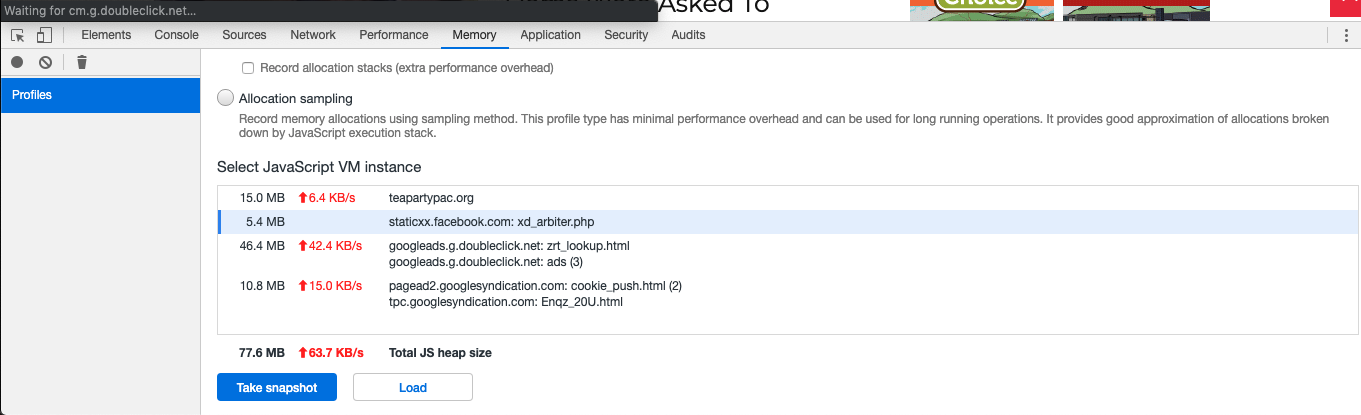
The solution would be to somehow make it a priority – for the page to load all it’s backgrounds, and Google ads afterwards, since when it is loading the background the last, and there is a conflict – these rows/columns look white and it is a real problem!
If you got another solution – please let me know,
Thank you!
nagol With the background AD, also using an advertising management platform or plugin, i can’t track background URL. It seems like a Phantom. With the others ads seems ok.
Any solution?
Thank you
REPLY
 yogeshkoli
 Hi Vlad,
I found the issue, so here is what happening:
when use custom post template for the post the article is not showing up but when we use default styles provided the ads are showing up.
But if I do that then there is another issue – sidebar doest come up.
Can you please investigate based on the above details and let me know what could be the solution?
Help will be appreciated.
thanks!
Jorge Guevara Hi Calin, it has been great what you have taught me and helped thank you very much.
I need to reduce the height of the menu (top global news ……) because it is taller than I want, I want to reduce it by half, again thanks for your help.
And the logo otherwise, I want to extend the logo in height so that it looks a little bigger.