
- NewsmagUsing other ads
- NewsmagSidebar ads
- NewsmagImport / Export theme settings
- NewsmagRequirements for Newsmag
- NewsmagNewsmag documentation
- NewsmagHow to update the theme
- NewsmagBlock settings tutorial
- NewsmagIntroduction
- NewsmagPage Menu
- NewsmagMega menu
- NewsmagLogo & Favicon
- NewsmagFooter templates
- NewsmagTheme thumbs
- NewsmagBackground introduction
- NewsmagVideo playlist
 maik-b
Hi There,
I try to get rid of the space between menu and revolution slider.
I found a css in another post. It helped a bit, but still there is a gap.
When I enter the post-page the gap is still there too.
Please look at them images to see what i mean. and here the css i used so far:
.td-main-page-wrap {
padding-top: 0px;
}


 MOH YUSUF ROHMAN
Hi, I have problem with sticky ads. check https://ibb.co/J3MKMrv
The ad has a higher ad container than expected. This code works well on other themes from the blog that I manage. Can you give a solution so that the sticky ads container is high according to the ad? Thank you for the help
 sushan
Hi!
I have a problem with the theme panel.
I can only edit the header settings, when I click on the other menus (footer, ads, template settings etc) it still shows the header submenus.
Could you please help me? What should I do?
Thank you!
 Calin
Calin Hi,
What you can do is to set in tdb_state_single.php file inside the inline ads condition other conditions for each paragraphs to display a certain ad set in that file.
Thank you!
 Simion C.
 Hi,
Which ad are you referring to? I see an ad in the header – http://prntscr.com/nqy5mh the others are the default demo ads. Let me know.
An issue I observed is that some of the images seem to not load
– http://prntscr.com/nqy69w
This could be a lazyload issue, I see you use the Jetpack lazyload. Note that the theme also has a lazyload feature, so having both active could result in problems. Try disabling either the Jetpack lazyload or the theme lazyload – http://prntscr.com/nqy7k6
Thanks
 evolvepolitics
A large number of submenus on the theme panel are refusing to load, simply rotating the lazy load symbol for eternity.
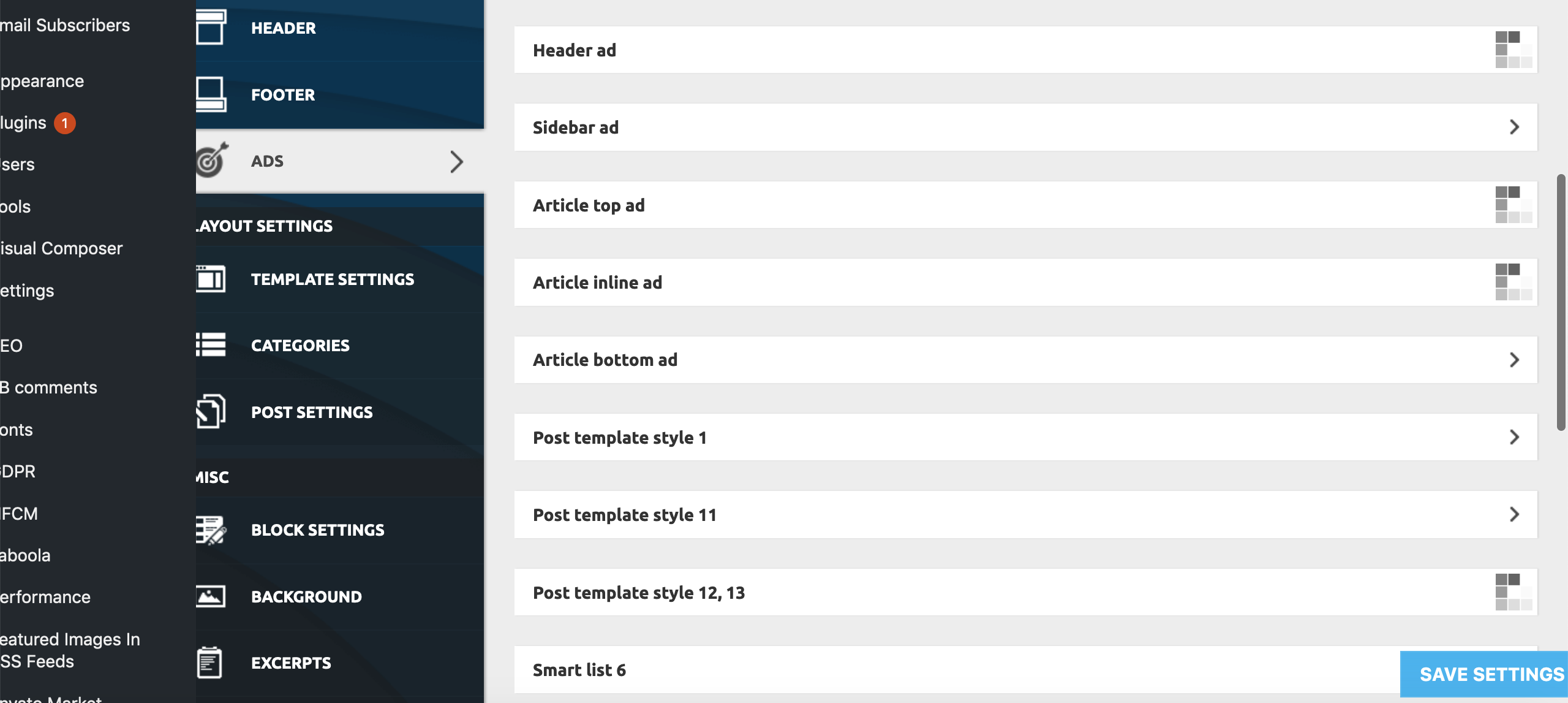
This only appears to be happening on:
Theme Panel > Ads > All submenus bar ‘Background click Ad’
Theme Panel > Theme Colors > All submenus bar Header>Header, Footer>Footer, Footer>Sub-Footer
Theme Panel > Theme Fonts > All ‘Font Settings’ Submenus
Theme Panel > Translations > Translations
Theme Panel > CPT & Taxonomy > All submenus
All other Theme Panel menus and submenus appear to be working correctly.
To try and resolve the issue I have already unsuccessfully tried:
– individually deactivating all Plugins
– deactivating all the essential theme plugins and reactivated the theme
– Reinstalling WP
– Replacing Core Files
– Deactivating all Lazy Load settings (as per a previous thread on a similar problem)
None of these measures has had any effect on the problem as yet.
Furthermore, we are encountering the problem on all browsers we’ve tested (Firefox, Chrome, Opera, Safari), and on all Windows, Mac, Android and iPhone devices we’ve tested, as well as on different IP addresses from a number of locations throughout the country.
Both myself and our tech guy are completely stumped. We now need help! Pleeeasee!
 Hemant Mishra
 Thanks, Calin for looking into it.
I deactivated all other plugins and reactivated tag div again and it doesn’t work either.
Moreover, when I apply ads banner in my theme, SSL doesn’t work but if I open my web link without HTTPS ads banner is being shown.
 ruslango
Making changes to the theme panel. Click “save settings” and nothing happens. Spinning and all. See screenshot. No changes to the theme are saved. Other plugins: comments, posts, settings WordPress work without problems. The problem is only with theme options.

MOH YUSUF ROHMAN I have another question. Before it I was like to use the mobile newspaper theme for non amp version, but I have problem with advertisement on the mobile ads. Ads also appear on static pages such as about me, TOS and Privacy policy which is an invalid place for ad placement. How can I turn off the ad on the page if I entering ad code on the mobile ads menu in the theme panel?
Thank you for your support. Very much appreciated
 Catalin
 Hi,
Unfortunately, the theme does not have any such an option for that. Maybe you can achieve this using a plugin. Some of our users use the AdRotate plugin to manage their ads and it seems to work properly, you could give that a try and see if it suits your needs. Another way would be to edit the theme core file and add some restrictions. If you are not aware of the steps which are needed to take in this case, please consider hiring a freelancer/developer to help you because we cannot provide custom work at the moment, sorry!
Thank you!
 rrystrom
 All setting on the server is as per the guidelines.
As you can see from the screenshot i posted I have copied the analytics code from the “?” box and inserted our own unique identifier. Still not registering on google analytics for either Mobile or desktop version
We do not have a caching plugin and only one other plug that isn’t part of the newsletter theme, but that is disabled.
The ads are not adsense but from The Moneytizer.
The main code is inserted after the analytics code and the individual ads are inserted in the Theme Panel – Ads section..
Still neither the ads or analytics work
 mtman
mtman Hi Calin,
I deactivated all plugins except for TD Composer and the ads are still not accessible.
There are no special codes in the Google or custom code areas, however many of the ads (which I can not access right now) have Ezoic ad wrappers around them. The Ezoic ad wrappers have the structure shown below. I used the Ezoic ad wrappers with my old host and Newspaper with no issues.
<!– Ezoic – ArticleSidebar – sidebar_1 –>
<div id=”ezoic-pub-ad-placeholder-102″>
(ad code goes here)
</div>
<!– End Ezoic – ArticleSidebar – sidebar_1 –>
Appreciate any other thoughts!
 RustyOcean
 Dear Vlad,
unfortunately I don’t understand your answer. I didn’t ask for support for this plugin, nor if it’s compatible with your theme.
My question was: *Where is the ads.ê file in your theme?* Since I want to connect this to the other plugin in order to be able to hide advertisements.
Thank you. Rick
 npaper_434
 Hi,
thanks for your fast reply. However this is not an issue with a specific plugin. It is likely caused by tagDiv Composer not following “best practice” for WordPress plugin development and keeps me and other users from using any ad auto placement plugin. As ads are the most important source of income for most website operators I would really appreciate if you could look into it.
Thanks
 jorgeocampo
 @simchris, this is NOT a “business” or “agency” theme, this theme is called “Newspaper” for a reason and AMP is a MUST for news sites

For “most” blogs there are other themes.
 simchris
 The default official AMP plugin from Automattic works great with the theme and has since day one; so that is obviously a good fallback for mission critical sites to work with AMP.
Of course no AMP plugin will fix issues within content that are pre-existing and not AMP-compatible (like inline HTML in some cases, inject javascript or other code where not supposed to be; rogue plugins, et al.).
Some sites moving away from AMP, as Google now trying to make it a “publishing platform” to monetize for showing content as an application, vs traditional web formats. For many folks, simply having mobile friendly optimized responsive site may be better choice unless very high traffic with ads non-blocked via AMP when cached on Google cloud.
For “most” bogs, AMP has no benefit for the user or site owner.
My two cents anyway; having been using it since it was in BETA and following Google’s latest zig zags with trying to get people to adopt this format for their entire sites, which is impractical and perhaps stupid to buy into a Google concept that might be abandoned at some point while traditional responsive pages will work forever.
npaper_434I’m using Advanced Ads with the Newspaper theme. When using the feature to automatically insert the ad in the post content, the ad is inserted twice. I belive this is caused by the way custom post templates are implemented as the same issue is also present with other plugins like Ad Inserter. I have already contacted the developer regarding this issue: https://wordpress.org/support/topic/adsense-ad-showing-twice/#post-11526499. Furthermore you can find more details here: https://wpadvancedads.com/manual/ad-debug-mode/.
You can see an example here: https://kreuzfahrthai.de/magazin/internet-phoenix/
Thanks
Catalin Hi,
Unfortunately, please notice that our theme has been tested with another Ad provider and that’s why, we cannot provide any recommendation in this case, sorry! Those classes were created for other custom ads if you want to create your ads without any code. Just an image with a link. You can try using the AdRotate plugin if you want to use another kind of ads.
Thank you!
 nieuwsopbeeld
Hi TagDiv,
Instead of Google Adsense, I want to load codes from an external provider. However, they also load the Google Ads externally when they cannot deliver it themselves. It works fine on the Homepage, but it goes wrong on the homepage in the Banner. The advertisement is not always visible.
When I enter the codes between the articles, they will not be displayed either. I deliberately disabled the Mobile Theme plugin.
When I want to place an advertisement in the article line, I use the following for example. However, the advertisement does not show. Or sometimes very small. When I add your code <div class = “td-all-devices”> nothing still happens.
What do I have to do to make it work?
HEAD
<script type = “text / javascript” src = “// s3-eu-west-1.amazonaws.com/nextdaymedia-ads/videoblaster/nieuwsopbeeld.js”> </script>
BODY
<! – START Next Day Media – VIDEO BLASTER – news coverage ->
<div id = “ndm_nieuwsopbeeld_videoblaster”> <script type = “text / javascript”> VIDEOBLASTER.showTag (‘ndm_nieuwsopbeeld_videoblaster’); </script> </div>
<! – END Next Day Media – VIDEO BLASTER – news coverage ->
 jalewa
Hello.. When i place ads in your theme adsense shows blank ads 70% times on desktop only sometimes it shows. But when i use another theme adsense shows all time.
Please tell me why this is happening and please help me solving this issue.
 mrtomterry
After installing the Newspaper theme I found my load times for the landing page were at least 24-seconds and went as high as 40-seconds. That’s just unacceptable. So, I did some digging online for .htaccess tricks to decrease load time. Now my landing page load time is 4-seconds or less. Target pages are 3-4 seconds, and back to the main landing page from another page is 2-3 seconds. I’d still like to shave off another second or two, but it’s a far cry better than what I had before.
Pasted here is the total code I put into my .htaccess file. The impact was immediate and I’m very pleased. I thought others might find this useful. See below.
Blessings,
Tom Terry
—–
# BEGIN WordPress
<IfModule mod_rewrite.c>
RewriteEngine On
RewriteBase /wp/
RewriteRule ^index\.php$ – [L]
RewriteCond %{REQUEST_FILENAME} !-f
RewriteCond %{REQUEST_FILENAME} !-d
RewriteRule . /wp/index.php [L]
</IfModule>
<IfModule mod_deflate.c>
<filesMatch “\.(js|css|html|php)$”>
SetOutputFilter DEFLATE
</filesMatch>
</IfModule>
# BEGIN Expire headers
<ifModule mod_expires.c>
ExpiresActive On
ExpiresDefault “access plus 5 seconds”
ExpiresByType image/x-icon “access plus 604800 seconds”
ExpiresByType image/jpeg “access plus 604800 seconds”
ExpiresByType image/png “access plus 604800 seconds”
ExpiresByType image/gif “access plus 604800 seconds”
ExpiresByType application/x-shockwave-flash “access plus 604800 seconds”
ExpiresByType text/css “access plus 604800 seconds”
ExpiresByType text/javascript “access plus 604800 seconds”
ExpiresByType application/javascript “access plus 604800 seconds”
ExpiresByType application/x-javascript “access plus 604800 seconds”
ExpiresByType application/x-font-woff “access plus 604800 seconds”
ExpiresByType application/x-font-svg “access plus 604800 seconds”
ExpiresByType image/svg+xml “access plus 604800 seconds”
</ifModule>
# END Expire headers
# TN START GZIP COMPRESSION
<IfModule mod_gzip.c>
mod_gzip_on Yes
mod_gzip_dechunk Yes
mod_gzip_item_include file \.(html?|txt|css|js|php|pl)$
mod_gzip_item_include handler ^cgi-script$
mod_gzip_item_include mime ^text/.*
mod_gzip_item_include mime ^application/x-javascript.*
mod_gzip_item_exclude mime ^image/.*
mod_gzip_item_exclude rspheader ^Content-Encoding:.*gzip.*
</IfModule>
# TN END GZIP COMPRESSION
# TN START DEFLATE COMPRESSION
<IfModule mod_deflate.c>
AddOutputFilterByType DEFLATE “application/atom+xml” \
“application/javascript” \
“application/json” \
“application/ld+json” \
“application/manifest+json” \
“application/rdf+xml” \
“application/rss+xml” \
“application/schema+json” \
“application/vnd.geo+json” \
“application/vnd.ms-fontobject” \
“application/x-font” \
“application/x-font-opentype” \
“application/x-font-otf” \
“application/x-font-truetype” \
“application/x-font-ttf” \
“application/x-javascript” \
“application/x-web-app-manifest+json” \
“application/xhtml+xml” \
“application/xml” \
“font/eot” \
“font/otf” \
“font/ttf” \
“font/opentype” \
“image/bmp” \
“image/svg+xml” \
“image/vnd.microsoft.icon” \
“image/x-icon” \
“text/cache-manifest” \
“text/css” \
“text/html” \
“text/javascript” \
“text/plain” \
“text/vcard” \
“text/vnd.rim.location.xloc” \
“text/vtt” \
“text/x-component” \
“text/x-cross-domain-policy” \
“text/xml”
</IfModule>
# END DEFLATE COMPRESSION
# TN START ENABLE KEEP ALIVE
<ifModule mod_headers.c>
Header set Connection keep-alive
</ifModule>
# TN END ENABLE KEEP ALIVE
# TN – START EXPIRES CACHING #
<IfModule mod_expires.c>
ExpiresActive On
ExpiresByType text/css “access 1 month”
ExpiresByType text/html “access 1 month”
ExpiresByType image/gif “access 1 year”
ExpiresByType image/png “access 1 year”
ExpiresByType image/jpg “access 1 year”
ExpiresByType image/jpeg “access 1 year”
ExpiresByType image/x-icon “access 1 year”
ExpiresByType image/svg+xml “access plus 1 month”
ExpiresByType audio/ogg “access plus 1 year”
ExpiresByType video/mp4 “access plus 1 year”
ExpiresByType video/ogg “access plus 1 year”
ExpiresByType video/webm “access plus 1 year”
ExpiresByType application/atom+xml “access plus 1 hour”
ExpiresByType application/rss+xml “access plus 1 hour”
ExpiresByType application/pdf “access 1 month”
ExpiresByType application/javascript “access 1 month”
ExpiresByType text/x-javascript “access 1 month”
ExpiresByType text/x-component “access plus 1 month”
ExpiresByType application/x-shockwave-flash “access 1 month”
ExpiresByType font/opentype “access plus 1 month”
ExpiresByType application/vnd.ms-fontobject “access plus 1 month”
ExpiresByType application/x-font-ttf “access plus 1 month”
ExpiresByType application/font-woff “access plus 1 month”
ExpiresByType application/font-woff2 “access plus 1 month”
ExpiresDefault “access 1 month”
</IfModule>
# TN – END EXPIRES CACHING #
# TN – BEGIN Cache-Control Headers
<ifModule mod_headers.c>
<filesMatch “\.(ico|jpe?g|png|gif|swf)$”>
Header set Cache-Control “public”
</filesMatch>
<filesMatch “\.(css)$”>
Header set Cache-Control “public”
</filesMatch>
<filesMatch “\.(js)$”>
Header set Cache-Control “private”
</filesMatch>
<filesMatch “\.(x?html?|php)$”>
Header set Cache-Control “private, must-revalidate”
</filesMatch>
</ifModule>
# TN – END Cache-Control Headers
# TN – ENABLE MOD PAGESPEED START
# COMBINE CSS, COMPRESS IMAGES, REMOVE HTML WHITE SPACE AND COMMENTS
<IfModule pagespeed_module>
ModPagespeed on
ModPagespeedEnableFilters rewrite_css,combine_css
ModPagespeedEnableFilters recompress_images
ModPagespeedEnableFilters convert_png_to_jpeg,convert_jpeg_to_webp
ModPagespeedEnableFilters collapse_whitespace,remove_comments
</IfModule>
# TN – ENABLE MOD PAGESPEED END
# END WordPress
 mimicreature
Support Team,
I have the following issue for AMP in Google Search Console
” Linked AMP version is not valid”
Please check any of the link of my blog https://riansclub.com and you will see the error.
I browsed every possible thread in this forum and none has a solid solution to this problem.
Please don’t reply with a solution having link to your Help tutorials, Google AMP tutorials etc as you usually gave in other threads.I need a proper solution so that the AMP pages are valid.
I followed all your SETTINGS that you mentioned in the official documentations but AMP pages are still not valid.
Expecting your expedite response on this serious issue.
Thanks in advance.
 T2N
T2NHey,
I have an issue when I activate the header #4 on my staging website: https://travelstage.wpengine.com/
When I activate it, I see this: https://screencast.com/t/CmtWNt7BnBGR and in error_log file I see this error:
[Fri May 10 18:56:38.396489 2019] [php7:error] [pid 4186] [client 77.127.19.222:49652] PHP Fatal error: require_once(): Failed opening required ‘header/ads.php’ (include_path=’.:/usr/share/pear/php:/usr/share/php’) in /nas/content/live/travelstage/wp-content/plugins/td-composer/legacy/Newspaper/parts/header/header-style-4.php on line 27, referer: https://travelstage.wpengine.com/wp-admin/admin.php?page=td_theme_panel
I tried to change the header style to another one for ex. #3 and it works and when switch back to #4 it doesn’t work at all
 rickman
 Hi Calin,
The question was about Pages, not posts (articles).
We want to have infinite loading that includes Ads in the Home page and other pages like categories.
Is it possible?
 simplicity
 Guys? Are you serious?
After another update I have the same issue?
I will write again:
The problem is in bad path to ads.php
/wp-content/plugins/td-composer/legacy/Newspaper/parts/header/
Some of the header-style-*.php files have a path header/ads.php instead of just ads.php
