
No search results were found in Documentation!
 Jimmy_X
Hello dear Newspaper Theme Users. I have the latest update of the theme and I try to solve some issues with newly (and so waited) User Reviews module.
I follow the steps on the guide “how to” but something is not quite right.
First of all, I use this theme on a portal with reviews (category) with subcategory (ex. Movies, Games).
Now, I’ve created multiple Criteria for Reviews (criterias are different for Games and Movies). Then, I created a Single Post from Cloud, special for reviews articles, and edited with TD Composer where I inserted possibility for User Review. So far so good for now.
Now, I have posts from reviews category with subcategory (Movies, Games). Each one of them contain, indeed, reviews with stars respectively, percentage. For each one of this posts I need to edit with TD Composer and select that Single Post created especialy for posts with Reviews for user to rate their own reviews for movie/game. For Movies I used specifically criterias, so for Games.
Now, the issues. That Single Post created (is based on Single Post Review (2) from Cloud), after I selected to apply on a Single Post with a review on it does not look ok on pagination. The post itself it’s streched to all the post with sidebar under it. I try all the possibilities with TD Composer to align this side by side (post content left, sidebar right) but failed every time, no matter what. How to fix this?
The other question is, how to assign automaticaly to apply that Single Post created specially with User Reviews on posts form reviews category with subcategory Movies, Games?
Another one issue is that Single Post with User Review it doesn’t show on mobile browsing. Ofcourse I created Mobile version of that Single Post (auto-copy of desktop vers.) but doesn’t apply. It just doesn’t work (post looks ok on mobile but without User Review in it).
Please help! Much apprecited!
Jim
 coup_de_theatre
Hi guys,
I have seen that in the latest version of the theme, on articles, contributors no longer have access to the “Post Settings” panel as in the past.
Now contributors to my web magazine are no longer able to add subtitles and reviews to their articles.
Is there any way to add this panel back to contributors? Some code to add?
I think it is something useful for everyone else too.
Thanks for the help!
 marlonbrand
Hi, thanks for whoever can help.
I go to the dashboard>newspaper>themepanel>header>Logo & Favicon
I have changed the necessary logos with the correct dimensions but it is NOT updating when I preview the site. I am using the GOSSIP pro theme. Please help, I have watched videos, cleared cache broswer, even tried editign with the TagDiv editor/composer, and nothing has worked. I am such under a strict deadline too. I need to have this website launched by Friday. PLEASE HELP!
Thank you
 Tribun74
Hi,
How can I change the Stars Rating/Review Color from Black to Gold?
Thank you!
 contacthealthymug
 when i share a post in facebook then preview image is not showing only showing logo image, this issue occured last 3 days, how to fix that?
here is screenshot attached:
before- https://prnt.sc/x2uWHgLi8eOa
after- https://prnt.sc/6qj2tFJii9lo
 AndrewT
Hi
I want to use Lockers within custom post types.
custom post types generated with the ACF Plugin.
I installed tagdiv demo app listings with its demo content.
Next I went in Admin section to APP Listing –> All APP Listing –> selected the demo content in Edit-Mode.
I selected the Gutenberg block tagdiv Partial Locker (later tagdiv Section Locker) and saved via update.
In preview the demo content was not locked. It was not working.
My question:
How can I get locker to work?
What needs to be done, which steps need to be performed… ?
Is there a working way to do this with acf post types, Field groups ?
 nagi
nagihttps://www.123telugu.com/index.php
I am a developer at 123telugu website . We have purchased Newspaper theme ( Purchase email is 123mallemaala@gmail.com ),
for that we need few requirements for our movie website 123telugu.com. I am hereby mentioning our requirements
1. We want the headings for the list items (For Reviews, Photos, Polls, and sometimes for a few important articles) to be highlighted in red color. For better understanding, I am providing one example over here.
(Review: Baby – Contemporary Romantic Drama). This is how we post the film reviews, and here, we need the word “REVIEW” to be highlighted in Red color.
<font color=”red” >review </font> Contemporay Romantic Drama. This is how we will post the headings. But we need red color for the headings.
2. We want the FIRST TEN (Only the first ten) list items to have bold text. The list items include Articles, Photos, etc.
3. We need bullet points for all the list items
4. We need a shortcode widget option in your theme.
5. The theme we need is Newspaper Magazine Pro. Here I am attaching the link
https://demo.tagdiv.com/newspaper_magazine_pro/
6. We want images to be displayed for the list items. We want them in such a way that their size can be altered. To put it in simple terms, we want the images to look like thumbnails
https //demo.tagdiv.com/newspaper_magazine_pro/
Tribun74Good Morning,
I wish to user your Reviews System.
I can vote ex. for a Film in this steps: …..3 | 3,5 | 4 | 4,5 | 5…
Is it possible to change this, that my visitors can vote in this way: ….4,6 | 4,7 | 4,8 | 4,9….?
Thank you!
KR
Frank
Tribun74Good morning,
is it possible to create a Toplist with the best Reviews from a tittle/category?
Like:
Toplist Movies
This was another Premium Review Plugin, but I wish to change it to your Newspaper Review Schema.
Thank you!
KR
Frank
 trebol30
I’ve had a hard time documenting this issue and I hope you can (and should) help me fix it.
It all starts from the new update from version 12.4 to 12.5 in Newspaper.
The problem appears in the “Flex Block” module when using “Pagination” (whatever the selection) and trying to filter by “Post Type:” with the “Category filter:” option with the “Single – Related from taxonomy” option ” and a specific taxonomy to be displayed within the content type is added in the “Single – Related from taxonomies:” box.
First I leave you the video so you can see how it works correctly in version 12.4 and it was running correctly before the update to 12.5. Let’s go there! (please note the time and day below to see that it is only the update that matters). We will do everything on the same post so that there are no doubts https://www.trebol-apuestas.com/tragaperras/ancient-script/
Watch video — https://www.loom.com/share/88f2105a9de84a94a26f73fb53d06b27?sid=1ecaa2b1-df53-46eb-b8c6-5cb36729a8ec
Not all right! Games that are organized by CPT UI and that in turn penetrates ACF with the personal field “study”.
Now we are going to version 12.5 and for this we will see how it works first and then I will show it in depth with another video. (Remember we’re only 5 minutes after the previous video and having installed 12.5, all with the TAG DIV compositor the same!)
Watch video — https://www.loom.com/share/4a4c4cb1cf8349f28f8db52785b050aa?sid=bbbd3b21-b633-4668-a5d8-64b1b8b9eded
See, it already does what it wants, and it doesn’t filter by CPT UI with ACF once the scroll button is clicked as before.
Now, so that there is no doubt that it is not working, I am going to demonstrate it with the composer creating the 3 modules in this version 12.5 so that it can be seen that it REALLY UNDERSTANDS what it has to show but that it does not know how to do it when it is displayed, click next, show more and infinite load. As you will see in the video there are 16 games (slots) related to that CPT UI and ACF in this particular post, because when any type of pagination is added it stops working in version 12.5 (because I remember, in version 12.4 if it worked).
Let’s go there!
Watch video — https://www.loom.com/share/2d6a6469dc79491abde57d70f72b0c66?sid=5762832b-a76d-496d-ba4b-e89a1f756118
Let me know your solution!
Remember you can see everything in the post https://www.trebol-apuestas.com/tragaperras/ancient-script/ so that it does not affect SEO I have to put the other slots with only one module so you can review the problem in that entry.
 thegg
theggI am getting an error which is infinite loading whenever I want to update page or post. There is some issue with AMP which is related to The error message indicates a PHP Notice related to the incorrect usage of the amp_has_paired_endpoint function in WordPress. The notice mentions that the function was called incorrectly while the AMP (Accelerated Mobile Pages) feature is disabled via the amp_is_enabled filter. The notice also indicates that the service ID “paired_routing” is not recognized and cannot be retrieved, which could be causing the issue. To resolve this error, you may need to review the code where the amp_has_paired_endpoint function is being called and make sure it is used correctly. Additionally, check if the AMP feature is properly enabled or disabled based on your requirements. If you are unsure about how to debug and fix the issue, you can refer to the provided link “Debugging in WordPress” for more information on troubleshooting PHP notices in WordPress.
 martol
 ACF – WYSIWYG Editor
I also tested oEmbed
In both cases it doesn’t work
Preview from the front (it should display the contents of the ACF field under the introduction) – Link
Module preview – Link
Preview of post editing – Link
Alternatively, it could be done to display the entire post in Module Excpert. The effect would be the same.
 Anamaria
 Hello Nick,
Please provide more details about the album review; Is this a post or a CPT? Also, please provide more details with screenshots to be able to help you efficiently.
Thank you!
 NickDeBaerdemaeker
Hello,
we would like to request if the following is possible.
For our album reviews we set the cover artwork as featured image, with an additional image uploaded using the advanced custom fields plugin. This image uploaded through the extra image field “camera eye” is then later loaded on the post page, referencing this field.
However if an album deserves additional attention, it gets a second category besides “Album”, namely “featured” and as such the article is displayed on the front page with a larger image to attract more readers.
We would like to know if it is possible somehow to only display the image uploaded in the camera field there, instead of the featured image ? We use flex block 2 and flex block 1.
So basically what I’m trying to achieve is that flex block 2 and flex block 1, if an article is in the category of Music AND featured, to use the image uploaded in the field “camera eye” instead of the image uploaded in the featured image.
Later on the front page the albums have their own section, and there we would like to show the cover artwork in a smaller form, hence falling back on the regular “featured image”
Hoping this makes sense
 Amit
AmitHello @ncalex
It would be a great help if you could provide an option to control access to Cloud Templates, Library, and Reviews.
Users with editor roles can edit Cloud Templates; I want to remove that ability.
 TWDesigns
 Hello,
I have them setup and working great except it’s requiring users to be logged in in order to leave a review.
“Anyone can leave a reply to the reviews of your article by simply clicking on the “Reply” button. ”
I have the button unchecked that says “Require users to be logged in” but it still just says Login To Leave a Review, when not logged in.
Ideas?
 ThrustMedia
 They also included this information:
Important Reminder
Don’t forget to review our checklist which includes tasks that may help you reach people who use iOS 14.
Turn On Advanced Matching Recommended
OFF
Use hashed versions of information your customers have provided to your business, like an email address or phone number, to match your app users to people on Facebook. This can help you increase conversions and custom audience size. All customer information is automatically hashed before coming to Facebook. Turn on the Advanced Matching settings of the customer information you’d like to share with Facebook. The changes take effect immediately for apps updated to the Facebook SDK version 5.8 or late
 PKramik
Hello,
when creating a new post via META, there is a problem with loading the photo (illustration) that is on the article page, nothing is visible in the preview on desktop devices, the preview on mobile devices has a thumbnail of the illustration. How to properly set links in WP and the template itself so that you can easily add an article to FB from the link?
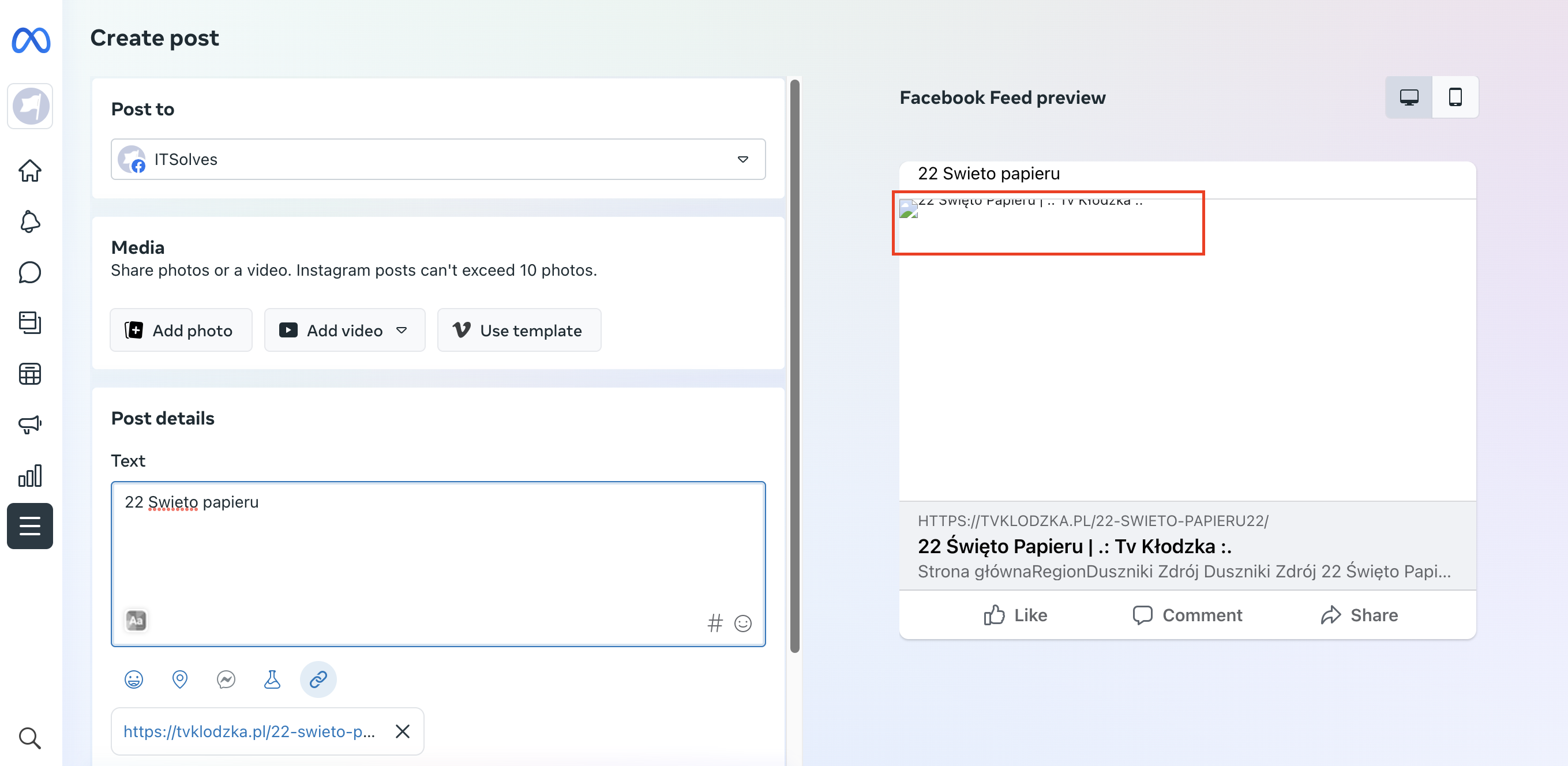
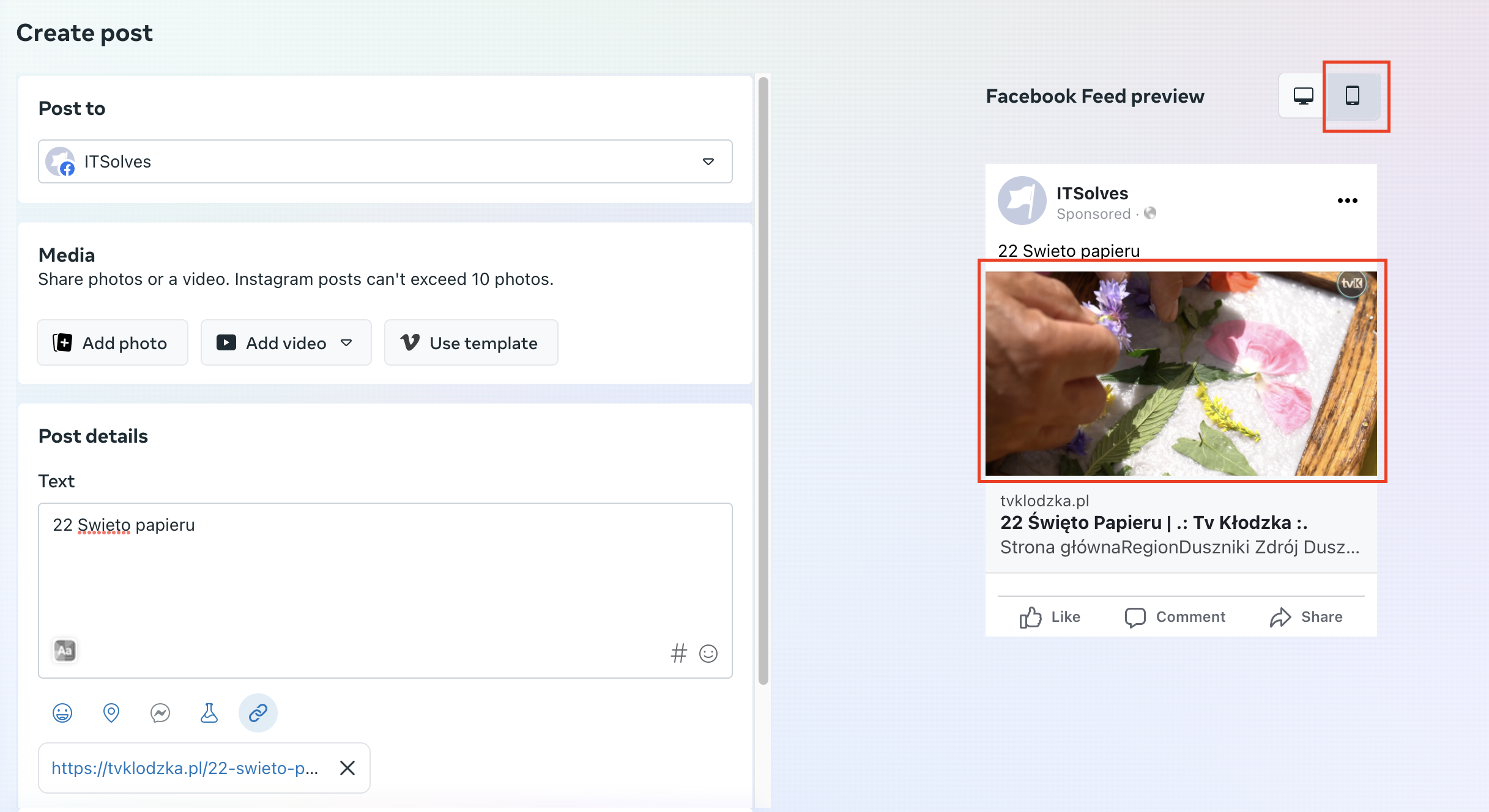
For example: https://tvklodzka.pl/22-swieto-papieru22/
BR
 david.diczhazy
 Here is link to screenshot: https://app.screencast.com/p0qBL1bdpehwY of problem.
Here is link to all my active plugins: https://app.screencast.com/stk1J6RtFcObT
Here are my system details: https://app.screencast.com/Vgdr88vvWcgHP
I dont know where should be a problem. PLease review it and let me know. Thank you in advance.
 Bettina
  StefanGebala
Hi,
After updating to Newspaper 12.4 and moving my page to Cloud templates, the Post Preview plugin stoped working properly. Instead of showing the post it’s showing like strange looking cloud template with fake text.
This is a plugin that its not working anymore:
https://wordpress.org/plugins/public-post-preview/
TWDesignsOn the Single Post User Reviews Form I did NOT check the box requiring users to be logged in to leave a review. However it still says “Log in to leave a review” if a guest visits. What am I doing wrong? Thanks!
 maxtermax
 Dear Support Team,
I just updated the Newsmag theme to its latest version. After clearing the cache and reloading the site, the theme seemed to have vanished.
Instead of the usual site design, the tagDiv code loaded as the homepage. Furthermore, all of the pages displayed unformatted text, rather than adhering to the established theme.
In response to this, I had to revert to a previous backup to restore the site to its condition before the theme update.
Within the WordPress Dashboard, all tabs were missing under the Newsmag menu, with the exceptions of the ‘Welcome’ and ‘Support’ tabs.
This unexpected issue was quite alarming. I am reaching out to request that you kindly review the recent update for any potential anomalies. Additionally, I would appreciate any information about similar issues experienced by other users.
Thank you for your attention to this matter.
Anamaria Hi,
For courses, you need to deactivate the plugin -> https://i.imgur.com/rxbrtal.png
Indeed, for review, it seems doesn’t work.
Thank you!
 RECORD EUROPA
I have no use for both at this time.
In the case of reviews, after the update to 12.5, this option reappeared, even though it was deactivated in: Theme panel > Post settings > General Post settings > Review system.
Thanks.

