
No search results were found in Documentation!
 FBM
FBMHi,
so we create a CPT with the plugin “PODS” and select in Cloudtemplates CPT and set it as global.
The post connects immediately to the created Cloudtemplate, but it ignores the connected header.
If i edit the Cloudtemplate in TagDiv it displays the right header – also in preview. But once I go into the posts, where it is used in the header is switched to the default global header again.
How can I change that and where could be a bug?
 Opes
Opes Hi. I’ve read your email, conclusion is i can’t edit pages with blocks composer, might be ok. I have other problems now, for example i can’t change fonts on preview posts/post.
-
This reply was modified 4 years by
Opes.
 Edragon
 Filipg
When it comes to stars, every review plugin is using 5 stars option. But you can use Let’s Review plugin where you can switch it to numbers and then use 1-6 numbers. It also offers better design and it’s more customizable.
Hopefully one day tagdiv will make their own awesome review plugin because the world needs one good one. There are only few review plugins today and most of them are horrible. Let’s Review one is so far best what you can find today.
 PeteMason
You recently added the very valuable “Duplicate” option to the edit options available on the WordPress dashboard Page options – seen when you hover the cursor over a page title in the Page listing :-
Edit with TagDiv Composer | Edit | Quick Edit | Bin | Preview | Duplicate
However, I would like to remove this option, as I use Yoast Duplicate Post. Can this be safely done, if only by using my child theme functions.php or similar?
(The reason is due to the greater number of duplicate options available in the Yeost plugin, most importantly, preserving the parent-child relationship and adding a prefix to the title to indicate it is a duplicate.)
Thanks!
 filipg
Hi there,
I would really like to change the 5-stars rating on my page to 6-stars, as the latter is the common rating system in my country and all other media use the 6-scale in the industry I work in. Is it possible to add the 6th star? If so – how? I love the way how the elements on the website display the ratings, so I really hope I don’t have to use external plugin for that
 Umerkhan
 Checkout the pop-up on website here: websitehostsreviews.com
 tdaplyn
 <quote>you can have different single post cloud templates for your categories.</quote>
Thanks for getting back to me. Even with cloud templates I cannot see any option to set a default post template for a specific category. Could you point me to where that option is please? I have reviewed the documentation and cannot find it anywhere.
-
This reply was modified 4 years by
tdaplyn.
 venessakoehn
 If it helps, I have run a bandwidth usage report from Bluehost for August 1-26, 2022. View here: https://acrobat.adobe.com/link/review?uri=urn:aaid:scds:US:97664fc6-e2f9-39a7-a399-9ae5f1702cd4
 elvisfrog
 Update: I found that for some reason the Flex Block 1 default settings for the Review and Author settings were “undefined” and when I set them, it didn’t seem to save properly, so I deleted and adding again, and that seems to fix, so maybe when originally created it didn’t save something. Maybe this will be helpful in diagnosing the issue for others.
 Edanur
Hello
I am editing my site design. But I’m having a lot of trouble with the tagdiv cloud library. I just downloaded a homepages template from tagDiv Cloud Library. Now I want to delete the template and return to my old design. But I can’t delete it. I have reviewed the articles you have published many times. But there is no global single post templates box on my homepage. I leave the screenshot below. Please help me solve this problem. I need you so much right now.
Thanks!
 Simion C.
 Hi,
That seems to be related to flex block 1, and mainly this field from the block settings where the size for the review stars is set https://i.imgur.com/j0KWGZU.png
Maybe there was an invalid value set there somehow, in the homepage or where flex block 1 was used throughout the website. Normally there is a numeric value there, if something else is entered there it could be a problem. Perhaps that is the case here.
If you want we will take a look at this, we can check the website if you can provide access to it via email, and to a file manager so we can add the line of code again. Let us know.
Thank you!
 poldino
 Hi Calin
I found PHP Warning: A non-numeric value encountered in /srv/htdocs/wp-content/plugins/td-composer/legacy/Newspaper/includes/shortcodes/td_flex_block_1.php on line 439
That’s the error appearing millions of times in the log today. Looks like its an issue with the td-composer plugin and Newspaper theme.
I delete this line $res_ctx->load_settings_raw( ‘review_size’, 10 + $review_size/0.5 . ‘px’ ); anbd now all working perfect whit php 8.1
We using Prebuilt Website Installed:
Kattmar
thanks
 xiona
xionaHello, help me I don’t know what happened, my menu from each page was disappeared.
in Editing I can see it, but when I go to preview its gone.
I tried to go back to last update (backup) – its come back, but if I editing smth another -its disappeared again,


maybe some time ago I make something wrong here, but I don’t know
 lonnie
wp_booster error on events calendar’s event category page, how to solve? thank you
td_module: td_module_15($post): $post is not WP_Post
/home1/public_html//wp-content/plugins/td-composer/legacy/common/wp_booster/td_module.php
Array
(
[0] => Array
(
[file] => /home1/ctmakhor/public_html/3fan/wp-content/plugins/td-composer/legacy/common/wp_booster/td_module.php
[line] => 37
[function] => error
[class] => td_util
[type] => ::
[args] => Array
(
[0] => /home1/ctmakhor/public_html/3fan/wp-content/plugins/td-composer/legacy/common/wp_booster/td_module.php
[1] => td_module: td_module_15($post): $post is not WP_Post
)
)
[1] => Array
(
[file] => /home1/ctmakhor/public_html/3fan/wp-content/plugins/td-composer/legacy/common/wp_booster/td_module_single_base.php
[line] => 16
[function] => __construct
[class] => td_module
[object] => td_module_15 Object
(
[td_post_theme_settings] =>
[is_single] =>
[post] =>
[title_attribute] =>
[title] =>
[href] =>
[module_atts:td_module:private] => Array
(
)
[td_review:protected] =>
[is_review:protected] =>
[post_thumb_id:protected] =>
)
[type] => ->
[args] => Array
(
[0] => stdClass Object
(
[ID] => 0
[post_status] => publish
[post_author] => 0
[post_parent] => 0
[post_type] => page
[post_date] => 2022-08-22 00:00:00
[post_date_gmt] => 2022-08-22 00:00:00
[post_modified] => 2022-08-22 00:00:00
[post_modified_gmt] => 2022-08-22 00:00:00
[post_content] =>
[post_title] =>
[post_excerpt] =>
[post_content_filtered] =>
[post_mime_type] =>
[post_password] =>
[post_name] =>
[guid] =>
[menu_order] => 0
[pinged] =>
[to_ping] =>
[ping_status] =>
[comment_status] => closed
[comment_count] => 0
)
)
)
[2] => Array
(
[file] => /home1/ctmakhor/public_html/3fan/wp-content/plugins/td-standard-pack/Newspaper/includes/modules/td_module_15.php
[line] => 12
[function] => __construct
[class] => td_module_single_base
[object] => td_module_15 Object
(
[td_post_theme_settings] =>
[is_single] =>
[post] =>
[title_attribute] =>
[title] =>
[href] =>
[module_atts:td_module:private] => Array
(
)
[td_review:protected] =>
[is_review:protected] =>
[post_thumb_id:protected] =>
)
[type] => ->
[args] => Array
(
[0] => stdClass Object
(
[ID] => 0
[post_status] => publish
[post_author] => 0
[post_parent] => 0
[post_type] => page
[post_date] => 2022-08-22 00:00:00
[post_date_gmt] => 2022-08-22 00:00:00
[post_modified] => 2022-08-22 00:00:00
[post_modified_gmt] => 2022-08-22 00:00:00
[post_content] =>
[post_title] =>
[post_excerpt] =>
[post_content_filtered] =>
[post_mime_type] =>
[post_password] =>
[post_name] =>
[guid] =>
[menu_order] => 0
[pinged] =>
[to_ping] =>
[ping_status] =>
[comment_status] => closed
[comment_count] => 0
)
[1] => Array
(
)
)
)
[3] => Array
(
[file] => /home1/ctmakhor/public_html/3fan/wp-content/plugins/td-standard-pack/Newspaper/loop.php
[line] => 34
[function] => __construct
[class] => td_module_15
[object] => td_module_15 Object
(
[td_post_theme_settings] =>
[is_single] =>
[post] =>
[title_attribute] =>
[title] =>
[href] =>
[module_atts:td_module:private] => Array
(
)
[td_review:protected] =>
[is_review:protected] =>
[post_thumb_id:protected] =>
)
[type] => ->
[args] => Array
(
[0] => stdClass Object
(
[ID] => 0
[post_status] => publish
[post_author] => 0
[post_parent] => 0
[post_type] => page
[post_date] => 2022-08-22 00:00:00
[post_date_gmt] => 2022-08-22 00:00:00
[post_modified] => 2022-08-22 00:00:00
[post_modified_gmt] => 2022-08-22 00:00:00
[post_content] =>
[post_title] =>
[post_excerpt] =>
[post_content_filtered] =>
[post_mime_type] =>
[post_password] =>
[post_name] =>
[guid] =>
[menu_order] => 0
[pinged] =>
[to_ping] =>
[ping_status] =>
[comment_status] => closed
[comment_count] => 0
)
)
)
[4] => Array
(
[file] => /home1/ctmakhor/public_html/3fan/wp-content/plugins/td-composer/legacy/Newspaper/index.php
[line] => 45
[args] => Array
(
[0] => /home1/ctmakhor/public_html/3fan/wp-content/plugins/td-standard-pack/Newspaper/loop.php
)
[function] => require_once
)
[5] => Array
(
[file] => /home1/ctmakhor/public_html/3fan/wp-includes/template-loader.php
[line] => 106
[args] => Array
(
[0] => /home1/ctmakhor/public_html/3fan/wp-content/plugins/td-composer/legacy/Newspaper/index.php
)
[function] => include
)
[6] => Array
(
[file] => /home1/ctmakhor/public_html/3fan/wp-blog-header.php
[line] => 19
[args] => Array
(
[0] => /home1/ctmakhor/public_html/3fan/wp-includes/template-loader.php
)
[function] => require_once
)
)
 Calin
Calin Hi,
For checking error log, you can check this guide:
Reviewing Your WordPress Error Logs
The admin-ajax.php is a WordPress element that is used to do requests. You can check more in this guide -> https://codex.wordpress.org/AJAX_in_Plugins
If you want, we can take a look at it, but for this you need to contact us via email at contact@tagdiv.com and we’ll need wp-admin and cPanel access.
Thank you!
 SamizdatNetwork
Hi all,
I recently built my website with the Newspaper Theme, and everything is running smoothly… with the exception of posting my content on social media. Every time I try to post to Twitter (I don’t have facebook), I get the generic twitter preview with a small image. Also, the small image never populates my featured image from my post.
I have activated the Yoast SEO plugin, enabled all of the social media meta data options, set the twitter card option to “large image and summary,” and yet nothing has changed. I’ve tried searching through other forum posts on the same topic, but nothing seems to help.
When I run my post through the Twitter Card Validator, this is what I receive:
INFO: Page fetched successfully
INFO: 26 metatags were found
INFO: twitter:card = summary_large_image tag found
INFO: Card loaded successfully
Also, it always says “Unable to Render Card Preview”
I’m no longer sure what to do. Any help would be greatly appreciated!
My website url is: https://samizdatnetwork.com/
The url of the post I’m currently trying to upload on twitter is: https://samizdatnetwork.com/solzhenitsyn-and-the-economic-lesson-of-soviet-gulags/
 BonNguyen
 I tried changing All -> “Tất cả”.
But the problem still exists
Please help me review to fix this issue asap.
Please see attached file. Thank you!
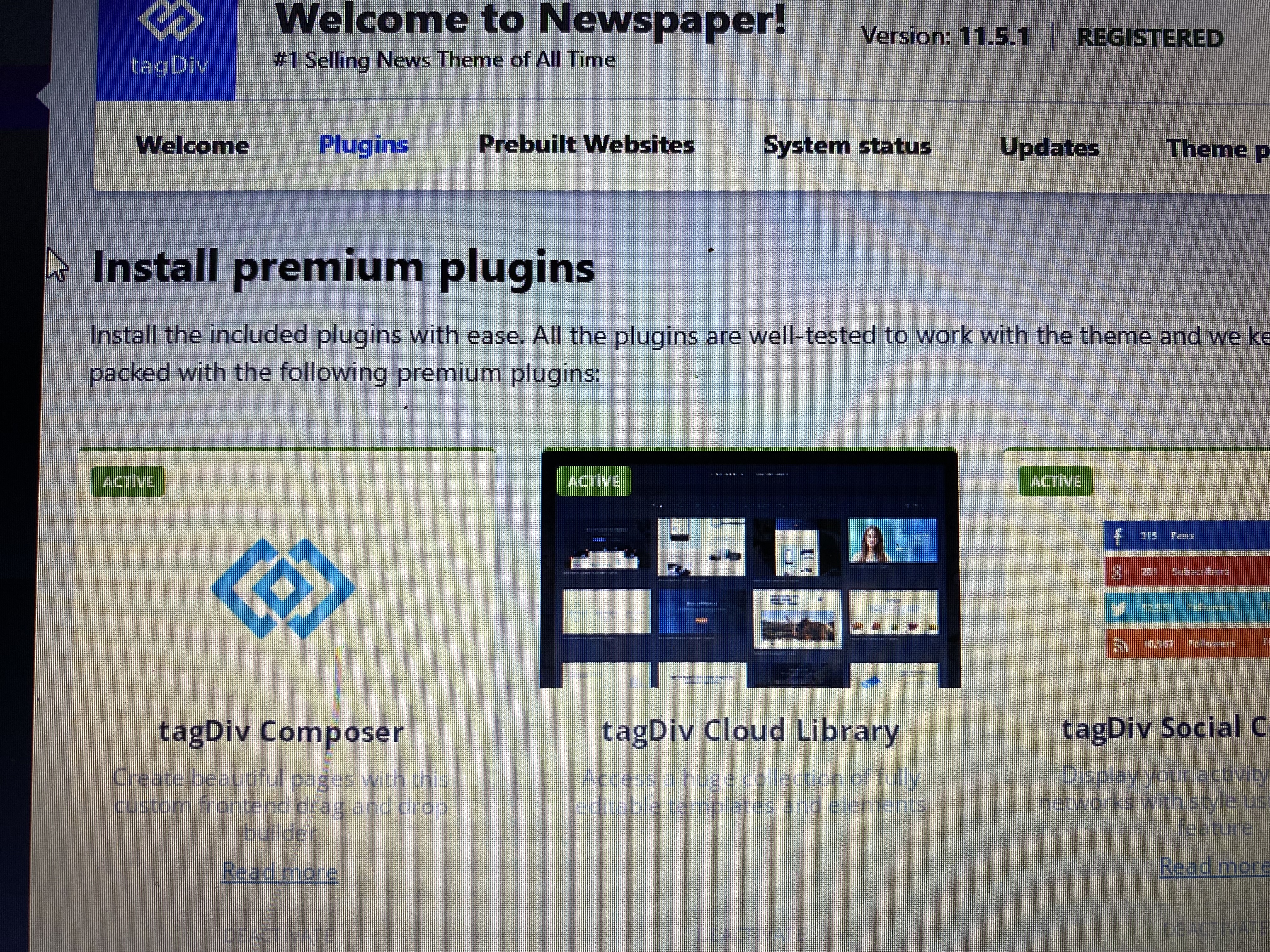
EdanurHello,
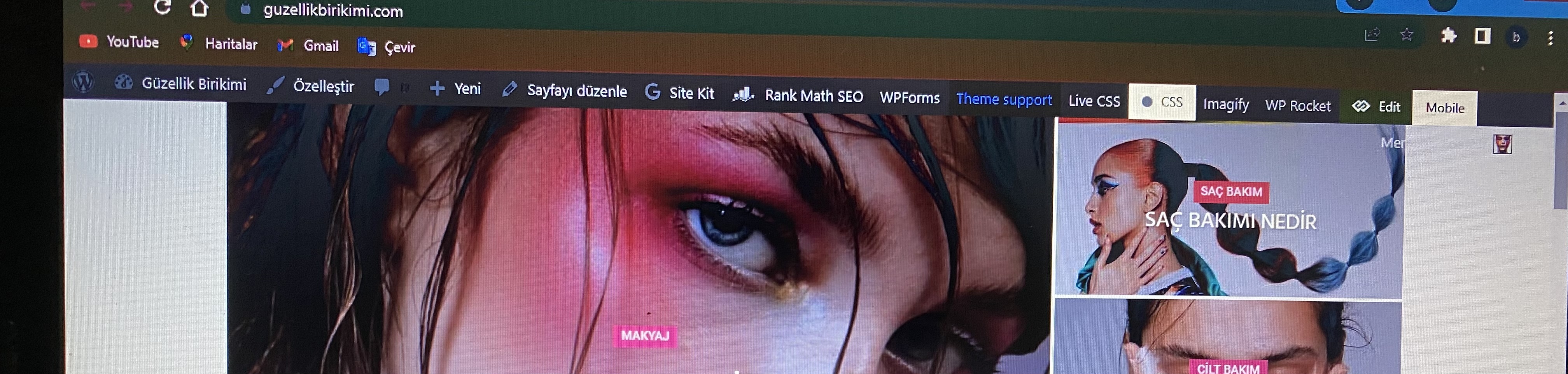
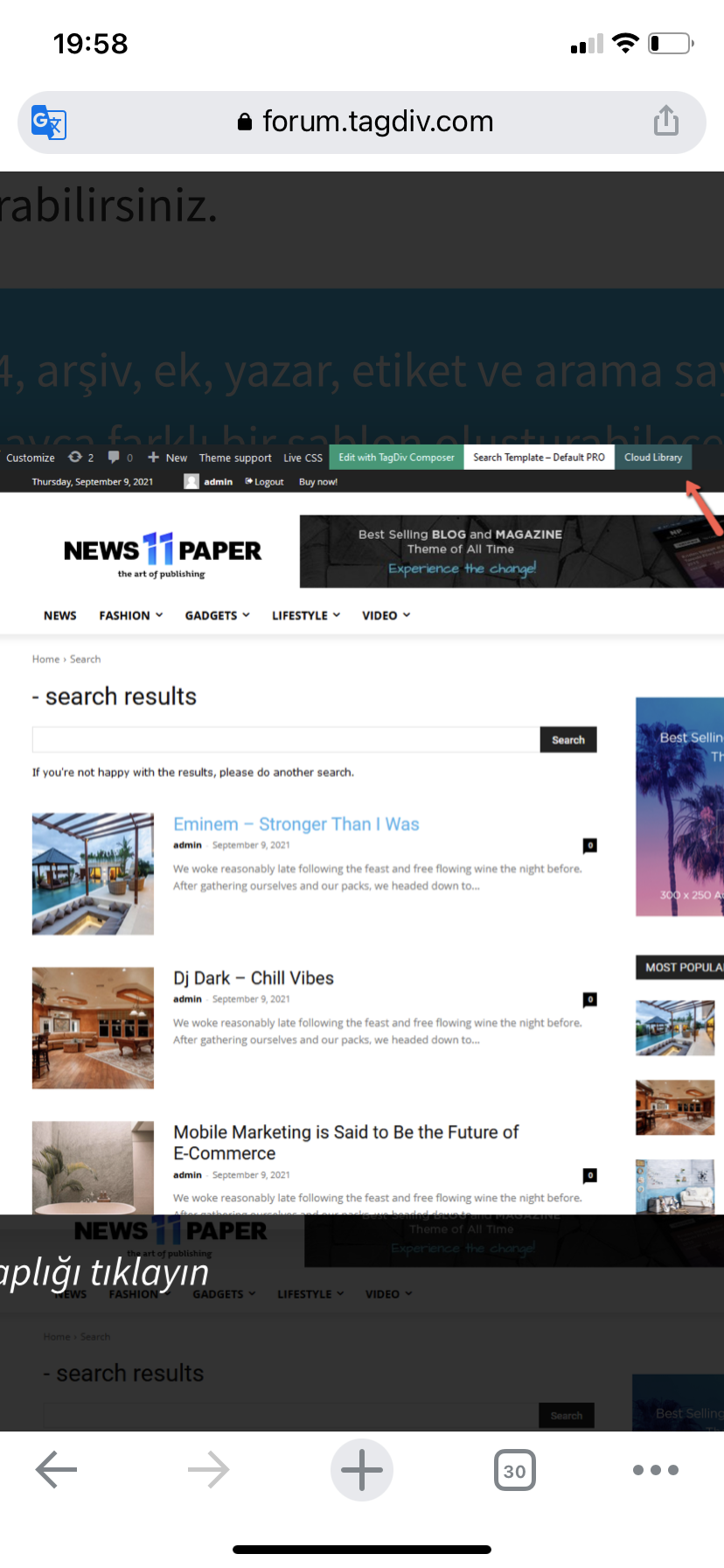
I activated it with newspaper> plugins> tagdiv cloud library. Then I checked that it is active in the ‘plugins’ section. However the tagdiv cloud library is not displayed. I want to recreate my website design using ”tagdiv cloud library”. But I can’t access the cloud library entry in the articles I’ve reviewed from ”forum.tagdiv.com”. Please help, thank you.

Yours truly
 jonesjw
 and they say:
“On your current plan, the hard limit for PHP memory_limit is only 256M. Your site’s theme panel requires higher than that. You may wish to consider upgrading the plan for more resources. Though you still need to reach out to your web developers and review the APM data to optimize those high ajax requests.”
 lormar98
Hi there, with Wp rocket I boosted my website to maximum level.
I have 94/100 on mobile and 100/100 on desktop.
My only problem is the LCP of 3.1 on mobile.
I investigated the problem and I found this:
1. This path is not used by the site because Page speed insight say me to delete unuseful Javascript p-content/plugins/td-composer/legacy/Newspaper/js/tagdiv_theme.min.js
2. The first content of the page is the block with the preview of article. Its class is entry-thumb td-thumb-css td-animation-stack-type0-2
So my question is:
1. Can i delete the file on the path that I mentioned in the first point?
2. How can I preload the class of the second point?
Thank you so much
 prashastiverma03
Hello, I am Koustubh.
I have a Tech Website, and I am using Newspaper Theme in it.
Recently i tried making web stories in my site, but its not working.
The error is, that title is Not Fetching with the story.
You can see my story: https://www.techreveals.in/web-stories/iqoo-9t-5g-review/
And a Normal Story, without NP Theme: https://www.techysaturday.in/web-stories/asus-zenbook-14-flip-oled-un5401-review/
Although, my stories are getting visible in discover with proper title, but still, i want to solve this issue.
Here are some Screenshots of the same:

And Site with No Issue:

Kindly Check this, and Tell me Proper solution asap.
And also, the issue is not only with me, its with all newspaper theme site, except some big companies one.
You can even notice the issue of this in your pc.
 abubaman
Hi,
I am a user of Avada theme. when I’ve used that theme, I used ‘accordion’ or ‘toggle’ item useful.(avada calls that as a ‘Toggles Element’.)
But, I think I may not find ‘accordion’ item in Newspaper theme.
So, I just wonder I can use this kind of item in Newspaper theme.
below is avada toggle element sample. I just want to use this as FAQ and Member Information.
 Itsrohitpandit
 chadrill
When I try to edit any pages or posts on my website (http://www.employmentlawreview.co.uk/) I receive a “fatal error” message as follows: “Fatal error: Uncaught Error: Call to undefined function AWB_Global_Typography() in /home/customer/www/employmentlawreview.co.uk/public_html/wp-content/plugins/fusion-builder/inc/class-fusion-builder.php:1682 Stack trace: #0 /home/customer/www/employmentlawreview.co.uk/public_html/wp-includes/class-wp-hook.php(307): FusionBuilder->admin_scripts(‘post.php’) #1 /home/customer/www/employmentlawreview.co.uk/public_html/wp-includes/class-wp-hook.php(331): WP_Hook->apply_filters(NULL, Array) #2 /home/customer/www/employmentlawreview.co.uk/public_html/wp-includes/plugin.php(476): WP_Hook->do_action(Array) #3 /home/customer/www/employmentlawreview.co.uk/public_html/wp-admin/admin-header.php(118): do_action(‘admin_enqueue_s…’, ‘post.php’) #4 /home/customer/www/employmentlawreview.co.uk/public_html/wp-admin/edit-form-advanced.php(425): require_once(‘/home/customer/…’) #5 /home/customer/www/employmentlawreview.co.uk/public_html/wp-admin/post.php(206): require(‘/home/customer/…’) #6 {main} thrown in /home/customer/www/employmentlawreview.co.uk/public_html/wp-content/plugins/fusion-builder/inc/class-fusion-builder.php on line 1682
There has been a critical error on this website. Please check your site admin email inbox for instructions.”
Can you please help me fix this?
 pixelnews
Hi we are using Reel News Pro Template on our website pixelnews.ch but we have a big issue with the mobile view.
– the layout is not the same as showed in the demo – how we can change it?
– the menu bar contains a icon and wrong logo, even with uploading our logo it still remains
– we have a Hero Section in our desktop version which we really need also to be visible on the mobile version
Please advice how we can achieve the same layout for mobile as for desktop (the demo was working properly in your demo/preview)

