- NewsmagCustom Post Type Support
 andreabacci7
 I know about the “more” option, but the problem is that when “more” is unchecked the menu is in 3 row all on the left. Basically, with the “more” option checked, the menu occupies a 10% the the row, all on the lest; and on the right, next to the menu, there is only the lens icon (for the search).
Maybe I did something wrong on row or column settings? It’s strange because desktop and mobile look fine.
 Anamaria
 Hello,
This is a strange situation because I made a test, and for me works well https://i.imgur.com/yeZYeK8.jpg
Also, we can take a look to see what happened there exactly.
Please contact us via email at contact@tagdiv.com and provide the following:
– wp-admin URL and credentials
– a link to this topic in order to identify you
Our team will take a look!
Thank you!
Anamaria Hello,
Also, please make sure that you have enabled the proper thumbs with these sizes in order to show the featured images properly, check this: https://forum.tagdiv.com/thumbnails-fix-strange-looking-images-on-blocks/ -> https://i.imgur.com/8rs5E6P.png -> https://forum.tagdiv.com/theme-thumbs/ -> https://forum.tagdiv.com/featured-image-or-video/
Thank you!
 giacomo.dellungo
 I run the CSS Analyzer and now looks fine… very strange! Thanks indeed
 knthdgd
Hi tagDiv.
This is kind of strange, and I it is a bit hard to explain it.
Let me try to explain:
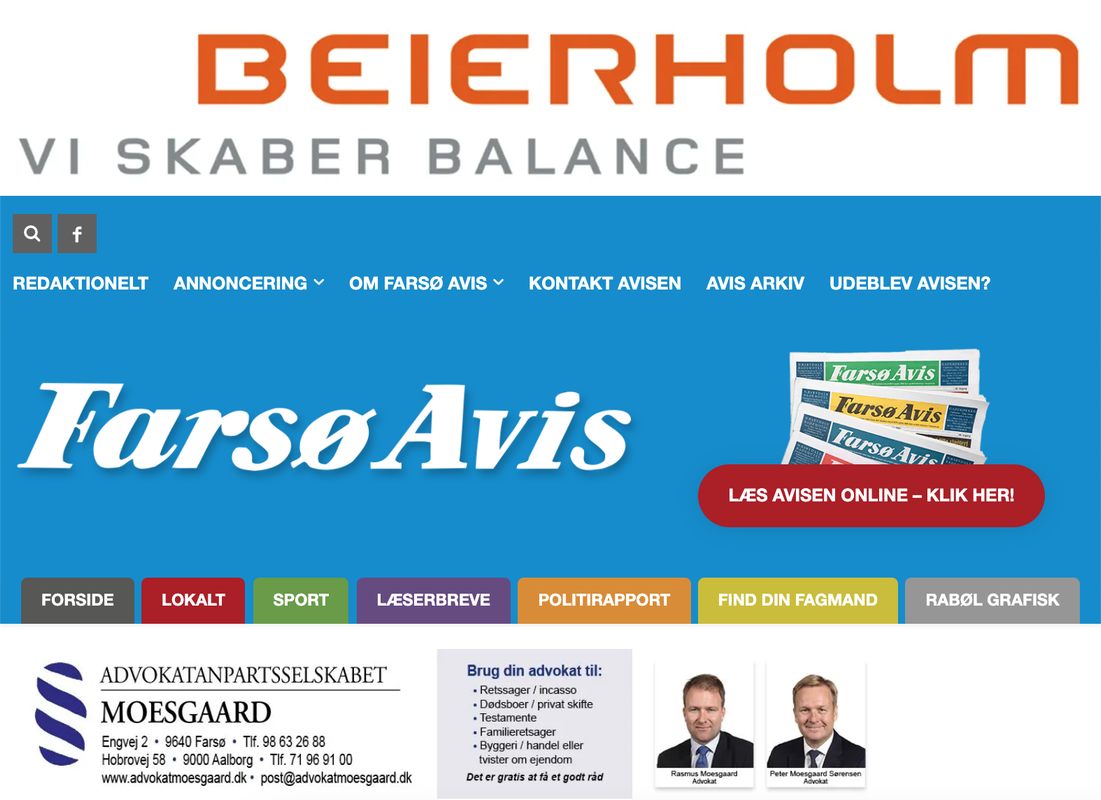
1) This is the live portrait viewport of my website, which is the correct version, and as it should be:
2) Suddenly when working in the Visual Composer, it showed this “Fatal error” in the bottom:

3) I then exited the Visual Composer, and then opened it again. The error was now gone. But now my header on Portrait View in the Composer is suddenly fucked up (but only in Visual Composer, not on the live site):
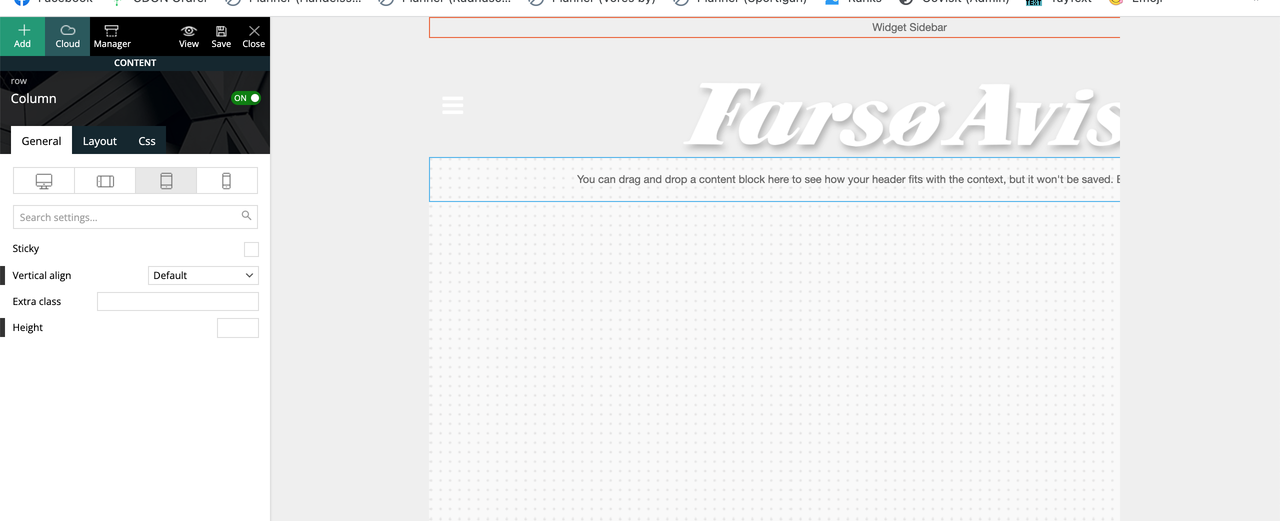
Seems like it suddenly applied/overwritten the header from the “Mobile View” to the “Portrait View”?
 Bettina
 Hello @kimstipguide !
This is strange because it not happens all the time. This issue could be from a plugin conflict or a cache issue, that’s why, please deactivate ALL plugins except tagDiv ones, also if you are using a cache plugin, deactivate it, clear all cache and try again.
Let me know the results!
Thank you!
Bettina Hello Ed!
That’s strange, because it’s changing daily. This issue could be from a plugin conflict or a cache issue, that’s why, please deactivate ALL plugins except tagDiv ones, also if you are using a cache plugin, deactivate it, clear all cache and try again.
Let me know the results!
Thank you!
 Calin
Calin Hi engrwaseemraja,
This is quite strange, normally when you install the Newspaper theme this should not happen. The only way that our theme is deleting posts and pages is in case that you have a demo set with content and you change the content that is coming with the demo, then when that demo is installed or change the pages/posts that were installed with the theme will be deleted to.
Now, the on old host, the website what theme used?
Is the problem happening only if you install the Newspaper theme?
Can you provide wp-admin and cPanel access to check this situation?
Thank you!
 SBA
SBA  Anamaria
 Hello Jett,
This is quite strange, but I found some topics with the same issue and seems to solve it to check the option in the cache plugin to “Don’t cache pages for logged in users”
-> https://domainpromo.com/blog/admin-bar-showing-up-logged-out-cache/
-> https://www.thewebmaster.com/dev/2015/may/6/wordpress-admin-bar-shows-logged-out/
Hope this helps you!
Thank you!
 Novagrupa
I’m experiencing a strange problem after the update to the latest version. I’m unable to save new code in the theme panel ads fields. It just keeps “saving” infinite. If I refresh it all fields are blank.
Also seems like all previous codes are not there, showing blank fields, although they are showing on the website.
My site URL is https://ekako.info/
Can someone from TagDiv take a look into this issue? Also does anyone else had the same issue?
 WalnutHillDesign
Something happened today while editing pages. There are not a handful of pages where the header disappeared and cannot be edited with the tagdiv composer. Trying to Edit with tagdiv composer just opens the TDC but it never fully loads. It just spins forever.
Strangely some pages on the site do work, so it’s like there are a bunch of corrupt pages.
Everything is up to date on the latest version.
Calin Hi,
The strange thing is that for me is not display that inline height that is apply for you -> https://i.imgur.com/72OzpSk.jpgand it is used the default one set on the iframe -> https://i.imgur.com/4rZDERt.png
So, there are some cases when the small height is added, but as long you use the code that you set, there should no be any problems.
Thank you!
Calin Hi,
This is quite strange situation, if you agree, we’ll like to take a closer look, but for this will need wp-admin access. If you agree, please sand us an email at contact@tagdiv.com and provide wp-admin access, please include the link of this topic in email. We’ll check it as soon as possible.
Thank you!
Calin Hi,
This is quite strange, but, if you agree, we’ll like to check it and fix it.
For this please contact us via email at contact@tagdiv.com and include the link of this topic so we can identify you. We’ll check it as soon as possible.
Thank you!
Anamaria Hello,
This is a strange situation because I made a test, and for me works well, please if you can do a test using the theme plugins, clear all cache and see if you can change the description.
Let me know the results!
Thank you!
 mclanfranconi
 Same problem for YEARS in my situation. When i create a new post or make changes in website, i need to PURGE CACHE.
Today for example, something very strange. I make a search in my blog and never can quit for the result page… PURGE CACHE and VOILÁ… the home appers again.
I think that plugin is not working fine with Newspaper Theme
Anamaria Hello,
This is a strange situation because I made a test, and for me works well -> https://i.imgur.com/89AIW7x.png please if you can do a test using the theme plugins, clear all cache and see if the issue persists.
Let me know the results!
Thank you!
Calin Hi,
This is quite strange, the divider should be added to, at least for me is when I test the css on your website -> https://i.imgur.com/YSK9XK9.png
Please check the css in the theme panel and make sure that the code is correctly, because I see some problems for the content: ”; -> https://i.imgur.com/0L0tkp4.png and I think that is way is not display the divider.
Thank you!
 fatih-2
 Hi Bettina
Thank you for your prompt reply. We are using newspaper theme since 2015. And it’s stated that the theme WPML ready. Isn’t strange that you telling me your plugins not tested with WPML?
 MoeDone
Hello! We are having an issue with our mobile site, where the header and footer that is applied to our pages is not applied to our posts. The header and footer appear normally on both posts and pages on the normal desktop site. It is only when you view it on mobile that the posts contain a strange header/footer. Could you advise as to how I could either make the header/footer that I have on our pages apply to our posts, or at least edit the content of the header/footer for posts so it’s not trying to cram the title, logo, and description in there. Thank you in advance!
Site url: https://westernlivestockjournaltest.wpcomstaging.com/
Correct header: https://snipboard.io/96LoUW.jpg
Correct footer: https://snipboard.io/f1MNe6.jpg
Incorrect header: https://snipboard.io/IPxWVp.jpg
Incorrect footer: https://snipboard.io/R54LJc.jpg
 SP1
SP1Hi,
We just updated the Newspaper theme to 11.4 and suddenly 9 black boxes are showing on the top home page under the LOGO of – https://motorbridge.com/.
image – https://prnt.sc/240sb1g
We tried everything they are just not going away.
Can someone help, maybe it is a broken CSS or style or something.
Thanks in advance.
 erickimani
Hi,
I want to place a featured video o a post but strangely I cant see the place to change the post format to video?
knthdgd There is no wrong settings as I see it. And no matter what I change about colums, margins, paddings, those strange huge paddings above the three titles is still there.
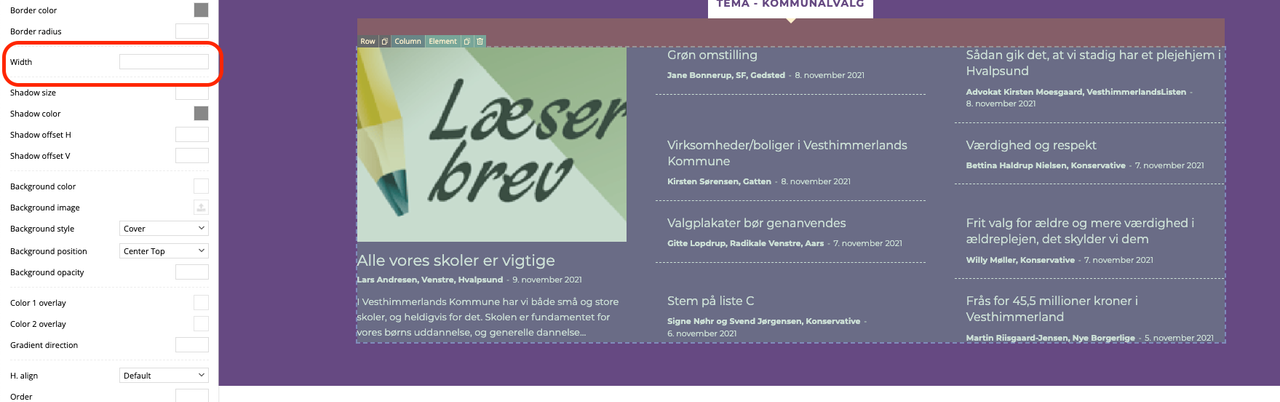
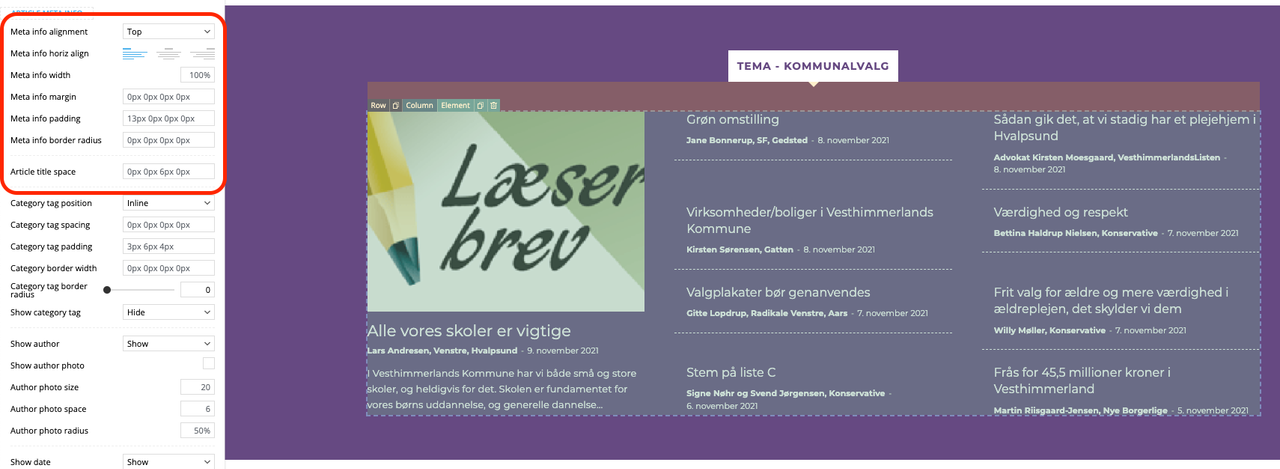
knthdgd I still need it to be 2 colums (3 colums total in the row), but I need to remove those strange large paddings above some of the titles: