- NewsmagCustom Post Type Support
 Calin
Calin Hi,
I just checked you website and I saw a strange thing, you have an open h1 -> https://i.imgur.com/BrQND0Y.png but you have two close tags for h1 -> https://i.imgur.com/wzZFvRf.png
Indeed on Newsmag, you can not edit the header with the theme builder. This theme has two header files, one with h1 on logo and one without h1 on logo. Now by default the h1 in our theme is set on logo, but, if the title post/page is display, that one became h1.
Now, to remove the h1 from logo you need to set the page template on “Page builder + page title” or an alternative is to remove the h1 from the files wp-content/plugins/td-composer/legacy/Newsmag/parts/header/logo-h1.php -> https://i.imgur.com/ZCVMqpz.png
I hope this will help you!
 Bettina
 Hello @xmaxms!
Strange, because for me that one is an element from the TagDiv Composer called “Image info box”: https://www.screencast.com/t/5cXNNtjso2
It could be a conflict plugin or a cache issue. You can ask here or create a new topic if it’s a different issue than the one we talked about in this topic.
Thank you!
 gustigusti
Hi All,
My site’s homepage return an error. It display strange code like this: ����v7�0��}μ�|����ꅻ-�l�q���\��$��n�m6�9�HV2>�>��{��$�*��M�r$�J,�X �B��<��pG���$�n�����$�b�����1��G,kdS�?jXf�Al�L���8&����tk��$�+�+�kT��qL8x-ː�?a%)SyjR��6+���ݹI$������Ƕ��!�E�f@�hJ=��?�� A�S���G�˼\�^� #� LJ_ZF0=2�kdJ���+��-�#j�GJSnD����L�����ɐ�f 2���Qc������esAg.��2T�#w~�qn{�Qs1]$�Z²����s:1Τ�˅$zr.l���*���;���DP���!�����o&���"����A.�J��I��R? gOߐ�N,�\(���T ��"�m�3��������!����D�ܡ� �[�a~< c��2�%߱3H �Ψ t��M���3.,�t�IAzBsKZ���:\�~~)E}���s�\5���vq�X:�mYq�$W�C$syqd�D�b6/�zv��=Du��ZP/�F�9��0s-�Ё��@�I�%E;�����z���@���8o�z�� F�3�p>�ޕ�^g�P^צC�V��{���U���A��!��t^V���&�<�i,G X�@EcɊm27a�a���g-1��ba�����w|\Ī˦,HSsN��G�����ˀ~�� x���M���K~���C����92-#Q��y�����<��8c5�1�A�0yg�w��ʜA�yb��,����B����e�d��$:qfRo4��$X�����>��ø�u?��>���w%Y�”D(�����]d㘯����,b/a�́i�Rd~�y�ɼ���#sɺ��oa��7�7П�h� ���OM��E�{��=�;�v�R�|�e_�u�-�����w0�rc��*��� �{tȹ-�|�9��d������x8>�������xpx8�9�7’�;�M��|l��F+k��K���� j39�C~�{�����””�”�o=���}H~0��uT�1�B�(�<_P��ttj!����X�)�jS(�@�^fq�e����<W�{�.A�q/�����33`}����1���sb2�z�k��2��� ���_Y�_�)7�_��Ǯ�+�r��3��_L6�4����O�� ���+��2�&�3�����N�١�-~�Y�+�(���������;j7�M����C��W��az�<����#ށs�X�#��@ ̧��������-�0�sq����o{ �h�?�@����[��cϝ?�k�a��;s��������EsjZ�i�5ǖm�#p�D&��@u>0������� (��?�{����3��s�����;:J��w��3����{_����WK8������>����D�P�����ёe�����ău���c%c�Nj����v���A�-k���*���~��� ��%����va��Z�s���T�
Please give me a solution to fix this.
Thank you and have a great day
 knthdgd
 Sorry, I found it myself.
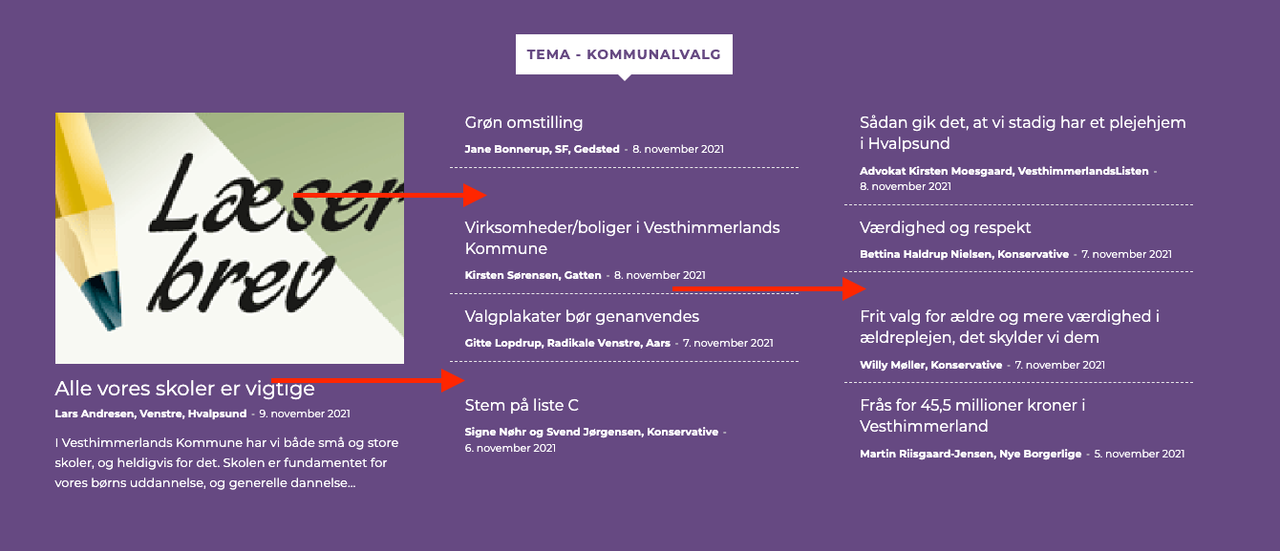
But why does it make these strange huge margin?
 rlwilkinson80
 Oh whoops! I thought it was a private conversation. Thank you so much for fixing the issue. I wasn’t able to even change the image which was super strange. The one you have chosen is fabulous. Appreciate it. I will let you know if I encounter any further issues.
 magaze
Hi, for some time now on my home page (www.magaze.it) I haven’t seen google ADS. I have tried disabling plugins and updating themes, but the problem persists.
The strange thing that ads can be seen in an article. While in static pages no. Can you give me directions to fix?
 hcm
hcm It does appear to only be an issue with the global default template. When I select ‘No Template’, the page displays without error.
It is still only an issue with some categories though (with a custom default template selected) and I don’t see what’s different about those particular categories. It is strange that some work fine and others don’t work at all. I created a brand new default template and set it to global(I used different elements as well), but it continues to cause errors on some category pages.
I tested with only TagDiv plugins enabled and the results are the same.
Calin Hi hcm,
This is quite strange. Normally, most of users use one cloud category for most of category, so in case that this is causing some problem will be on all categories and not only for a few.
So what I can suggest is to set a different cloud template and see if the problem persist. If the problem is still there, please set a no template https://i.imgur.com/HTLpItw.png
Also, you can make some test using only tagDiv plugins.
Let me know the results!
Bettina Hello @niranjanmotonews!
That’s very strange. The issue can be from a plugin conflict, that’s why, please deactivate ALL plugins except tagDiv ones, also if you are using child theme or cache plugin, deactivate them, clear all cache and try again. Check this guide too: https://forum.tagdiv.com/general-options-may-interfere-newspaper-theme/
If this problem is not solved after that, then we need to take a look and see what happened there.
Please contact us via email at contact@tagdiv.com and provide the following:
– admin url and credentials
– cPanel url and credentials
– your license code to help you with the activation
– a link to this topic in order to identify you
Our team will take a look!
Thank you!
Bettina Hello @pimpfred!
The other ads in the cloud template can be added with the element called “Ad box”. Also, delete the ads from the theme panel. Please check the documentation also.
That’s strange, then the issue can be from a plugin conflict or a cache issue, that’s why, please deactivate ALL plugins except tagDiv ones, also if you are using a cache plugin, deactivate it, clear all cache (also from your browser) and try again.
Let me know the results!
Thank you!
 Anamaria
 Hello,
This is a strange situation, please if you can do a test using the theme plugins, clear all cache and see if the issue persists.
Also, if you want you can contact us via email at contact@tagdiv.com, and provide the wp-admin access and cPanel access to be able to investigate it.
Also, paste a link to this topic so we can easily identify you and please make a full backup.
Also please try to not reply multiple times in the topic if possible, this will only delay our response. Replying multiple times will refresh the topic date and move it to the back of the line, we answer from oldest to newest.
Thank you!
Bettina Hello @newscafe!
That’s strange! We can take a look for this and investigate why is not working for you. Please contact us via email at contact@tagdiv.com and provide the following:
– admin url and credentials
– a link to this topic in order to identify you
Our team will take a look!
Thank you!
 Robert Turner
Hi
We’ve had an issue with some of our site pages after updating to 13.2 and now templates reuse to attach themselves to older pages, categories, etc. As soon as we log into WordPress it also raises a security issue with the server and the firewall kicks in every few minutes.
Here is the report from WordPress
WordPress version 5.8.2 Current theme: Newspaper (version 11.3.2) Current plugin: (version ) PHP version 7.4.26 Error Details ============= An error of type E_COMPILE_ERROR was caused in line 35 of the file /home/medizepv/public_html/wp-content/plugins/td-composer/legacy/common/common.php. Error message: require_once(): Failed opening required ‘/home/medizepv/public_html/wp-content/plugins/td-composer/legacy/common/wp_booster/td_metabox_generator.php’ (include_path=’.:/opt/alt/php74/usr/share/pear’)
The website is https://medika.life. The normal page appears like this, https://medika.life/category/diseases/ whilst the same template shows up like this on another category section, https://medika.life/category/general-health/, note the sudden purple background.
Changing the templates in Theme settings for Categories has no effect?? Please help as this appears to be spreading through the site, we’ve also noticed pages suddenly losing their assigned templates to revert to the default one.
Bettina Hello @jastrz!
Yes, it was strange because normally, the button should be there and your screenshot it was zoomed in.
I’m glad that the issue is solved.
Let me know if you need further assistance.
Have a nice day!
Anamaria Hello,
This is a strange situation, please if you can do a test using the theme plugins, clear all cache and see if the issue persists.
Thank you!
 nwnuyhs
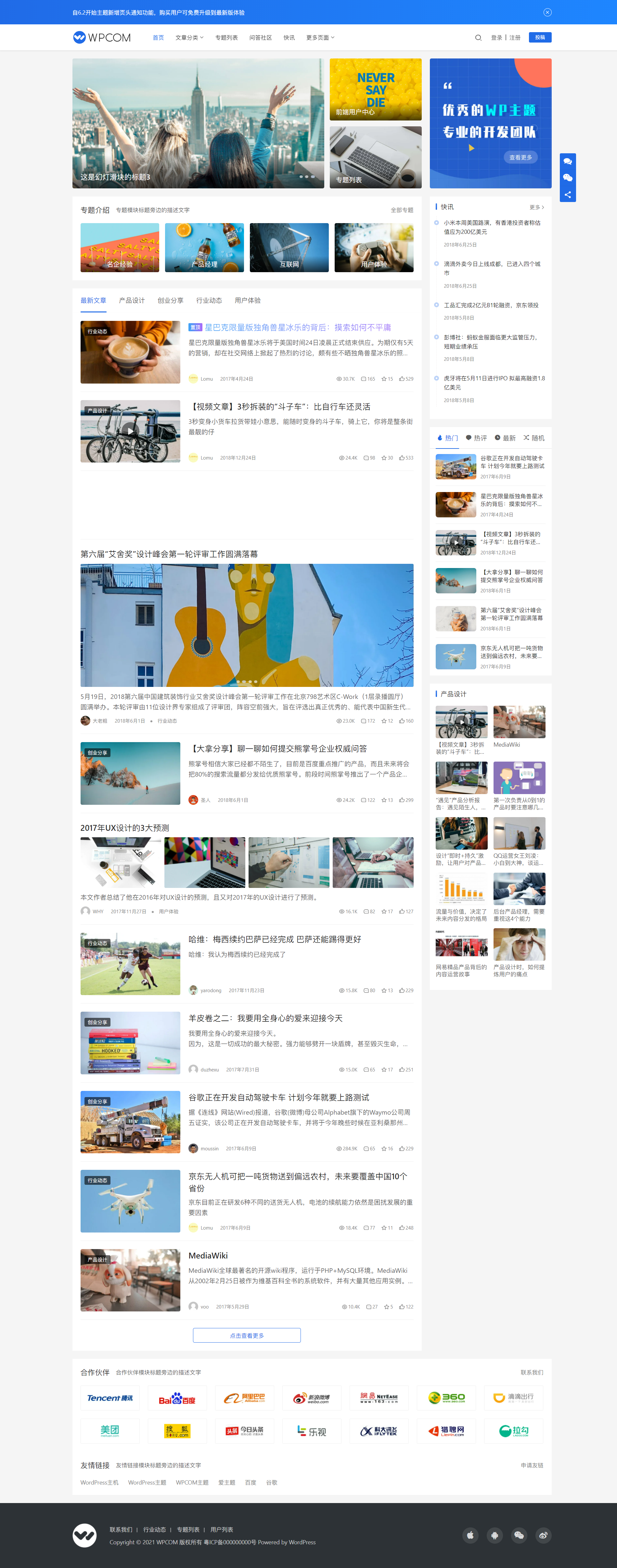
The existing blog demo of the newspaper theme are strange and fancy, I hope the official can come up with a simple and beautiful blog site, I provide a site, I hope the official can do a reference
http://demo.wpcom.cn/justnews/
 crodexter
 Hello,
I got same error on one page. I tried to revert to previous version but it didn’t help.
It is strange that same error is on every page/post template
Error at zones: 6(models) : 5(dom). The model does not match the content Current state has involved an issue. You could try an UNDO operation (CTRL+Z / CTRL+SHIFT+Z)
Do you have any suggestion what could be the reason and what to do?
Thank you
 AliAhmadi
Hello Sir
Please check this URL in chrome network tools with slow 3g mode: https://www.linquip.com/blog/types-of-turbines/
Something Strange appears and then disappears in the mobile version. As I attached images. how can I delete it? it causes shifting page and increasing CLS (it’s about 3 months that Lab Data Score is perfect but file Data is poor)
 wortpflege
Hello TagDiv team,
some strange problems suddenly occured in the Composer:
First of all is that I can’t delete empty rows any longer. Right click doesn’t work, the “delete” drop zone is missing, no possibilty to delete them. I can delete elements with the small popover trashcan but no empty rows.
Second: A lot of thins in the “element editor” are not working as expected. E.g. see this screenshot for where the color picker should be. Instead of the color picker there is just one text field with no functionality: https://cof1.eu/index.php/s/NFdHFjkBTJ7nwrc
Also a lot of options do not work like sometimes aligning an element or some checkboxes like “show author”. They just do nothing.
There are more weird stuff.
What I did (more than one time): I disabled all plugins, emptied cache, browser cache, and so on.
The problem occurs in Safari and Firefox, newest versions on OSX.
Wordpress 5.8.2, Newspaper 11.3.2, everything is up to date.
The site URL: https://089wehrinhghausen.de
Thank you!
 ermannaro
 Hi, I try to explain myself better.
I’ve always used amazon affiliate links on my site and the code is autogenerated by amazon.
The iframe has always shown up fine in the pages without doing anything.
Now since a few days, (I don’t know if after the last update), I got out the borders on all the hundreds of iframes contained in the hundreds of articles of the site.
So I couldn’t edit any single iframe, and anyway it seems that already the iframes contain frameBorder=”0″ and even adding scrolling=”no” the iframe keeps both borders and scrolling.
Strange thing is that the iframe in editor mode displays fine:
https://tinyurl.com/y3puf8ub
This is iframe in image:
<iframe style="width: 120px; height: 240px;" src="https://rcm-eu.amazon-adsystem.com/e/cm?ref=qf_sp_asin_til&t=karmaweb-21&m=amazon&o=29&p=8&l=as1&IS1=1&asins=B01NAASUGT&linkId=00e79f71f5cc507353aef3ded3894b50&bc1=ffffff<1=_blank&fc1=333333&lc1=d143be&bg1=ffffff&f=ifr" frameborder="0" marginwidth="0" marginheight="0" scrolling="no">
</iframe>
Bettina Hello!
This is strange! Please make a full backup, send an email at contact@tagdiv.com and provide wp-admin and Cpanel access, so we can investigate more into this issue. Also paste a link to this topic so we can easily identify you.
Let us know and we will gladly assist you.
Thanks!
 mauta
mauta The archive is set to display the random posts.
Another strange thing is that the css code appears only for an author, in posts from about 10 years ago, for the others all is normal. We have an emormous archive of 11.881 posts from 2003.
I initially thought it depended on copy and pasting from word documents, which generates weird html tags. But I checked and in text mode everything is normal.
I will try to do tests on plugins and clear the cache.
Thanks!
 angelicantunes
 Hi! The settings are all correct.
That’s very strange. I deactivated the plugin and tried other ones, only “WP Facebook Comments” works, but it is only in English, I need it in portuguese language.
Calin Hi,
This is quite a strange situation. What I suggest is to check the problem step by step.
The archive is set to display the latest posts in archive or random posts? If is on latest and are display old posts, then most possible to be a plugin conflict.
That code, like you said it is a css, that it is apply for that block so if the problem is solved after you update the page, it can be from some object cache or a plugin conflict.
The last problem seems that the response version is not apply correctly, now this also in most cases it is related to cache plugins.
What I can suggest is that first to make a test using only the theme plugins and see if the problem is still persist.
Please let us know the results!
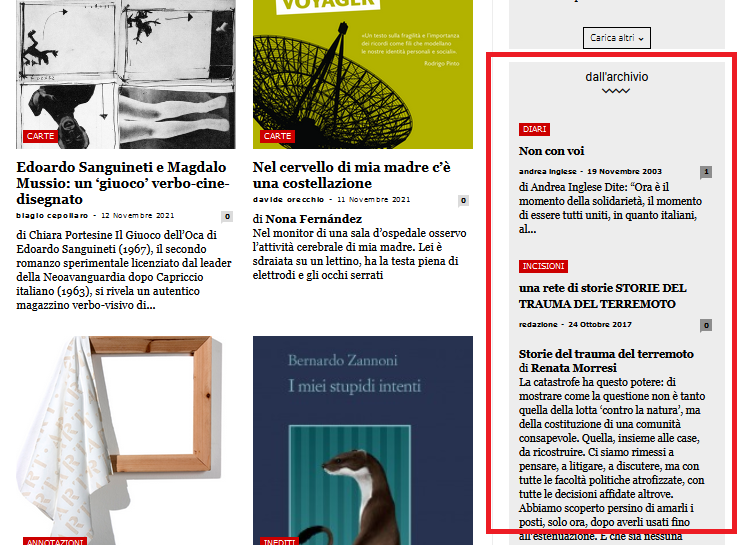
mautaHy, this is our homepage
https://www.nazioneindiana.com/
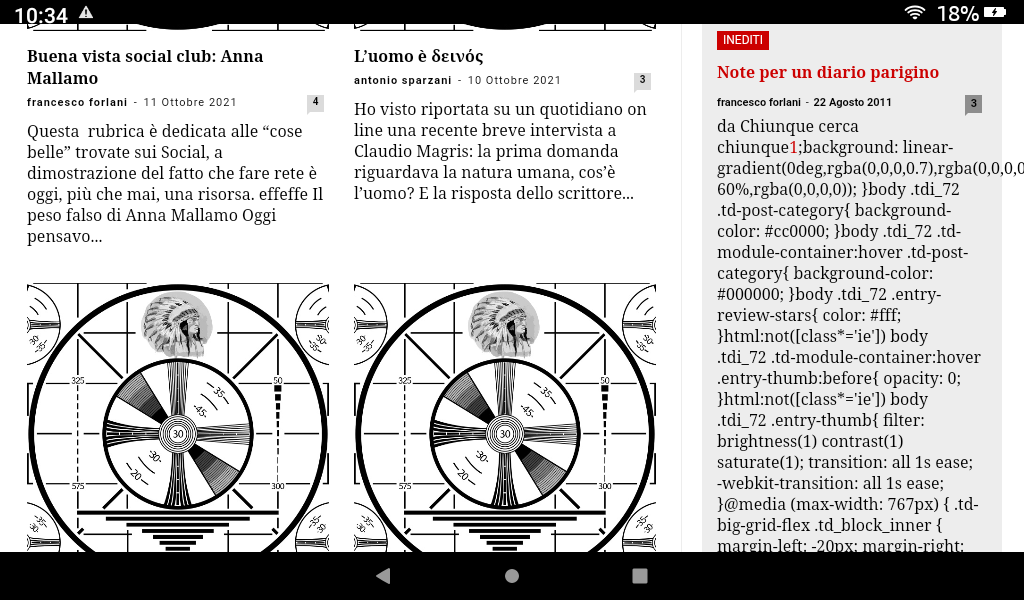
Sometimes when some old posts, not all, are displayed random in archive column on the right in “dall’archivio”
https://www.nazioneindiana.com/wp-content/2021/11/archive-posts.png
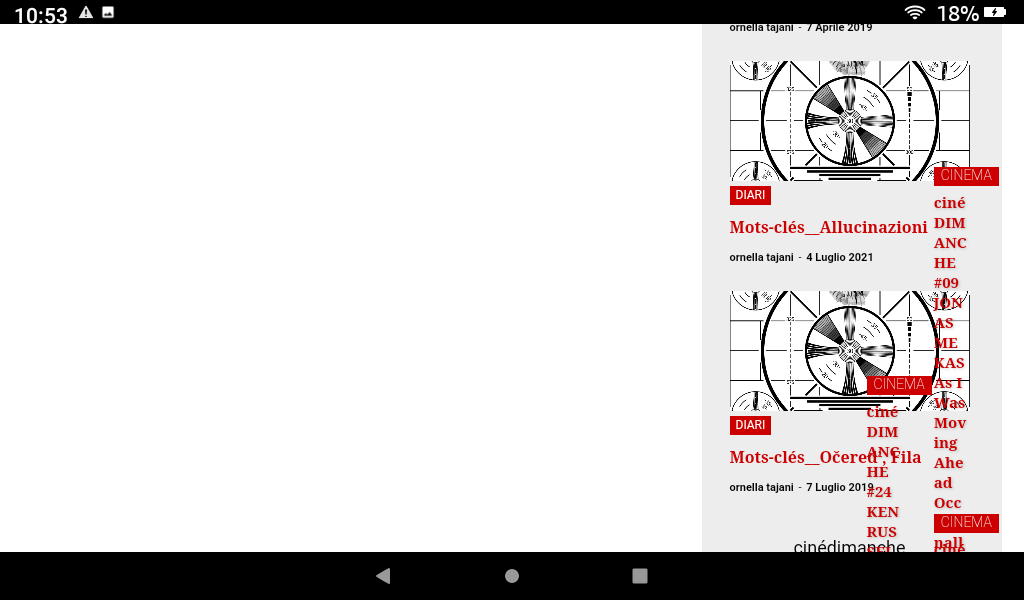
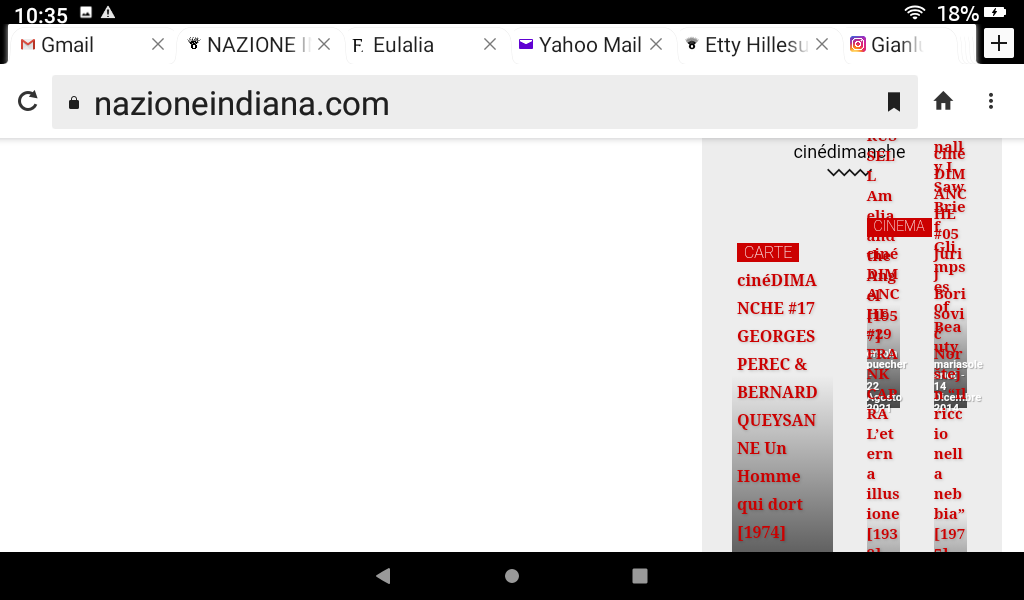
a strange phenomenon happens: parts of code appear in the post, I think of the css, instead the code of the post in “text mode” is normal
and from this post down the rest of the homepage turns white and appears on the right side and completely messy, without images.
Also it is impossible to access tagDiv Composer.
Everything goes back to normal by updating the page.
Why does this happen?
Thanks
Orsola