- TutorialsFrom WPBakery to tagDiv Composer
- TutorialsDefault Block Settings Guide
- TutorialsHow to Update the WPBakery Page Builder plugin
 Mybody
Hi TagDiv Support Team,
I am experiencing a persistent error with TagDiv Composer on my website (hosted on SiteGround). Every time I try to edit or create a page—even a completely fresh, empty page—I get the following error:
“Layout sync error in Content. The editor expects 6 zones but the page is rendering 5.”
Here is what I have already checked and verified to isolate the issue:
PHP Version: The server is running on PHP 8.2.31.
Memory Limits: I have already increased limits in wp-config.php (WP_MEMORY_LIMIT set to 512M).
Plugins & Cache: The issue persists even on blank pages, with no third-party caching/minification conflicts.
System Status: In my Newspaper System Status panel, I noticed a warning regarding mod_substitute being active on Apache (“may cause a timeout error on TD Composer”). I tried tweaking the .htaccess file with SubstituteMaxLineLength and SubstituteEngine Off, but the error remains.
Since it happens even on blank pages, it’s definitely not an unclosed HTML tag in the content. Could you please let me know how to fix this rendering/sync conflict on PHP 8.2 / SiteGround?
Thank you,
Sara
 Simion C.
 I suggest excluding this script from the optimization if possible:
https://www.thehinh.com/wp-content/plugins/td-composer/legacy/Newspaper/js/tdSmartSidebar.js
If it still doesn’t work, also exclude this script:
https://www.thehinh.com/wp-content/plugins/td-cloud-library/assets/js/js_files_for_front.min.js
Then it should work.
Thank you!
 willskz
 “Hello, I am here to report the same issue. Since updating to WordPress 7.0, the Gutenberg editor is severely bugged, very slow, and the layout/styles are completely broken.
I have done some troubleshooting on my end:
I tested other WP 7.0 sites without the Newspaper theme, and the editor works perfectly.
I disabled all third-party plugins, and the issue persists. It is definitively tied to the theme and the tagDiv Composer.
Checking the browser console, there are conflicts with the new WP 7.0 iframe structure. The console throws errors such as: td-guten-blocks-editor-css-css was added to the iframe incorrectly and fails to load load-scripts.php.
Is there an ETA for a full compatibility patch for WordPress 7.0?”
“Chrome Console”
load-scripts.php?c=1&load%5Bchunk_0%5D=jquery-core,jquery-migrate,utils,wp-dom-ready,wp-hooks&ver=7.0:5 JQMIGRATE: Migrate is installed, version 3.4.1
v833ccba57c9e4d2798f2e76cebdd09a11778172276447:1 Failed to load resource: net::ERR_ADDRESS_INVALID
deprecated.min.js?ver=990e85f234fee8f7d446:1 Block with API version 2 or lower is deprecated since version 6.9. See: https://developer.wordpress.org/block-editor/reference-guides/block-api/block-api-versions/block-migration-for-iframe-editor-compatibility/ Note: The block “mpp/user-profile” is registered with API version 1. This means that the post editor may work as a non-iframe editor. Since all editors are planned to work as iframes in the future, set the apiVersion field to 3 and test the block inside the iframe editor.
S @ deprecated.min.js?ver=990e85f234fee8f7d446:1
deprecated.min.js?ver=990e85f234fee8f7d446:1 Block with API version 2 or lower is deprecated since version 6.9. See: https://developer.wordpress.org/block-editor/reference-guides/block-api/block-api-versions/block-migration-for-iframe-editor-compatibility/ Note: The block “mpp/user-profile-enhanced” is registered with API version 1. This means that the post editor may work as a non-iframe editor. Since all editors are planned to work as iframes in the future, set the apiVersion field to 3 and test the block inside the iframe editor.
S @ deprecated.min.js?ver=990e85f234fee8f7d446:1
deprecated.min.js?ver=990e85f234fee8f7d446:1 wp.compose.withState is deprecated since version 5.8. Please use wp.element.useState instead.
S @ deprecated.min.js?ver=990e85f234fee8f7d446:1
deprecated.min.js?ver=990e85f234fee8f7d446:1 Block with API version 2 or lower is deprecated since version 6.9. See: https://developer.wordpress.org/block-editor/reference-guides/block-api/block-api-versions/block-migration-for-iframe-editor-compatibility/ Note: The block “advads/gblock” is registered with API version 2. This means that the post editor may work as a non-iframe editor. Since all editors are planned to work as iframes in the future, set the apiVersion field to 3 and test the block inside the iframe editor.
S @ deprecated.min.js?ver=990e85f234fee8f7d446:1
deprecated.min.js?ver=990e85f234fee8f7d446:1 36px default size for wp.components.SelectControl is deprecated since version 6.8 and will be removed in version 7.1. Note: Set the __next40pxDefaultSize prop to true to start opting into the new default size, which will become the default in a future version.
S @ deprecated.min.js?ver=990e85f234fee8f7d446:1
deprecated.min.js?ver=990e85f234fee8f7d446:1 36px default size for wp.components.RangeControl is deprecated since version 6.8 and will be removed in version 7.1. Note: Set the __next40pxDefaultSize prop to true to start opting into the new default size, which will become the default in a future version.
S @ deprecated.min.js?ver=990e85f234fee8f7d446:1
deprecated.min.js?ver=990e85f234fee8f7d446:1 wp.editor.RichTextToolbarButton is deprecated since version 5.3 and will be removed in version 6.2. Please use wp.blockEditor.RichTextToolbarButton instead.
S @ deprecated.min.js?ver=990e85f234fee8f7d446:1
load-scripts.php:1 Failed to load resource: the server responded with a status of 404 ()
 johnjgalbo
Hi,
I’m having an issue with the tagDiv Standard Pack plugin on Newspaper 12.7.6.
When I install it from the Newspaper → Plugins panel, the installation completes successfully, but the plugin folder only contains:
common/
Newspaper/
td-standard-pack.php
tdsp_version_check.php
There are no module folders such as:
modules/
shortcodes/
templates/
assets/
includes/
As a result, TagDiv Composer only shows the legacy video blocks.
I also downloaded the ZIP directly from the URL shown during installation, and it contains the same minimal stub files.
My Newspaper license is active and assigned to adultswimcentral.com, and all system status checks are OK.
Could you please push the full Standard Pack module bundle to my domain or provide a direct download link?
Thanks!
 minimatc
Hello,
I run the Newspaper theme (version 12.7.6, registered) with tagDiv Composer on a WordPress site hosted at WP Engine. The homepage intermittently breaks: the hero/feature grid renders as gray bands with no background images and the layout collapses. It happens every several days, with no edit or publish that I can tie to it.
I have diagnosed this fairly precisely and want to share the evidence, because it points to the Composer template failing to compose rather than a caching or browser issue.
WHAT THE BROKEN VS HEALTHY HTML SHOWS
I captured the HTML of the same homepage URL (page ID 370) in both states.
Broken state (~59 KB):
body class is MISSING: wp-theme-Newspaper, global-block-template-1, tdb-template, td-full-layout
4 td_block instances
6 style blocks, about 9.8 KB of inline CSS
0 background-image rules (which is why no hero imagery paints)
Healthy state (~899 KB):
body class INCLUDES: wp-theme-Newspaper, global-block-template-1, tdb-template, td-full-layout
324 td_block instances
41 style blocks, about 53 KB of inline CSS
about 200 background-image rules
So in the broken state the tagDiv block-builder template for the page is not composing at all. The tdb-template / global-block-template-1 output and inline CSS never generate.
WHAT FIXES IT AND WHAT DOES NOT
Purging the host cache does NOT fix it. The broken render is served even on a forced cache miss and on hard refresh, so it is not stale cache.
Re-saving the homepage in tagDiv Composer (Save, with the green Header/Footer/Content Successfully Saved confirmations) DOES fix it immediately, every time. This is now reproduced twice.
So a fresh Composer composition produces the correct page, and something later causes the page to revert to the un-composed render.
PATTERN
It stays healthy for several days, then suddenly reverts to the broken render.
One stable stretch lasted about 9 days before recurring.
A re-save fixes it for another multi-day stretch.
ONE POSSIBLY RELATED DETAIL
When the broken version was being served, the host cache had bucketed a desktop request into the mobile/iphone cache group. I mention it only in case Composer mobile/desktop template variant handling is relevant to why an incomplete render gets produced.
QUESTIONS
Is there a known issue where the Composer block-builder template fails to compose on a page regeneration, producing output without the tdb-template / global-block-template-1 body classes and without the inline CSS?
Could a periodic Composer cloud-library sync, a theme/Composer background process, or a license re-check trigger a re-render that lands in this un-composed state?
Is there a setting or maintenance step that forces the template to always fully compose, so I do not have to manually re-save in Composer every few days?
Is there a current recommended compatible pairing of Newspaper theme version and tagDiv Composer plugin version I should confirm I am on?
I can provide both full HTML captures (healthy and broken) on request.
Site: https://alstonhomes.com
minimatcHello,
I run the Newspaper theme (version 12.7.6, registered) with tagDiv Composer on a WordPress site hosted at WP Engine. The homepage intermittently breaks: the hero/feature grid renders as gray bands with no background images and the layout collapses. It happens every several days, with no edit or publish that I can tie to it.
I have diagnosed this fairly precisely and want to share the evidence, because it points to the Composer template failing to compose rather than a caching or browser issue.
WHAT THE BROKEN VS HEALTHY HTML SHOWS
I captured the HTML of the same homepage URL (page ID 370) in both states.
Broken state (~59 KB):
body class is MISSING: wp-theme-Newspaper, global-block-template-1, tdb-template, td-full-layout
4 td_block instances
6 style blocks, about 9.8 KB of inline CSS
0 background-image rules (which is why no hero imagery paints)
Healthy state (~899 KB):
body class INCLUDES: wp-theme-Newspaper, global-block-template-1, tdb-template, td-full-layout
324 td_block instances
41 style blocks, about 53 KB of inline CSS
about 200 background-image rules
So in the broken state the tagDiv block-builder template for the page is not composing at all. The tdb-template / global-block-template-1 output and inline CSS never generate.
WHAT FIXES IT AND WHAT DOES NOT
Purging the host cache does NOT fix it. The broken render is served even on a forced cache miss and on hard refresh, so it is not stale cache.
Re-saving the homepage in tagDiv Composer (Save, with the green Header/Footer/Content Successfully Saved confirmations) DOES fix it immediately, every time. This is now reproduced twice.
So a fresh Composer composition produces the correct page, and something later causes the page to revert to the un-composed render.
PATTERN
It stays healthy for several days, then suddenly reverts to the broken render.
One stable stretch lasted about 9 days before recurring.
A re-save fixes it for another multi-day stretch.
ONE POSSIBLY RELATED DETAIL
When the broken version was being served, the host cache had bucketed a desktop request into the mobile/iphone cache group. I mention it only in case Composer mobile/desktop template variant handling is relevant to why an incomplete render gets produced.
QUESTIONS
Is there a known issue where the Composer block-builder template fails to compose on a page regeneration, producing output without the tdb-template / global-block-template-1 body classes and without the inline CSS?
Could a periodic Composer cloud-library sync, a theme/Composer background process, or a license re-check trigger a re-render that lands in this un-composed state?
Is there a setting or maintenance step that forces the template to always fully compose, so I do not have to manually re-save in Composer every few days?
Is there a current recommended compatible pairing of Newspaper theme version and tagDiv Composer plugin version I should confirm I am on?
I can provide both full HTML captures (healthy and broken) on request.
 RangeleyWebDesign
I am trying to assign my staging site as the 2nd site for the license. There is no way to assign it because you say I have another staging site that is licensed. That is incorrect. The license applies to TravelMaine.com but the staging2.travelmaine.com was deleted a long time ago. Why are you making me buy another license for a new staging site? That does not seem fair to me.
Also, my developer said the site is breaking on the staging site when they try to update because I need the two plugins (see message below). Why are they not included in the update? Is this happening because you will not allow me to use my license on a staging site? Please advise ASAP!
Hello Lisa,
Thank you for contacting our Help Desk.
We have completed testing of the theme update on the staging site.
The Newspaper parent theme was upgraded successfully, while the child theme remained in place as expected. However, after the update, we found an issue with two required companion plugins, td-composer and td-cloud-library. These plugins did not remain active properly after the upgrade, which caused problems with the theme functionality and page layout.
Because of this, we reverted the change after testing so the site would remain stable and continue working as expected.
At this point, the issue does not appear to be with the update process itself, but rather with the plugin versions that should match the updated theme version. The package provided seems to be missing the corresponding plugin files, or it does not include the correct versions needed for this release.
To proceed safely, we would need the complete theme package for this version, including the bundled plugin files, so we can install the matching versions and test the update again.
Please send over the full package if available, and we will be happy to continue from there.
Best Regards,
Kamen Kumanov
Technical Support Supervisor
 revega
Hello,
I have a critical issue on my news site: I cannot publish new articles. When accessing the editor (Add New Post), the page stays blank.
Technical details:
WordPress: version 7.0 (latest)
Theme: Newspaper, version 12.7.6 (latest)
tagDiv Composer: latest version available
All plugins are up to date
Console error (DevTools):
edit-post.min.js?ver=28ef50b859708963e197:1 Uncaught TypeError: (0 , yt.registerLegacyWidgetBlock) is not a function
at Object.pn (edit-post.min.js?ver=28ef50b859708963e197:1:49057)
at HTMLDocument.<anonymous> (wp-edit-post-js-after:5:25)
There are also deprecation warnings related to your blocks:
Block with API version 2 or lower is deprecated since version 6.9.
Note: The block “tds/partiallocker” is registered with API version 1.
Note: The block “tds/contentlocker” is registered with API version 1.
Plus a 404 error when loading load-scripts.php.
Likely cause: the registerLegacyWidgetBlock function from the @wordpress/widgets package was removed in WP 7.0, while a script injected by your theme/Composer (wp-edit-post-js-after) is still calling it, which completely breaks the Gutenberg editor from loading.
What I’ve tried:
Temporarily deactivating other plugins (issue persists, so it’s isolated to Newspaper/tagDiv Composer)
Clearing cache (LiteSpeed Cache, full purge)
Confirmed all components are on the latest version
Please confirm if this is a known compatibility issue with WP 7.0, and let me know your estimated timeline for a fix/patch. In the meantime I’m using Classic Editor as a workaround, but I need Gutenberg working again as soon as possible since the site is active and requires frequent article publishing.
Thank you
 pangea
Hello,
We are currently working on the website:
https://www.sostenible.com.mx/
We are having an issue with the page editor / builder. The pages are no longer editable through the builder, and on the frontend the content is being displayed as raw Visual Composer / WPBakery shortcodes instead of being rendered properly.
For example, the homepage is showing content like:
[vc_row][vc_column][td_block_ad_box spot_id="custom_ad_2"]…
[td_block_2 custom_title="ACTIVIDADES PRIMARIAS"]…
[/vc_column][/vc_row]
The site was originally running an older version of the Newspaper theme, version 7. Everything was working correctly before, but the issue suddenly started. We then migrated/updated the theme to version 12, expecting the problem to be resolved, but the issue still persists.
Based on what we are seeing, it looks like the problem may be related to Visual Composer / WPBakery Page Builder, because the builder is not loading correctly and it appears to be asking for a license or activation. Since the content depends heavily on Visual Composer / WPBakery shortcodes, the site is currently unable to render the pages correctly.
Could you please help us review the following?
Confirm if the bundled Visual Composer / WPBakery plugin included with the Newspaper theme is active and compatible with version 12.
Check if the plugin requires a separate license or if it should be activated through the theme package.
Verify why the shortcodes are being printed as plain text instead of being parsed/rendered.
Confirm if there is a missing plugin, corrupted builder installation, or compatibility issue after the migration from Newspaper v7 to v12.
Let us know the recommended steps to restore the page builder functionality without losing the existing page content.
The main issue is that the website content is still stored using Visual Composer / WPBakery shortcodes, but the builder is no longer processing them correctly.
Thank you.
Best regards,
Adalberto Larios
 Total Motorsport Admin
Hello TagDiv Support,
I’m using the Newspaper theme with td-composer – https://www.total-motorsport.com/
On the frontend, td-composer is loading these files:
ext-language_tools.js
ext-searchbox.js
from this path:
/wp-content/plugins/td-composer/css-live/assets/external/ace/
This causes the following console errors:
Uncaught ReferenceError: define is not defined
Uncaught ReferenceError: ace is not defined
Because of these errors, two things are broken in the header:
The hamburger menu does not open on mobile.
The search function in the header does not work.
I have already tried:
Clearing all caches
Re-saving the header template in Composer
Multiple attempts to remove the Ace scripts (both via PHP and JavaScript)
None of these fixed the issue. The site is otherwise stable.
Could you please investigate why td-composer is loading Ace Editor assets on the public frontend and provide a fix?
Thank you.
 CreekWalker7291
I haven’t found an answer to this: Some prebuilts use CSS animations for entire columns, such as:
td-text-animation td-right-animation td-order-2
If I’m correct, these classes are being defined within the CSS files of the TD Composer plugin. However, I’m wondering why they don’t seem to work on every page if I copy the classes and apply them to the “Extra Class” option of a column within the Composer. Any advice?
Simion C. I could provide a code to make them invisible to users that aren’t logged in, like regular visitors. Please try this code:
body:not(.logged-in) .tdb_single_post_views {
display: none;
}
You can add it just for posts, edit the post template with the composer and add a Raw CSS element anywhere in the post template https://prnt.sc/Wt8lOtDLl4Eh then add that code in it https://prnt.sc/P-O0VhkYCSGe
Then clear the cache and check on the website. The views should not be displayed anymore if you check in incognito mode for example, or if you log out of the website.
Please try it.
Thank you!
 Ree Bi
tôi nhận thông báo hiển thị trên web https://imb.vn của tôi với nội dung như sau:
(Deprecated: Automatic conversion of false to array is deprecated in /home/pdwfldkohosting/domains/imb.vn/wp-content/plugins/td-composer/legacy/common/wp_booster/td_module.php on line 380). làm thế nào để sữa nó
 franciscorgl
Hi Newspaper/TagDiv support team,
We are running Newspaper theme version 12.7.6 on our WordPress site (https://www.opisantacruz.com.ar) and we are experiencing an issue with the mobile menu not opening when tapping the hamburger icon on mobile devices.
Here are the details:
**Issue:**
The hamburger menu icon is visible in the mobile header but tapping it does nothing — the menu does not open on Safari (iOS) or Chrome (Android/iOS).
**Setup:**
– Theme: Newspaper 12.7.6
– Page builder: TagDiv Composer
– Mobile header configured in TagDiv Composer with the “Mobile menu” block set to “Mobile Theme” menu
– WP Rocket plugin active with “Delay JavaScript execution” enabled
– WP Engine hosting with server-level caching
**What we have tried:**
1. Excluding tagdiv_theme.min.js from WP Rocket’s Delay JavaScript execution — menu still not opening
2. Excluding /td-composer/legacy/Newspaper/js/tagdiv_theme — menu still not opening
3. Excluding tagdiv_npm — menu still not opening
4. Excluding /wp-content/themes/Newspaper and tagdiv-composer — this caused a blank page on article URLs and had to be reverted
5. Clearing all caches (WP Rocket + WP Engine) after each attempt
**Console errors detected (Chrome DevTools):**
– [Violation] 'setInterval' handler took 133ms in tagdiv_theme.min.js?ver=12.7.6:236
– Uncaught SyntaxError: Unexpected token '.' in swg-basic.js:1
– Two 404 errors: /wp-content/cache/min/1/wp-content/plugins/td-composer/css-live/assets/external/ace/snippets/text.js and ace/mode-less.js
**Question:**
Which specific JavaScript file handles the mobile hamburger menu toggle in Newspaper 12.7.6, and what is the correct way to exclude it from WP Rocket’s Delay JavaScript execution without breaking other functionality?
Alternatively, is there a recommended configuration for using Newspaper 12.7.6 with WP Rocket’s Delay JavaScript execution enabled?
Thank you.
 negoxp
Hi,
We are running Newspaper 12.7.6 with td-cloud-library 3.7 and td-composer 5.2 on a server with 56 CPUs and 64GB RAM.
Our site has:
– 214,000 published posts
– 209,000 attachments
– PHP 8.0, MySQL 8.0
Every time we activate td-cloud-library or td-composer, the server load spikes from 8 to 90-127 within seconds. We see 100+ php-cgi processes and 80-100 simultaneous MySQL queries running against wp_posts and wp_postmeta tables.
We have already tried:
– Updating plugins to latest versions
– Adding database indexes (including spro_tagdiv_recent_posts from Scalability Pro)
– Increasing PHP memory to 512M
– Clearing all cache
The plugins are incompatible with large sites. Without them active, the server runs fine. With them active, the site crashes.
Please advise what is causing this behavior and how to fix it for large sites.
Site URL: colimanoticias.com
 timclausen
Hi tagDiv support,
After updating Newspaper (and/or its related plugins), new posts created after the update save blockquote/quote HTML with backslashed attribute quotes, which breaks the markup and styling.
Example (from WordPress code editor)
…<div class=\”quotesourcebox\”>…</div>
Expected:
…<div class=”quotesourcebox”>…</div>
Notes
This affects only posts created after the latest update; older posts are fine.
The problem appears to be double-escaping during editor save/serialization (Gutenberg / quote styling / quoteStyle/className handling).
On the frontend, the malformed class=\”…\” causes CSS selectors like .td_quote_box to fail.
Request
Could you please confirm:
which component is responsible (theme vs td-composer/td-standard-pack), and
provide a patch / hotfix so quotes are stored with proper attributes (class=”…”) without backslashes?
If you need more info I can provide:
WordPress version, PHP version, Newspaper version, and td-composer version
A full post content export showing the stored HTML
Thanks.
 emailwie
 Hlw, I want to override single news page title.
<h1 class=”entry-title”>news title….</h1>
here I want to add a new class like <h1 class=”entry-title my_custom_class”>news title….</h1>
but how can I override this file by child theme ?
I got the exact file of this title that is :
/wp-content/plugins/td-composer/legacy/common/wp_booster/td_module_single_base.php
will it be work If I copy this file into directly child theme ?
 SP1
SP1Hi, can someone please guide how to create a FAQ drop-down box that can be connected to Yoast Schema at the end of the article? The authors can simply put those in while putting in the article on WP.
Also, any way to create a summary or quick answer box at the beginning of the article on the article page in a newspaper? I tried finding a function in TD Composer, but could not find it.
If not, then any third-party plugins you recommend.
These things have become increasingly important.
thanks in advance.
 berwarnews
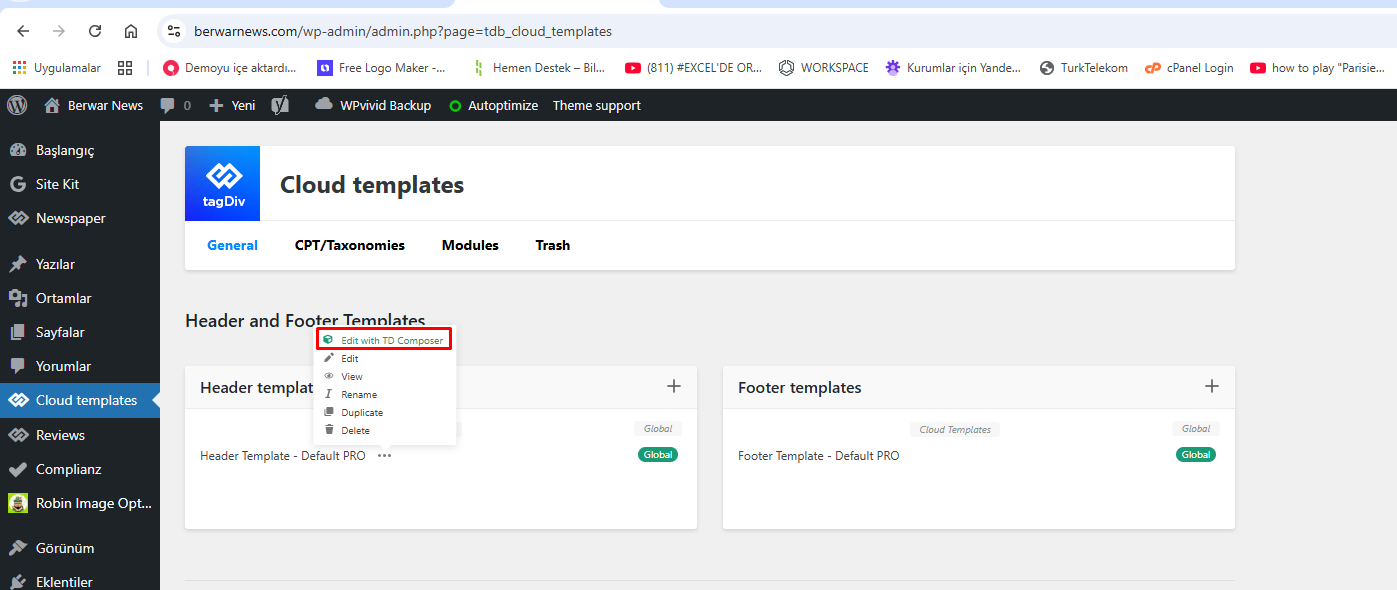
When I try to edit my website’s header page not loading. Pls help.
https://berwarnews.com/wp-content/uploads/2026/05/01.png
https://berwarnews.com/wp-content/uploads/2026/05/02.png
Simion C. @RECORD EUROPA
We heard back From Patchstack yesterday, they acknowledged the fixes included with composer 5.4.5:
CVE-2026-39712 -> https://patchstack.com/database/wordpress/plugin/td-composer/vulnerability/wordpress-tagdiv-composer-plugin-5-4-3-arbitrary-shortcode-execution-vulnerability
CVE-2026-39692 -> https://patchstack.com/database/wordpress/plugin/td-composer/vulnerability/wordpress-tagdiv-composer-plugin-5-4-3-cross-site-scripting-xss-vulnerability
We did not hear back from Wordfence yet. We collaborate with them frequently, but sometimes it takes them a while.
We did not hear back from WP Scan also. I believe Jetpack security is powered by WP Scan, they don’t pull their data from Patchstack or Wordfence.
Until every one of them knows about the fix, those vulnerabilities will remain marked as active or without a known fix. I hope we hear from them soon. Sorry for this situation.
Thank you!
 RECORD EUROPA
 Could you please confirm whether CVE-2026-39712 is fixed in tagDiv Composer 5.4.5, and ask WPScan, Patchstack and Wordfence to update the patched version metadata? Jetpack Scan is still flagging td-composer 5.4.5 because the vulnerability databases list affected versions as <= 5.4.3 but also show “no known fix”.
RECORD EUROPAHello tagDiv team,
We would like to report a recurring fatal error affecting a WordPress.com-hosted site using Newspaper and tagDiv Composer.
This issue seems to occur only when the site visibility is set to private on WordPress.com. We use the same Newspaper/tagDiv stack on other sites, but this is the only one where the WordPress.com private-site access flow is involved.
The fatal error is:
PHP Fatal error: Uncaught Error: Class “td_res_context” not found
The error is triggered from:
wp-content/plugins/td-composer/legacy/common/wp_booster/td_js_generator.php
From the stack trace, the issue happens during the wp_footer hook. In this specific WordPress.com private-site flow, WordPress.com serves an access-denied/private-site template and calls wp_footer(). At that point, tagDiv Composer runs its footer callback and tries to use the td_res_context class, but that class has not been loaded yet.
The class appears to be defined in:
wp-content/plugins/td-composer/legacy/common/wp_booster/td_css_res_compiler.php
So it looks like the Composer callback in td_js_generator.php assumes that td_res_context is already available when wp_footer runs. That assumption seems to fail in this WordPress.com private-site access-denied context.
Environment:
– Hosting: WordPress.com
– Site visibility: Private
– WordPress: 6.9.4
– PHP: 8.4.21
– Theme: Newspaper 12.7.6
– tagDiv Composer: 5.4.5
– tagDiv Cloud Library: 3.9.5
– tagDiv Standard Pack: 2.8, built on 05.05.2026 9:08
We kept this issue as a low-priority investigation for some time because, although the fatal error was recurring in the PHP logs, the site appeared to work correctly in normal usage. Both the front end and the back office were functioning as expected, and we did not observe any visible impact for regular users or administrators.
However, the error became very frequent in the PHP logs, so we investigated further.
As a temporary workaround, we added a defensive snippet that runs before the tagDiv Composer footer callback and loads the file containing td_res_context only if the class is not already available. After applying this workaround, the recurring fatal errors stopped.
This suggests that the issue could be fixed in the plugin by either:
1. Ensuring the required dependency is loaded before td_res_context is used; or
2. Adding a guard clause before calling td_res_context inside the wp_footer callback.
Could you please review this scenario and consider adding a compatibility fix for WordPress.com private sites or for cases where wp_footer is called outside the normal theme-rendering flow?
Thank you.
Best regards.
 Patrick S
TD Composer is currently being flagged with my web host as containing security vulnerabilities. Particularly with version 5.4.5 is that the most current version as I am not seeing any version numbers at this time.
 regio-online
Hello tagDiv Support,
We are currently migrating a large regional news platform to Cloud Templates and are running into a query/filtering limitation that we are unsure how to solve correctly within Newspaper / tagDiv Composer.
Our setup is somewhat unusual, so I will explain it carefully.
Current Site Structure
We operate a Dutch regional news platform with approximately 57 regional categories.
Examples:
Regio Gouda
Regio Rotterdam
Regio Drechtsteden
etc.
Articles are intentionally assigned to multiple categories simultaneously.
Example article structure:
Regio Gouda
Zuid-Holland Province Category
Sometimes Binnenland (National)
Sometimes another regional umbrella category
This multi-category structure is required editorially and for SEO/distribution purposes.
What We Are Trying To Achieve
We want to replace static regional landing pages with dynamic category archive pages using Cloud Templates.
Example:
Instead of:
https://regioonline.nl/regio-gouda/
We want to use:
https://regioonline.nl/category/regio-gouda/
with a Cloud Template assigned to the category.
The goal is:
show posts from the current region
ALSO show related province-level content
BUT still prioritize/display correct regional content
WITHOUT manually configuring 57 static pages
The Problem
Inside Flex Blocks / Big Grid Flex blocks, the queries behave differently between:
Static pages using manual “Multiple Terms Filter”
Dynamic category archive pages using Cloud Templates
Example:
On the static page:
the block correctly shows a Zuid-Holland province article
But on the Cloud Template category archive:
the same block instead shows another regional article
Even though both posts contain overlapping categories.
Important Technical Detail
We discovered that:
category_ids behaves differently from normal category archives
category__in and internal TagDiv query handling appear to override or merge unexpectedly
multi-category posts are handled differently inside Cloud Templates versus static pages
While inspecting the theme code, we also noticed references to _current_cat handling internally in td_block.php, but we could not find official documentation about whether this value is actually supported for Flex/Grid block filtering in Cloud Templates.
We also tested custom filters through:
td_shortcode_to_args
td_data_source_blocks_query_args
inside the child theme.
However, this caused unstable or inconsistent behavior, especially with:
Big Grid Flex blocks
Flex blocks
mixed category/province logic
We reverted these changes because we do not want to maintain custom query modifications that could break after theme updates.
Our Main Question
Is there an officially supported way in Newspaper / tagDiv Composer to achieve the following:
For a category Cloud Template:
dynamically use the CURRENT category
include additional province categories
optionally exclude national categories
while preserving predictable ordering and matching behavior in Flex/Grid blocks
WITHOUT custom core edits.
Example desired logic for “Regio Gouda”:
Include:
current category (Regio Gouda)
province category (Zuid-Holland)
national regional pool category
Exclude:
Binnenland
And this should work dynamically for all regional categories.
Additional Question
Does Newspaper internally prioritize:
category_ids
category__in
queried object
tax_query
current archive context
in a specific order inside Flex Blocks / Big Grid Flex blocks?
Because it appears that archive context may override manually configured multiple term filters.
Final Question
Would you recommend:
using Cloud Templates for this setup
OR
keeping static regional landing pages
given this multi-category architecture?
We would really appreciate technical guidance or best practices from your side before rebuilding all regional pages again.
Thank you very much.
 rupeesmax
 NOT ABLE TO DEDIT TAGDIV COMPOSER ON ME
INTERNAL SERVER ERROR 500 OCCURED
PLZ TO GIVE ME RIGHT SOLUTION
THANK YOU.,
KARKAL.IN