Alin [tagDiv]
 Hi,
I have checked you site and did not found smooth scroll error in the console, but you have another js error – http://screencast.com/t/pxtj8Rw6ZI Did you have activated this feature from Theme Panel?
Please check this without any plugins active except of Visual Composer, clear cache and see if you still have this error, also disable any js/css minifications and deactivate also cloudflare. Like I said there was an issue with smooth scroll but it was fixed in the latest version. Please make sure that you have updated your theme properly, also you can try to do this via FTP to make sure that all the modified files are overwritten – https://forum.tagdiv.com/install-via-ftp/
Thanks!
 Andrei L.
 Hi
Please make sure that you did the update properly as is indicated in this guide: https://forum.tagdiv.com/how-to-update-theme/ and also try to clear the cache and deactivate all plugins except Visual Composer, purge the cdn files and test again. If the problem persist please send an email at contact@tagdiv.com with login details so we can inspect this issue and a link to this topic so we know who you are.
Thanks!
 Emil G
 Hi,
The video url is saved in the post meta – http://screencast.com/t/J8H3WsphWvw
The theme also retrieves the video thumb and sets it as a featured image. This happens when you save or update the post. The code which handles this procedure can be found here – http://screencast.com/t/U7lWKcPybi
Hope this helps.
@mega_menus – not sure what you mean, please provide more details.
Thank you!
-
This reply was modified 11 years by Emil G.
Emil G Hi,
1,2 and 3 – I’ve added them on our list.
4 and 5 – We plan to modify or add a new smart list with this kind of behavior. For the moment i cannot provide a date for this implementation, we have a lot of features on our list and we have to take them one by one.
6. You mean to select a different background ad for category, page and post. As you know the theme already has a general option for this, we may add individual settings in a future update. I’ve added this on our list.
7. This is a wordpress restriction, check this solution – http://premium.wpmudev.org/blog/enable-or-disable-all-html-tags-in-wordpress-author-biography-profiles/
8. Unfortunately we don’t plan to include such an option, sorry, you have to look for a plugin on this.
Thank you!
 Lucian
 Hi,
Not sure what you mean, if you want features present in the latest theme version why don’t you update the theme.
You can read more about the .screen-reader-text class here: http://blog.rrwd.nl/2015/04/04/the-screen-reader-text-class-why-and-how/
Regarding your improvements they can also be done in the latest theme version, on top of that the Visual Composer memory issue was fixed in the VC plugin version included in the latest theme version so you can backup your current theme install, WordPress and database update the theme then implement the changes if needed.
Thanks for the message!
Alin [tagDiv] Alin [tagDiv] Hi,
What theme version do you use? If you use version 6 of the theme you should have these options for category page – https://forum.tagdiv.com/how-category-settings-work/
If you have version 4 you will have to upgrade to latest version using this guide – https://forum.tagdiv.com/how-to-update-the-theme-2/ Please note that old files customizations and css will not work in version 6, it should be regarded as a new theme and we recommend to do a clean install, don’t forget to make a full backup.
Thanks!
Emil G Hi,
We will release security updates, for the moment the theme is stable and it should work fine. If something appears (ex. new versions of WordPress or plugins which may create issues) we will release a new version. This new version will be included in v.6 package.
Thank you!
 nicolai
I just updated my Newspaper v4 to v6 but don’t have Trending Now. How to activate it?
 Thomas
Hello
I noticed that till the 2 last updates, the search engine didn’t work well.
When you search for a word for example japon, you have instantly result (that is very GREAT) BUT all the links send to the category page of the article and not to the article itself.
Any idea how to correct that?
Regards
Alin [tagDiv] Hi,
You will need custom modification to display social share on attachment page and also make it work properly with it as the theme doesn’t have an option for this. This is the share function used on posts – http://screencast.com/t/gFlnoGii and this is attachment template – http://screencast.com/t/WBsrac8tt Unfortunately we cannot offer custom work as we work hard on the development, updates, fixes and support, but you can always get a freelancer from sites like: http://studio.envato.com/ if you don’t know how to do it yourself.
Thanks!
Alin [tagDiv] Hi,
Please make sure that you clear all your cache and purge you files if you use CDN as I have also checked this and did not found any issue using version 6.3 of Newspaper. Please also paste a link so we can take a look and make sure that you have updated the theme properly using this guide – https://forum.tagdiv.com/how-to-update-the-theme-2/
Thanks!
-
This reply was modified 11 years by Alin [tagDiv].
nicolai Am rulat scriptul de update si partial a rezolvat unele probleme.
Dar tema nu mai este organizata ca inainte. Imaginile din slider sunt mai mici si foarte intunecate. Nu mai am sloganul din footer. Si probabil multe altele pe care nu le-am identificat inca.
nicolaiAstazi mi-am facut curaj sa fac update de la N4 la N6. Am facut update la tema si la pluginuri dar se pare ca tot site-ul meu e distrus.
Unde am gresit?
 anastasios
Dear Tagdiv team,
We recently updated from v4 to v6 and need some help.
1.Can you please let me know how we can achieve this (background image/color sitewide only around the big grid?) The background option in the widget gives only a boxed background. Here is what we want to achieve: http://you.greekreporter.com/files/2015/07/Screen-Shot-2015-07-18-at-10.09.28-PM.png
2. How can we disable the “zoom effect” and “dark fade” on the big grid?
3. How can we add a color background on all sidebars?
Is there a way to have the same background across all the sidebar columns? We tried the code below we found in the forum but this works only on the front page sidebar.
.wpb_widgetised_column, .td-main-sidebar {
background-color: #dddddd;
}
4. We want all linked titles of posts across all blocks to underline instead of changing color. How can we achieve to have them black as original and underlined on hover?
Thank you so much!
Anastasios
Lucian Hi,
Sorry for the inconvenience however this is an improvement recent developed and it could lack some settings you consider necessary. I’ll note them though and review them for the next theme updates.
1. We’ll consider this. Thanks!
2. You’re right those options aren’t been developed yet.
3. We will consider this. Thanks!
4. I’ll add this on our request lists and as I stated already the CPT support is still under development so we will consider your suggestions on this.
Thanks for the message!
Alin [tagDiv] Hi,
Please check this topic – https://forum.tagdiv.com/topic/very-simple-attachment-page-please-update-for-new-version/
Thanks!
anastasiosHello,
We just updated to v6 and our search does not return any results but gives an error. Please take a look here http://greece.greekreporter.com/?s=greek
I appreciate your help on this.
Thank you,
Anastasios
 tkvmai
 Hello, I got the same error below
“wp booster error:
Please update your [tagDiv social counter] Plugin!”
The plugin status show “active” as can be seen here http://gyazo.com/02fb18251b3a7931498346f8c10f6c19. But the latest version is only 2.7 (not 3.0 as in your screencast). How can I upgrade to 3.0 ? I tried to deactivate and then activate the plug in in here http://content.screencast.com/users/tyuiokj/folders/Jing/media/0182c744-ba1e-4b6c-8ddc-2fa38a6c28be/2015-06-17_1745.png but it’s not working.
 RaymonRK
 Hi!
Thanks for your reply.
I know it works in te post itself but thats not what I mean.
I would like to make it work on the modules/blocks. Is there any way to enable html in the modules/blocks title? Can you fix this in the next update?
 Afterglow
 Thanks, but is the update going to mess up my customizations?
Thanks,
Peter
 special-ops.org
I use Newsmag for a while and from very beginning I have a problem with thumbnails. The theme doesn’t create thumbnails, just resize my featured image and loads it in full. And also looks very ugly…
I have updated the theme to 2.0 version, but still not able to understand how to deal with thumbnails.
Any suggestion?
Regards,
E.
 savoredjourneys
This is just a suggestion, not an issue. I would love to see a big grid that spans the entire width of the homepage, though not much taller. I’d also love to see a post template layout similar to style 3 but where the photo spans the entire width of the page (and not as tall there too). Hoping you’ll consider these options for the next update. Thanks!
 lecker
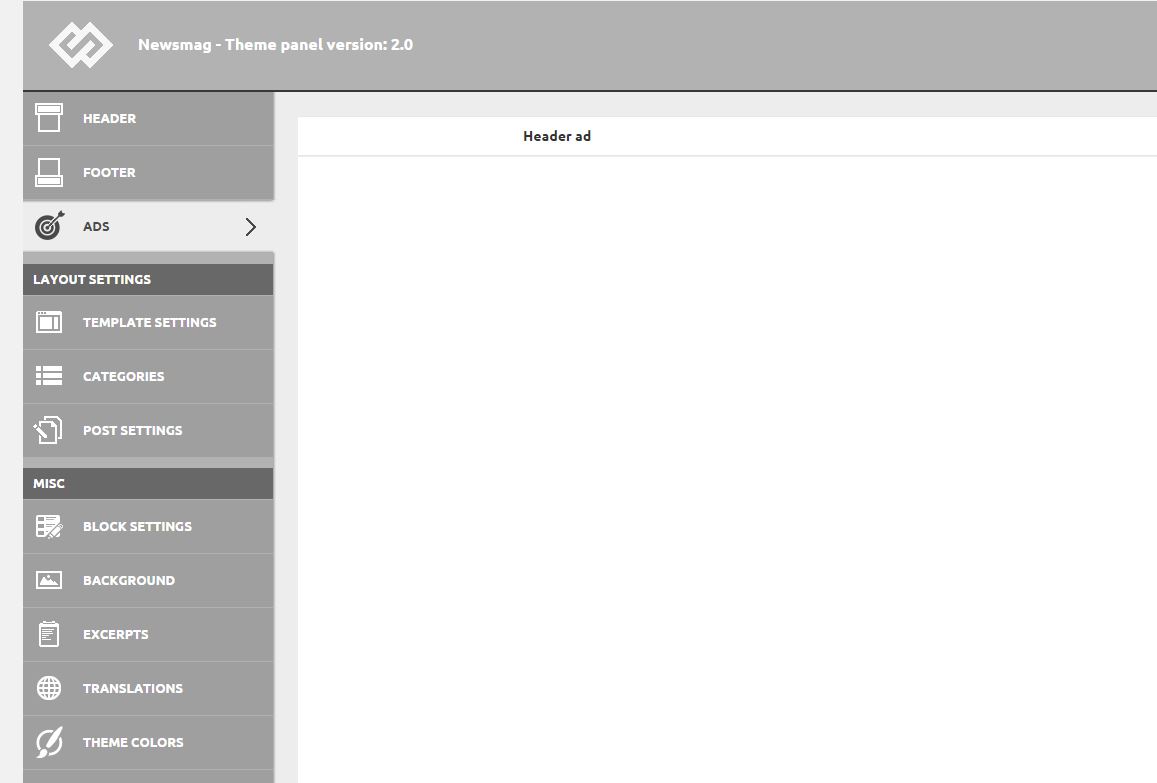
After installing the 2.0 update, I found that the Theme Panel menu is showing some weird css with a lot of white blank stuff. Unfortunately most of the settings aren’t visible because of this, and expanding a sub-menu just shows the option for a fraction of a second, and then it’s blank again.
https://i1.wp.com/www.idevice.ro/wp-content/uploads/2015/07/themepanel.jpg
 simchris
 Wellll…..
WordPress does not support alt tags by default, not a theme issue. Most people don’t bother to setup alt tags in their media panel. You can modify WP and/or theme to add them; but WP’s own default themes don’t support them either. This is well known issue to consider in all themes prior to purchase or deployment. Our traffic went UP on one site using TagDiv themes, so not necessarily relevant in all cases.
H1 tags can easily be added to home page to setup a desired blurb about your site, either top of page (not normal), sidebar, bottom home page. Simple to do.
Yoast has had more SEO problems than TagDiv on average the past 2 years, so not always a “benchmark” — you always need to check issues with Yoast prior to any SEO plugin update as THEY often break things every major dot version they come up with. One version had 5 semi-dot updates in one week to fix all the problems.
But always good to test your posts to see what Google is seeing with the debug tools.
The best SEO is still ORIGINAL content, posts between 800-1200 words are the “Sweet Spot” — avoid short posts and copycat of other site content and images; avoid posts with a YouTube video and one paragraph about it, etc.
Also be aware for any sites in Google News, they have been having hiccups again since last month, where sometimes image not shown in GN searches, headlines may pull the (ironically) alt tag from photo vs the headline, and other oddities.
Also be aware Google’s bot has been pulling in “hidden content for mobile” as part of desktop results lately, implying that there is some shift in their scraper to “mobile first” for scraping news sites, desktop as fallback. We had a hidden photo on mobile “tap to view image:” so that the photo wouldn’t be see unless asked for in mobile … that text showed up in Google News in excerpt from story (!!).
Upshot — it’s not just you – Google is messing with the known universe again, and in some very odd ways related to “scraping” your page, separate entirely from the sitemap which SHOULD be pulled first for data but is apparently not. If you’ve noticed traffic oddities and are in Google News, this may be factor in things you are seeing, perhaps not. It’s impacting us, with sites not even running WordPress (!).