
 SRUrocket
I’ve taken over a website that is using Newspaper 9. We are attempting to upgrade to Newspaper 12, but when we update the plugins, our website is taken over by Malware.
We work with Pressable and they also tried to update the theme and were unable to do so.
 simchris
 Issue with Firefox, should be patched in their next update.
Kind of like the Chrome bug that would have my slider in Newsmag theme break the width of the two column layout.
 bessig
Our site was running on Newspaper v9 and tagdiv composer 2.x. We purchased tagdiv composer 5.2 and Newspaper v12. But it seems switching theme does not work out of the box since our child theme heavily depends on tagdiv 2.x. While we update our child theme, is there a way I can get v4.2 of tagdiv composer to try with our child theme for time being.
 petar777
 Quick update, I found a way to do it, I don’t know if it is the best. I added a js script in the footer and excluded it from WP Rocket and now it seems to work fine.
petar777Hey there,
Is there a possibility that in future updates the sort by popularity might work with Google Analytics data since Jetpack Stats is a paid service (on commercial sites).
I believe that this would be beneficial to many users of the theme.
Best regards!
 slivertorp
Hi there,
I am reaching out to you if you are aware of any recent updates (end of october / november) that could have affected SEO / search results on google? Have you heard anything by any chance? My website got deindexed from google around that time.
Would you have a tutorial on your documentation about how to optimise the website, minify css, etc?
Thank you in advance for any tips.
 mikisan
 Just so you know, the Events Calendar plugin just got an update today [6.9.1] 2025-01-22 with many fixes but, sadly, the issues still remain.
 Anamaria
 Hello,
Ok, I will update the documentation. I understand that the issue was resolved, right?
Thank you!
 lorenacookie
 UPDATE – it looks like the site works on desktop/laptop. But on the mobile, all internal pages and posts don’t work. Only the homepage appears to be working. This is so frustrating.
lorenacookieI can’t see where this image is? I tried in the tagDiv composer but didn’t see it. I also updated it in the Theme Panel > Mobile Settings. But it’s still not updating. Help?
Image 1 (settings): https://prnt.sc/A2CdtlcdYm0i
Image 2 (current mobile menu): https://prnt.sc/cTfkt3QYVxA1
mikisan They are checking my site; I will update when I know more.
BTW: have you been able to customize the Events Calendar pages?
This a normal post in my theme; this is the style I would like for my events:
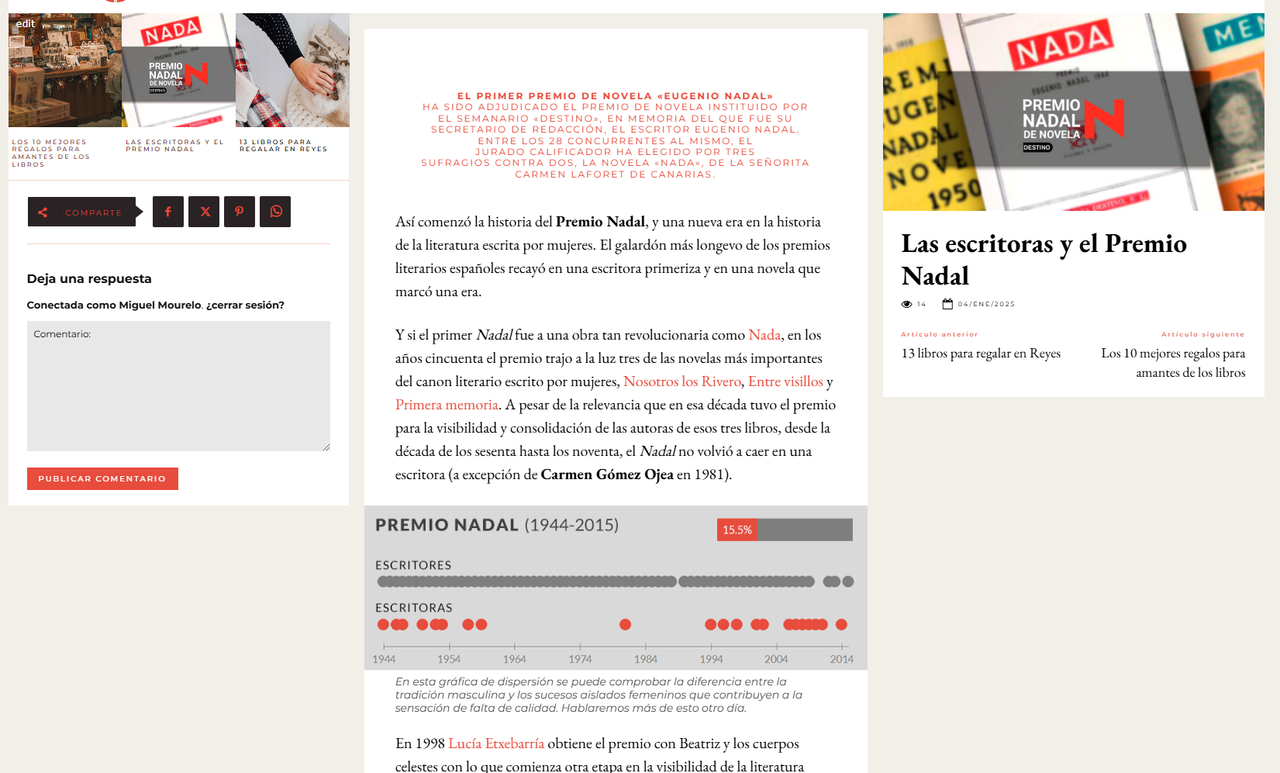
And this is how an event looks by default:
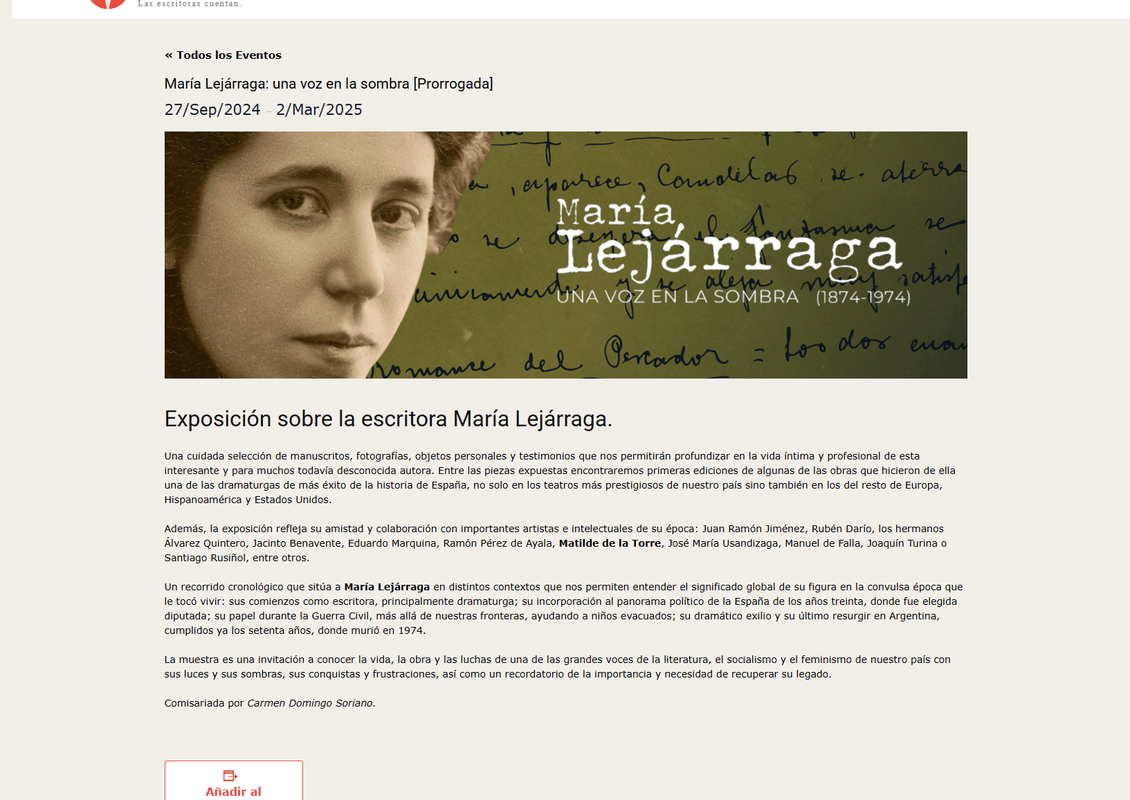
If I try to edit it in the Composer, I can’t access the content:
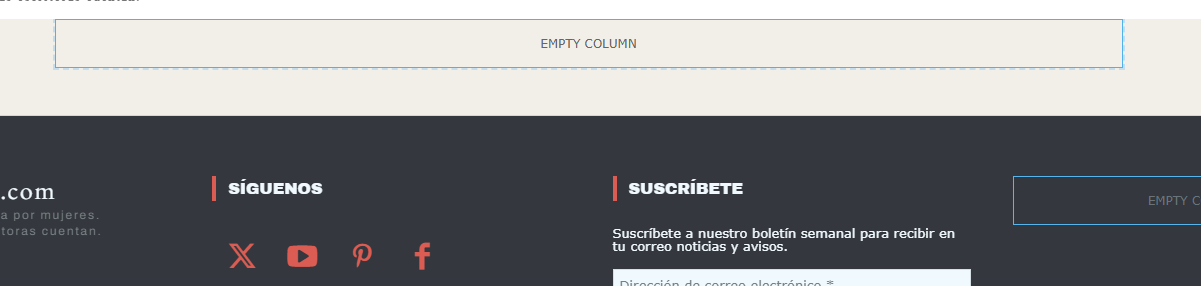
So I can’t proceed as if it were a WordPress Page; I have no clue as to how to adapt the Events Calendar pages (Events list, Single event, Calendar etc.) to my Mintyside PRO design.
 Nagarig
 @anamaria Update > I am unable to find other settings.Found only the header logo H1. Please share the image.
simchrisHi,
not sure if I messed something up when doing standard compression of the CSS to save space, but for some reason the drop down menu has no backing color and/or wrong z-index.
See active link (this is the site I’ve finally updated from 3.5 to Newmag 5x – all latest versions):
https://massachusettsnewswire.com/boston-mayor-wu-announces-castle-of-our-skins-awarded-new-performance-venue-67427/
 Simion C.
 That’s great, I’m glad it worked fine. It can be difficult to update from an older version, especially if customizations were made. And if not done properly (point C) there will probably be issues, mainly when doing it from pre 4.9 versions. That’s when we moved most of the theme into the composer https://tagdiv.com/updating-the-core-of-tagdiv-themes/ The old theme should be deleted and the new one installed.
Thank you!
Anamaria Hi,
Yes, there is a fix, and it will be added in the next update.
Thank you!
Anamaria Hello,
You need to edit with tagdiv Composer, and with it you can set the menu and so on.
You have the mobile theme plugin activated; please deactivate it and clear the cache.
Using our theme, you can choose from 3 mobile versions
-> mobile responsive => https://www.screencast.com/t/oJ2ShOp47
-> mobile theme plugin => https://forum.tagdiv.com/the-mobile-theme/
-> mobile page => https://tagdiv.com/newspaper-10-3-7-update-brings-customizable-and-fast-mobile-pages/ The option that you need to use.
Suppose you created the mobile pages with tagDiv Composer. In that case, when you install the Mobile Theme plugin, your pages will be overwritten by the plugin (the mobile theme comes with its templates for page, post, category, etc, so your current templates from the desktop theme will get converted to the mobile theme layout, the page content is made without builders in mobile editor => https://www.screencast.com/t/xbgZG8kH also, the options that are provided to edit the mobile theme version are limited (this keeps the things simple)).
This is a video about Responsive Newspaper Theme, AMP & Mobile Theme, Mobile Pages & Templates -> https://www.youtube.com/watch?v=SpGkOnJeNZY.
So, the mobile responsive is what you see when that you select the viewport on phone => https://www.screencast.com/t/matV17hH, so some settings may apply for each viewport(where is the border blue), and others are not(where the border is black).
The mobile page has the mobile templates from Cloud Library => https://www.screencast.com/t/YCcZ8rL8
The Mobile responsive version of the theme and the mobile page editor can be edit with tagDiv Composer, the mobile theme plugin cannot.
For example, you can have the mobile theme plugin activated and use the mobile page/mobile responsive version for the homepage/pages, but for the categories pages/404 page, you can’t use the mobile page/mobile responsive version if you have the mobile theme plugin activated.
So, if you want to design the pages with tagDiv Composer, you can use the mobile page or mobile responsive version.
Thank you!
Anamaria Hello,
Please let me know what browser you use. If you use Firefox, then use Google Chrome, because it is an issue with the last Firefox browser update.
Thank you!
 amthanhgiakho
Since I updated the theme to version 12.6.8 I have the following error, when I go to edit with tagdiv composer error:
Items such as:
Button text, Button url, Custom title:, Title url:
are hidden and cannot be edited.
See the picture I took.
Version website: https://imgur.com/D7ry3XA
image 1: https://i.imgur.com/y5KYTWm.png
imge 2: https://imgur.com/XPoztPu
My English is not good, please help me.
simchrisWell, color me surprised – just updated one of our older sites which was still on Newsmag 3x trunk with major hacks, to the 5x trunk and zero issues other than having to re-authorized with license.
Main trick was
A) moving all custom CSS from theme panel to the WP customizer
B) moving all custom ‘code’ from the functions file(s) to a custom plugin
C) prperly deleting old theme and td-composer via FTP vs drag-overwrite old with new, which is always bad bad bad idea.
Sweet 🙂
 papy
papy It’s a bug with firefox update. With chrome it’s ok
simchris you can download from your themeforest account in the all files zip….and yes, need to update theme and plugin.
make record of your home page layout, widget setups, and put custom css in customizer vs theme panel to be safe as you may need to redo them …
 rgchappell
Apparently there are some security vulnerabilities with the TagDiv Composer Plugin. I currently have 2.3 and need to update to 4.2. Where can I find a .zip file to install? Or do I have to update the whole theme? Thanks!
 fredbascunana
I am doing it exactly as explained in the documentation here:
https://forum.tagdiv.com/featured-image-or-video/
(I am choosing “video” as a format)
But each time I try to apply the changes, wordpress says :
“the update has failed = invalid parameter : « format »
Anamaria Hello,
Please let me know what browser you use. If you use Firefox, then use Google Chrome, because it is an issue with the last Firefox browser update.
Thank you!
 c386
c386 Hi Anamaria,
Quick update on this. I’ve found that specifying the theme-color meta tag – <meta name=”theme-color” content=”#f0f0f0″> – applies the correct colour to the top status bar, but the lower, minimised navigation bar doesn’t change colour at all.
Here is an example of what I mean: https://imgur.com/1WzVvul
Do you know how to make the bottom navigation bar the same colour?
Thanks!

