Hi,
I am running a website and published nearly 350 articles and 550 plus web stories. 3 to 4 months, I have earned around 700 dollars.
But, 99% of my earning got from web stories. It does not mean, quality of article is not good. It just because of google Ads are not showing between the content of article.
If I view any article from desktop/ laptop, then one Google Ads is showing before Breadcrumbs of article and one Ads is showing after first two paragraph.
But, if I view any article from any mobile device, the no Ads is showing.
I have tried my best but could not solve this problem as a result unable to earn any money from the article ads.
I am also using Ad inserter plugin but cannot do that.
Please suggest to solve this problem at the earliest.

Hello @Satyajit3097 !
In order to avoid misunderstandings, please provide more information(screenshots/video) about what exactly you need to achieve or what is the issue there and your website link.
A solution for sending a screenshot/video is this:
Download, capture, and send: https://www.techsmith.com/jing-tool.html
After making the screenshot, you will have a link; paste it here.
Thank you!
My issue is Google Ads is not showing in the mid of content of my website Tazahindi.com . I mean, I would like to show Ads after paragraph 2,4,6,8,10,12,14 and so on while any person open any of my article in mobile device. But that is not showing.
After N number of efforts, it is only showing after title of article, then after FAQs and Comments section. But, not showing ARTICLE INLINE AD. I have already place every where in the Newspaper Theme panel i.e. Mobile Theme General ADS, Article ADS, ARTICLE INLINE AD area.
Hence, please suggest what to do ? You can open any article of my website https://tazahindi.com/ in mobile device then you can understood my problem.
Hello @satyajit3097 !
This is not possible in mobile theme + amp, only if you’ll use the responsive version.
Basically, we have 3 options for mobile versions that you can use:
1. Responsive version: A responsive version of your website looks similar to the desktop version. TagDiv Composer is used to edit the page. Click on the mobile viewport: https://www.screencast.com/t/XDQJedlggSB. There, you can see your mobile version and edit or adjust the elements to look better.
2. Mobile pages: https://tagdiv.com/newspaper-10-3-7-update-brings-customizable-and-fast-mobile-pages
3. Mobile theme plugin: The Mobile Theme is a performance-optimized theme included in the main Newspaper theme that only loads on mobile devices. It comes with its own templates and designs for pages, posts, categories, etc., so your current templates from the desktop theme will get converted to the mobile theme layout. Please see https://forum.tagdiv.com/the-mobile-theme/ and https://forum.tagdiv.com/mobile-theme-introduction/ for more information.
A full explanation is here: https://www.youtube.com/watch?v=SpGkOnJeNZY
Make sure you do not use Mobile theme plugin, if you use the mobile option 1 or 2.
Thank you!
Hello Bettina Good morning,
1) I did not fully understand what you would like to suggest in above reply. As per your direction, this is not possible in mobile theme + amp THEN NOW WHAT TO DO so that Google Adsense Ads show in the whole content where I would like to show Ads.
2) If I dot not use Mobile Theme plugin, then WHAT TO DO ?
Thanks in advance.
Satyajit
-
This reply was modified 3 years by
Satyajit3097.
Hello @satyajit3097 !
I presented you with the 3 options that you have. Please take a little time to carefully read it, so you can choose a convenient version without the option of a mobile theme. If you will use cloud templates, then we have the option to display the ads as you need. Check out the section called “Cloud Library Post Templates” from here: https://forum.tagdiv.com/post-template-ads/
Thank you!
Ok,
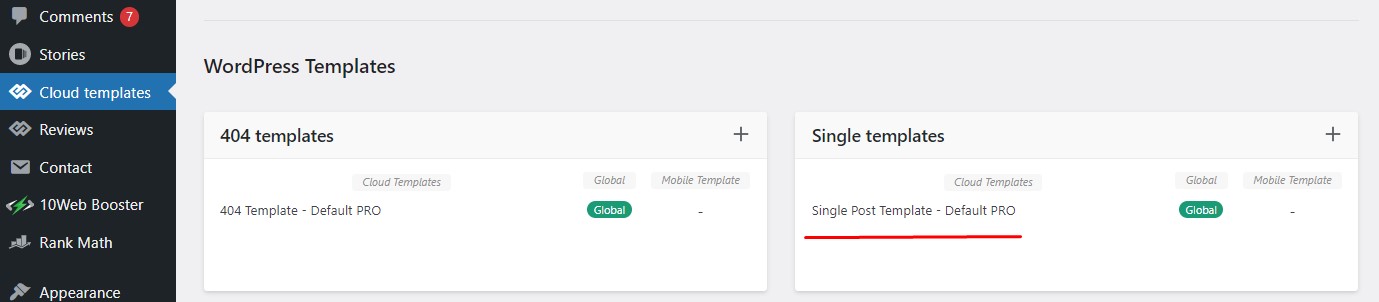
You mean, if I use cloud templates, then you have the option to display the ads as I need. I am sending a screen shot of Cloud Library Post Template, link is HERE, please check and how to use this template properly for my blog posts.
Also, intimate is it use for all the devices OR only for mobile version.
Thanks in advance.
-
This reply was modified 3 years by
Hello @satyajit3097 !
If you will edit an article with the TagDiv Composer, then you can see the settings presented in that guide in my previous message. There, you can edit the mobile or tablet viewport.
More information about cloud templates can be found here:
– https://forum.tagdiv.com/cloud-library-templates/
– https://forum.tagdiv.com/design-post-pages-using-cloud-library-templates/
– https://forum.tagdiv.com/cloud-library-category-templates/
Thank you!
Hi, I have created the Single Post Mobile Template through Cloud Library Post Template.
But, still my problem is not solve Google Ads is showing only in before the article start and after article is finished.
Please check my website Tazahindi.com and what next thing is required to do.
Hello @satyajit3097 !
Uninstall the Mobile theme plugin from Newspaper -> Plugins and see the results.
Thank you!
Ok, I have uninstall the Mobile Theme plugin as you directed. But after uninstall it, all my post/article are showing in mobile unorganized manner. Then how to create a beautiful template / Single Post Mobile Template through Cloud Library Post Template. Please suggest
Hello @satyajit3097 !
If you uninstall the plugin, then there will automatically be a responsive version of your desktop. So, you can adjust the elements in the TgaDiv Composer: https://prnt.sc/lxdty-jr34n-
Thank you!
I have successfully uninstall Mobile theme plugin from Newspaper. But still Google Ads not show in the inline content of mobile version. While I have already placed Google Ads in every where i.e. Single Post Content – Article Inline AD1, Article Inline AD2, Article Inline AD3 and Ad Inserter Plugin.
-
This reply was modified 3 years by
Hello @satyajit3097 !
You do not need to use the Ad inserter plugin because it could be a conflict there. Deactivate ALL plugins except tagDiv ones, also if you are using a cache plugin, deactivate it, clear all cache and try again.
Thank you!
If I uninstall Ad Inserter Plugin then How To Insert Ads in every where like after paragraph 2, 4, 6, 8, 10 and so on. I think Newpaper Theme don’t have such type of facility. I am also little bit confusion about which Ads will place specially for mobile Ads. HTML ad unit code or AMP ad unit code.
-
This reply was modified 3 years by
Hello @satyajit3097 !
You can specify also the Par.(Paragraph), where you need your ad to display: https://prnt.sc/ahZN_Du2bvZz
This is available for the single cloud template.
Thank you!
Ok, can I place after every 2-3 paragraphs OR it has limit. In the option of Single Post Content Template only showing following:
Article Top AD
Article Inline AD1
Article Inline AD2
Article Inline AD3
Article Bottom AD
Please suggest how to place Google Ads after every 2-3 paragraphs, because some of my articles have more than 15-20 paragraph
-
This reply was modified 3 years by
Hi, Bettina.
As per your direction, I have uninstall the Mobile Theme Plugin to show Ads in the inline content of mobile version. But, new problem has been raised i.e. URL is available to Google, but has issues – AMP page is invalid.
I have also observed that after creating mobile page using cloud library templates, a number of issues has been raised like 1) All pages setting has been changed for mobile view 2) Mobile Home page changed, 3) AMP issues created
What to Do ?
-
This reply was modified 3 years by
-
This reply was modified 3 years by
Hello @satyajit3097 !
The AMP only works better with the Mobile Theme plugin.
From my point of view, if you don’t use the Mobile Theme plugin, then there is no reason or benefit to AMP.
Thank you!