

 sejpost
 I downgraded my theme (back two versions) and now it works. Thx.
sejpost I tried removing the offset (leaving it empty) and it did not change anything.
Please look at homepage to see how the first two blocks after the homepage block have recent stories. But, Community, Obituaries, etc. have articles from a long time ago. Any other things to try?
sejpost We are using LiteSpeed Cache v5.4.
There is a setting for object cache that can be on or off. When I modify that setting, the new articles are not showing up in the content blocks on the homepage. It’s odd, because some content blocks show the most recent content (ex. More Local News and Real Estate). But, the content blocks below the first two, are not showing the latest stories (ex. Entertainment, Community, Obituaries). All have the same settings. Why would some work but the other content blocks be showing old stories from 1-2 months ago?
sejpost Hi Bettina,
I can do those steps…one question before I do so. By Deactivating the TagDiv composer will it delete any of my content? We have lots of wordpress posts, etc. and I don’t want to lose it. Or, once I reinstall it, will the content remain in the same format it is now (and hopefully with the missing stories present)??
Thanks,
Steve
sejpost Related….now on desktop, the Entertainment category is showing blank spaces and six stories. It should only be showing six stories and not the blank spaces.
Help? Image of site not working: Six stories showing in 9 spots (3 empty)
Live site: Coronado Times Website
-
This reply was modified 3 years by
sejpost.
sejpost I had AJAX turned off from the theme panel. Made the change and it works. Thanks.
sejpost Thanks.
sejpost The video is only playing on a phone or laptop/desktop. On an iPad it plays one second and then stops. Any ideas?
sejpost Ok, I figured out hot to remove the date and category from the homepage featured stories.
So, it leaves me with this last item:
1. This helps. What if we wanted to put a darker gradient just on the bottom 25% of the image so that the white title popped a bit more when reading it? Basically, we want people to be able to see a vibrant photo, but we need a darker gradient just on the lower half of the photo so that the white title is more readable. Thanks Vlad.
Thanks,
Steve
sejpost Vlad, I figured out how to remove the date from the homepage featured post, so, now I just need help removing the category shown just on the homepage top block.
sejpost One more related question to this homepage block: http://www.coronadotimes.com
How do I remove the date and the category tag just from this block on the homepage? I only want the title to show up. Thanks!
sejpost This helps. What if we wanted to put a darker gradient just on the bottom 25% of the image so that the white title popped a bit more when reading it? Basically, we want people to be able to see a vibrant photo, but we need a darker gradient just on the lower half of the photo so that the white title is more readable. Thanks Vlad.
sejpost I figured it out.
sejpost Does the mobile banner load on your phone or the long desktop banner on your phone? Thanks.
sejpost Vlad, thanks for your response, but the image you gave me shows where to put the logo for our company (site and mobile). My question is about placing two ads side by side in the header area. Can you re-read my original post?
sejpost Is there a way to just not show the author image on the featured article on the homepage? If you look on the homepage, there are 5 featured articles, but only the biggest one has the author’s name. Where do I go to remove the author’s name just from showing up on the featured image at the bottom? Thanks!
sejpost Also, since we have two ads side by side in this ad location, how should the code look so that the ads can be horizontal side by side and still show the desktop or mobile version and proper links? So, there will be a total of 4 images and 4 links for two ad spots side by side…make sense? Many thanks for your help with displaying this for two ads. Example of what the mobile version looks like and desktop version of these two ads:
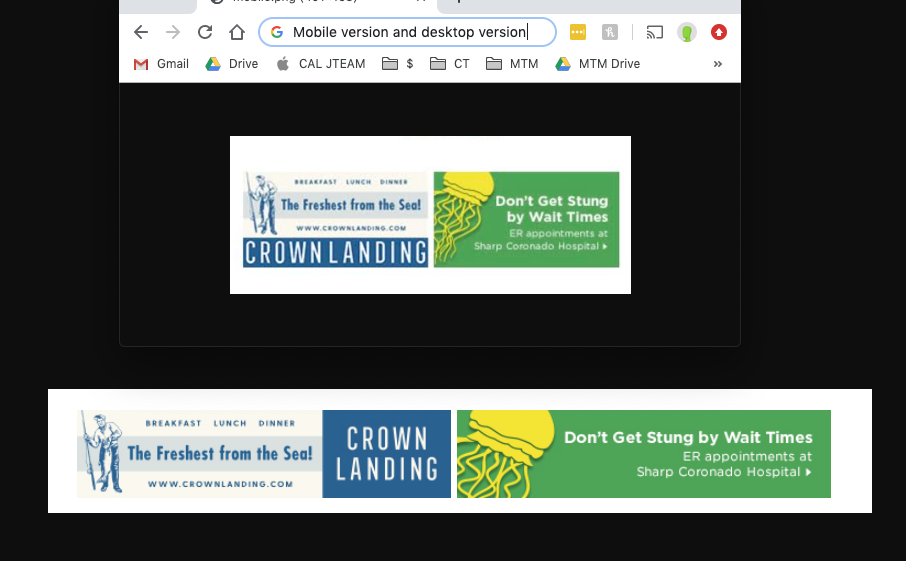
sejpost I don’t want the same banner with two links, I want the two different banners (desktop and mobile) in one (1) location to have two links. Can you assist with that? Depending on what the user is using access the site, they get one of the two banners and therefore the link that goes with each banner. Thanks.
sejpost Thanks. How long do I have before I have to leave using my child theme? What if I don’t update from V 9.6.1? I want to move over the new theme, but I have a lot of things to fix if I disable the current child theme.
So, how long can I keep using my child theme? Thanks!
sejpost I think I figured out my #2 question. The icons disappear if I don’t use https:// I just need to fix that in the domain to push users to https:// and it should work.
sejpost Thanks Bogdan for pointing that out. A few follow up questions regarding this on my test site: http://coronadotimes.com/development/
1. I used the header builder and I can’t figure out how to get all three boxes under the navigation to appear on the same line. The yellow one wraps and I need it to be on the same line. Any help?
2. When I’m logged out of my development site, all the arrows in the navigation and the social media icons and search box icon are missing their images. However, when I’m logged in, I see all the broken images – why are they not showing up when I’m logged out of development?
3. Once I get all three below nav ads to appear on the same line, how do I get it to show that header ad across all pages? I modified the “Global Header” but the ads only appear on the home page.
4. Once I get this working, can I delete my child them so that it’s no longer attached to my site?
Thanks.
sejpost One more issue that is probably related. If you hover over for mega-menu, the stories load just fine on the main drop down link and if you hover over the sub-links. However on the “development” site, when you hover over the sub-links in the mega-menu, you get a spinning circle that never loads:
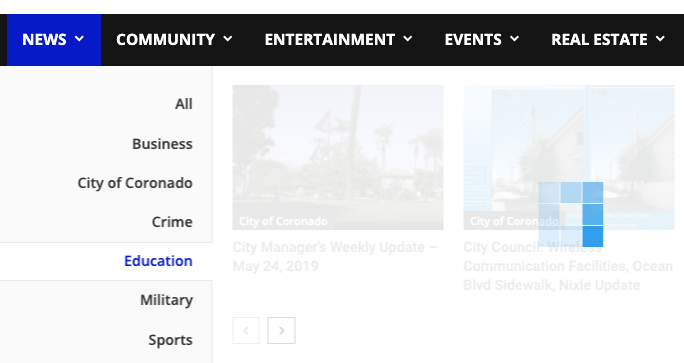
sejpost If you hover over the nav to get the mega-menu, you will see that the coronadotimes.com site has a banner ad in the dropdown, but the coronadotimes.com/development does not show the ad. Probably the same issue. We are using a child-theme and maybe that is an issue. Here is where the code is: 
-
This reply was modified 7 years by
sejpost I figured it out. Thanks.
sejpost That fixed it. Thanks.
