

 sejpost
 Where do I see if that is enabled or not. Perhaps since it’s being shown in the first block, then it makes sense that it isn’t seen again. Good catch!! Where do I go to enable or disable that?
sejpost Working now. Thanks Catalin.
sejpost I got it fixed. I had my IP whitelisted and now I can edit. Thanks.
sejpost Nevermind. I cleared my mobile phone cache and now it loads fine. Thanks.
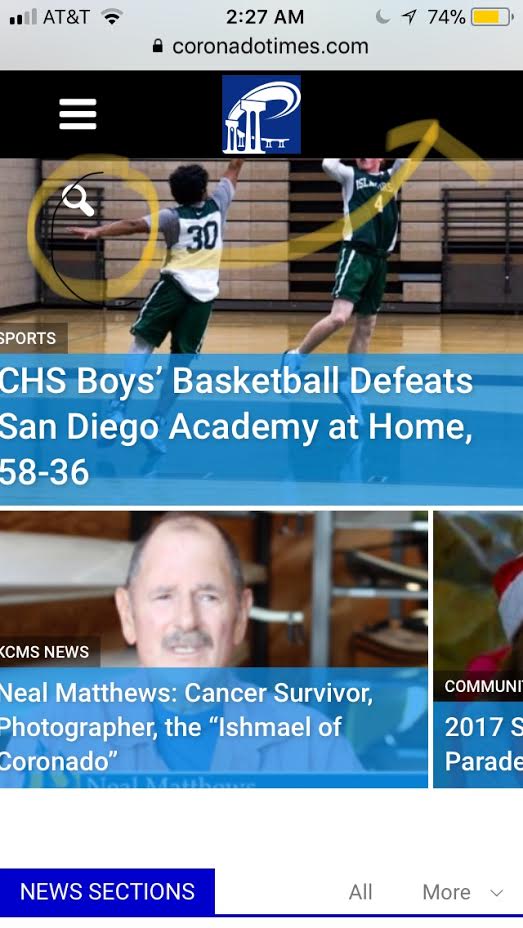
sejpost Hi Bogdan, on my mobile version, the white search icon is wrapped below. How do I make it be on the right side of the top bar when bringing up the mobile version of http://www.coronadotimes.com ? I want to use the “regular” mobile version I’ve been using for the site, but the “white search icon” wraps under the top header vs. showing up on the right? Thanks for the help.
-
This reply was modified 8 years by
sejpost.
sejpost If I’m going to use 8.5, do I still need WPBakery Visual Composer plugin? Or can I just use the TagDiv Composer?
sejpost I’m using buddypress and User Role Editor as plugins to manage users, access levels of publishing and avatars.
I will try your plugin recommendation and hope it solves it. Not sure if it will interfere with the others or not.
sejpost Edward, appreciate the 96×96 image, but when I go to upload an image that size to the user’s photo area, it says that the image needs to be bigger than 150×150. So, if you multiply 96×3, you get 288. So then I uploaded a 288×288 image, but it’s still blurry.
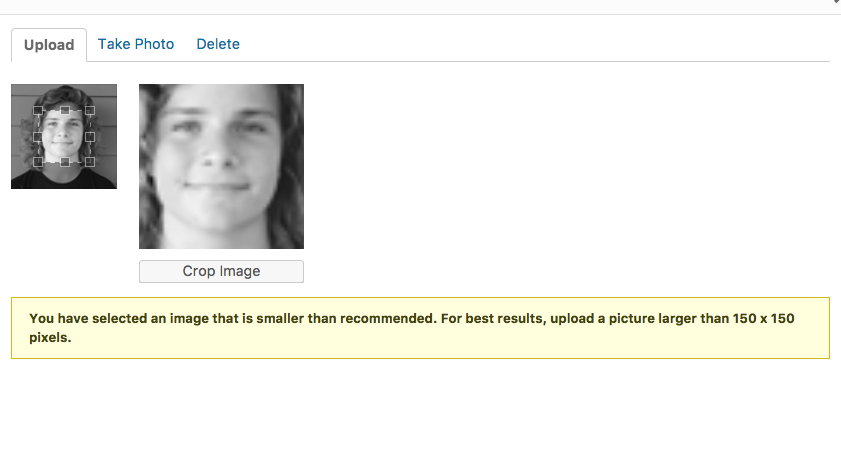
sejpost Thanks for the response. But how do I modify the image size? Are you saying to only upload a 96x96b image or is there a way to make the already uploaded images work? Example, here is a 300×200 author image:
https://coronadotimes.com/wp-content/uploads/2016/01/team_coree-300×200.jpg
Should I resize it to 96×96 to make it work? Or is there another way?
sejpost So, how do I fix it so that the author image is not blurry? Where to I modify the code? In the Custom CSS box or here: page-author-box.php
Ideally, I want to use the images that have been uploaded and have them be sharp. Also, when I upgrade the theme, I don’t want this code to break. Thanks for helping.
sejpost I figured out that if you put this code in your CSS code, it will remove the comment count from author card. However, I still don’t know how to fix the blurry image of author on all author cards.
.td-author-comments-count {
display:none;
}
sejpost Thanks for the quick response Bogdan. Some follow up questions.
1. If I want to recreate the home page which is done in Visual Composer (VC), how do I create this from scratch…or do you mean to delete the VC boxes and replace with TagDiv boxes?
2. Typically, I have to update both the homepage right side bar and then go into widgets within wordpress to update the right side bar. Is there a way to update the right sidebar and have it go to both homepage and interior pages, or is it best to keep them separate?
sejpost When I try to add WP Super Cache I get this message:
This plugin is not allowed on our system due to performance, security, or compatibility…
Is that because my host (Go Daddy) does not allow it?
sejpost Bogdon, if we are using a FB plugin for comments and we do a theme update, will the FB comments on the old theme be deleted…or show up on the new theme?
sejpost what image optimization plugin did you use?
sejpost Hi Bogdan, it’s happening even though my writers are only logged into one device/computer. It happens to me with my admin account too. I’m only using one computer. Any other way to stop getting logged out automatically of sessions?
sejpost This is happening to me and my writers. How do I stop the system from logging us out every 20 seconds? HELP!!??
sejpost Thanks Catalin. If I update the “header style” will it still be there when I do a theme update? Or, will I lose any changes to the previous header style?
sejpost How do I get to the header file php area as shown here? Is it done thru the wordpress dashboard or thru my host? I can’t find the header file folders as shown here: http://www.screencast.com/t/u0c4ifVa66Xo
-
This reply was modified 9 years by
sejpost The weather is on the far left at top of website: http://www.CoronadoTimes.com
How do I modify the code so that it displays on the top right of the website?
sejpost What is the code I use to add “newsticker” to all pages of the website in the header after the navigation? Or, if I have custom ad code under the navigation, can I put it there?
sejpost Is there a way to add the “ticker” to all pages at the top and not just the homepage?
sejpost Chris S., I’m very good at SEO…been doing this for a long time. All of our 16K+ articles have great optimized content. My question is about whether Newspaper adds value to SEO or makes it harder to rank high organically. Is there a US number I can call you at to discuss this further…?
sejpost Thanks for the reply Chris S. We have over 16,000 posts, are you saying that we need to “touch” each one to make it more SEO friendly? I would be interested in learning more about your services if there is a way to speed up this process.
sejpost How did you get VC working again? I’m running 6.6.1 Newspaper Theme and I keep getting a spinning wheel when I use Visual Composer. I’m going to do an update soon, but wondered what you did to fix.

