
- NewspaperWP Rocket and Newspaper Theme: Optimization Guide
- TutorialsFrom WPBakery to tagDiv Composer
- TutorialsOffset Feature
- TutorialsWhat is Ajax preloading?
 srampia
 Hello,
Yes, I have updated the theme. What shall I do now to get back that feature?
With thanks,
srampia
 Catalin
 Hello srampia,
Do you have updated the theme? If so, notice that it is probably that your customization was lost due to the theme update has overwritten the file which you have changed.
If is not what you mean, provide more details, some useful screenshots for a better understanding.
Thanks for the message!
 liviuadvertising
 Look here for example please:
http://www.saleprice.ro/category/telefoane-mobile/
The articles don’t appear, appears only sidebar and top header with the articles, but down it’s empty doesnt load the articles
 Bogdan B.
 Hi,
These are custom css rules added for the specific demos. As you can imagine you can only get that result wither by installing the demo or altering the theme css. Each demo has it;s own custom css to provide the unique style.
You can use the browser inspector to compare the code from the beauty blog and the code from your element to figure out which rules have been changed.
Here is an example of how the separator is changed: http://screencast.com/t/ZTIzKOUDnbE
Every css rule that is added custom for a demo is present in the demo_style.css file
Thank you!
 80saki
 Hi,
sample page
https://wanhakase.jp/%E3%82%A4%E3%83%99%E3%83%B3%E3%83%88%E3%82%AB%E3%83%AC%E3%83%B3%E3%83%80%E3%83%BC/
The thumbnail picture of 01,,
<?php the_post_thumbnail(‘thumbnail’); ?>
This template tag, the image is small
The thumbnail picture of 02 is displayed with Block 11.
(https://forum.tagdiv.com/theme-thumbs/ Module 10)
Like the thumbnail picture of 02,
I’d like to display thumbnail pictures of 01, but what kind of tag should I use?
Bogdan B. You have to disable all instances of the lightbox. If you only removed the example I provided above, it will not work. There are more instances you have to search in the same file. use a text editor such a notepad++ and search for the other instances. I cannot do it for you unfortunately as we do not have a customization department.
Thank you!
 mentosdrive
Hi,
I’m trying to use the Full Width Revolution Slider on the Homepage. I don’t have any color or image as a background, I selected “Full Width” on the Slider’s settings, I stretched the rows through Visual Composer and still looks boxed. Am I missing something?
Maybe if you can tell me the steps after creating the slider, Do I have to put it inside the visual composer? do I have to choose a different element in the visual composer and then put it inside? With every theme I’ve purchased, Revolution Slider works totally different.
Finally, I noticed that another customer asked about css code that allows the nav menu to be transparent and placed over the image slider? If it can be done without messing too much with the theme and affecting the responsiveness I will be really appreciated. If it’s too messy then I would like to know how to remove the padding between the main menu bar and the slider.
About the Rev Slider free template samples, I’ll email you requesting them!
Thanks again!
Hoping to hear from you soon!
 Satsuki
 Hello,
yes as I said I updated the last version of the theme and the latest wordpress version. That’s when my problems began…
Here is the website: http://bento-daisuki.de.
As you can see for example here http://bento-daisuki.de/bento/bento-arten-689/ there are no line breaks, no gaps at all in my text anymore! There should be one before each bold name…
Thanks for your help.
 rakhwanna
 Not make a menu but how to make center menu
See the pic:
-
This reply was modified 9 years by
rakhwanna.
Bogdan B. Hello,
You will have to upload bigger images so there is room to cut the image in the bigger size. The theme will not create a bigger image. It will grab the maximum size it can but if there is no bigger image uploaded it will still show the same size as the previous thumb. For example. You have an image thjat is 696 x 480 for example. The thumb used on posts is 696 x 0 and for retina you would need a double size image. Welkl the theme cannot create the double size from a small image. Add a size of 1920 x 1080 instead of 696 x 480 and then you will see a difference. You can make sthis test with existing images on very small thumbs where you will see a before and after result without uploading a bigger image. Make sure you also clear cache after you regenerate thumbs though
Thank you!
Bogdan B
 Clecio
 After an update, I have refacted all the modifications and the avatar continues with the same size.
I disabled WP Cache and nothing.
The examples below:
 yoluca
Hi, wonder what this is … just done a page test using https://tools.pingdom.com and few JavaScript files shows up that i dont recognise …
wonder if someone can help.
There are 6 JavaScript files served from server.adformdsp.net. They should be combined into as few files as possible.
https://server.adformdsp.net/adfscript/?bn=1520 ... xpxUCaA63w&client=ca-pub-9610007061626485&adurl=
https://server.adformdsp.net/adfscript/?bn=1520 ... _mqyR5nOVg&client=ca-pub-9610007061626485&adurl=
https://server.adformdsp.net/adfscript/?bn=1520 ... 0kFQUkiZBg&client=ca-pub-9610007061626485&adurl=
https://server.adformdsp.net/adfserve/?CC=1&bn= ... 8|3|7|1&CREFURL=http%3A%2F%2Fwww.regatulunit.com
https://server.adformdsp.net/adfserve/?CC=1&bn= ... |7|1&CREFURL=http%3A%2F%2Fwww.regatulunit.com%2F
https://server.adformdsp.net/adfserve/?bn=15201 ... |7|1&CREFURL=http%3A%2F%2Fwww.regatulunit.com%2F
There are 5 JavaScript files served from s1.adformdsp.net. They should be combined into as few files as possible.
https://s1.adformdsp.net/Banners/Elements/Files ... _main_asset/1527039.js?ADFassetID=1527039&bv=263
https://s1.adformdsp.net/banners/scripts/rmb/Adform.DHTML.js?bv=587
https://s1.adformdsp.net/stoat/587/s1.adformdsp.net/bootstrap.js
https://s1.adformdsp.net/stoat/587/s1.adformdsp ... IAA/r:AdConstructor:contents/HTML:types/Standard
https://s1.adformdsp.net/stoat/587/s1.adformdsp ... IAA/r:AdConstructor:contents/HTML:types/StandardThere are 4 JavaScript files served from c.betrad.com. They should be combined into as few files as possible.
https://c.betrad.com/a/n/322/4311.js
https://c.betrad.com/geo/ba.js?d803588
https://c.betrad.com/surly.js?;ad_w=160;ad_h=600;coid=322;nid=4311;cps=1
https://c.betrad.com/surly.js?;ad_w=728;ad_h=90;coid=322;nid=4311;cps=1<code>
</code>There are 3 JavaScript files served from action.metaffiliation.com. They should be combined into as few files as possible.
https://action.metaffiliation.com/trk.php?maff= ... ntelligence.net%2Fc%2Fpzpxm48ie6e4ejx%3Ftprde%3D
https://action.metaffiliation.com/trk.php?maff= ... ntelligence.net%2Fc%2Fpe9mguc0c8khycr%3Ftprde%3D
https://action.metaffiliation.com/trk.php?maff= ... ntelligence.net%2Fc%2Fp30bdto9nfggur2%3Ftprde%3D<code>
</code>There are 3 JavaScript files served from s0.2mdn.net. They should be combined into as few files as possible.
https://s0.2mdn.net/879366/DcmEnabler_01_118.js
https://s0.2mdn.net/879366/express_html_inpage_rendering_lib_200_136.js
https://s0.2mdn.net/ads/studio/cached_libs/mode ... 3_ec185bb44fe5e6bf7455d6e8ef37ed0e_no-classes.js`There are 2 JavaScript files served from tags.mathtag.com. They should be combined into as few files as possible.
https://tags.mathtag.com/notify/js?exch=adx&id= … ng%26client%3Dca-pub-9610007061626485%26adurl%3D
https://tags.mathtag.com/notify/js?exch=adx&id= … ug%26client%3Dca-pub-9610007061626485%26adurl%3D`
 simchris
 The theme doesn’t allow viruses to post on your site.
You should make sure you have proper security setup for your WP install per the WordPress.org docs on “hardening WordPress,” you should remove any pirate software or plugins being used; remove any plugins “found on the web,” change your main username/password, install https/SSL on your site, scan your site with the free SECURI site scanner, perhaps consider doing clean install of WordPress; remove all plugins and old themes you’re not using, as they are security risks.
https://sitecheck.sucuri.net/results/pavlikeni.com/
If you install a “Demo with content,” that loads example content for those making site from scratch and without any existing content. Read the friendly instructions.
 yogitanaka
When the link is opened with a link on facebook,,
Facebook will pass browser ..
open link wordres after I’d closed the screen like this,,,
It differs from Google Crom or mozilla browser on Android?
as shown below

Bogdan B. Hello,
1) Our theme does not have separate backgrounds for pages. There is only 1 background possibility across the whole site. There is however a category background that will affect the posts from that category though if the post have it set as a primary category. https://forum.tagdiv.com/primary-category/
4) the fonts in the theme panel will not affect the mobile version. The mobile version font sizes can only be changed with a custom css. Please provide an example of what post titles you are referring to so I can provide the proper css code.
5) Again. it can only be done with css. Here is a code to make the menu items narrower:
.sf-menu a.sf-with-ul{

padding-right: 15px!important;

}
6) You can remove the search icon from the code by commenting out or deleting this part: http://screencast.com/t/R1WLS2cH
Thank you!
 Robotakis
 If you want to use more than 1 domain, it is fairly easy.
You can buy as many domains as you like but only 1 of them is actually your main domain where the site is hosted.
You can set the other domains to redirect to your “main” domain url.
That option is always available, go to the site where you bought the domains and look around for the “redirect” setting on each domain you want to connect with your main domain&site.
Bogdan B. Hello,
Wordpress embeds any link into the post without the theme interference. When checking your site, I cannot see any gap between videos: http://screencast.com/t/5Lol5UrUZ
Please provide an example page where I can see the gap as the page you posted does not show any gap you describe.
Thank you!
 Simion C.
 Hi,
That is the way it is supposed to look in Post template 8, it uses the image as background. You should change the Post template to similar ones that do not do this, like Post template 3 for example – http://screencast.com/t/nfb2MqaNDYPO
Thanks
 Vanesafp
 The whole state of the system is reviewed, following your parameters and nothing.
I can not change the settings of the Top bar, for example …. However the Header Style is changed. It’s very strange.
Bogdan B. Hi,
A module is the base element in our theme. A module cannot be found in visual composer. Only blocks can be used. Blocks are like containers for 1 or more modules. But on categories for example you cannot use blocks, only the base modules as Edward mentioned above.
Thanks.
 JANG JOO YOUNG
Hi, Thank you for your reply. As you told me, I try to clear cache and reset cdn files. but I can’t find it. So Could you join my id, and solve the problem?
my wordpress manager page url is http://theschoolofnews.com/wp-login.php?loggedout=true
Hello,
Sorry but no attached images are present in your request so I;ll try to answer without them but I could be wrong.
1) Your images are there only they are broken and have an opacity of 0 This is caused by a js error that prevents the lazyload animation from working properly. The number 1 reason for this is plugin conflicts.
please disable all plugins except visual composer, clear cache and reset cdn files if you use it. Please also check any custom code you might have added to the theme panel or the theme files. If you use a child theme, please switch to the main theme to make sure it does not affect the proper functionality of the theme.
2) Sorry but without an example I cannot know which buttons you are referring to.
3) I assume you are referring to the playlist element: https://forum.tagdiv.com/video-playlist-2/
If you have any further questions please open a new topic on our official support forum at https://forum.tagdiv.com/forum/newsmag/
The comments section here is destined for presale questions.
Thank you!
Bogdan B
//
Hi there, I bought your awesome theme. but I had a problem.
First, I can not see any photos in all posts. Thumbnails come out. I do not know what’s wrong. (attached picture 1)
I think name server changing… what address is?
Second, I do not know how to modify the youtube video’s link. (attached picture 3) my youtube channel is this. https://www.youtube.com/channel/UCg822xJeDaGAkp7IApqsETA How can I add?
짱피디 – YouTube
http://www.youtube.com
하루에 한 번! 딱 1분만 보면 짱! 똑똑해지는 짱피디의 뉴스인대용! 홈페이지 : http://www.jjangpd.com 페이스북 : http://www.facebook.com/jjangpd
I can not find it even if I try to find it.
I’ll wait for your contact. Best regards.
url : http://theschoolofnews.com/
item purchase code :
Licensor’s Author Username:
tagDiv
Licensee:
jang jooyoung
Item Title:
Newspaper
Item URL:
https://themeforest.net/item/newspaper/5489609
Thank you very much.
————————————
You can view and reply to the message at https://themeforest.net/item/newspaper/5489609/comments?page=508&filter=all#comment_15148309
Do not reply to this email.
Regards,
Envato Market Team
Psst! Remember – this is not a marketing email. Since you have an Envato Account, we want to keep you informed about transactions, operational updates or changes to our websites.
 FishOutOfWater
Hi folks pardon my incredible terseness – but I’m so “newb” to site creation and WP that it’s just appallingly embarassing…I know how newbs can be a real nuisance – but I just need a little ‘boost’ here. I need a map.
I’m trying to slowly create a Newsmag themed site, and have been working basically 3-4 days straight adjusting settings, options etc. But I find myself ‘lost’ in that I’m not sure what “area” of a page is affected by a certain setting. Where IS the “heading” and the “main menu” etc. Well those I know…but for example fonts are driving my bonkers, b/c there are probably 100-ish font settings but I’ve got no way to determine what’s what without changing one single font entry at a time and then going back and forth, go into the site, see what font changed, go back etc etc. I’ve done about 10 and it takes me about 30 minutes per each font line item to figure out what/where it is, how it looks etc.
Anyway I’m basically exhausted at this point and hoping there is some “blueprint” or area that shows in almost ‘idiot cartoon’ form with numbers and arrows “this is the header this is the post title this is the block module” etc.etc. and I’ve gone through every page of the documentation and there’s not a single diagram that simply says whats what and where comprehensively.
In medicine this would be “anatomy” – arrow to liver, arrow to spleen, arrow to diaphragm etc.
Without some sense of whats what and where what is, I literally will be at this for a good 3-4 years before I figure out what each setting affects. To that end if there is a blueprint/”anatomy” map (channeling Nader here) someone can point me to I’d be so grateful – I’m trying to do surgery and have no idea what the Newsmag anatomy is or where to find it. And it’s exhausting 4 days into it 😐
Thanks. Sorry for being a newb I realize web creators/experts know every bit of whats what but I’m just flailing. The endless ‘fonts’ setting area just totally demoralized me – complicated by the fact that there is no reference to what each font looks like so except for regular fonts, it’s a total crapshoot.
I just think there must be a map or diagram to make this easier to navigate for non-experts.
Thanks in advance.
 Mustafa Varol
Hi;
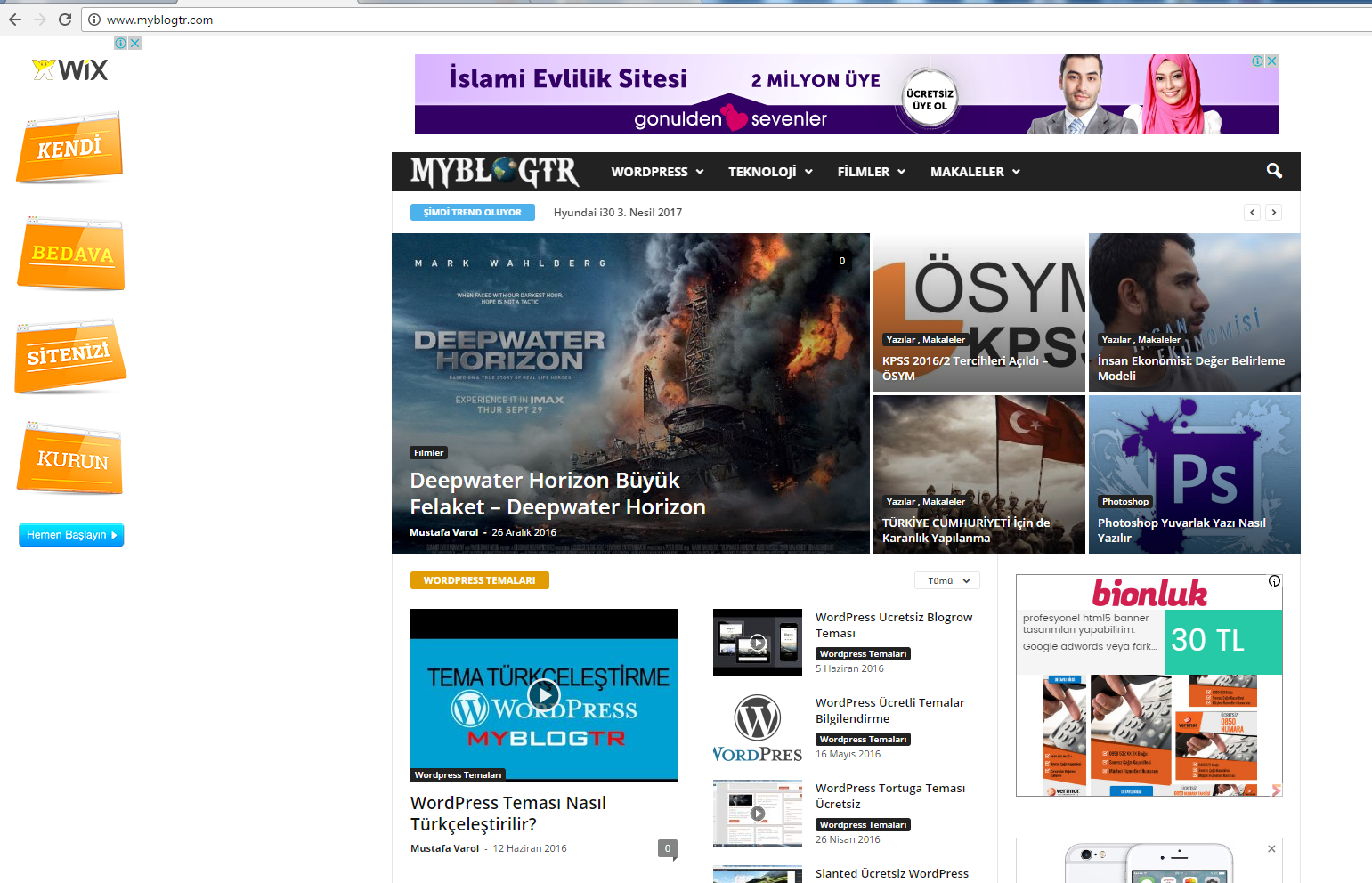
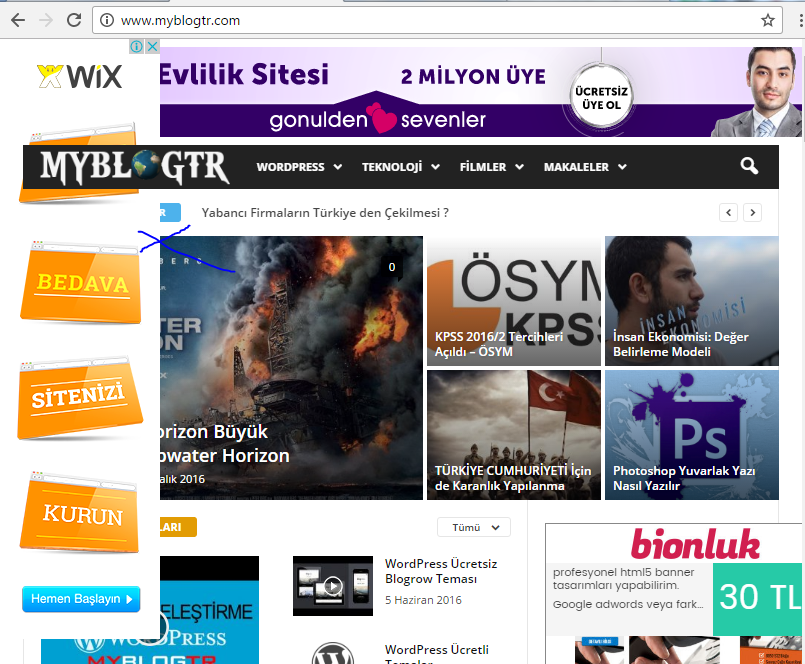
Page nested problems.. how can we do ? Thanks in advance..
Ads code is footer.php
 justfreshkicks
Hey,
One of my google ad units has stopped showing for some reason, even though my google adsense account is good. The ad unit that isn’t working is when you click on any post and scroll down. for example on this page: http://justfreshkicks.com/official-look-air-jordan-1-storm-blue/ there should be an ad on the bottom of the sidebar that scrolls as the page goes down. I checked the ad code in the theme panel and it is exactly as given on my google adsense account. Any idea why this randomly started to happen?
Thanks!
 Rojitas
Hello, Please advise how I can change some words in the web address of the following:
The translations of “page” in http…./page/2 in the home please.
Also would like to change “category” in http:…/category/video … as an example.
Thanks in advance, regards.

