
- ApiPractical example – How to add a new Block and Module
- Apitd_api_top_bar_template::delete
- Apitd_api_top_bar_template::update_key
- Apitd_api_top_bar_template::update
- Apitd_api_top_bar_template::add
- Apitd_api_single_template::delete
- Apitd_api_single_template::update_key
- Apitd_api_single_template::update
- Apitd_api_single_template::add
- Apitd_api_footer_template::delete
- Apitd_api_footer_template::update_key
- Apitd_api_footer_template::update
- Apitd_api_footer_template::add
- Apitd_api_smart_list::delete
- Apitd_api_smart_list::update_key
- Apitd_api_smart_list::update
- Apitd_api_smart_list::add
- Apitd_api_thumb::delete
- Apitd_api_thumb::update_key
- Apitd_api_thumb::update
 Bogdan B.
 Hello,
Thank you for posting this solution. It will help many users who seek AMP implementation.
 Andrei L.
 Hi
The category tag is chosen like so:
– if there is a primary category selected for that post that category will be displayed.
– if the post don’t have a primary category the theme will display the first category in alphabetical order. For example if the post have Golf and Tenis categories the theme will display Golf as category tag.
Thanks!
Bogdan B. Hi,
Unfortunately it seems these option cannot be altered as this is a visual composer element, not a theme element. The implementation does not allow me to change the responsiveness properly nor can I ad any spacing besides the images without breaking the layout.
One solution would be to either add in separate images, not a gallery or add a text element where you can create the layout yourself. The gallery does not seem to respond well to any alteration.
here is an example of images added separately: http://screencast.com/t/ttT0y3cqYR
Thanks.
Bogdan B. Hi,
I cannot find the smart list cruises post on your site but our theme offers 8 lists to choose from. Some are numbered and some are not.
Please check http://demo.tagdiv.com/newspaper/smart-list-style-1/ and under the main menu->features->smart lists you will see an example of each list type our theme provides http://screencast.com/t/PRz7UHrs46 You can choose the one you want from the smart list settings.
Thank you!
 Bintmusic
Hi, Newspaper 7.4 with Theme mobile
1) I’m looking a way to paging home in theme mobile
to avoid error in google webmaster on title and description
due to pagination in home
http://www.site.com/page/2/… page/3/ …. etc
Yoast in this case does not work fine because if you put
“Page %%page%%” in description and title snippets of home, also
home page in desktop has “Title page – Page 1” and “Decription – Page 1”
and Google search show in title result Page 1 tha is not beautiful…
So i think to put follow function only in functio.php of theme mobile
/** Add Page Number to Meta Description to avoid Duplication **/
function t5_add_page_number( $s )
{
global $page;
$paged = get_query_var( ‘paged’ ) ? get_query_var( ‘paged’ ) : 1;
!empty ( $page ) && 1 < $page && $paged = $page;
$paged > 1 && $s .= ‘ – ‘ . sprintf( __( ‘Page %s’ ), $paged );
return $s;
}
add_filter( ‘wpseo_title’, ‘t5_add_page_number’, 100, 1 );
add_filter( ‘wpseo_metadesc’, ‘t5_add_page_number’, 100, 1 );
This works fine, but pagination is duplicated on categories,
because I use Yoast solution for category pagination.
So I try to put a condition if is_home in above function but
non working.
Question is: how to solve avoid error in google webmaster
relatively to Home of Theme mobile?
2) Another thing to solve is <meta name=”robots” content=”noodp”>
that in home paginated of theme mobile lack attribute no follow.
http://www.site.com/page/2/… page/3/ …. etc
the thing you can not settle with Yoast…
Thanks
 Amit
AmitThe Accelerated Mobile Pages (AMP) Project is an open source initiative that makes it easy for publishers to create mobile-friendly content once and have it load instantly everywhere.
Without making this thread long let’s start with the short and smart step by step guide to implementing AMP with Newspaper theme.
All you need to install following three plugins:
1. AMP
The plugin creates a basic page for your blog, and you may want to customize it with your title and icon and also want to monetize with AdSense and activate Google Analytics for the AMP page.
2. AMP for WP – Accelerated Mobile Pages
The plugin allows you to customize pages with your title and icon. You can also monetize your pages with AdSense and add Google Analytics for the AMP page. It also puts floating share buttons at the bottom of the post 🙂
3. Glue for Yoast SEO
AMP Glue plugin integrates Yoast SEO into your AMP pages. This makes sure your meta-data is implemented correctly.
You can check out my AMP tutorial here: https://goo.gl/o6hhFU
Here are some screenshot Results:
Article: http://prntscr.com/cwz598

Adsense: http://prntscr.com/cwz5l1

Homepage: http://prntscr.com/cwz5rp

Navigation: http://prntscr.com/cwz5wi

 Spor24.com
 Andrei i know above information. But some posts shows its sub category which i want, and some posts shows its main category…
For example: when i add some post for haber / furbol category… its shows its name futbol… which is correct.
But when i add some posts for haber / su sporları category… its shows haber! main category name! i want this is also shows sub category su sporları.
Bogdan B. Hello,
You can change the position for this element with a bit of css like so:
.td-md-is-ios .td-scroll-up{

top:60px!important;

}
But for the image, I;m not sure exactly what image you want to add. Different images require a different type of css implementation
Our theme uses glyph’s (font icons) for its icons.
If you create a vector graphic for example you can use it as shown here:
You can find more tutorials on how to use icons here: http://alwaystwisted.com/articles/2012-05-12-create-a-pure-css-menu-button
I hope this helps.
Thank you!
 fenglim92
 got it solved! Thanks you !
I presume in future there is options for us to select what kinda articles or grid to load in the mobile theme as it is now fixed towards 3 featured image & latest articles ?
Is that on the way?
Regards,
Feng.
 elawrenc01
I tried to recreate the demo theme from scratch and everything looks fine structurally. I then copied the CSS from the demo theme folder and pasted it into custom CSS in my current theme but my page doesn’t look like the demo. Specifically, the font styling.
For example, the custom titles for the blocks are bigger and the font for style 7 on Big Grid 6 is different…
Also the Block 4 font styling is different as well, I prefer the styling from the demo much better.
Was this possibly changed during an upgrade? Here are links to what I am referring to…
Demo Site: http://demo.tagdiv.com/newsmag_travel/
My Site: http://www.superheroineforum.com/blog/
 sallyrocha
good morning I would like to accomplish to get the stars and the counter comment appear as shown in the picture want to emphasize that I have activated in the post and if I get but the module does not appear me that I must do


Bogdan B. It works fine on my end. i created the code and tested this out previously. Please remove any code you might already have so you can make sure it will not affect the code I provided. Here is an example on my end:
http://screencast.com/t/aiHDroDJ1T
Thanks.
 Catalin
 Hello hemiargus,
Sorry for the delay but please notice that we treat our customers from oldest to newest and if you will make any bump, your question will be put at the top of the forum and will become newer and that’s why it appears this delay. Also, please notice that here you can see our Support Hours -> http://screencast.com/t/K1pbx14Wi and also, we answer on the forum from oldest to newest, respecting our program.
Unfortunately, our theme does not recognize two ad code in the same Ad spot, like Article Top Ad, for example, sorry! Where you want to display two Ads on your website? If you want on the page, please notice that you can use the Visual Composer Ad Spot Block for each desired ad, like this -> http://screencast.com/t/StYtMttI2 Also, if you want to add more than one ad for posts, you can directly add the shortcode in post editor, like this -> http://screencast.com/t/JUASB76UgLf -> http://screencast.com/t/SHMGBwCnkd To bring best results, please ensure that you have entered the ad code in custom ad 1 field, like this -> http://screencast.com/t/J0J3z5y3cvRD
Hope this helps!
Thanks for the message!
 alpsbox
How can I show full post instead of excerpt in search and category?
How can I increase latest post shown on front page from 10 posts to 25 posts?
sallyrocha Resolved
Fixed I did not realize I had to activate that option so you could see in my post
<!– Resolved –> 
-
This reply was modified 9 years by
sallyrocha.
 ascen506
Hello, I am creating a top 10 listing style of a website here http://top10bestholidaydestinations.smsbusinessgateway.com/ and i want to group collections of categories together. For example, if you go to http://top10bestholidaydestinations.smsbusinessgateway.com/the-beautiful-maldives/ this beach is rated 9th in the world. HOWEVER, I cannot navigate to the 8th or 10th best beach from this point and i want to add a custom navigation to do so. Presently the nav is just above the leave a reply box but it does not do my job nor is it in the correct position.
I want to add navigation similar to this style http://www.readersdigest.ca/travel/world/top-10-most-luxurious-hotels-world/8/ you can see the page numbered and the ability to navigate up or down the posts. Can this be done as you already have page nav in place?
Thanks
Lawrence
 mcquaas
I have created a custom post type and use a copy of the single template to display it. That’s ok.
But now I need to modify the way the custom post type is displayed in the blocks (e.g: home page, category roll, etc.).
I have seen the /shortcodes and /modules folders, where original blocks and shortcodes are stored, but wonder what the correct/best way to create a custom block would be, so we add a few custom field data to the block…
Thank you for your help!
Gustavo
Catalin Hello goldfish45,
If you want to set a different image for your each page, please notice that you will have to use a bit of CSS for this. Try the code below and for each page, you will replace the page ID, like this ->
.page-id-1191 .td-banner-wrap-full{

background-image: url(http://demo.tagdiv.com/newspaper/wp-content/uploads/2016/05/login-mod.jpg);

background-size:100% 100%;

background-repeat: no-repeat;

}
The result you should see here -> http://screencast.com/t/e2IrwNtB7kT6
Also, if you want to use the same image for all your pages, you can remove the page ID.
This is a basic example which you should follow if you want to bring that changes. You will have to implement it yourself and check the results. If you are not aware of the further steps which are needed to take in this regard, please consider hiring a freelancer/developer to help you because we cannot provide custom work at the moment, sorry!
Thanks for the message!
 hellomondaythailand
Is there any chance that I can custom link for category?
For example, when I click the “Interview” (Category) on the post, it will normally open /www.domainname.com/category/interview/, but I want it to open http://www.mypage.com/interview.
Is this possible.
Thanks
 simchris
 See the tutorials DIY section of the theme docs, including my long winded tutorial in the ‘best of forums’ sub section.
Leverage browser caching is mission critical, and part of your website setup; not part of theme.
Some fixes are simple; but also the GTMetrix test of a post, shows ‘examples’ of how to fix stuff.
Try the theme tutorials here, first, though if you want 🙂
 sejpost
When we shared links from our website to our page on Facebook, they used to show up like this:
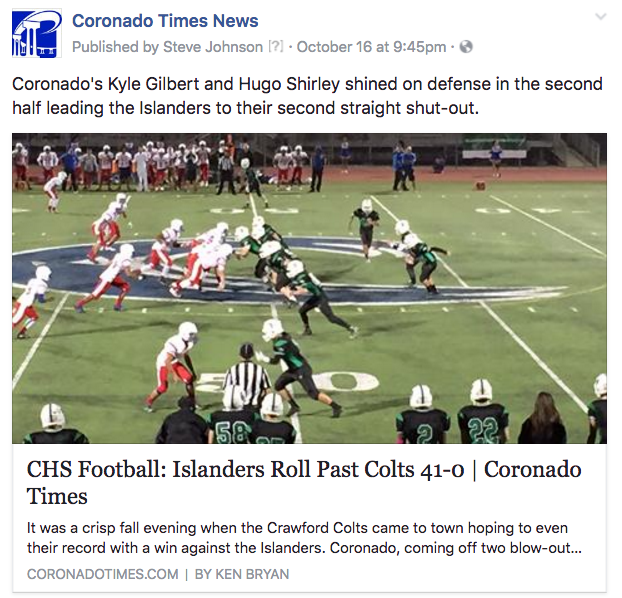
Now, they show up like this:
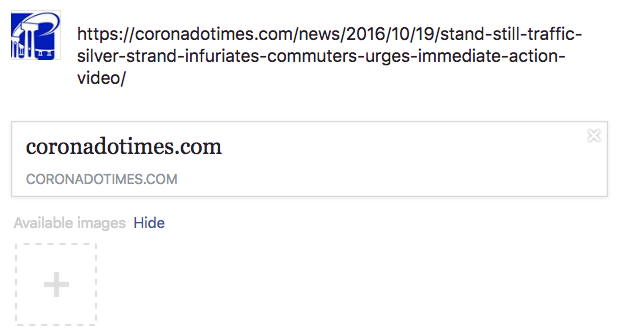
How do I fix it so that Facebook pulls the images, title data and short intro?
Thanks.
 Shawn
Shawn Hi Catain & nairolf,
I may have found the issue with the speed, there is pagination on each post, that is the one which is taking allot of resources and making our site slow. Our query time to pull that is more than 10 seconds. Definately there is a bug or some sort.
Query Caller Component Rows Time SELECT SQL_CALC_FOUND_ROWS wp_posts.ID FROM wp_posts LEFT JOIN wp_term_relationships ON (wp_posts.ID = wp_term_relationships.object_id) INNER JOIN wp_postmeta ON ( wp_posts.ID = wp_postmeta.post_id ) INNER JOIN wp_postmeta AS mt1 ON ( wp_posts.ID = mt1.post_id ) WHERE 1=1 AND ( wp_term_relationships.term_taxonomy_id IN (108) ) AND ( wp_postmeta.meta_key = ‘post_views_count_7_day_total’ AND ( mt1.meta_key = ‘post_views_count_7_day_last_date’ AND CAST(mt1.meta_value AS SIGNED) > ‘1476098794’ ) ) AND wp_posts.post_type = ‘post’ AND ((wp_posts.post_status = ‘publish’)) GROUP BY wp_posts.ID ORDER BY CAST(wp_postmeta.meta_value AS SIGNED) DESC LIMIT 0, 5 WP_Query->get_posts() wp-includes/query.php:3645 + Theme 5 9.8114
Please let me know where to fix this and how?
 Janglobalrize
 Thanks Andrei! I will fix this.
For the other issues. This is how i solved it (when other people run into the same problems).
1) In logo.php and logo_h1.php I added this code
if(ICL_LANGUAGE_CODE=='es'){

$td_customLogo = 'URL TO SPANISH LOGO';

$td_customLogoR = 'URL TO SPANISH LOGO RETINA';

}

elseif(ICL_LANGUAGE_CODE=='en'){

$td_customLogo = td_util::get_option('tds_logo_upload');

$td_customLogoR = td_util::get_option('tds_logo_upload_r');

}
2) Still working on this one
3) In the header.php file I added the Facebook snippet, but made some variables. As you can see I made the URL in de script part variable with 2 variables. One for the app ID and one for the language.
<?php
if(ICL_LANGUAGE_CODE=='es'){
$td_comments_language = 'YOUR SPAIN FACEBOOK APP ID';
$language = 'es_ES';
}
elseif(ICL_LANGUAGE_CODE=='en'){
$td_comments_language = 'YOUR EN FACEBOOK APP ID';
$language = 'en_US';
}
?>
<div id="fb-root"></div>
<script>(function(d, s, id) {
var js, fjs = d.getElementsByTagName(s)[0];
if (d.getElementById(id)) return;
js = d.createElement(s); js.id = id;
js.src = "//connect.facebook.net/<?php echo $language ?>/sdk.js#xfbml=1&version=v2.8&appId=<?php echo $td_comments_language ?>";
fjs.parentNode.insertBefore(js, fjs);
}(document, 'script', 'facebook-jssdk'));</script>
In the loop-single files I added where needed this part. You can see a get_permalink here. This is so the comments on each blogpost are unique on the specific URL.
<div class="fb-comments" data-href="<?php echo get_permalink( $post->ID ); ?>" data-width="100%" data-numposts="5"></div>
Andrei L. Hi
No you can’t use Read More tag avaialable in wordpress editor with visual composer: http://screencast.com/t/kM1fMKLzTXe The indicated tag can be used only outside visual composer in post loop settings as I’ve indicated above.
However you can use one of theme’s blocks/modules which automatically add read more button after excerpts, here in an example: http://demo.tagdiv.com/newsmag/block-12/ Block 12 use module 11 for layout and you can set a the excerpts length from theme panel > excerpts: http://screencast.com/t/iGJb5lkkl
Thanks!
Catalin Hello Hassan Zia,
I guess that you want to edit the category page, right? If you want to do this, please notice that you will have to edit core files where the category template is made. For example, if you are using the category template 1, you will have to edit the td_category_template_1.php, like this -> http://screencast.com/t/oZsyrbFpQ There you should add the BuddyPress shortcode in order to bring best results. Please notice that is not a simple task and if you are not aware of the steps in this regard, please consider hiring a freelancer/developer to help you because we cannot provide custom work at the moment, sorry!
Thanks for your understanding!
