- ApiPractical example – How to add a new Block and Module
- Apitd_api_top_bar_template::delete
- Apitd_api_top_bar_template::update_key
- Apitd_api_top_bar_template::update
- Apitd_api_top_bar_template::add
- Apitd_api_single_template::delete
- Apitd_api_single_template::update_key
- Apitd_api_single_template::update
- Apitd_api_single_template::add
- Apitd_api_footer_template::delete
- Apitd_api_footer_template::update_key
- Apitd_api_footer_template::update
- Apitd_api_footer_template::add
- Apitd_api_smart_list::delete
- Apitd_api_smart_list::update_key
- Apitd_api_smart_list::update
- Apitd_api_smart_list::add
- Apitd_api_thumb::delete
- Apitd_api_thumb::update_key
- Apitd_api_thumb::update
 Bettina
 Hello!
Please provide more information(screenshots/video) and an example about what exactly you need to achieve or what is the issue there.
A solution for sending a screenshot/video is this:
Download, capture, and send: https://www.techsmith.com/jing-tool.html
After making the screenshot, you will have a link; paste it here.
Thank you!
Bettina Hello!
This shortcode is only for single cloud templates(articles). A shortcode can be inserted by using the element called “Column text” or “Text with title”. For example, in the step3 here: https://forum.tagdiv.com/add-cryptocurrency-price-ticker-widget/
“Column text” and “text with title” elements have a button called “edit content” and if you click on that button, the WP Editor will open, and you can add some text/code/shortcode there. Close the WP Editor from X, save the changes from Composer and view the page to see the changes. You cannot add custom text to each page as you can with single post content.
Thank you!
 socius
I lost the header and using unknown tricks I was able to remove the error message. I tried everything that can be found on the forum about this topic, but nothing helped. I was able to add a login on the home page. Everything else, for example when I open one of the categories, it does not allow me to change. It installs over the cloud for hours and eventually fails to install or add the header. Please help me!
Site: oaza.pro
Bettina Hello!
Then please provide more information(screenshots/video) and an example about what exactly you need to achieve or what is the issue there.
A solution for sending a screenshot/video is this:
Download, capture, and send: https://www.techsmith.com/jing-tool.html
After making the screenshot, you will have a link; paste it here.
Thank you!
 Anamaria
 Hello,
The image can be blurry when the image is smaller and need to be stretched or when you have set a smaller thumb for that image, make sure that you set the full size for the image that you have added, for example-> https://i.imgur.com/OknhKDS.jpg
Thank you!
 zhangleji
Hi, I created a simple page for front end submission and it worked. I still need the below features though.
1. to let the author input the source name & url of the post. How can I assign this input value to the element’ Single Post Source’ so it can display in the post page?
2. how to let the author select or input tags of the post?
3. I created a test user as ‘subscriber’ but this test user can still post on the front end submission. It doesn’t make sense but it’s true. Is there any way I can prevent subscriber post on the front end submission page?
Thank you!
Bettina Hello!
Please provide more information(screenshots/video) and an example about what exactly you need to achieve or what is the issue there.
A solution for sending a screenshot/video is this:
Download, capture, and send: https://www.techsmith.com/jing-tool.html
After making the screenshot, you will have a link; paste it here.
Thank you!
 FountainTV
Hello TagDiv,
Trust this email finds you well.
Our website has been offline for over a month after it was hacked, and hosting also expired.
We are now active and rebuilding but our licensed theme isn’t accepting the activation code.
Kindly help with the activation.
Item ID: 5489609 –
Item Title: Newspaper – News & WooCommerce WordPress Theme
Licensee: Diamond Fountain Media
Website(s): diamondfountainmedia.com
etrendstv.com
Anamaria Hello,
It seems you have the mobile theme + amp activated.
Please deactivate those plugins, tagdiv mobile theme and amp, clear all cache.
The mobile theme comes with its own templates for page, post, category, etc so your current templates from the desktop theme will get converted to the mobile theme layout, the page content is made without builders in mobile editor => https://www.screencast.com/t/xbgZG8kH also, the options that are provided to edit the mobile theme version are limited (this keeps the things simple)).
So, if you want to use the cloud templates, then you need to disable the mobile theme and AMP plugins, and then use the responsive version.
You can disable the mobile theme plugin on the pages from the Gutenberg editor using the following option => https://www.screencast.com/t/axXRJsWby
Also, please check this topic where I explained each mobile version -> https://forum.tagdiv.com/topic/mobile-version-not-working-properly-2/ -> https://forum.tagdiv.com/topic/amp-pages-not-working-well-with-this-theme/ and choose what mobile version you want.
Thank you!
 pol_rubio
Hi, I’m trying just to copy & paste my script from Google Adsense on the theme panel – ads section. However, when I paste the snip in the box it keeps loading with no end to the looping load. Is there any solution to this?
 chrisfoxatx
 It really is difficult to understand what’s happening in support videos without any sound recorded. Please record sound as well so we understand what’s happening and what to do.
For example, on the Gossip Theme, I have on the mobile viewport a single page that is showing no post content at all. Even after watching this screen recording a few times, it’s still impossible for me to show the post content.
chrisfoxatx UPDATE – REPHRASING MY INITIAL POST
I’m optimizing the layout to accommodate for the most popular current and future ad formats, as well as great usability for the users on each device.
By digging in the CSS code I’ve found these min and max widths
A) max-width:500
B) max-width:767
C) min-width:768 & max-width:1018
D) min-width:1019 & max-width:1140
E) min-width:1141
1) However, there are 4 viewport devices in the builder. Which correspond to which?
Is desktop D or is it E?
Which one is mobile? A or B?
2) I want to optimize the desktop site for 1,326 pixels wide, so it looks great on super resolutions as well as the popular 1,366×768.
970 content + 20 padding + 336 sidebar = 1326px which leaves 40px on the sides for browser UI and scrollbar.
So I’ve set the desktop zone width to 1,326 pixels.
Maincontent = 970px with 10px right margin instead of using padding on the row.
Sidebar = 336px with 10px left margin instead of using padding on the row.
These settings look excellent on desktop.
In the builder I can select:
Stretch row and 1,200px content = too small.
Stretch row and 1,400px content = too big.
How does what I select here affect my layout of 1,326 pixels?
3) For the smaller than desktop devices I will want to keep the 20px padding (right/left margin of 10px) in between the content and the sidebar.
The sidebar would ideally be 336px or the smaller 300px version.
How do I calculate how much to set the zone width to in those viewports?
-
This reply was modified 3 years by
chrisfoxatx. Reason: Clarification
 RonnieMartyns
People, how to solve this duplicate business that the theme causes? could someone help me please. Has anyone ever experienced this.
https://tecnolera.com/page/2/?m=0&lcp_pagelistcategorypostswidget-2=32p
RonnieMartynsPage List deactivate
Hello, I wanted to discover this type of page list category, could someone help me please. I’m using the cloud model, but this thing keeps showing up in search results. where to disable it
https://atitudeevisao.com.br/page/2/?m=0&lcp_pagelistcategorypostswidget-2=32p
https://atitudeevisao.com.br/page/5/?m=0&lcp_pagelistcategorypostswidget-2=32
 cenkerinan
 Hi Anamaria,
I have done plugin conflict testing. Still no featured image fields. I am also getting these error messages in connection with tagdiv plaugins. ..
Warning: require_once(/home/sites/25b/d/d27d96b2d3/public_html/wp-content/plugins/amp/td_amp_version_check.php): failed to open stream: No such file or directory in /home/sites/25b/d/d27d96b2d3/public_html/wp-content/plugins/td-amp/td-amp.php on line 41
Fatal error: require_once(): Failed opening required ‘/home/sites/25b/d/d27d96b2d3/public_html/wp-content/plugins/amp/td_amp_version_check.php’ (include_path=’.:/usr/share/pear’) in /home/sites/25b/d/d27d96b2d3/public_html/wp-content/plugins/td-amp/td-amp.php on line 41
Please update the theme or the plugin to the same version of the Aurora plugin API. Now, the Theme Aurora version is: __td_aurora_deploy_version__ and plugin version: TD_WOO_LABEL_VERSION!
TagDiv Invoice plugin is not active to prevent unexpected behaviours.
File message: /home/sites/25b/d/d27d96b2d3/public_html/wp-content/plugins/td-woo-invoice/td-woo-invoice.php
Can I create a login account for you and perhaps you could have a quick look.
please send me an email and I will reply with login details.
Thanks
 KokoShanel
Hello. I bought 2 keys for 2 of my sites. There is a problem with the second key. He is not active.
My nickname is KokoShanel
Newspaper Theme – News & WooCommerce WordPress Theme
Help solve the problem
 laurenskok
Hello,
Could you explain why the slider disappears sudenly when I display the screen in mobile mode while the tag still exists in HTML?
Printscreen desktop : https://pasteboard.co/F0EQlvvTaMPU.png
Printscreen mobile : https://pasteboard.co/Pk7CWU9p2e16.png
Is there an option to activate that?
Thanks for your answer
Anamaria Hi,
This is only for the view option, to see how it is displayed. If you have a select date or author as I did there is the right link.
The cloud templates are custom post types, and these can be an index or not, therefore you can use Yoast SEO to control the SEO for cloud templates, for example, https://i.imgur.com/6BRLmIs.png
Thank you!
 herbal
 Thank you for the instructions. I am currently using the sample page from the WordPress theme and there is an empty column box already displayed on the top center. I could not move to the right. The whole page including the text now already filled up.
I am not sure how to move the text to the left and create a side bar to the right. Please provide instructions on how to create a new page with text on the left and sidebar on the right. Thanks.
 platamun47
Dear Support,
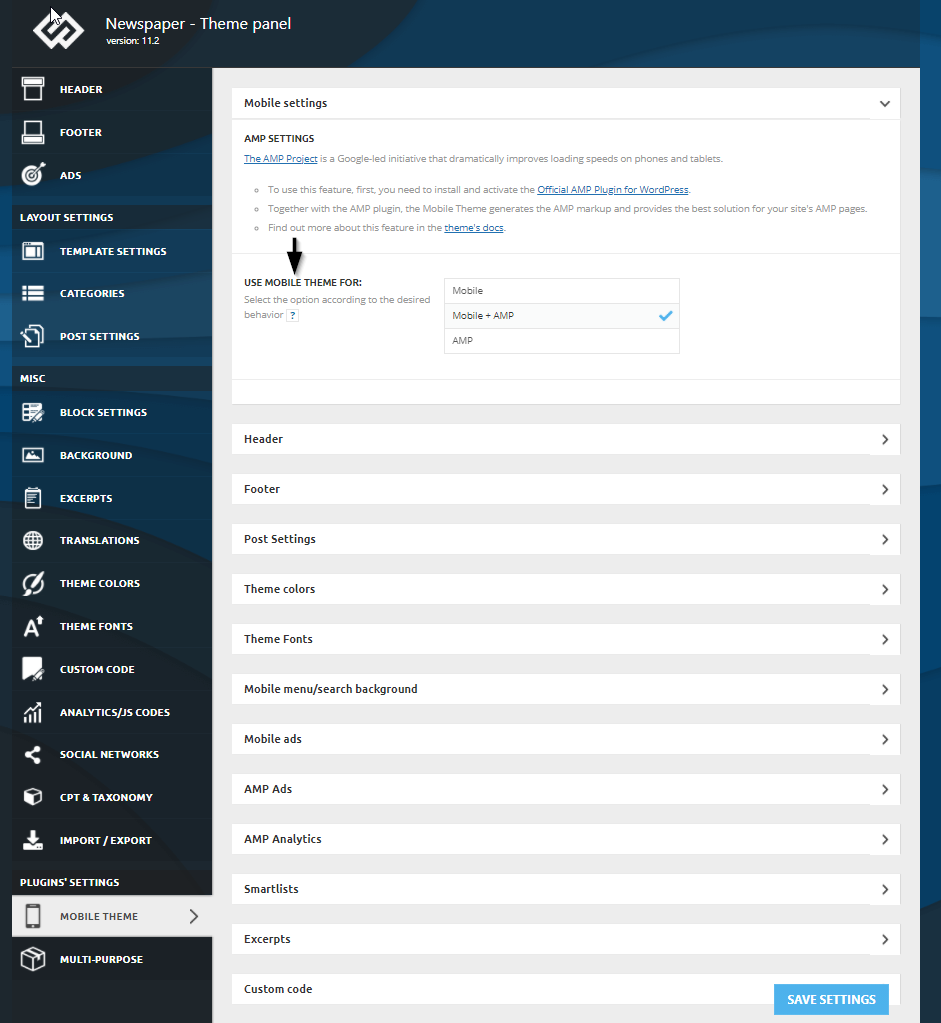
Is it correct that I do not have options Mobile Themes > Post Settings
like on image in Documetnation about Mobile Theme, url:
https://forum.tagdiv.com/wp-content/uploads/2021/09/mobile-theme-amp-settings.png
Post Settings is in Theme Panel Layout Settings
Our site url: https://nook.rs
Is it possible customize the Mobile Theme + AMP?
How to remove button ToTop in Mobile Theme?
Hoe to delete Autors before date in our Home Page in Mobile version of our site?
I disabled the button on mobile devices, but button is still exist..
Thank you in advance.
Anamaria Hi,
The Patreon icon was added in version 11.4.1 -> https://tagdiv.com/newspaper/?utm_source=forum&utm_medium=menu&utm_campaign=forum_loggedin&utm_content=92178
Please update the theme.
Please make a full backup to all files and database => https://www.youtube.com/watch?v=LAJXrSI-dDA
Here you can find information about the changes that have occurred in each update over time https://tagdiv.com/newspaper/
Also if possible disable extra plugins during the theme update to avoid any problems that may arise and make sure that you have activated the tagDiv Standard pack plugin to keep the website’s look. You can try to update the theme on a staging website.
After you update the theme, you need to update the theme plugins too.
Thank you!
 Calin
Calin Hi,
If you want to manually set them, then you can set it in the theme files, for this you can edit the post template (an example for post template 1 path – wp-content/plugins/td-composer/legacy/Newsmag/parts/single/loop-single-1.php) or the related articles block (path – wp-content/plugins/td-composer/legacy/common/wp_booster/td_module_single_base.php -https://i.imgur.com/0vVjTMR.png).
Thank you!
 ritughai
Hi,
I am using Newspaper theme on a couple of websites but I keep hitting errors either with Jetpack, or TagDiv mobile or AMP plugins on two of them.
This is the message that displays when I try to activate the plugin on “maverickfoundation.ca” and then AMP also fails to work.
Plugin could not be activated because it triggered a fatal error
Warning: require_once(/var/www/wp-content/plugins/td-composer/mobile/includes/td_block_editor_assets_mob.php): Failed to open stream: No such file or directory in /var/www/wp-content/plugins/td-mobile-plugin/td-mobile-plugin.php on line 490
I have deleted the plugins and then uploaded them again from the theme downloads, but no it doesn’t work.
I manage to activate AMP, but the website throws up issues in appearance and image sharing (my social shares of posts fail to grab the Featured Image).
Is there anything that I am doing is not right? I can’t figure that out.
Please help.
TIA
 coinedition
 Hello @bettina,
We have troubleshot our website with Health Check & Troubleshooting plugin and we found the culprit plugin that causes this anchor tag issue. “tagDiv Cloud Library” is the plugin that causing this issue and when we disable this plugin the anchor tag works properly. What is the problem with this plugin? Do you have any idea? How can we solve this issue?
We are using tagDiv Cloud Library to use the theme Prebuilt Website called Pulses PRO, and when we disable the tagDiv Cloud Library plugin the anchor tag is working fine.
Please help us solve this issue ASAP.
Thank you
laurenskokHello,
I noticed that the pagination with the posts loop module in tagdiv composer doesn’t work. When I click on number 2 or next button, the page is loading and returns to the number 1.
Is there an option to activate this functionality?
Here is an example about the design : https://pasteboard.co/iESe6Dlg3uMP.png
The prebuilt theme is sport.
Thank you