
- NewsmagUsing the theme translations together with WPML
- NewsmagHow to update a plugin
- NewsmagCustom Post Type Support
- NewsmagAbove footer ads
- NewsmagWeather Widget
- NewsmagHow to update the theme
- NewsmagIntroduction
- NewsmagLogo & Favicon
- NewsmagFooter templates
- NewsmagUsing other ads
- NewsmagCustom ad spots
- NewsmagArticle ads
- NewsmagSidebar ads
- NewsmagHeader ads
- NewsmagLoading image effects
- NewsmagCategory top post styles
- NewsmagSmart Lists
- NewsmagGeneral settings
- NewsmagTheme thumbs
- NewsmagtagDiv slider gallery
 Bettina
 Hello Ben!
Please check this topic: https://forum.tagdiv.com/topic/newsletter-plugin-able-to-add-new-services-activecampaign/
Thank you!
 RSP
RSP Hi Calin, these error messages actually appeared (and continue to appear…) only after updating to the latest version (5.1) of Newsmag and without loading new plugins.
The problem is that they are many and of different types, for example:
Fatal error: require_once(): Failed opening required 'ABSPATHwp-admin/includes/class-walker-category-checklist.php' (include_path='.:/opt/cpanel/ea-php74/root/usr/share/pear') in /home/travelan/public_html/wp-admin/includes/template.php on line 12
or:
Fatal error: Uncaught Error: Class 'WP_List_Table' not found in /home/travelan/public_html/wp-admin/includes/class-wp-plugins-list-table.php:18
Stack Trace
1.
{main}
thrown in /home/travelan/public_html/wp-admin/includes/class-wp-plugins-list-table.php on line 18
and again:
Fatal error: Uncaught Error: Class 'WP_Upgrader' not found in /home/travelan/public_html/wp-admin/includes/class-theme-upgrader.php:21
Stack Trace
1.
{main}
thrown in /home/travelan/public_html/wp-admin/includes/class-theme-upgrader.php on line 21
or:
atal error: Uncaught Error: Class 'WP_Filesystem_Base' not found in /home/travelan/public_html/wp-admin/includes/class-wp-filesystem-ssh2.php:36
Stack Trace
1.
{main}
thrown in /home/travelan/public_html/wp-admin/includes/class-wp-filesystem-ssh2.php on line 36
We can’t figure out if it depends on WordPress or the theme. Since it’s a magazine and we wouldn’t want to have any problems, in case you guys could work to fix it for a fee?
Thanks!
 Calin
Calin Hi,
I just made a test on my install where I use Newsmag v5.1 and for me looks to work -> https://i.imgur.com/Jm740LF.png -> https://i.imgur.com/6dE2agZ.png
Maybe there are some problems with the pre-build websites, I tested on default, which one do you use? If the problem is on a different pre-build website, then it can be only from the extra file that are added on it, for example for magazine the file is this one wp-content/plugins/td-composer/legacy/Newsmag/includes/demos/magazine/td_block_template_1.php just replace the code with this one https://pastebin.com/QRqsNDeQ and the problem should be solved.
I hope this will help you!
Thank you!
 Diana
DianaHi, guys:
I have problems with the WP dashboard Pages functionality when I want to see all pages (I have 24 published and 12 drafts):
With all plugins deactivated (when the WP Pages problem doesn’t exist), upon activating plugins one by one:
1. Standard Pack activated – no problem
2. tagdiv composer activated – errors, Page in the WP dashboard present me with a fatal error that states there is not enough space on the server, which actually is.
3. After increasing Memory_limit in the php.ini file from 256MB to 2GB and
4. If I change the view number of pages to 12, for example, then it works, without any further problem from any of the plugins, all being activated.
I am wondering if there are any specific or more drastic requirements as far as memory is concerned, so I can see in my WP dashboard Pages as many as I want?
Many thanks,
Diana
 derickfernandes
Well, it’s no problem with the theme. I am a Newspapper enthusiast and have been using it a lot.
I would like to suggest a new feature like “Live Post” or “Live Blog” so that an article could be updated in real time in timeline format. Like for example Twitter, where the editor can insert videos, photos and texts in a news, and the reader can follow it in real time.
Likewise, it would be interesting for live news to have an animated stamp on the front cover block, like the image on the link > https://ibb.co/bQSB0cF
This suggestion would further enrich the topic.
Another thing I miss is the Paywall system, but with a better and improved feature. JNews has done this, I’ve tested it, but it’s still not ideal.
 netclick
 willkar
Hello .
After the last update, all my posts with video format, when open on mobile, it open in a very weird design. I cannot fully wscroll the page, the header menu is not well formated, etc.
Please check this pages as an example:
or
https://gamingnovato.com/category/gaming-videos/
I tested this on android phone and like i said, it happend when i try to open any posts with video format.
 Piotrk87
Hi Team,
I use additional plugin for product filtering for my WooCommerce store. I place its shortcode to show the filters on every blog post on the website in the sidebar. Now, in some cases the filter is shown, in some cases it is not. I use the same cloud template on each of these blog posts so I am not sure what the reason is. Please see examples below.
Here the filter is shown: https://jakaoferta.pl/najlepszy-abonament-ranking-abonamentow
Here the filter is not shown: https://jakaoferta.pl/lajt-mobile-ocena-i-opinie-o-sieci/
I do not understand the reason, could you help please?
Piotr
 Sanyog Maurya
 Same problem with me also. Everthing got deleted after this 11.3.1 update & my website looks horrible. What to do now ?
 ilhamfiles
 This update version 11.3.1 didn’t solve the problem.
The bug remain exist..
For example if you set the row stretch to (stretch row and content with padding)
The css of margin & padding not working as well in responsive mobile view
Even if set one by one, row by row, the margin or padding setting generate an error.
 CEDFeducation
We are considering adding Lightcast for additional distribution of our webinars. They can act as our CDN, so I would not need Vimeo in theory. Below is an example of their embed code. How would I utilize this in place of your “hardwired” ability to utilize Vimeo?
<div style=”position: relative; padding-bottom: 56.25%; margin-top: 25px; height: 0;”><iframe style=”position: absolute; height: 0px; width: 0px; min-width: 100%; max-width: 100%; min-height: 100%; max-height: 100%;” src=”https://www.lightcast.com/embed/player.php?id=40615&type=vod” frameborder=”0″ allowfullscreen></iframe></div>
Thanks.
 Anamaria
 Hello,
As I said above the Facebook API was changed and then became deprecated. in the last update of the API, in order to be able to use the like button, the user who accesses your articles must be connected to Facebook on that browser.
For example, I am connected to Facebook on Chrome and the like button is displayed => https://i.imgur.com/PKuOlGL.jpg but on Firefox I am not connected to Facebook and the button is not displayed https://i.imgur.com/eNKzgFD.jpg
I hope this information is clearer.
Thank you!
 PauloCot
 Hi Bettina,
I don’t want any pages to look different between desktop and mobile, just what’s on the respective menus.
For example if the main menu on desktop shows a, b, c, d, e pages, I want the mobile menu (for all pages) to show a, c, e, f and pages.
Everything remains the same between the two, they just have different menus – is that possible?
Thanks, Paul
 institutMises
Hello,
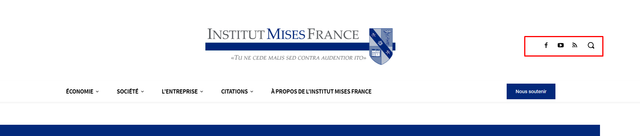
I don’t know how to customize my mobile menu to make it possible to use the same social icons as desktop.
Desktop :
Mobile :
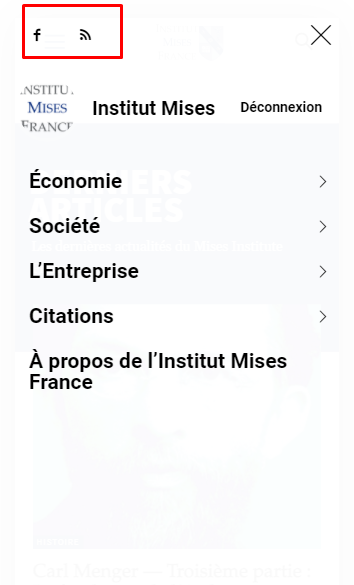
I don’t know how to customize mobile menu for changing this. It seems Tagdiv composer does not allow to change the content inside mobile menu.
My website is : https://www.mises-fr.org
Anamaria Hello,
You can disable the mobile theme plugin but it depends on what pages you want, for example, you can disable it on the homepage https://imgur.com/OTAJQSS
Also, please check this topic where I explained each mobile version -> https://forum.tagdiv.com/topic/mobile-version-not-working-properly-2/
Thank you!
 cbranquet
 Hi ! Thanks for your answer
How can I know which plugin’s version match the theme’s version ?
Which plugin version is compatible with v10.4 for example ?
 Clear_Blue
Hi, I just figured out a weird problem using the AMP plugin on my site gipfelfieber.com. On mobile devices every picture in posts is shown twice. I do not really want to miss the plugin as the performance is amazing but it just looks kind of crazy.
What can I do to handle this? (At least I`ve deactivated it for now.)
Looking forward
Best
Andresas
Anamaria Hello,
Please provide some examples of how this plugin work.
If you have a shortcode you can set it in column text or text with title, in text zone => https://www.screencast.com/t/yzHiFcS8g8 -> https://www.screencast.com/t/uDXaxJ8JSKFB. The shortcode is automatically saved.
Thank you!
 jitendrachrysolite
Hello,
Jitendra Rajbhar here, I have updated my website https://modernplasticsaward.com/ in the new version of your update 11.3.1 but after an update on my website lot of things got changed for example I had customized theme colors and some CSS but everything got mashed up, that is not issued cuz I have a backup of my website.
my question is do I need to update the new version of the theme? if yes so lemme know how I can do that without losing my work on the website.
here is some screenshot after update (11.3.1) : https://paste.pics/EF2YT
https://paste.pics/EF30C
here is some screenshot before update (11.3.0): https://paste.pics/EF31N
https://paste.pics/EF326
https://paste.pics/EF32G
 Patrick93
Hello,
is there any way to change the internal links which link to category pages?
I’ll try to describe my problem with an example:
I have a category “training”. The URL of this category is domain.com/category/training/. This is the default WP category page.
I have also created a page called “training”. The URL of this page is domain.com/training/. This is my self created page, which has the same purpose as a category page. Here you can find all posts that get the category “training”.
So far so good.
I would like to keep both pages, as both have advantages and disadvantages.
The domain.com/category/training/ is much simpler and if I want to send someone an overview of all training posts, I send this URL.
The domain.com/training/ page contains more text and I send it to people who also need the text.
The page that is important for Google is the domain.com/training/ and NOT the domain.com/category/training/.
The problem: Internally very often links to the /category/training/. For example via the breadcrumbs[1] or via the tags on the thumbnails[2].
I could of course set up a 301 redirect from domain.com/category/training/ to domain.com/training/.
I could also just remove the category slug. But I don’t want to do that either.
Neither option is an option for me though, as I want to keep the /category/training/.
[1] https://nimb.ws/yRHv4w
[2] https://nimb.ws/Wp4Eme
I hope you understand what I mean and would be happy about a solution.
 Siebren10
Hi! Is it possible for blocks in the composer to use an and/and-selection on the filter tab? I know that it’s possible to use a category and then exclude certain other categories, but is it also possible (for example) to say I only want to display posts that are linked to category 1 AND category 2?
cbranquetHi !
I want to know which plugin’s versions are compatible with my current theme
For example :
Newspaper v10.4 => Tag div composer (2.8) / tagDiv Standard Pack (1.2)
etc ..
Thanks for your reply !
Calin Hi,
For mobile version you should use an image with 300px width, and another trick it is to set per each view port a margin top https://i.imgur.com/lnbW1NM.png this can be positive or negative, in my example was -20
I hope this will help you!
Thank you!
 Thomas
 Great it works for the Quote block but now the regular Quote don’t have proper single look.
Example other page up the second image animation, “La rencontre sera traduite en français par Gaëtan BLOOM !” it is small and no more in italic and other font as before.
How we could fix that?
 mf_srls
Hi there,
I genuinely used to have a recurring nightmare about updating the Newspaper theme.
Each time that I get an update, something goes wrong, by the way, the most evident problem is that, even if it was disabled, the amp plugin got activated.
So, mobile users see a completely wrong version of the website.
I’d like to know if it’s a knowing bug or there’s something to know about the amp stuff settings, to avoid it (but I mean, if the amp part is disabled, why it goes activated, presumably by the theme version update?) ?
Thank you for your support



