- ApiPractical example – How to add a new Block and Module
- Apitd_api_top_bar_template::delete
- Apitd_api_top_bar_template::update_key
- Apitd_api_top_bar_template::update
- Apitd_api_top_bar_template::add
- Apitd_api_single_template::delete
- Apitd_api_single_template::update_key
- Apitd_api_single_template::update
- Apitd_api_single_template::add
- Apitd_api_footer_template::delete
- Apitd_api_footer_template::update_key
- Apitd_api_footer_template::update
- Apitd_api_footer_template::add
- Apitd_api_smart_list::delete
- Apitd_api_smart_list::update_key
- Apitd_api_smart_list::update
- Apitd_api_smart_list::add
- Apitd_api_thumb::delete
- Apitd_api_thumb::update_key
- Apitd_api_thumb::update
 accursi
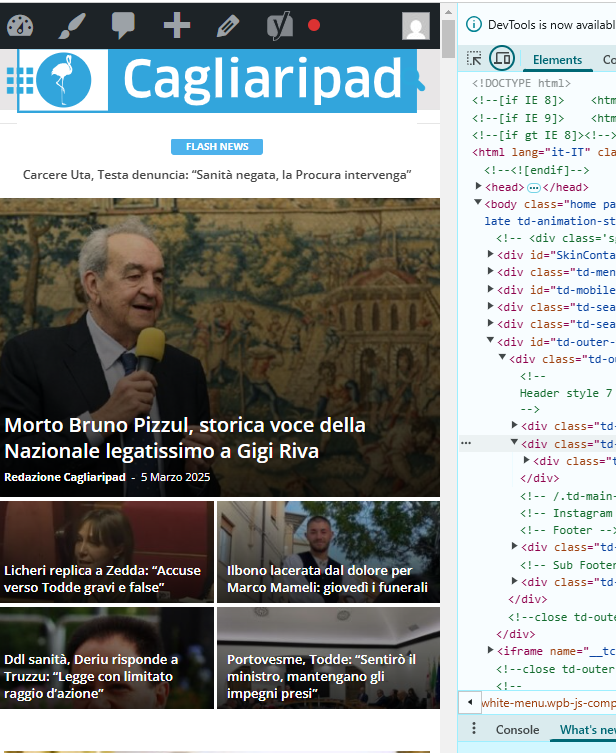
 I moved the custom css-desktop to the top of the style.css file. This is to avoid the full-page zoom effect of the header SVG logo.
Two problems remain.
1) One concerns the topbar: the menu items are no longer centered in the gray bar.
2) The logo performs in mobile resolutions.
Example:
https://assets.cagliaripad.it/wp-content/uploads/2025/03/05085711/SCREEN_0503.png
Many Thanks!
 thetraders

 medvid
Hello. I purchased the newspaper plugin. I install and all runs fine. Now, for example I install the demo NEWSWEEK and all is loaded and without error but if I click the NEWSWEEK header orange letters it gives me:
Server Error
403
Forbidden
You do not have permission to access this document.
That’s what you can do
With just click nothing else. To make enable again the wordpress that crash hard. I need to remove caches and login again but the error is there. There is som3thing wrong as the last time before this minimal example I just changed in general settings of wordpress the permalinks and that caused the error and impossible to click again on anything due the same error 403. Now is the same using just that NEWSWEEK Demo and with just clicking the orange NEWSEEK letters crash. How can i override this?
 stefanegirard
Hi
How to add a clickable button at the bottom of a post of the same brand ? Example: all Ferrari brand articles would have a button at the bottom of the post that I can click on to go to the Ferrari dedicated page.
 mcneillmedia
Hi, we’re having trouble with the latest Newspaper 12.6.9 update.
Here’s access to our sandbox site:
https://dev.lodgingmagazine.com/
username: sandbox
password: sandbox1234
The home page seems to be okay, but some of the cloud templates aren’t working after the update, example:
https://dev.lodgingmagazine.com/category/food-and-beverage/
Please advise?
Thanks!
 Oktay
OktayHi,
Does the theme have a way to import google reviews into the listings so that it displays here
See this example listing: https://double-glazing-windows.co.uk/listing/perfitinstallations-com/
 Bettina
 Hello!
Here is the setting for Mobile theme: https://app.screencast.com/yYhHkpNzYa75u
We have 3 options available for mobile versions that you can use:
1. Responsive version: A responsive version of your website looks similar to the desktop version. TagDiv Composer is used to edit the page. Click on the mobile viewport: https://www.screencast.com/t/XDQJedlggSB. You can see your mobile version there and edit or adjust the elements to look better.
2. Mobile pages: https://tagdiv.com/newspaper-10-3-7-update-brings-customizable-and-fast-mobile-pages
3. Mobile theme plugin: The Mobile Theme is a performance-optimized theme included in the main Newspaper theme that only loads on mobile devices. It comes with its own templates and designs for pages, posts, categories, etc., so your current templates from the desktop theme will get converted to the mobile theme layout. Please see https://forum.tagdiv.com/the-mobile-theme/ and https://forum.tagdiv.com/mobile-theme-introduction/ for more information.
A full explanation is here: https://www.youtube.com/watch?v=SpGkOnJeNZY
If you need to use mobile version 1 or 2, then you need to uninstall the Mobile Theme plugin and AMP.
Thank you!
 Simion C.
 The Newsmag theme border/grid color is set in the theme panel here https://prnt.sc/XItngKYatH0N But if you are referring to something else, please provide an example.
Thank you!
 Hans
Hans Hi,
The problem still exists after both Firefox and the Newspaper theme are updated.
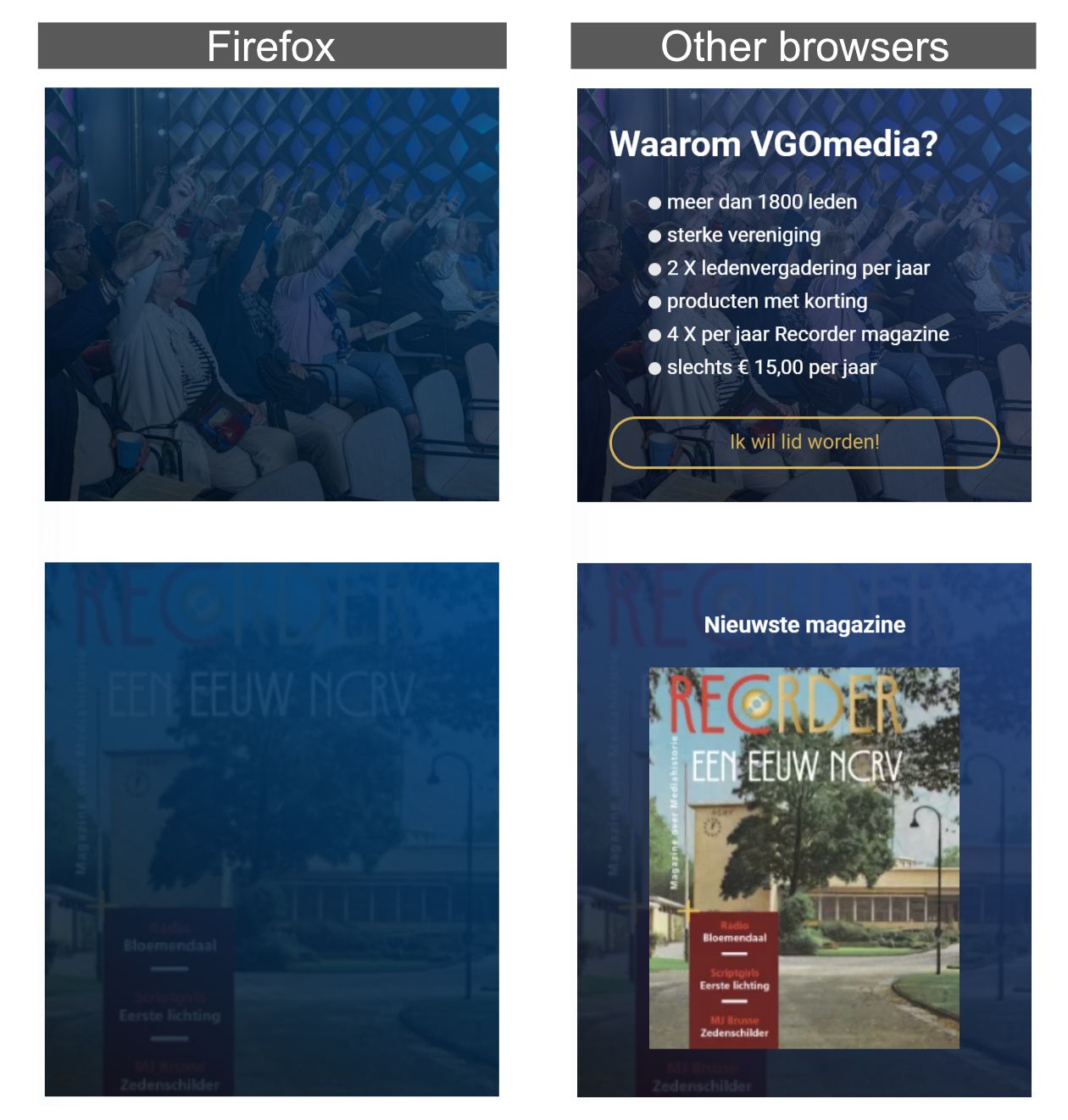
I have to solve this problem because 40% of our users use Firefox.
If the problem isn’t solved I can not use your template for our new site.
Bettina Hello!
We have 3 options available for mobile versions that you can use:
1. Responsive version: A responsive version of your website looks similar to the desktop version. TagDiv Composer is used to edit the page. Click on the mobile viewport: https://www.screencast.com/t/XDQJedlggSB. You can see your mobile version there and edit or adjust the elements to look better.
2. Mobile pages: https://tagdiv.com/newspaper-10-3-7-update-brings-customizable-and-fast-mobile-pages
3. Mobile theme plugin: The Mobile Theme is a performance-optimized theme included in the main Newspaper theme that only loads on mobile devices. It comes with its own templates and designs for pages, posts, categories, etc., so your current templates from the desktop theme will get converted to the mobile theme layout. Please see https://forum.tagdiv.com/the-mobile-theme/ and https://forum.tagdiv.com/mobile-theme-introduction/ for more information.
A full explanation is here: https://www.youtube.com/watch?v=SpGkOnJeNZY
If you need to use mobile version 1 or 2, then you need to uninstall the Mobile Theme plugin and AMP.
Thank you!
 rahuldas
In the Newspaper Theme Panel > Analytics/JS Codes > Google Analytics and Javascript Codes > Header Script Codes,
Can I paste multiple codes along with the Google Analytics code, similar to the example shown in the image?
Will any issues arise from this?
Simion C. Hi,
Sorry for the delay.
So the issue with the pages fixed itself. That can happen sometimes.
The optin plugin actually enables the user registration (if was not active before) when installing it https://prnt.sc/k6P3nDB7tDzv
And it will provide its own login/register page https://prnt.sc/aTLE4ESAc9fA Installing the plugin should not interfere with the capabilities of the users to register or log into the website. Could you please provide an example of the issue, or mention more details about it?
Thank you!
Bettina Hello!
AMP works best with the Mobile theme. In my opinion, if you don’t use the Mobile Theme plugin, then there is no reason or benefit to AMP. Unfortunately, AMP is not working with the cloud templates because the AMP’s layout is not fully customized.
The AMP version works best with default templates and not cloud templates. That’s why we integrated it with the Mobile theme plugin.
The feedback from our clients about AMP was negative and it is not used anymore, that’s why we didn’t add more customization options. We no longer recommend using AMP because it is deprecated https://developer.bigcommerce.com/docs/storefront/wordpress/platform-integration/enabling-amp
Thank you!
 yerbol89
Not load
POST /wp-admin/admin-ajax.php?td_theme_name=Newspaper&v=12.6.9 500 (Internal Server Error)
https://prnt.sc/LgRPk5OYKTsw
https://prnt.sc/QcqO-hFIiDF-
https://prnt.sc/HitB35UPRj8j
https://prnt.sc/2UFROGZj8c_6
 nuvoledibellezza
Hello,
I noticed that the review stars no longer appear on my site https://www.nuvoledibellezza.com/ .
I see them correctly in the single post (for example here: https://www.nuvoledibellezza.com/bjork-berries-body-serum/), but in the category or home page, as well as in the menu they are not visible.
In this category the posts should have stars, yet there aren’t any: https://www.nuvoledibellezza.com/recensioni/
Yet I set them to be visible and with yellow color … I also tried to insert other flex blocks but the stars never appear can you help me?


 bilaalsadiq
Hi there,
I am having an issue where on the author page on my website, the count of the posts is always incorrect – I have given an example below:
https://thefootballweek.com/author/cagri-yildirim/
This is the link also for our main contributor’s profile page, his post count is showing as -5 posts:
https://thefootballweek.com/author/dr-erkut-sogut/
 DeanLand_OTC
When accessing my site, ourtravelcafe.com, using a mobile phone, the site is not responsive. Instead, users on Android see my 2-column desktop format page.
Today, I confirmed deletion of the Mobile and Amp plug-ins. Then, I set up a new mobile home page following detailed instructions provided in support:
(Support Content.
I double checked the new mobile template and confirmed each element was set in the ROW tab for a SINGLE setting.
I also confirmed on my WordPress PAGES view that the new Mobile page is identified as a mobile template and it has a “published” status.
Still, when I access on my Android device, the two-column desktop format appears.
 arungoyal
I am using Newspaper theme on my website with cloud templates – Crypto Gaming Pro
It is breaking on AMP pages. Can checked here
Please check and let me know the possible cause.
 johnjaylee
Block quotes have stopped displaying properly on my website http://www.urbanpitch.com. They had been showing up correctly before, but have recently reverted to almost plain text.
Example: https://urbanpitch.com/are-the-mls-and-usl-headed-towards-an-ugly-divorce/
 WTS
WTS if( $currentWidgetInstanceSettings !== false && isset($widgetArgs['widget_id']) && strpos($widgetArgs['widget_id'], 'td_block') !== 0 ) {
is better; PLEASE add this fix to next releases.
 Anamaria
 Hello,
You have the mobile theme version now, so you can disbale the plugins to check the responsive version.
Using our theme, you can choose from 3 mobile versions
-> mobile responsive => https://www.screencast.com/t/oJ2ShOp47
-> mobile theme plugin => https://forum.tagdiv.com/the-mobile-theme/
-> mobile page => https://tagdiv.com/newspaper-10-3-7-update-brings-customizable-and-fast-mobile-pages/ The option that you need to use.
Suppose you created the mobile pages with tagDiv Composer. In that case, when you install the Mobile Theme plugin, your pages will be overwritten by the plugin (the mobile theme comes with its templates for page, post, category, etc, so your current templates from the desktop theme will get converted to the mobile theme layout, the page content is made without builders in mobile editor => https://www.screencast.com/t/xbgZG8kH also, the options that are provided to edit the mobile theme version are limited (this keeps the things simple)).
This is a video about Responsive Newspaper Theme, AMP & Mobile Theme, Mobile Pages & Templates -> https://www.youtube.com/watch?v=SpGkOnJeNZY.
So, the mobile responsive is what you see when that you select the viewport on phone => https://www.screencast.com/t/matV17hH, so some settings may apply for each viewport(where is the border blue), and others are not(where the border is black).
The mobile page has the mobile templates from Cloud Library => https://www.screencast.com/t/YCcZ8rL8
The Mobile responsive version of the theme and the mobile page editor can be edit with tagDiv Composer, the mobile theme plugin cannot.
For example, you can have the mobile theme plugin activated and use the mobile page/mobile responsive version for the homepage/pages, but for the categories pages/404 page, you can’t use the mobile page/mobile responsive version if you have the mobile theme plugin activated.
So, if you want to design the pages with tagDiv Composer, you can use the mobile page or mobile responsive version.
Thank you!
 inkslinger
 This has been resolved… The Plugin AMP was somehow holding the page stuck… Deleting the AMP app and then reinstalling it solved it… (more to discover later)
 richbilt2
Hi, I’m using a category cloud template with a category siblings module to show subcategories when you click onto each category page.
At the moment, if i click onto a category page, it will display EVERY category that’s nested under that top level category. Is there a way to get every category page to only display the next level categories down?
For example, i have a top level category name ‘Automotive’. That has ‘Cars’ ‘Accessories’ and ‘Motorcycle’s as three sub categories. Within each of those subcategories are maybe 10 sub-subcategories each. So when a user clicks onto the ‘Automotive’ category page, i only want it to show the three subcategories, not the 10 sub-subcategories (so about 30 subcategory names in total!) – and i want that sort of behaviour across the site – so each category, sub, and sub-sub category page only display the next level of category pages down. That means I don’t want to have to use Category IDs in the ‘Terms IDs’ box to manually add or remove categories.
thanks
 kevrose
 Thanks, that helped a bit. Is there a guide to using shortcodes to design a module? For example, things that I would like to define include adding a bookmark/save icon to the image, and setting the height of the module to match the other ones in the same row.
Thanks!
 ned4spd8874
 In the older version I was able to have certain category text on the front landing page show as a certain color, much like the posts have currently. I would like to have that back if possible. Here’s a couple examples, first the non-colored front page and some colored post pages.
Front landing page:
Post example 1:
Post example 2:


-
This reply was modified 1 year by
ned4spd8874.