
- ApiPractical example – How to add a new Block and Module
- Apitd_api_top_bar_template::delete
- Apitd_api_top_bar_template::update_key
- Apitd_api_top_bar_template::update
- Apitd_api_top_bar_template::add
- Apitd_api_single_template::delete
- Apitd_api_single_template::update_key
- Apitd_api_single_template::update
- Apitd_api_single_template::add
- Apitd_api_footer_template::delete
- Apitd_api_footer_template::update_key
- Apitd_api_footer_template::update
- Apitd_api_footer_template::add
- Apitd_api_smart_list::delete
- Apitd_api_smart_list::update_key
- Apitd_api_smart_list::update
- Apitd_api_smart_list::add
- Apitd_api_thumb::delete
- Apitd_api_thumb::update_key
- Apitd_api_thumb::update
 simchris
 Fyi- there are chapter stops in the video
00:00 – Importing a Footer and Header Template on a blank Homepage
00:21 – Adding a Slide into a Blank Homepage
00:40 – Creating the Header
09:39 – Populating the Homepage with Elements and Styling them
31:37 – Adding an Ad Box for Monetization
33:21 – Building the Homepage
41:42 – Customizing the Header Main Menu
57:21 – Styling the Header Live Search
01:04:30 – More Header Adjustments
01:05:35 – Creating the Mobile Header
01:11:11 – Responsive Header for Laptops & Tablets
01:14:37 – Responsive Layout for Homepage
01:18:07 – Creating a Responsive Footer
01:30:41 – Designing the Single Post Template for Articles & Posts
01:54:48 – Making a Category Template for the Website
02:04:28 – Minor Adjustments to the Single Post Template
02:05:46 – Back and Forth Adjustments For Category Template
02:08:21 – Creating the Tag Template
02:16:42 – Designing the Date Template
02:23:15 – Making the 404 Error Template
02:30:21 – Creating the User Profile
02:31:25 – How to Design the Perfect Author Template
02:42:48 – Designing the Search Template
02:47:55 – Assigning the Templates in Newspaper Theme Panel
02:48:10 – Minor Adjustments for Templates Using the Overlay Header
02:51:09 – Choosing the Fonts and Colors for Sign in & Mobile Backgrounds
02:52:41 – Outro
 anastasios
 Hello, thank you for the reply! It really did apply the rule to the iframe and the article that is auto-loaded. The issue now, though, is that the result is not the same within the iframe.
This was added (the attribute in the td-outer-wrap) so that the ads within the article are sticky (you can check for example here https://greekreporter.com/2025/02/06/eruption-thera-destruction-minoans-santorini/ how are the ads displayed on the first article – the sticky behavior – and the difference on the following ones).
My question is: could that be connected to the way the theme loads each next article – i.e. using iframes? If so, could you suggest an alternative way of how can this be achieved? Or if not, could you point out what the problem could be?
I am available should you need any more info. Thank you!
Kind regards,
 Bettina
 Hello!
Each element has a Css tab where you can set paddings and margins. Check this example: https://app.screencast.com/zHI86Ey9OjyK9
You can change the values in each viewport: https://app.screencast.com/6ECkOZdx8RS6v
Thank you!
 rahuldas
 Thank you for your response.
The code I want to add in the header is for the favicon.
Example
<link rel="icon" type="image/png" sizes="32x32" href="https://yourwebsite.com/favicon-32x32.png">

<link rel="icon" type="image/png" sizes="16x16" href="https://yourwebsite.com/favicon-16x16.png">

<link rel="apple-touch-icon" href="https://yourwebsite.com/apple-touch-icon.png">

<meta name="theme-color" content="#ffffff">
And I have already pasted my Google Analytics code in the theme panel header section as shown in the link you provided: https://i.imgur.com/UhnujHs.png.
 vimalgopal
Hi, can we customize the woocommerce pages for example adding or removing fields from the existing checkout page?
We are using a child theme with Newspaper as parent.
 newspatron
In the cali theme, I want to display the Google Maps location instead of the iframe.
i created a custom field and also try to change the existing field from text to Google Location. However, it still displays the iframe location. Therefore i removed the iframe field.
can the iframe be replaced by the (google maps) actual location typed in the text?
See the screenshot; it shows the address…
Dunhill Castle, Hanuman Road, Satsang CHSL, Navpada, Vile Parle East, Vile Parle, Mumbai, Maharashtra, India
Can the Google Maps corresponding to the correct location (description) be displayed next to it?
I have configured the Google Maps API key correctly and have selected the necessary features in the API(at google developer options).
Here is the url of the custom post location.
https://paxpnr.com/tdcpt_tourism/barbecue-park-season/
screenshot
 bogdan.martiniuc
Hi,
I am trying to create an mega menu using a private page. On that private page i created an tabbed content module using 4 other pages with Style 2 – Tabs on the left. The problem is that this brakes the tagdiv composer and i am not able to edit other pages. If i disable the mega menu, everythings works just fine. I am thinking that the problem is private page in private page or something like that.
One solution i’ve figured out is disabling the header and footer section on all pages when i am editing the page with TagDiv Composer. I am saying this beacuse the Header Template is perfectly editable even if i have tabbed content.
Is there a way i can disable editing the header when i am editing the homepage for example?
Long story short, i need a solution for tabbed content with tabs on the left, but i need this to be in an mega menu.
Also, the error i am geting in the TD Composer is this one:
Errors at columns: 3(models) : 14(dom). The model does not match the content Current state has involved an issue. You could try an UNDO operation (CTRL+Z / CTRL+SHIFT+Z)
Thanks,
 Davidpinto
Hi I would like to insert in some article colored block with color margin and color blackgroud.
I tried with the option block but doesn’t work well in some particular case like if I want decide to insert title and text in the block.
For example i would like to create a block like this
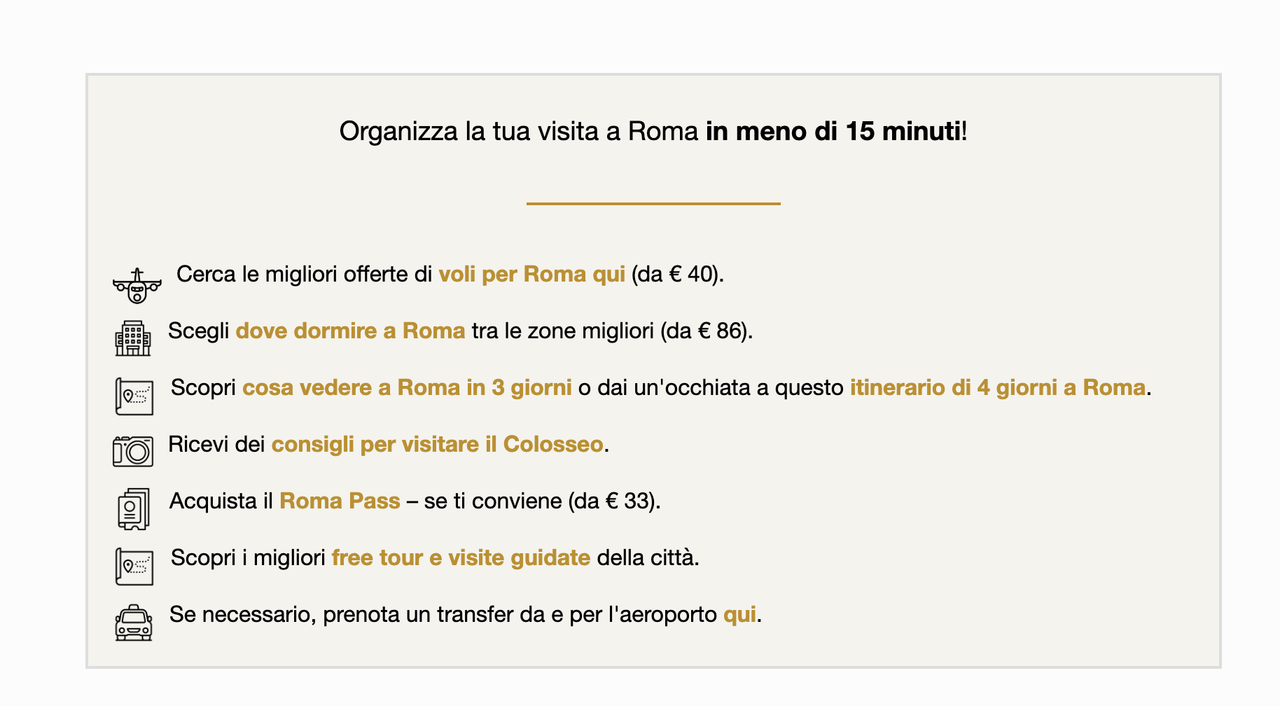
any suggestion?
Thank you
 Anamaria
 Hello,
You have the mobile theme plugin activated. When the mobile theme plugin is used; you need to set for pages the page content in the mobile editor using only the options from that editor – https://i.imgur.com/p8EqE1b.png. also, there is an option to disable the mobile theme from a page/post – https://i.imgur.com/d3kTBRf.png. This option appears in the Gutenberg editor. After you disable the mobile theme on the page, you can use the responsive version.
Using our theme, you can choose from 3 mobile versions
-> mobile responsive => https://www.screencast.com/t/oJ2ShOp47
-> mobile theme plugin => https://forum.tagdiv.com/the-mobile-theme/
-> mobile page => https://tagdiv.com/newspaper-10-3-7-update-brings-customizable-and-fast-mobile-pages/ The option that you need to use.
Suppose you created the mobile pages with tagDiv Composer. In that case, when you install the Mobile Theme plugin, your pages will be overwritten by the plugin (the mobile theme comes with its templates for page, post, category, etc, so your current templates from the desktop theme will get converted to the mobile theme layout, the page content is made without builders in mobile editor => https://www.screencast.com/t/xbgZG8kH also, the options that are provided to edit the mobile theme version are limited (this keeps the things simple)).
This is a video about Responsive Newspaper Theme, AMP & Mobile Theme, Mobile Pages & Templates -> https://www.youtube.com/watch?v=SpGkOnJeNZY.
So, the mobile responsive is what you see when that you select the viewport on phone => https://www.screencast.com/t/matV17hH, so some settings may apply for each viewport(where is the border blue), and others are not(where the border is black).
The mobile page has the mobile templates from Cloud Library => https://www.screencast.com/t/YCcZ8rL8
The Mobile responsive version of the theme and the mobile page editor can be edit with tagDiv Composer, the mobile theme plugin cannot.
For example, you can have the mobile theme plugin activated and use the mobile page/mobile responsive version for the homepage/pages, but for the categories pages/404 page, you can’t use the mobile page/mobile responsive version if you have the mobile theme plugin activated.
So, if you want to design the pages with tagDiv Composer, you can use the mobile page or mobile responsive version.
Thank you!
 echavando
Not sure why but content on pages is not showing up on mobile. Please help.
https://onlinetradingfoundation.com
sample page:
https://onlinetradingfoundation.com/marketing-coach/
 Greg
GregHello TagDiv Support Team,
I am using the TagDiv Newspaper theme, and I have an issue with a black bar appearing below the navbar menu on my website.
I have attached a screenshot for reference. Could you please guide me on how to remove this black bar? Is there a setting in the Theme Panel or do I need to add custom CSS?
Looking forward to your help!
Best regards,
Gregor


 panos.fasoulis
 i fixed it by adding the following in functions.php I am going to leave it here in case someone needs it. But i am still curious if i did something wrong and there was an easier way like with the password
add_filter( ‘wp_mail’, ‘custom_modify_activation_email’, 10, 1 );
function custom_modify_activation_email( $args ) {
// Check if email is activation email by looking for unique strings.
// subject “Activate account” message “action=tds_validate”.
if ( strpos( $args[‘subject’], ‘Activate account’ ) !== false ||
strpos( $args[‘message’], ‘action=tds_validate’ ) !== false ) {
$args[‘message’] = str_replace( ‘wp-login.php’, ‘my-custom-login-page’, $args[‘message’] );
}
return $args;
}
add_action(‘template_redirect’, function() {
if ( isset($_GET[‘action’]) && $_GET[‘action’] === ‘tds_validate’ && strpos($_SERVER[‘REQUEST_URI’], ‘my-custom-login-page’) !== false ) {
$query_string = $_SERVER[‘QUERY_STRING’];
wp_redirect( site_url(‘/wp-login.php?’ . $query_string), 301 );
exit;
}
});
 nitzanginsberg
Hi
In mobile only in the posts and category pages there is a issue with the header as you can see,
Search and the menu is clashing (I already reminded you that you are not ready for RTL…..)
How can i fix it please ?? The CSS code you provide in last case not working !
https://comedychildren.com/category/%d7%9e%d7%a1%d7%9a/
Please advice
Nitzan
panos.fasoulisHello,
Can someone point me to the right direction as to where i can find the url that is passed to the verification link since it shows wp-login which I do not use and i want to create a filter to replace the string wp-login with ‘my-custom-login-page’ ?
I checked tds_email_notifications.php but did not find anything. I only see
$dashboard_permalink
$account_details_permalink
$subscriptions_permalink
for password reset mails i added this and it works fine. Is there anything similar for the verification link?
add_filter( ‘td_login_password_reset_link’, function($password_reset_link) {
return str_replace( ‘wp-login.php?’, ‘my-custom-password-reset-page/?password_reset&’, $password_reset_link );
});
I am trying to find the name of a similar function for the verification link but i don’t seem to be able to find it
 seamie1990
Hello, I would like to make the text of a post headline red and black, link in our example here:
How do I do this?
 dusanpranj
I opened tagDiv composer on the homepage, but a few weeks ago, I lost the ability to enter the Instagram and Facebook fixed counts; I don’t have a field to enter numbers. Error example: https://ibb.co/7dHsgpXK
 michael1383
Hello
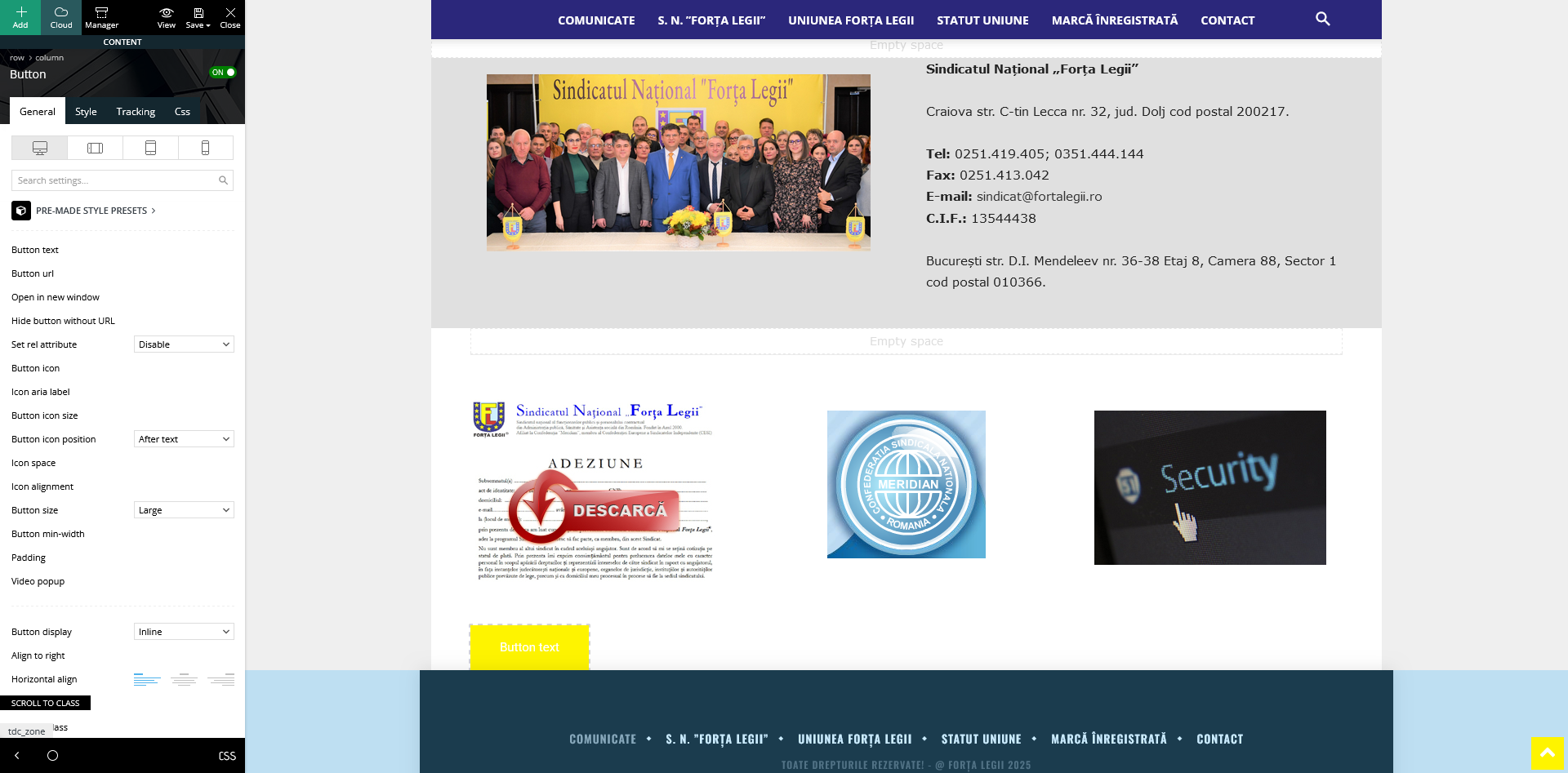
When I start building the first page, many attributes from the theme’s functions do not appear. For example, if I want to add a text or a button, the options to edit the text and link URL do not show up. I have attached a picture with an example of a button where the option to modify the text and add a link is missing. I specifically mention that I have changed the “disable” setting for the link, but nothing appears.
 medialubaczowskie
 @Simion C.
Could you tell me how to change the ‘Comment background’ with the number of comments to a color other than the default one?
Example: when there are 3 comments under an article, the color changes to red. by default it is blue – set in the panel.
 Simion C.
 Hi,
That seems to be a code related to the rank math plugin. You need to add it in the theme functions file, or with a plugin like this one https://wordpress.org/plugins/insert-headers-and-footers/
But before entering it I see you have to enter the IDs of your guest authors. Are they regular user accounts or guest author accounts added by a plugin?
Normally the IDs can be seen while editing the profile of the user, for example https://prnt.sc/qRJPDFO8No5Y -> https://prnt.sc/Qq-ogm_gdHwW The ID of that user is 2.
Once you replace the IDs in the code with yours https://prnt.sc/7-GZZrbQOawY then the code can be loaded on the website using the methods I mentioned.
Thank you!
Davidpinto Hi Anamaria,
I don’t use AMP, i use Mobile option in settings.
I resolve in translations, thank you
Anamaria Hello,
Please disable AMP. AMP is deprecated as of January 2023-> https://developer.bigcommerce.com/docs/storefront/wordpress/platform-integration/enabling-amp, so we no longer recommend it.
Please check this topic where I explained each mobile version -> https://forum.tagdiv.com/topic/mobile-version-not-working-properly-2/
Thank you!
Anamaria Hello,
Please disable AMP. AMP is deprecated as of January 2023-> https://developer.bigcommerce.com/docs/storefront/wordpress/platform-integration/enabling-amp, so we no longer recommend it.
For About Us or Follow Us, you translate them from Theme Panel -> Translations-> Translations, or you can set a space, and then it will not be displayed.
Thank you!
 sharif
hello sie. your newspare is good themes but i am applay themes ,this themes is show pc desktop perfectly.v but this themes is not showing in mobile . and amp error. when i scan for prfomanse. please help me . i am sending to email but not responding
 rafo04
 Thank you for the answer. I understand this, but I need to select three categories in each post, and I want the block to show only one. The other two never fall under the auto-selection. For example, I have the categories ‘Politics’, ‘Announces’ and ‘News’ and I want the Announces and News not to be displayed in the block, but to write Politics
Hi Bettina can you suggest a way or custom code so that popular news works not only by views, but also by publication date, for example, so that the filter works not for all time, but for example for the last 7 days



