
- ApiPractical example – How to add a new Block and Module
- Apitd_api_top_bar_template::delete
- Apitd_api_top_bar_template::update_key
- Apitd_api_top_bar_template::update
- Apitd_api_top_bar_template::add
- Apitd_api_single_template::delete
- Apitd_api_single_template::update_key
- Apitd_api_single_template::update
- Apitd_api_single_template::add
- Apitd_api_footer_template::delete
- Apitd_api_footer_template::update_key
- Apitd_api_footer_template::update
- Apitd_api_footer_template::add
- Apitd_api_smart_list::delete
- Apitd_api_smart_list::update_key
- Apitd_api_smart_list::update
- Apitd_api_smart_list::add
- Apitd_api_thumb::delete
- Apitd_api_thumb::update_key
- Apitd_api_thumb::update
 Calin
Calin Hi,
The theme need to create thumbs for each thumb enable in theme panel -> https://forum.tagdiv.com/theme-thumbs/ if the images that you are uploading in media library are to small the theme can not create these thumbs, therefore you need to use a plugin to regenerate the images to the size that your theme needs -> https://forum.tagdiv.com/thumbnails-fix-strange-looking-images-on-blocks/
If the problem persist please provide me a link to your website and some example.
Please enable only the thumbs dimension you use.
Hope this will help you!
Thank you!
Calin Hi,
1. Please make sure that all the settings are like in our requirements, please follow the guide carefully
– https://forum.tagdiv.com/requirements-for-newspaper/
and please increase all requirements that are lower, and follow all steps.
2. You need to add the shortcode of that plugin in a text element -> https://i.imgur.com/psfzjh6.png or using tagDiv Composer in a column text or text with title like this -> https://i.imgur.com/uvZ6rFM.png -> https://i.imgur.com/iI7cKGE.png
3. This tdb_action=tdb_ajax is related to the infinite loading functionality, the ?tdb_action=tdb_ajax can be found in wp-content/plugins/td-cloud-library/includes/tdb_ajax.php
4. The icon that you click is in a link and the link have set the href “#”, when the icon is click/touch the action is generate and is set in url # -> https://www.w3schools.com/tags/att_href.asp
5. If you are using a pro demo, the footer is a cloud template, then you’ll need to edit it from a page, for example, you can edit the homepage, click on edit with tagDiv Composer -> https://i.imgur.com/uweNRrc.jpg after that go down to the footer end edit it how you want (now you can customize the the whole web-page from fronted).
You need to check in theme panel > footer > footer settings -> https://i.imgur.com/z3JQNuU.png there can be three options, you can have set a footer template from tagDiv Cloud Library -> https://i.imgur.com/r5DInHz.png or you can have set a footer page -> https://i.imgur.com/V8gU4MB.png or a standard footer styles -> https://i.imgur.com/rb4GIOm.png
I think that you are using footer style 1, if yes, this is a premade footer and it can not be edited -> https://i.imgur.com/a2Cnksj.png therefore you can not edit the elemnts from it, you can only add more in footer 1,2,3, if you want to edit the footer you can choose an empty footer and set the widgets you want in it -> https://i.imgur.com/dhVshoH.png -> https://i.imgur.com/WnezpeD.png or you can use a footer page.
6. If the header appear like this -> https://i.imgur.com/OBC4Z2P.png thene you use a cloud template, you need to edit it with tagDiv Composer like this -> https://i.imgur.com/u36fXKq.png
If you use a standard header -> https://i.imgur.com/B9H7fGR.png
Thank you!
 AdminDetikBolaAsia
My website posts is not updated in Mobile viewing after i update new mobile theme with AMP. Meanwhile my posts was updated in desktop view. Here is my website https://www.detikbolaasia.com I need keep clearing the caches so that my posts will be updated to latest. How to sovle it?
 sscom
sscom Hi,
I have the code issue also everytime I edit a specific page without TagDiv-Composer, but sometimes it’s necessary – for example, to change sites title in Gutenberg.
I don’t want to use Standard Pack, because you recommend to build the site only with Composer + Cloud Templates (https://tagdiv.com/newspaper-theme-update-standard-pack-or-tagdiv-cloud-templates/). But the error still occurs also with Standard Pack activated, as you can see here: http://test3.skispringen.com (user / userpasswd).
So what do I do wrong?
-
This reply was modified 6 years by
sscom.
AdminDetikBolaAsiaI just installed latest newspaper theme, install new mobile theme plugin with AMP. After i clear the cache and view my website https://detikbolaasia.com/ my Menu gone when i’m viewing with my mobile phone. Is there any way to solve it?
 sloope
Hi there,
is it possible to choose a different entry thumb and featured image? I want image 1 as my entry thumb on the top of the article – and image 2 as the thumbnail image for example in grids on my website.
All the best
 Incomily
Hi, if I use a wp bakery for a blog post, and I try to edit a text with your composer, I am getting an error:
“Error at rows: 1(models) : 2(dom). The model does not match the content Current state has involved an issue. You could try an UNDO operation (CTRL+Z / CTRL+SHIFT+Z)”
Is there a way to edit a content if it’s made via WP bakery, or no?
Best
Calin Hi,
On mobile theme the sidebar will be remove and for pages you’ll need to use the mobile editor to set a new content.
If you are using the mobile theme plugin, you’ll gain a better speed then responsive version of theme, but in order to achieve that speed you’ll need to create a new content for pages because in the most of cases those were made with builders ( tagDiv Composer, WPBakery ) and you need to use only the mobile editor ( you need to set the content for pages in mobile editor and this content will be display on mobile theme)
-> https://i.imgur.com/9d0UWLT.png
Also you can show the responsive version on mobile theme -> https://i.imgur.com/m0bVB5T.png you can check more details about mobile theme in our documentation -> https://forum.tagdiv.com/the-mobile-theme/ or if you want to have the responsive version only, you can use the amp option from mobile theme -> https://i.imgur.com/oofST3D.png (to use the mobile theme template on amp) or you can disable the plugin.
Thank you!
 rsiderov
I’m using Pulses PRO ready design. From what i understand, when we are using cloud templates we can only change them from “edit template” and not theme panel. But i can’t change font from either of them. Example: https://ibb.co/YPZfV5c What am i doing wrong?
Calin Hi,
Sorry I do not understand what you want to achieve, please provide some more details and some examples/screenshots.
Thank you!
Calin Hi,
Our theme do not have any option to translate the date, this can be translated only from WordPress if you change the language for example -> https://i.imgur.com/Beyzmq4.png results -> https://i.imgur.com/JvrwVl6.png
Please make sure that you have set the thee requirement as in our guide – https://forum.tagdiv.com/requirements-for-newspaper/
and please increase all requirements that are lower, and follow all steps.
If there is still a problem with cloud connection, send us an email at contact@tagdiv.com and provide admin login, as well as cPanel. We will take a look. Include a link to this topic in the email.
Thank you!
 Vlad S
 Hello !
There is a known bug meaning that if you activate amp plugin the plugin will look like it is inactive. This is just a display bug that will be fixed in the next update. You can press once on your AMP plugin and then test your website. You will see that AMP is running.
Thank you !
Calin Hi,
The amp ads will be display only for amp version, if you want to have ads on mobile then you can use normal ads from adsence in mobile ads -> https://i.imgur.com/NZimaWz.png.
Hope this will help you!
Thank you!
 Nagarig
1. Sometimes TagDiv Editor does not save the edited template. And sometimes it takes forever to save.
2. How to add custom or different widgets from another plugins to sidebar?
3. In Logs, I am seeing /post name/?tdb_action=tdb_ajax What is ?tdb_action=tdb_ajax
4. In Mobile view, why it shows # at the end of homepage URL/Post URL? For example: if we visit domain.com and open Menu from left side, URL change to domain.com/#
5. I am unable to edit Footer with TagDiv. There is no Option to Edit with TagDiv.
6. I have increased Row Width of Menu Bar but now I can not see STICKY MENU option in theme panel.
Please Help. 🙂
Calin Hi,
Make sure that you do not have a plugin conflict, please deactivate ALL plugins except tagDiv plugins, also if you are using child theme or cache plugin, deactivate them, clear all cache and try again.
If you are using the mobile theme plugin, you’ll gain a better speed then responsive version of theme, but in order to achieve that speed you’ll need to create a new content for pages because in the most of cases those were made with builders ( tagDiv Composer, WPBakery ) and you need to use only the mobile editor ( you need to set the content for pages in mobile editor and this content will be display on mobile theme)
-> https://i.imgur.com/9d0UWLT.png
Also you can show the responsive version on mobile theme -> https://i.imgur.com/m0bVB5T.png you can check more details about mobile theme in our documentation -> https://forum.tagdiv.com/the-mobile-theme/ or if you want to have the responsive version only, you can use the amp option from mobile theme -> https://i.imgur.com/oofST3D.png (to use the mobile theme template on amp) or you can disable the plugin.
If there is still a problem, please provide me a link to your website to can inspect them.
Let me know the results!
 vivekchavhan
 but mobile theme not work properly my page post and widget not show when i mobile+AMP active not work smoothly
 demcrumblies
Hi there,
How can I change the review star and overall number score color?
Thank you.
 Times-Independent
Mobile menu font size not updating when changed in theme panel> theme fonts> mobile menu. Cleared cache … no changes. AMP plugin is activated. Please advise.
 Msspirit
i can remove my Newsmag form old website and used in my new website?
because i dont use my old website i just create new one
Newsmag – Newspaper & Magazine WordPress Theme
Regular License
 sobelarry
Hi there,
I recently discovered that when I put my mouse on any images on my site, a Pinterest “Save” button appears. My page is https://biologydictionary.net/water-cycle/, I’ve attached a screenshot here: 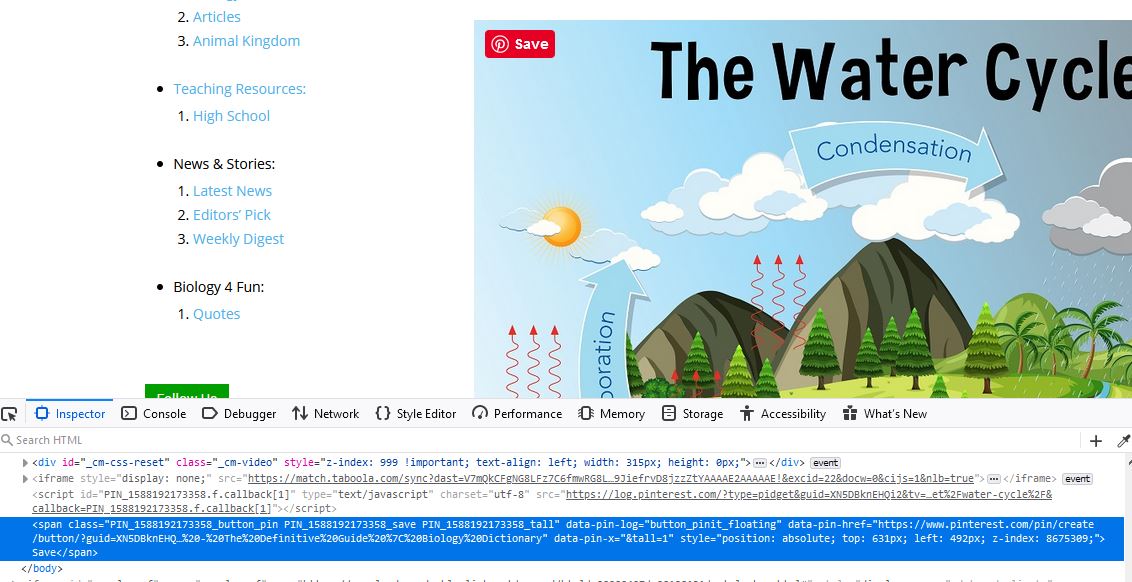 .
.
Sometimes the button won’t appear the first time the page is loaded, but when you hard refresh it, or jump to a different post page, this button appears.
Can you please look into it and let me know how could I remove this button? Thanks!
 elvisfrog
 Tried, it does seem to make the space as you can see it is there:
https://fortworthbusiness.com/business/eat-local-eat-often/
Shows here: https://fortworthbusiness.com/business/eat-local-eat-often/?amp
Ps. I assume you meant a closing tag </div> not <div> so tested the </div> for the closing tag.
-
This reply was modified 6 years by
elvisfrog.
 Anurag_123
AMP Official Plugin are not being activated why?
 ludyma
 Hi.
You are right not to understand, you make the copy of the question wrong.
The question is how do I change that block at the bottom of the page that is always seen, how or where is that option to change or remove it.
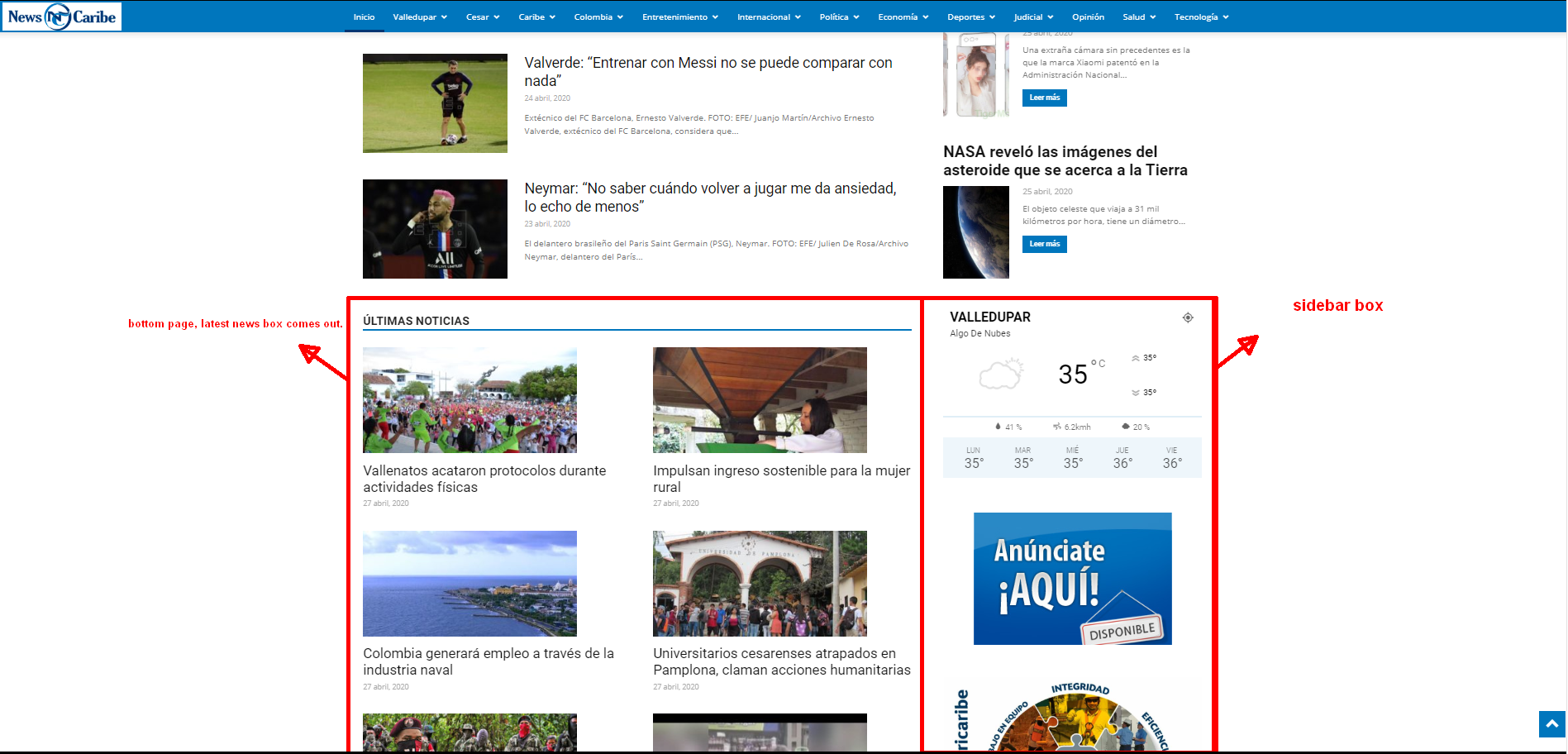
The css options is added for the selected block. That can help when you want to add extra css to that specific class.
An example of how to do it can be more specific.

 Topfgartenwelt
I have implemented AMP Ads on my mobile blogposts via the mobile ads options but now the problem is that they are not showing up on none AMP-Pages as the normal mobile pages outside the cache from Google. So have I also to implement the normal AdSense Code beside the one for the AMP-pages in the same slots?
Greetings Kathrin
 rfoehring
 It works that way now.
I had previously used the described type (data-scroll-to-class), for example from the “Dental Studio” template.
Anyway or what the difference is, for me it is important that it works now. Thank you.



