No search results were found in Documentation!
 Bettina
 Hello Megan!
Yes, you should add the element that takes the description automatically. For example, the author box element: https://prnt.sc/PqK4BUS20oEG
In the next update, you will see the new logo for Twitter.
Thank you!
 Atyllo
Hi everyone,
i have a problem with TagDiv Composer. I have 2 websites, the first one is actugeekgaming.com, on this one i can edit every page or post with tagdiv composer. But the second one, resumetonlivre.com, i can just edit the home page but not all the website and i don’t know why. It seems that i have to DL a pre-designed template from the cloud library but i can’t.
The goal is that i can change my post template and remove author box from posts or other things.
Here is some images :
https://zupimages.net/viewer.php?id=23/35/3lu8.png
https://zupimages.net/viewer.php?id=23/35/cfs4.png
https://zupimages.net/viewer.php?id=23/35/wzky.png
Thanks for the help,
Best regards,
Atyllo
 thisismyusername
Hello,
Using Newsmag 5.4.1
I’ve Big grid 4/5 elements on my home page.
How to remove ‘Author’s name’ from them (it is only shown on the largest box in Big Grid 5, and two largest bxes in Big Grid 4)?
I do not want to affect it in any other places, only remove the ‘Author’s name’ from Big Grid elements.
https://paste.pics/6292b0ae41baa06474c2c845108aca87
Thank you and best regards.
 RNkhabri
 How to Fix Author Box image Alt
https://drive.google.com/file/d/1E3SnOydExAJxlpEwgk0aKL80fIORxLRs/view?usp=sharing
Check Screenshot and please help and guide
RNkhabriwebsite: setlifestyle.in
How to Fix Author Box image Alt
Check Screenshot and please help and guide
 Anamaria
 Hello,
Please let me know what element you use. If you use the authors box element, you can’t add more information.
Thank you!
 jim-2
jim-2I don’t have the author box appear under my posts. I think some time ago I may have disabled them somehow, but I want them back. Can anyone help? Thanks
 ThrustMedia
 And I’m also receiving this error from my author box:
Warning: Attempt to read property “query_var” on bool in /home/customer/www/livelovelocalmi.com/public_html/wp-includes/taxonomy.php on line 4589
I’ve added a plugin to place the avatars directly vs using the external site. I don’t want the external site for my avatars. I’ve disabled comments on my page so I do not need this external service.
Thank you!
 titikkoma
 Hi Anamaria,
i have the same problem.
I have disabled “AUTHOR BOX”
The pictures and the box are missing. But the author’s name still appears at the bottom of the page (before the footer)
I don’t know what to do anymore.
 Calin
Calin Hi,
If I understand correctly, you are using a single post template and you want to edit the author box for it, right? For this you need to edit the single post template using the tagDiv Composer and got the author box element, select it, and do the necessary settings (this will be applied to all posts that are using that single post template).
If you are referring to that author cloud templates this can be edited from here – https://i.imgur.com/7nHE3PQ.png and you can also apply it individually in the theme panel – https://i.imgur.com/pmlSUZ6.png
I hope this will help you!
 forcenews
Hello,
I need help.
I have created a new Single template called “Author1” using the global settings.
In the “Author1” Single template, I want to add the Single Post Author Box at the end of the article.
Questions:
How do I configure the Single Post Author Box for “Author1”?
What should I do to display the “Author1” Single template layout instead of the global Single template layout (without the Single Post Author Box) for Author1 publications?
Calin Hello,
That element is on this path wp-content/plugins/td-cloud-library/shortcodes/single/tdb_single_author_box.php and you can edit it from there, unfortunately, the problem is that the cloud templates can not be set in a child theme, also, there is no possibility to use the tagDiv COmposer on that element to achieve what you need, sorry! The only possibility is to make the changes in the theme files after each update.
Thank you!
 bob_thompson
My site uses a custom author box with includes
* additional usermeta fields (e.g. company name, author rank)
* a user badge that displays only for authors with certain metadata
You can see an example at https://customerthink.com/author/clearaction/.
This was easily accomplished by overriding loop-single via a Newsletter child theme.
Now I’m trying to use TagDiv Composer which has a Single Post Author Box, but it doesn’t include the info/logic I need.
I’ve searched and can’t find a way to either
a) create a new custom element that I can use TagDiv Composer to manage, or
b) customize/override the existing author box element.
Thanks for any help you can provide.
 PIF21
PIF21Hello,
This morning I noticed that the authors’ information no longer appears in our posts/articles. I opened up a post and searched within the widgets for author box options. The old Author Box widgets seem to have been replaced with new author widgets. There seems to be no transition from the old author widgets to the new author widgets and all of the articles now no longer show authors. Is this an error in code that will be updated? I really don’t want to have to go through all of our published articles and replace the author boxes that were located above and below each article. Please advise. Thank you.
 muterobert
The Author Box element has a section for ‘Social Icons’ visual settings, but where do I actually define which social icons appear in the Author Box?
Bettina Hello @coinedition!
Unfortunately, we do not have an already build template with a list of authors.
But, you can create one blank page template for that page with the same slug URL: https://coineditio1stg.wpengine.com/author/ and customize it in the tagdiv Composer.
In order to display the author there, you can use the elements from Composer called ” Authors box ” or ” Team member “.
Thank you!
 Praga
Praga Hello Calin, I never write to you, but when I do you see, sorry 😉
By this I mean More Article Box, which allows you to put from 1 to 6 articles in that “pop up” or box. And that articles by author, category, random and others jump…
But the one who chooses the latest news, I think should be allowed to choose for example, or even the others:
1-last day
2- 72 hours
3- One month
4- 1 Year
But just leave a box that says what time you want and that everyone put what they want.
At the moment, and playing code, how could I post the latest news from 1 month ago?
Thank you very much again Calin
 theleaderdotinfo
Looks like the site got hacked so I ran an update. Cannot see all the “Cloud Templates” now. Only “404 Template” and the start of “Author Template” are listed. Error is:
There has been a critical error on this website. Please check your site admin email inbox for instructions.
Learn more about troubleshooting WordPress.
Running Newspaper 11.4 with “Week PRO” template on latest version of WordPress 6.2.
Any ideas on how I can tourbleshoot this?
Thanks, Neil.
 chrisfoxatx
I’m customizing the single (detail) page.
I bumped into these issue yesterday and today.
1) After adding a flex block (1) in the sidebar (column set to sticky) it started to flicker when it reaches the point of the next fleck block (1) in a full width row below.
2) I’ve been rebuilding the whole page from scratch all day. Now when I have already a flex block (1) in the sidebar, and I add a few more at the bottom each in their own row with a full width, they show correctly in the builder, but not in the resulting page.
3) I copied some elements from the original single page (Gossip Pro) on another page. The gray author/date box is showing up on the mobile viewport, even though it’s nowhere in the builder on any viewport….
Are there any issues about reusing the same type of element?
Anamaria Hi,
You can remove the Single Post Author Box using Edit with tagDiv Composer with a right-click you can delete => https://i.imgur.com/BnhhxVh.png , or selecting the element and with drag & drop place into the deleting red zone from the bottom right of the page => https://i.imgur.com/vkQVCjn.jpg the same for comments.
Thank you!
 jafl
jafl
 libertylens
 For some reason, the TagDiv Composer and the Author Box module seem to be disabled, but according to the installed plugins, the composer is active.
Anamaria Hello,
If you have installed a Pro prebuilt Website, you can hide the author name from the block with tagDiv Composer => https://www.screencast.com/t/wEdPdPyp2ChA , edit the page and select the block you want to edit and in the tab called “Layout” you can hide the author => https://www.screencast.com/t/fjrVaQm5IX the same for comments.
You can remove the Single Post Author Box using Edit with tagDiv Composer with a right-click. You can delete => https://i.imgur.com/BnhhxVh.png , or selecting the element and with drag & drop place into the deleting red zone from the bottom right of the page => https://i.imgur.com/vkQVCjn.jpg the same for comments.
Thank you!
 Laura
LauraHello,
I’m sorry, I have again a question.
I built a custom author page. As example I used the Romania news pro author box.
I’m using the font “Rubik” like the example does.
Unfortunately the font doesn’t load at all, I can see it in the developer tool in my browser. The Google fonts are turned on in the theme panel.
In the tagdiv composer everything is fine and the fonts are loading from Google.
Do I have to manually add them with @font to my css or something? I thought they will load automatically.
Here is my authors page
Thank you very much!
Best wishes and have a great day
Laura
Calin Adding multiple authors to your articles
Content
In this tutorial we will show you how to implement multiple authors to your posts using the Co-Authors Plus plugin.
We will make the implementation in the child theme so it will be easier to manage on theme updates. You will need to install and activate the Co-Authors Plus plugin first.
Adding the multiple authors is a three step process.
- Step 1 – Adding the required functions in your child theme functions.php file.
We created 2 custom functions for the author and for the author box which we can then call on the post styles and not have to use the entire functions each time.
Add these functions in your Child theme functions.php file: https://pastebin.com/ciYrSZvQ These will create the custom implementation to add the co-author and the author box for each co-author in particular.
- Step 2 – Adding the single post templates to your child theme.
In your main child theme folder, you will need to create the following folder structure:
Newspaper-child/parts/single
Then, under the “single” folder add both the single-template and the loop-single files for each of the post styles you use on your articles.
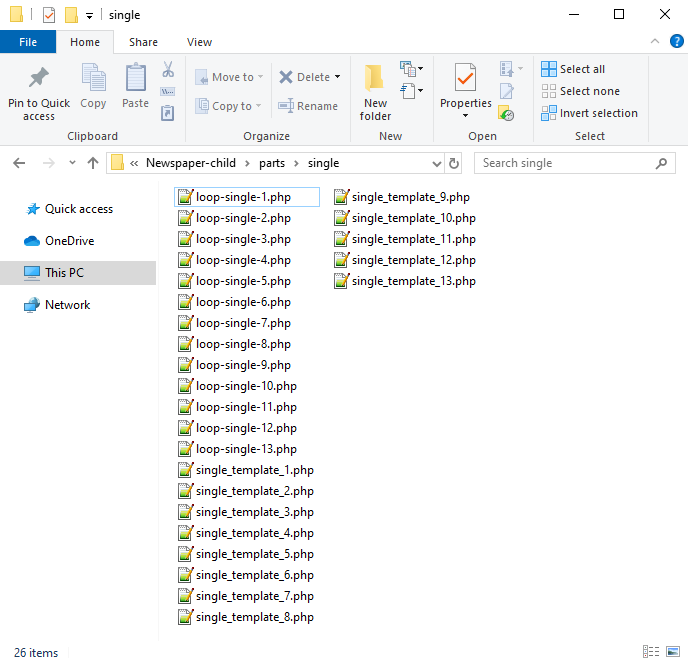
Now you will have to identify where the author is being called in each post style.
For styles 1, 5, 9 and 10 you will find the author code in the loop-single files while for styles 2, 3, 4, 6, 7, 8, 11, 12 and 13 the code is fount under the single_template files.
Edit the files corresponding to the style you want to apply the co-authors to and then call the functions added at step 1. Replace the default author and author box codes:
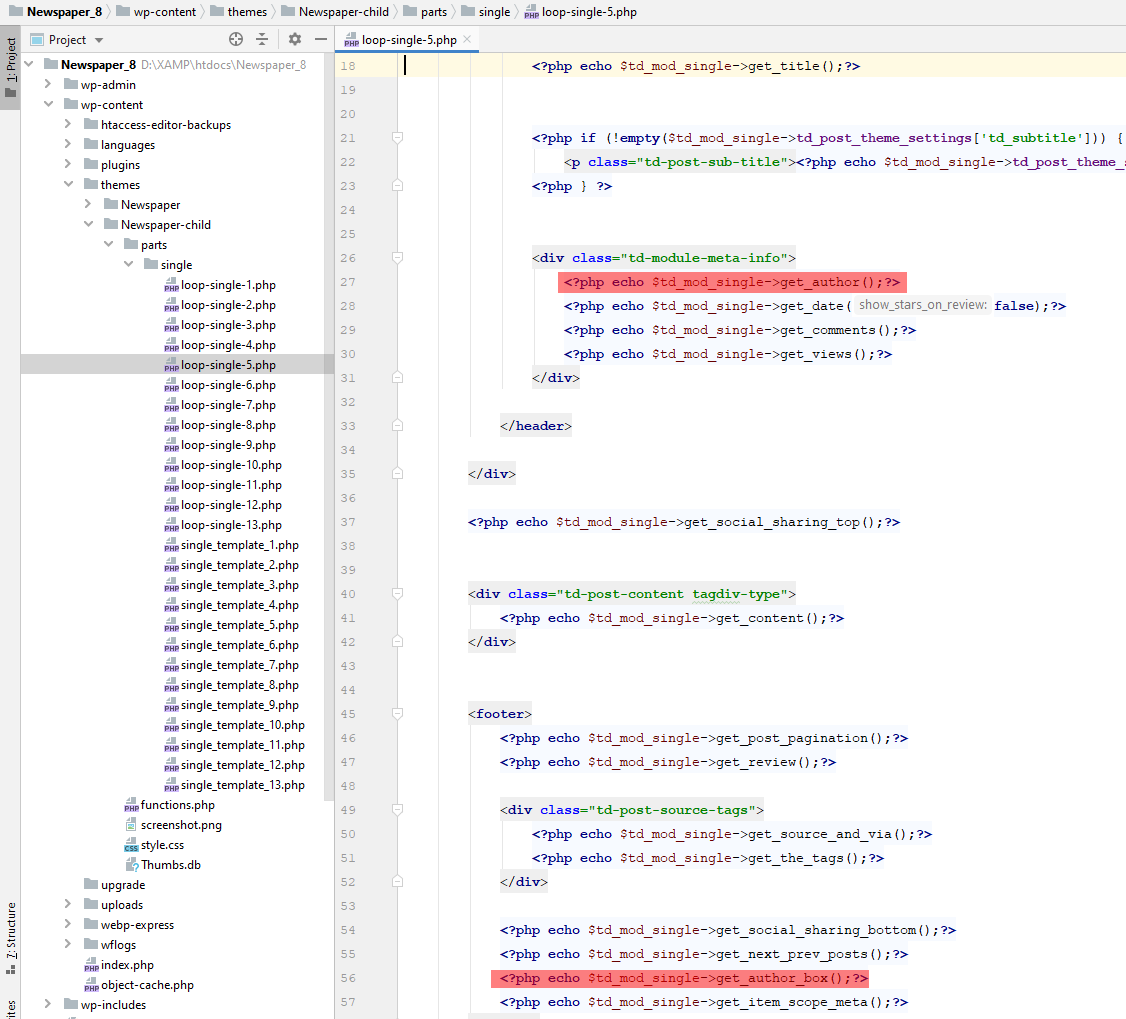
Replace the highlighted code with the following codes:
<?php echo td_get_post_coauthors();?>
and
<?php echo td_get_post_coauthors_box();?>
Maintain the codes position in the .php file though for proper results. \
- Step 3 – CSS styling
In order for the co-authors to position properly we also need a bit of CSS code to ensure proper styling so please add the following CSS code in the the theme panel under custom code-> custom CSS:
https://pastebin.com/dRaStewQ
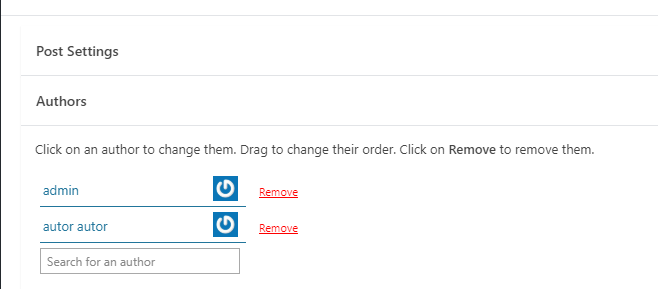
Now you simply need to edit your post and add multiple authors using the plugin author field: