
- NewspaperFlex Block Builder and Flex Loop Builder
- NewspaperHow to use the Flex Blocks cache option
- NewspaperHow to edit modules for Flex Block X
- NewspaperHow to insert a block inside the content of a post
- NewspaperFlex Block Settings Guide
- NewspaperMeta Info on Modules and Blocks
- NewspaperTheme modules and blocks
- TutorialsDefault Block Settings Guide
- NewsmagBlock settings tutorial
- NewsmagCategory tag on modules/blocks
- NewspaperThumbnails – Fix strange looking images on blocks
- NewspaperBlock settings tutorial
- NewspaperCategory Tag on Modules/blocks
- ApiPractical example – How to add a new Block and Module
- Apitd_api_block::delete
- Apitd_api_block::update_key
- Apitd_api_block::update
- Apitd_api_block::add
- ApiAPI – Blocks – Introduction
- NewspaperWP Rocket and Newspaper Theme: Optimization Guide
 Bogdan B.
 Hello Habhajan,
I have checked your website and found that the problem is caused by this image here:
http://screencast.com/t/jkiWFPiBbzv
There is a problem with the sidebar layout and it seems that the image container is stretched over the block element. Please try to rebuild your sidebar in visual composer and if you want to display the image as an ad you can use the ‘adbox’ element. You can read more about using other ads here: https://forum.tagdiv.com/using-other-ads/
I hope this helps!
P.S. You can also regenerate your thumbnails so the featured images will display properly.
Thank you!
 khymo1
Hi,
Could you tell me the procedure to place the https protocol on the font list google?
I have indeed blocked https content because of it
Thanks
Nathan.
 habhajansingh
Hello,
The block “Latest” in my website http://www.asiasamachar.com is not working. The posts are not clickable and also the “next” button inside the block is not working.
Kindly assist please.
Thank you,
Habhajan
 Andrei L.
 Hi
You could add a specific tag for that post: http://screencast.com/t/NNQ6kZKib then use it in Visual Composer to target the post, in block settings, for every page: http://screencast.com/t/vU3GXc3g9G – http://screencast.com/t/iMj3e0yfr1fn The result would be like here: http://screencast.com/t/i6m8gtbo8
Also you can try this with a specific category.
Let me know how it goes.
Thanks!
 Emil G
 Hi,
Try the following css: – http://screencast.com/t/MwkGwHEww
.td_block_12 .td_module_11 {
padding-bottom: 0px;
}
.td-footer-wrapper {
padding-top: 0px;
}
.td-main-content-wrap, .td-page-content {
padding-bottom: 0px;
}
.td-footer-wrapper .td_block_3 .td_module_1 {
padding-bottom: 0px;
}
.td-footer-wrapper .td_block_wrap {
margin-bottom: 0px;
}
Thank you!
-
This reply was modified 11 years by Emil G.
Andrei L. Hi
You need to edit the files td_smart_list_7.php and td_smart_list_8.php add this line of code like here: http://screencast.com/t/gXAIgFblg
$buffy .= do_shortcode('[td_block_ad_box spot_id="content_bottom"]');
The result should be like here: http://screencast.com/t/Et2xbyVMKfp8
If you want to display a different ad then article bottom ad, replace in do_shortcode function the shortcode with the one for your ad: http://screencast.com/t/IYPLoXEG9 – http://screencast.com/t/pFkibIBQ
Thanks!
-
This reply was modified 11 years by Andrei L..
Bogdan B. Hello amn2892,
You can make your website blocked version simply by setting a background color or a background image.
The margins and borders on the site you specified are custom added. There is no option in the theme panel for borders and there is no way to set them globally. You have to target each element and style it using css.
As for the black border, please provide a link to the problem (to your website) so we can inspect it and find a solution.
Thank you.
 m0st0r
Hey Guys, how can I add the ads-block below the picture at smart-list-7? Take a look at the screenshot.
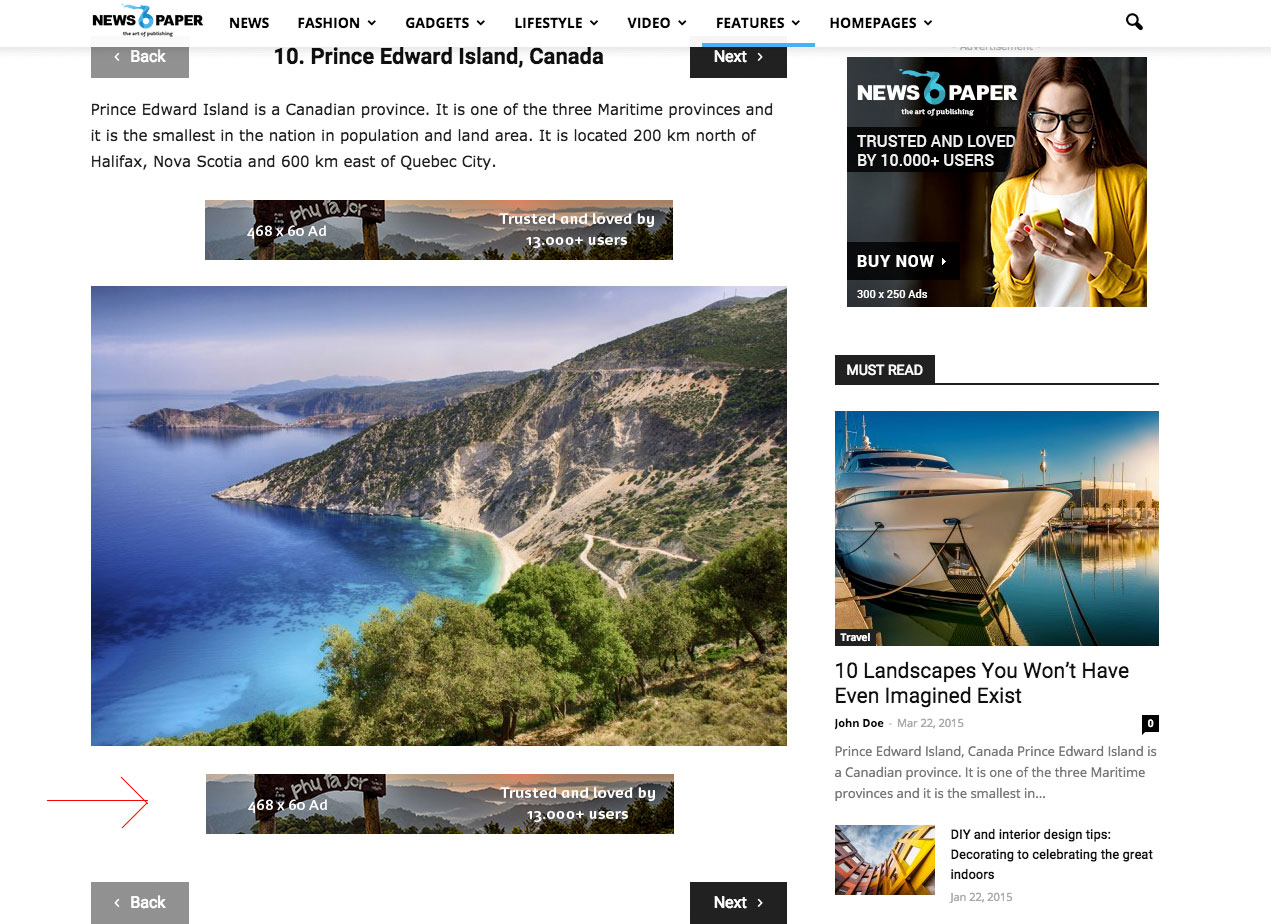
Andrei L. Hi
Try this custom css:
@media (min-width: 1021px){

.td_block_12 .td_module_11 a img{

height: 235px!important;

}

}

.td-page-content{

padding-bottom: 0;

}

.td-footer-wrapper{

padding-top: 0;

}
The result should be like here: http://screencast.com/t/I1ZjZy3PYVi – http://screencast.com/t/yCuOCt2Uk
Thanks!
-
This reply was modified 11 years by Andrei L..
Bogdan B. Hi,
The screenshot i provided above shows this exact thing: http://screencast.com/t/CWxh0rTwt. In visual composer, when you add a new element the settings appear by default. You can enter block settings again by clicking on the pencil icon that appears when you hover over a block.
Please read our documentation for more info on block settings: https://forum.tagdiv.com/block-settings-tutorial/
Thank you!
 schindyguy
Was reading in another thread about using fb comments plugin: https://wordpress.org/plugins/facebook-comments-plugin/
but I’d like to move the location of where the fb comments appear to directly below the article. The plugin allows for the shortcode [fbcomments]
You can also insert the comment box as a shortcode into any post, page or template and use your own settings for each time you do it! Simply use the shortcode [fbcomments]
however when I try to add it to loop-single-5.php for example, it just prints the words [fbcomments] where I want the comments to appear. Do I need to add it to single_template_1.php?
http://screencast.com/t/9uoWD9tIXeP
Is there a better way to directly add fb comments to newspaper? If I generate the code on https://developers.facebook.com/docs/plugins/comments#configurator it gives me the facebook sdk to add to “ideally right after the opening <body> tag.” and then add
<div class="fb-comments" data-href="http://developers.facebook.com/docs/plugins/comments/" data-width="100%" data-numposts="5"></div>
Thanks!
Bogdan B. Hello Steven,
Here is the code needed:
.td_block_6 .td_module_5{

border-bottom: 1px solid #032357!important;

}
I set it to 1 pixel height. If you want the border thicker just increment this number.
result: http://screencast.com/t/iGnc52c1kD
Thanks!
Andrei L. Hi
Try this custom css in Theme Panel > Custom Css: http://screencast.com/t/9psGeAjn
@media (max-width: 767px){

.author-box-wrap img{

    display: block!important;

}

}
Thanks!
 frontrunner
 “If you do not have enough posts, the blocks have nothing to display.”
Okay, my misunderstanding of what gets displayed on the Category pages … worked fine when I added a few extra temporary dummy posts … thank you !!
 amn2892
How to add margins or borders for each page, posts, widgets and blocks??
I found a website with borders for each with boxed layout..
techmymoney.com/
I want to add margins like that for each thing..
And i attached a image.
http://www.screencast.com/t/f0xd1zfK78G
In that i found something on single post page..
I want to know how to remove that..
please help me..Thanks
 Steven
I need another css code to change the border color under excerpt on block 6 from white to #032357 and make it solid line..thanks
Bogdan B. Hello,
I have checked your site again and i noticed you do not have posts in all categories yet. Make sure you have more than 5 post in a category, because the theme excludes the first ones which are displayed in the category top post. If you do not have enough posts, the blocks have nothing to display.
If this is not the case, please send an email at contact@tagdiv.com and provide wp admin so we can inspect the problem. Also provide a link to this topic here.
Thank you!
Bogdan B. Hi,
The file you are looking fore is called ‘td_block_ad_box.php’ and can be located here: http://screencast.com/t/tO88VK9S
Thanks
 Alin [tagDiv]
 Hi,
Please check the row settings for your page, as the tagdiv blocks were not been designed to be stretched – http://screencast.com/t/VtVDGo3e You can use only “default” and “stretch row” settings.
Also if you still have issue after this, please provide your site url so we can take a look.
Thanks!
Alin [tagDiv] Hi,
If you use the sort order featured is just like you’ve set featured category on block. The Big Grid block has only 5 spots so it doesn’t matter how many articles you have tagged featured, there will be displayed just the latest 5 featured articles. So when you add new featured post, it will be always added to the first spot of the Big Grid.
If you want a different sort order you could create a category to use it only to filter posts on Big Grid and you can change the sort order(alphabetical, popular..).
Another solution to control(how much is possible) the articles for Big Grid is to filter by tag, just add a tag for those specific posts and use option “Filter by tag” – http://screencast.com/t/jWJope3wf8 – http://screencast.com/t/KiFQDQav
Hope this helps!
Andrei L. Hi
First the css you provided won’t work because the syntax is not correct, the correct code should be written like this, with . before every class:
@media (max-width: 768px){ .td-pb-span4 .wpb_column .vc_column_container { display: none; } }
Second, I don’t know what widget do you want to hide, so for example if you want to hide this widgetised sidebar: http://screencast.com/t/eXMQ079q the css will look like this:
@media (max-width: 767px){

.wpb_widgetised_column{

display: none;

}

}
I’ve targeted the element’s css class and applied a css property on it. Note that you may need a more specific target, depending by your widget position, like here for example: http://screencast.com/t/kWGoS3gdoVPW
@media (max-width: 767px){

.wpb_widgetised_column .td_block_social_counter{

display: none;

}

}
For more details about css coding you can check this link: http://www.w3schools.com/css/default.asp you will find very useful information there.
Hope this help.
Thanks!
Alin [tagDiv] Hi,
If you use the default header style(1) the header ad appears above the menu on mobile device. If you add more custom ads bellow the menu, they will show up bellow the menu also on mobile.
Regarding 10 ads in the sidebar, the sidebar was designed to be displayed after the post content on mobile device so the ads will appear after the content(more accurate bellow the comment area). On page depends how you create it, for example if you use 1 row and add blocks there like this – http://screencast.com/t/jQtOPTV2xW The Sidebar will appear on mobile after the last block element from 2/3 column(in my case block10).
You can create your page and check it, just resize the browser window to see how it looks on mobile.
Thanks!
Alin [tagDiv] Hi,
The theme ad system was designed to work with adsense code, but you cannot add 2 codes in the same spot if this is what you mean.
A solution to have another ad(code) on mobile device will be to paste your code in a custom ad and use do_shortcode function to place it bellow the menu. I don’t know what header style you use, but for example if you use the default template(style 1) you will have to edit header-style-1.php file something like this – http://screencast.com/t/lNgxrndDO If both codes are adsense you can control the them from Theme Panel(disable/enable on specific devices) – http://screencast.com/t/qpivlfoce – http://screencast.com/t/Zm5sI295oJ If one of them is not adsesne you can use those div containers – https://forum.tagdiv.com/header-ad/
<?php echo do_shortcode('[td_block_ad_box spot_id="custom_ad_1"]');?>
Result: http://screencast.com/t/wRTRcHElUNn – http://screencast.com/t/c8gXY3uDqc
Thanks!
-
This reply was modified 11 years by Alin [tagDiv].
Andrei L. Hi
First you will need a function in td_block.php file http://screencast.com/t/W6v8IQZdCXCC which redirect the user to the category page when the button is clicked, then you need to call that function in every block used, instead of ajax pagination: http://screencast.com/t/PpVkPZCpVI4 Also you may need some css code for the button’s layout.
This changes requires lots of customization and unfortunately we cannot offer custom work as we work hard on the development, updates, fixes and support. You can look for a freelancer from sites like: http://studio.envato.com/ if you don’t know how to do it yourself.
Thanks for the message!
Andrei L. Hi
To add elements from Visual Composer after pagination you need to edit page-pagebuilder-latest.php file and use do_shortcode function like here: http://screencast.com/t/CrUCFPyG1v3 – http://screencast.com/t/UIx2rR45k1Mm
<div class="td-container">
    <?php echo do_shortcode('[vc_row][vc_column][td_block_3 limit="6"][/vc_column][/vc_row]'); ?>
</div>
First you have to create your layout in VC then switch in Backend editor, copy the code and paste it inside the function like in the above example.
Let me know how it goes.
Thanks!
-
This reply was modified 11 years by Andrei L..
