
- TutorialsDefault Block Settings Guide
- NewspaperWP Rocket and Newspaper Theme: Optimization Guide
- TutorialsFrom WPBakery to tagDiv Composer
- TutorialsOffset Feature
- TutorialsWhat is Ajax preloading?
 Calin
Calin Hello,
Intradevar this situation has to do with the “unique articles” option but it is a little different from what you say. This option makes an article not repeat on the page, so if this article appears higher in a block then it will be skipped, it is possible that you have mega menu or other blocks where those articles are displayed, so in the area where it is set by you the following articles that have not yet been loaded are loaded.
Have a nice day!
Calin Hello,
Checking as an unlogged user, everything seems ok regarding the structure of the flex block 1. Most likely, it is an extra plugin that is interfering. Please do a test using only the theme plugins, without cache on the site, and see if the situation persists. If the situation is not resolved, make a complete backup of the site and contact us by email at contact@tagdiv.com and provide temporary access to investigate this situation.
Thank you!
Calin Hi,
To add the pagination with load more button you need to use tagDiv Composer, select the flex block 1 and in the filter tab, check the pagination options – https://forum.tagdiv.com/flex-block-settings-guide/ https://i.imgur.com/PIAZJLN.png
Thank you!
 hdraye
Hi
I have a shortcode to place in a sidebar, and I want it on top of mobile view before other modules, or at least to place the shortcode in a flex block as a post or something.
I am having a wide sidebar on top of my page and it does not look good.
riyadhkey.com
thanx in advance
Hani
 dlogan2023
I added the post loop and selected popular posts – 7 days. Does it take a while to show up? I also enabled it in the block settings option. Is there anything else I need to do to make them show up? Thank you
 fuska
fuskaHello tagDiv Support Team,
I’m using the Newspaper theme (version 12.7.1) on my website oblo.it, and I’ve run a W3C HTML validation check that shows multiple errors related to <style> tags being placed inside <div> elements.
Error details:
Error message: “Element style not allowed as child of element div in this context”
Occurrences: 60+ times throughout the page
Validation tool: https://validator.w3.org/
These errors appear to be generated by the tagDiv Composer page builder when creating inline styles for blocks and elements.
My question:
Is there an updated version of the theme or a patch available that addresses these W3C validation errors?
Are you planning to fix this in a future release?
Is there a recommended workaround that maintains full theme functionality?
I understand these errors don’t affect the site’s functionality, but I’d like to improve the technical score and W3C compliance if possible.
Thank you for your assistance.
Best regards,
Paolo Fuschino
Website: oblo.it
 Jane Boursaw
On the page where I write the posts, the block settings and category options have disappeared.

Thanks for any help.
 PolishExpress
 I suspect that the issue is caused by the “unique articles” feature, which doesn’t handle well when a new module is split into two columns in a single row, and both blocks are set to display posts from the same category. Is there any way to work around this? For example, could the “unique articles” option be disabled just for these two blocks?
PolishExpressHello tagDiv team,
I’ve encountered a strange issue with my homepage layout in the Newspaper theme – https://polishexpress.eu
I created a new section for a new category – let’s call it X1.
The layout is a manually built row divided into two columns:
Left column: Flex Block 2 → displays 1 latest post from category X1.
Right column: Flex Block 1 → displays 4 posts from the same category X1, with offset = 1 to avoid duplicates.
The homepage has the “Unique articles” option enabled, and all modules are set to sort by latest posts.
Inside TagDiv Composer, everything looks correct – the right Flex Block displays posts in the proper order (from newest to oldest).
But after saving and viewing the page (logged in or logged out), the posts in this module appear in a completely different, seemingly random order.
Strangely, if I copy the entire homepage layout (including this module) and paste it into another test page, the order works perfectly fine there.
The issue only occurs on the main homepage.
I’ve already tried:
Clearing the built-in theme cache (no cache plugins installed),
Disabling the offset option,
Verifying that other homepage modules display correctly (and they do).
Still, the problem persists only for this new block.
Any guidance on how to fix this would be greatly appreciated.
 stefanegirard
 Thank you.
It is a Flex Block1 and now I want to decide that after 10 posts in the category of this Flexblock, the load more button appears for the visitor to see more posts.
Thanks
Calin Hi,
You can use on your homepage this css:
.td_flex_block_1.tdi_97 #tdi_97 {

    max-height: 580px;

    overflow: overlay;

}
It can be set in a raw CSS, after that you can change the number of articles that will be displayed, save the changes in tagDiv Composer and check it on the frontend.
Thank you!
Calin Hi,
Depending on the block used, if is a post loop or a flex block, you can search for pagination in search options and you’ll see where you can edit the font and color – https://i.imgur.com/kbs4HoY.png https://i.imgur.com/IHf8ejG.png
Thank you!
 Daniel John
Hello
I am using the Tagdiv composer to design my homepage, and some data does not display.
https://prnt.sc/n9m9JGRbVgP7
I am working on Flex block 1, and even when “show date” is ticked on, it still does not show.
There are other data that have refused to show, such as the author’s name and some others that I don’t remember at the moment.
 StefanGebala
Hi,
I’ve checked on Cloudflare Web Analytics that my CLS value is poor because of “div.tdb-block-inner.td-fix-index”
Here is a exmaple link: https://www.wyborkierowcow.pl/najlepsze-uzywane-samochody-z-benzynowym-silnikiem-1-4-tsi-ea211/
Here is CF raport:
Metric
CLS – P50
0.347
CLS – P75
0.459
CLS – P90
0.758
CLS – P99
1.313
Page
Host
http://www.wyborkierowcow.pl
Path
/najlepsze-uzywane-samochody-z-benzynowym-silnikiem-1-4-tsi-ea211/
DOM
Element
div.tdb-block-inner.td-fix-index>h2
Layout Shifts
Previous
{ x: 0, y: 0, width: 0, height: 0, top: 0, right: 0, bottom: 0, left: 0 }
Current
{ x: 54, y: 0, width: 971, height: 12, top: 0, right: 1025, bottom: 12, left: 54 }
Previous
{ x: 54, y: 301, width: 971, height: 209, top: 301, right: 1025, bottom: 510, left: 54 }
Current
{ x: 54, y: 1335, width: 971, height: 209, top: 1335, right: 1025, bottom: 1544, left: 54 }
Previous
{ x: 55, y: 210, width: 971, height: 313, top: 210, right: 1026, bottom: 523, left: 55 }
Current
{ x: 55, y: 1244, width: 971, height: 313, top: 1244, right: 1026, bottom: 1557, left: 55 }
Previous
{ x: 0, y: 0, width: 0, height: 0, top: 0, right: 0, bottom: 0, left: 0 }
Current
{ x: 49, y: 12, width: 981, height: 190, top: 12, right: 1030, bottom: 202, left: 49 }
Previous
{ x: 53, y: 590, width: 977, height: 200, top: 590, right: 1030, bottom: 790, left: 53 }
Current
{ x: 53, y: 1577, width: 977, height: 200, top: 1577, right: 1030, bottom: 1777, left: 53 }
Can I please ask to help me, how to improve it or at least tell me, what is div.tdb-block-inner.td-fix-index responsible for?
Calin Hello,
High CPU usage from this action is uncommon unless a large number of tasks are being generated. This could be caused by a plugin or theme creating excessive tasks, or by tasks not being properly cleared after execution.
To reduce the queries you can check the fallow.
Check if you are using ajax pagination, mega menu many blocks (the theme is making a query for each block in part and if you are using mega menu each element as mega menu makes queries, also ajax pagination make quires to database), also make sure that you use lazyload for images.
Other type of settings that can reduce the numbers of queries: use a good cache plugin, use object cache (redis), and use flex block cache – https://forum.tagdiv.com/use-flex-blocks-cache-option/
In addition, it’s a good idea to identify what’s consuming your server resources. Tools like Query Monitor and Code Profiler can help you pinpoint high CPU or resource usage caused by plugins, themes, or database queries.
Thank you!
Calin Hi,
Most of our users use the Redis Object Cache, but I think that Object Cache 4 everyone should be ok too.
Also, if you have the possibility, try the WP Rocket cache plugin, it’s the best with our theme. Also, do not forgot about the flex block cache, using taht option a flex block will no longer make a request to datdbase only after 1, 5 10 minutes (depending on the setted time), doing this the request to datbase will be reduce.
Thank you!
Calin Hi,
I have a few recommendations to help optimize your site’s performance:
Enable Object Caching: This can significantly improve load times by reducing the need for repeated database queries.
Cache on Flex Block Elements: As per the instructions here, activating cache for flex blocks can improve resource efficiency: https://forum.tagdiv.com/use-flex-blocks-cache-option/
Review Resource-Heavy Features: If you’re using the “Most Popular” feature, it may be consuming substantial resources. You can disable it by navigating to the theme panel here: – https://i.imgur.com/IgvZFub.png – https://i.imgur.com/wnBKD6r.png – https://i.imgur.com/Vms107h.png
Please note, it’s advisable to make this change after updating the sorting settings for the blocks.
Also, the best cache tested with our theme is WP Rocket, but there are other cache plugins that can be used, this differs from website to website and what settings are used. Most plugins provide sufficient options to control whether the cache should be used or not for specific sections/functions.
Thank you!
Calin Hello,
Unfortunately, there is no documentation showing all the theme blocks in parts; there are too many possibilities to be created with our theme flex blocks. You can even create your own modules using the module builder.
The flex blocks from the theme can be adjusted in many ways, and if you want, you can check some pre-made blocks that can be generated from the cloud. You can see them here – cloud.tagdiv.com/#/load/Blocks
Thank you!
 RAINA
RAINAHello tagDiv team,
I’m contacting you regarding a serious security issue I’ve been investigating on a WordPress website using the tagDiv Composer plugin.
After noticing a large number of fake user registrations, I performed a full audit of the system, including blocking the REST API, disabling XML-RPC, and adding multiple CAPTCHA layers (Cloudflare Turnstile + image CAPTCHA).
Despite all these protections, fake users were still being created automatically.
🔍 Findings
After enabling detailed logging on the user_register hook, I discovered that all unauthorized user creations originate from this file:
/wp-content/plugins/td-composer/legacy/common/wp_booster/td_ajax.php
The log entries clearly show that the wp_insert_user() call (or an equivalent function) is being triggered from inside that file, even when public registration is disabled in WordPress.
I verified that:
The file path is valid and part of tagDiv Composer.
tagDiv Composer PLUGIN Version 5.4.1 | built on 29.04.2025 10:27
The site is running the latest version of tagDiv Composer and the Newspaper theme.
After reinstalling a fresh copy of the plugin, the issue still persists (which suggests either a persistent injection or an unprotected AJAX endpoint).
THX
RAINA
 fabinhoalmeida
 Hi Calin,
First of all, thank you for your support.
Yes, we insert Adsense blocks using the element, but Teads is implemented via a JavaScript tag through the Header script code in the theme settings, which allows the advertising block to be implemented between paragraphs of each post. It’s very likely that the theme’s CSS is somehow interfering with the Teads block’s CSS, causing layout disruption in the parallax effect of campaigns.
If you have any ideas on how to work around this, it would be very helpful.
Thank you.
 Mediv
Mediv leagcooks
Hi, My comment count is updating on the category pages but not on my homepage in the blocks?
updating below
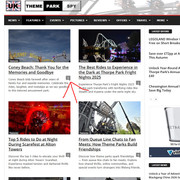
not updating?
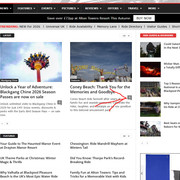
hope you can help please, thankyou.
 newspatron
 Hello, Thanks for your reply. i am not using the acf plugin, but i am using a plugin that automatically generates a video post.
All-in-One Video Gallery
By Team Plugins360.
Currently I have another concern. the primary concern is display all the categories in an automated manner on a given page.
For example a new page
all the post categories to be displayed and not the posts in a given categories…
I am trying to change the page below
https://newspatron.com/categories/
Can this be achieved by one of the flex blocks or any other elements using the tagdiv composer?
For example adding post_category or post_categories in the Post type in the flex block or the big flex.
Please suggest a betterway as i have imported the page template, but not able to correctly configure the categories only the categories and not the post(S) per category, so that all the categories can be populated..
Thanks
Calin Hi,
For each block that is not a loop you can use tagDiv Composer and edit it, select the block and check the filter tab, there you can set the taxonomy to filter the articles by that taxonomy https://i.imgur.com/WKH62Zz.png https://i.imgur.com/UVt0aVn.png https://forum.tagdiv.com/flex-block-settings-guide/
If you are using a category/taxonomy template, then you can use the loop element this will filter automatically the articles after the current category/taxonomy, or in case you are using a flex block use the special filters and choose the one according to the template, for exampl,e if it’s a categor,y select current category, if is a taxonomy, current taxonomy https://i.imgur.com/YJmtNZR.png
Thank you!
Calin Hi,
The prebuild blocks, grids, loops and flex blocks will display only one category, to display more or all categories, you’ll need to create your own module using the tgadiv composer and module builder and use theme on Flex Block Builder and Flex Loop Builder
Thank you!



