- NewspaperFlex Block Builder and Flex Loop Builder
- NewspaperHow to use the Flex Blocks cache option
- NewspaperHow to edit modules for Flex Block X
- NewspaperHow to insert a block inside the content of a post
- NewspaperFlex Block Settings Guide
- NewspaperMeta Info on Modules and Blocks
- NewspaperTheme modules and blocks
- TutorialsDefault Block Settings Guide
- NewsmagBlock settings tutorial
- NewsmagCategory tag on modules/blocks
- NewspaperThumbnails – Fix strange looking images on blocks
- NewspaperBlock settings tutorial
- NewspaperCategory Tag on Modules/blocks
- ApiPractical example – How to add a new Block and Module
- Apitd_api_block::delete
- Apitd_api_block::update_key
- Apitd_api_block::update
- Apitd_api_block::add
- ApiAPI – Blocks – Introduction
- NewspaperWP Rocket and Newspaper Theme: Optimization Guide
 Calin
Calin Hi Alessandro,
Our page from here https://demo.tagdiv.com/select_demo/newspaper-prebuilt-websites/ was custom-made, but you can achieve something similar, for this you can use the Flex Loop Filters – https://forum.tagdiv.com/filters-sorting-taxonomies/ and Flex Loop or Flex Loop Builder.
Another method is to use a block (anyone you like or you can create your one block and modules) and use the ajax category/taxonomy filter https://i.imgur.com/BoCzGHQ.png
Thank you!
 duck1970
 Hi Calin, your help seems to have worked. Thank you.
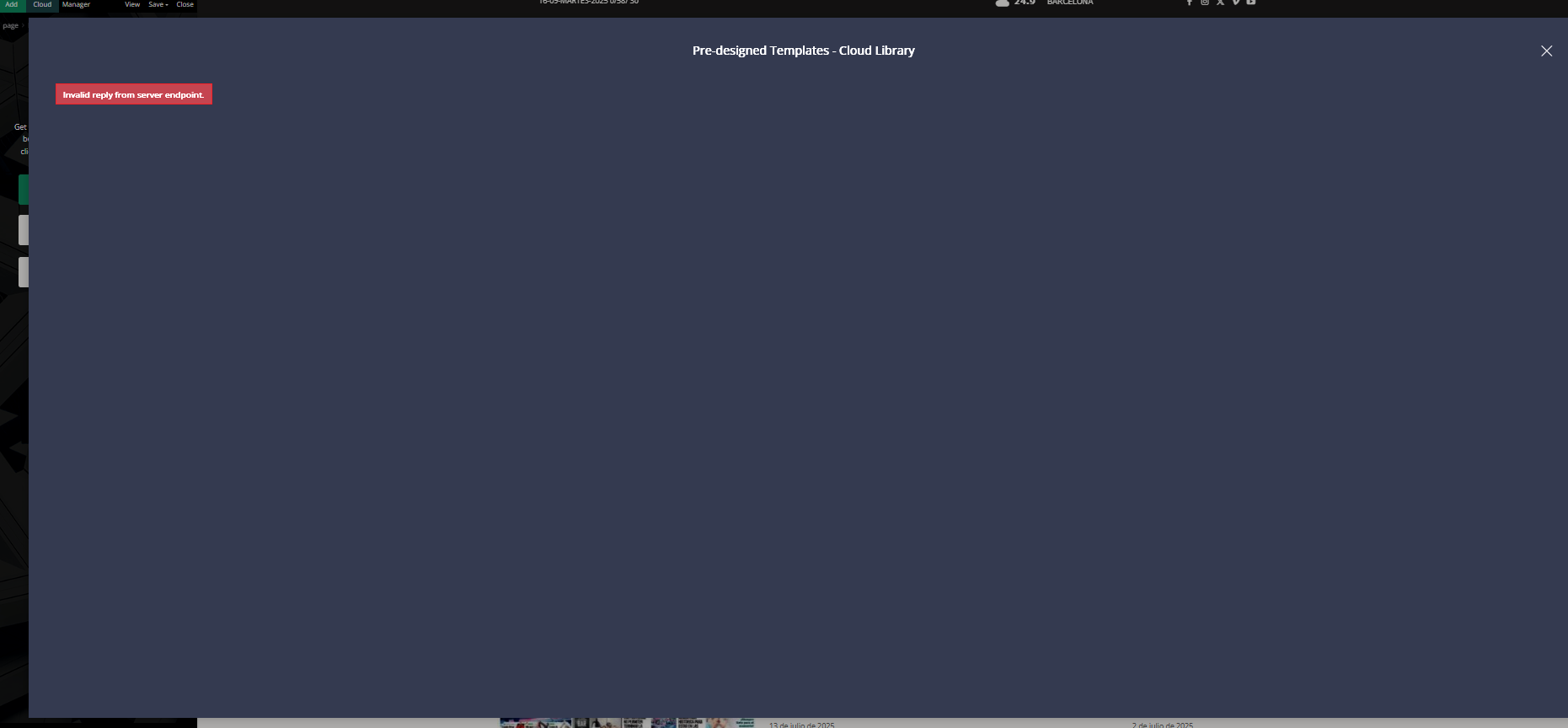
But now I have a new problem: I want to redesign the first block displayed on my home page. I want to use blocks from the Cloud, but when I click on Cloud, I get an error message like the one shown in the photo.
Is this normal? Am I doing it wrong? How do I use Cloud to import blocks or sections?
I look forward to your help. Best regards.
https://www.radiomarcabarcelona.com/newspaper/cloud.png
 plotwit-team
Hi Team,
I’m using Newspaper theme on my site with Google AdSense Auto Ads enabled. On mobile, the sticky/anchor ads at the top are extremely large — it covers around 60% of the screen and doesn’t collapse. Also covers the logo too
Can you please help me either limit the sticky ad size or adjust the layout so it displays properly? This issue is hurting user experience and site readability.
Thanks!
 simchris
 Hi
okay, we sorted the issue with php 8 and htaccess.
Couple of things – in our case with apache and plesk and nginx, the serve proxy checkbox needed to be toggled.
Second, some of the ‘recommended’ security directives to block access to certain wordpress folders seemed to break redirects on one site.
Finally, one additional unexpected issue was the sunsetting of apache pagespeed as of April 2025. So, the directives we had at top of the htaccess for that were generating errors, since does not work at all with php8.
The image redirects with htaccess now working, but man that hurt with Google image search getting 10,000 404 newsmag pages loaded. Doh.
As with anything these days, folks moving to php 8 should totally revisit their htaccess file if using one, or if using multiple in different folders, sub domains or whatever.
Calin Hi,
Do you use any offset on that block? Check it on the General tab of that block, and if you have any offset, remove it.
Thank you!
Calin Hi,
Please check to see if you can see the domains if it is assigned on the current domain. This should be under Newspaper > My license. If you do not see your domain, then this is the reason why you get that content. The key can not be checked by our system because it’s blocked by something.
Thank you!
 Redlemon
Hi,
I may have run into a problem with the header.php file in the most up to date version of your theme (v. 12.7.1). After experiencing images not loading in my front end from Firefox (v. 142.0.1 (64-bit)) I ruled out possible network issues with images fetching (all was well there), and then examined the source code and noticed that the Doctype declaration has an extra space after “html”.
<!Doctype html > instead of <!Doctype html>
I corrected this on my installation and it is running fine again on Firefox now.
The issue I was experiencing was related to the and <span class=”td-module-thumb”> images of posts, both of which would not load on Firefox (regular and private windows). There was no ad blocker running, and there was no Enhanced Tracking Protection either.
I am bringing this to your attention; perhaps you would like to take a look.
Best regards,
Konstantinos.
duck1970Hello, I have the following problem and need your help. I’ll tell you:
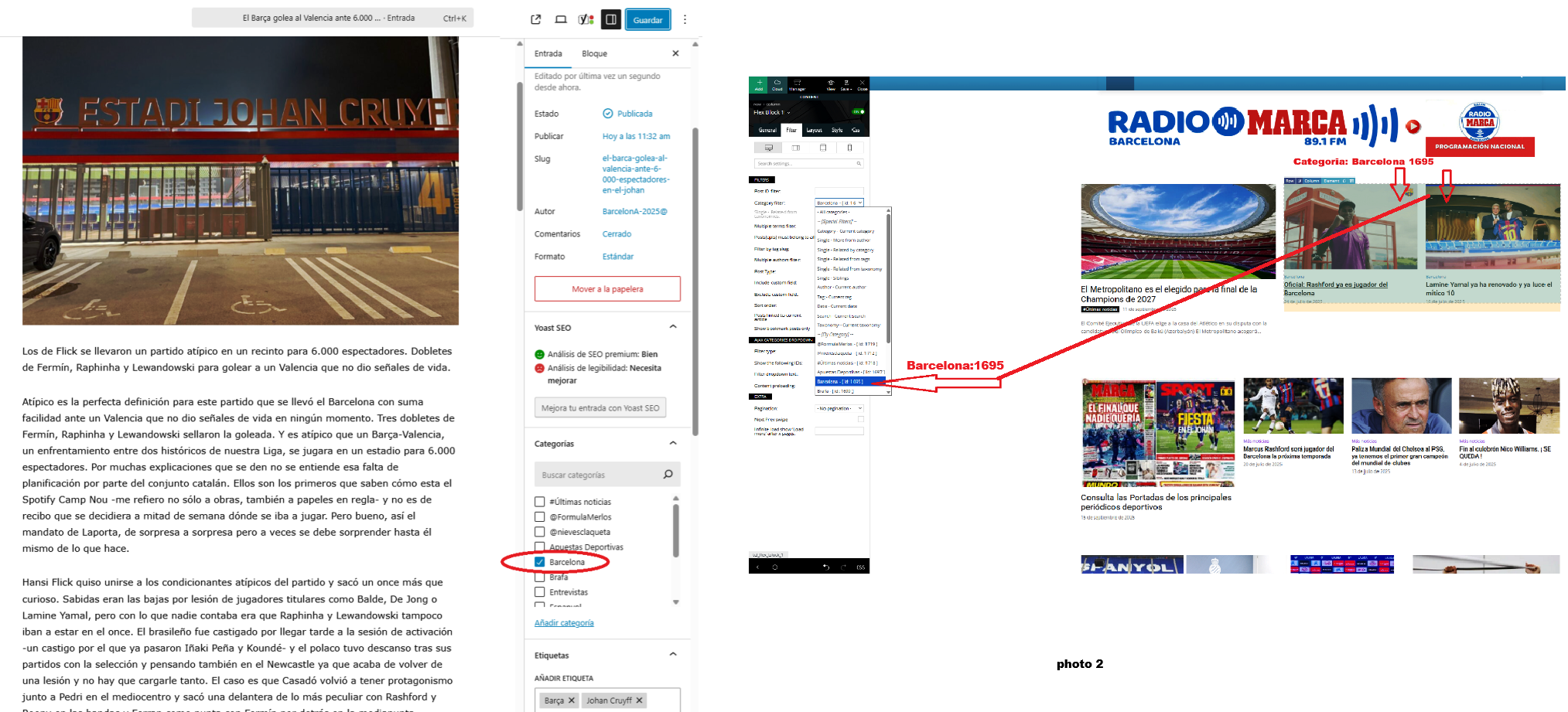
I created some new posts and published them with their respective categories, but I don’t know why they aren’t showing up on my home page. For example, today I created a new news story with the category “Barcelona 1695.” This news story should be displayed in the first block of my home page, as shown in the attached photo 2. But it isn’t.
Can you tell me why some categories aren’t showing up?
Thank you for your help.
Link web: https://www.radiomarcabarcelona.com
Link Photo: https://www.radiosalut.com/videos/categories.png
Calin Hello,
For woo commerce you can use the Woo Product Block block and the layout tab to make the settings to achive a layout similar with teh one from the provided image – https://i.imgur.com/8gk7beg.png
Thank you!
Calin Hi,
Ok, if the code for the title does not apply, try with important:
.td-block-title {

text-align: right!important;

}
I hope this will do the job!
Calin Hi,
I think that you are referring to the sidebar section with Latest articles, right? – https://i.imgur.com/7nLd7Fo.png if it’s so, then you need to use tgaDiv Composer to edit the single post template https://i.imgur.com/yK9V7Mt.png, select that block and fitere as you want, or remove it and add other elements in that section https://i.imgur.com/k8Cayq8.png
Thank you!
Calin Hi,
What you can do is to use a single post template from cloud, edit it with tagDiv Composer https://i.imgur.com/3zJc6T2.png and set the element “Single Post Content” in an inner row https://i.imgur.com/OiNVz89.jpeg then just use the section for subscription from taht inner row to block the contetent for the element set inside it (in our case the post content) for all articles taht will use that template. In that field, you need to set the plan ID.
I hope this will help you!
 urishtaujjain
 When I create a homepage using TagDiv Composer, all the blocks are visible correctly in the editor. However, when I view the live website, the content inside the selected blocks is not showing. Only the large grid box is displayed properly, while the other blocks appear empty. Can you help me fix this?
image ataachment –
https://we.tl/t-3OvpD6Yt5a
urishtaujjainWhen I create a homepage using TagDiv Composer, all the blocks are visible correctly in the editor. However, when I view the live website, the content inside the selected blocks is not showing. Only the large grid box is displayed properly, while the other blocks appear empty. Can you help me fix this?
image ataachment -https://we.tl/t-3OvpD6Yt5a
 ching
chingHello:
I’m using Flex Block 1 for my page.
The pagination function only has “Previous Page”/”Next Page” buttons, but no numeric page numbers.
If I need pagination numbers, where can I set or enable them?
Calin Hi,
You should use the settings from the template – https://i.imgur.com/Sbqcq58.png – https://i.imgur.com/Q5BkRZP.png https://i.imgur.com/2I5ZR9v.png
If you want to use a css code you should use it like this:
.wp-block-list li {

    font-size: 25px !important;

}
 projectya
 Thank you, I managed to translate it, it’s nice to have it solved without having to install external plugins 🙂
However, I have a few more questions 🙂
1. How does a subscription work on the portal, how can it be set up, and what does it offer the user? https://prnt.sc/XL9gBxCIHWpO
2. How to set blocks to have identical width?
https://prnt.sc/h14e3RyoGMjf
https://prnt.sc/SNKY90epEW-T
https://prnt.sc/_iIW7rCzpTAp
3. How can I set up the mobile version of the website to display on phones because now it displays a demo
Calin Hello,
1. For this, you need to edit the homepage using tagDiv Composer and look for the Homepage post element, which should look like this https://i.imgur.com/MPXE4Tv.png, and remove that element.
2. This is the adblocker role, and the ads should not be displayed when a user uses an adblocker; however, if you use only images for your ads, then you can set the images using a different element, so instead of the ad box element, you can use the image element.
Thank you!
 cristihagi
Hello,
1. On the Home page, the featured image from the latest article appears as the background. Not at all resolutions, but at most of them. Can we do something to remove it?
Example: https://ct100.ro/staging/
2. The banners I place are not visible if there is an adblocker on the page. Is there any way to make them visible even if someone is using an adblocker? These are just banners I upload in JPEG format. Thank you!”
Calin Hello,
If WP Staging doesn’t work, you can try Duplicator.
When a default theme is set instead of the Newsmag theme, the settings in the theme panel should not be lost, but what will be lost are the blocks set in the widgets for the sidebars, and if you want to do this test live, I would recommend trying only after a full backup so that it is easier to restore in case of problems.
Thank you!
Calin Hi,
The issue isn’t with the block itself the problem is that the desktop main header is set as fixed and overlay, which causes it to remain stuck at the top and overlap the content, as shown here: https://i.imgur.com/FBgfNvF.png
Additionally, when you scroll down, the sticky header appears on top of the already fixed main header, creating further overlap.
Recommendation:
Disable the overlay and set the main header to the default setting instead: https://i.imgur.com/cIEVrc3.png
After saving the changes, proceed to edit the sticky header as shown here: https://i.imgur.com/ZpaAd9B.jpeg
Make sure to do the same for the mobile view. Switch to the mobile viewport and then edit the mobile header accordingly: https://i.imgur.com/q1qdqT1.png
duck1970 Hi Calin, I think I’ve more or less managed to create the mobile and header menus, solving points 2 and 3. But I couldn’t remove the NEWSPAPER tab. I did manage to keep the menu fixed without scrolling. However, I don’t know what I’ve done that broke the header. The main block isn’t visible in its entirety; it appears stacked. And I can’t find what I’ve done to get it back to the way it was, which showed the entire block. Can you help me figure out what I need to do to restore the first block? I’ve attached a photo.
Thanks and sorry for this inconvenience.
https://new.radiomarcabarcelona.com/capture/block.png
Calin Hi,
One possible solution is to use blocks that display images using the img tag. Unfortunately, Flex Blocks currently use background images, which are not easily recognized for optimization purposes. However, we’re actively working to improve this.
In the meantime, I recommend using the Module Builder for the first blocks on your page. This will allow you to set fetchpriority=”high” on images, helping improve performance.
 knthdgd
 I just made an app using ChatGPT that:
- adds a random prefix to all IDs
- updates ALL relevant references (url(#…), href/xlink:href, SMIL begin/end such as id.click, ARIA attributes, inline style, and <style> blocks)
- can handle multiple <svg>…</svg> blocks in the same input
And it still does not work when uploading to Website Manager, the same problem.
 mauriflorentin
 Hi! I’ve the same problem!
– Website is using WP Rocket cache and Object Cache Pro
– Block Settings > USE LAST 24/48 HOURS & 7 DAYS POST SORTING is enabled
– Post Settings > Ajax view count is enabled
– Post Settings > Post and Custom Post types > SHOW POST VIEWS is disabled
– Sort Order by Popular (24h/48/7d) not working, blank result.
Can you help me, please.