
- ApiPractical example – How to add a new Block and Module
- Apitd_api_block::delete
- Apitd_api_block::update_key
- Apitd_api_block::update
- Apitd_api_block::add
- ApiAPI – Blocks – Introduction
- Apitd_api_thumb::update_key
- Apitd_api_thumb::update
- Apitd_api_thumb::add
- ApiAPI – Thumbnail – Introduction
- Apitd_api_category_top_posts_style::update_key
- Apitd_api_category_top_posts_style::update
- Apitd_api_category_top_posts_style::add
- ApiAPI – Category top section style – Introduction
- Apitd_api_module::update_key
- Apitd_api_module::update
- Apitd_api_module::add
- ApiAPI – Modules – Introduction
- ApiUsing the Theme API in plugins
- ApiThe Theme API
 Anamaria
 Hi,
You need to add this code
.td-scroll-up {

display: block;

}
like this => https://www.screencast.com/t/fbzSqYgX4.
The code need to insert in Theme Panel -> Custom Code -> Advanced CSS -> Phones => https://www.screencast.com/t/1yqpPmOSmn9.
Hope this helps you!
Thank you!
 pensivedog
 a
the footer templates does not have the button to be edited in the backend
Needing to edit the footer for each separate page or page template is obviously not the intended or expected behavior.
Will this bug be fixed anytime soon? Can you please provide a patch in the meantime?
Thanks!
 bibendus
Hi, I’m having problems indexing the text in the description of the IconBox and ImageBox blocks. Is there a method by which these texts are indexed?
 Vlad S
 Hello !
My suggestion would be to install the new pro demo, uninstall the Standard pack plugin. You will see that all the elements in the composer that were using the old code will show up as text, all those have to be removed. We recommend you to use the flex blocks which are way more customizable in the tagDiv composer.
Thank you !
 Lubo
Lubo but what if I would like to build a Site Branding Ad Setup like in this example…:
Site Branding Ad Setup
then hooks would be really helpful…
Can we get hooks, please?
Something similar like this:
theme-visual-hooks from wpastra
or like
Content Blocks (Hooks) from Blocksy theme
-
This reply was modified 5 years by
Lubo.
 atmoloch
Hi guys,
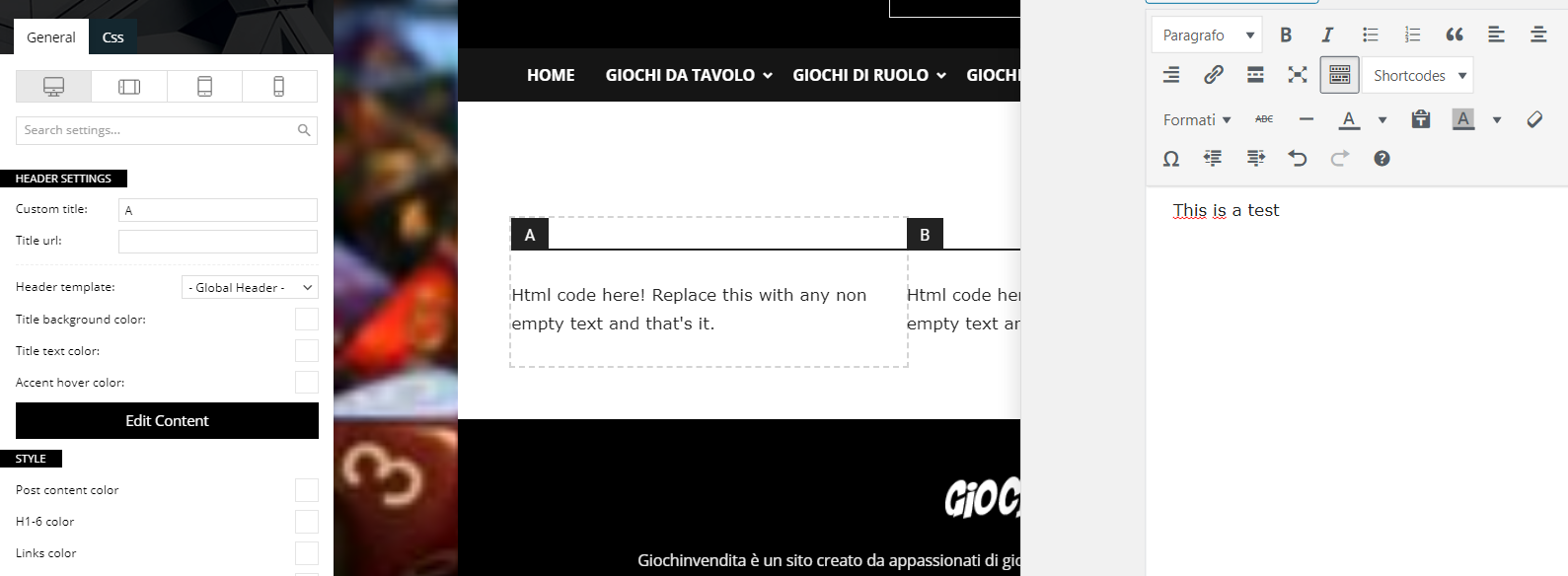
I’m having some problems with the composer and specifically with the text blocks. When I click on edit content and start writing, the page doesn’t update and I can’t figure out how.
Can you help me?
Newspaper Version: 10.3.9.1
WP Version: 5.6
PHP Version: 7.3.25
 media24 bv
Hello,
I changed the font-size of a post under ‘theme panel’ – theme fonts – post content. I changed default size in 20 px.
This doesn’t show on the website, it gets overruled and stays font-size 17. What need I change?
This is the code on my frontend:
.tdi_78_f73, .tdi_78_f73 > p, .tdi_78_f73 .tdb-block-inner > p {
font-family: Roboto !important;
font-size: 17px !important;
line-height: 1.5 !important;
font-weight: 400 !important;
}
.td-post-content p, .td-post-content {
font-size: 20px;
}
.td-post-content p, .td-post-content {
font-size: 20px;
}
.tagdiv-type {
font-size: 15px;
line-height: 1.74;
……..
 bekapublishing
Hello,
We have just launched the website – https://channelvisionmag.com/. Well the issue is, we have been posting new posts today, but the latest posts are not showing in the home page blocks. They are been shown in the category pages and all and also if we are logged in to the website we can see them, but not otherwise. Please help us.
Anamaria Hello,
You can achieve the hours ago on blocks only with custom work, you can contact our team here => https://tagdiv.com/premium-customization-services/
If you want to use the “Time ago format” only for the post, you need to use a single post template from tagDiv Cloud Library and edit it with tagDiv Composer click on single post date and enable the “Time ago format” -> https://www.screencast.com/t/HcjkFySnV.
about this topic has been discussed here =>
https://forum.tagdiv.com/topic/implementing-the-time-ago/
https://forum.tagdiv.com/topic/changing-the-date-to-x-time-ago/
https://forum.tagdiv.com/topic/the-time-ago-in-block-3-is-correct-but-another-block-is-wrong-time/
Thank you!
 Bettina
 Hello!
Unfortunately, this is not possible in a flexblock or homepage, just in post page.
Thank you!
 Calin
Calin Hi,
The problem with the image seems to be when those are 300×300 and not 300×250 as should be -> https://i.imgur.com/PaHY1Y2.png also there seems to be some different width and some margins set on the element https://i.imgur.com/rG2xch9.png if you remove theme the images will look normal -> https://i.imgur.com/9RhRNBs.png please check with tagDiv Composer in css tab -> https://i.imgur.com/rZUJxzX.png
Also the align problems seems to be from css, first is look that you have set some adding on the image box, you can checked it here -> https://i.imgur.com/AfyJFoQ.jpg
Also the align you can try this custom css
.td_block_image_box.td-image-box-style-2 .entry-title a {

    padding: 0px;

}
This code need to be set in the theme panel, custom code> custom css.
Hope this will help you!
Anamaria Hello,
This option isn’t implemented in the Block, you can do these changes if you use the Flex Block 1, which have the same structure of Block 24.
To change the color, you need to add the custom code in Theme Panel -> Custome Code -> Custom CSS => https://www.screencast.com/t/fdQ8qsNzqgeC -> https://www.screencast.com/t/gFyPSpYTK8.
The code is:
.td_block_24 .td_module_19 .td-read-more a

{

background-color: red;

}
and for hover is:
.td_block_24 .td_module_19 .td-read-more a:hover

{

background-color: blue !important;

}
Hope this helps you!
Thank you!
Calin Hi,
If I’m right you have display the mobile theme plugin on desktop.
If you are using the mobile theme plugin, then you must have those thumbs enable, go to theme panel > block settings > thumbs the “265×198” and the “741×486” thumbnail sizes.
Also when the mobile theme is displaying on desktop, then you have a cache conflict, the plugin for cache that you are using do not recognize the mobile and desktop cache. WE recommend to use WP Super Cache plugin https://forum.tagdiv.com/cache-plugin-install-and-configure/
Thank you!
 onyx
onyxHello,
I bought two licenses for your theme and another two ones will be bought soon after solving these problems.
The theme looks so much user friendly, but not the developer. my questions are like the following:
I want to disable/remove all the custom CSS that is generated by the TD-Composer plugin and printed in the DOM with a leading comment (/* custom css */), I don’t want anything outside the CSS files (default styling) so I can overwrite the ones I need without seeing strange block UID for elements which changes every time, and also to prevent excessive DOM size.
Do you have a pre-built demo with WP Bakery?
Can we get rid of the cloud templates? because it only contains some encoded data which I’ll never understand?
If non of the above is doable, how can we ask for a refund?
Regards
Bettina Hello!
You could enable or disable the category tag on any module. Please follow our guide and information from here: https://forum.tagdiv.com/category-tag-on-modulesblocks/
Hope that helps you!
Thank you!
 vangeorgo
Hi,
I deactivated Tagdiv Mobile Theme plugin because of bug fixing. When I was trying to reactivate it once again, it failed with this error message:
Fatal error: Cannot declare class Mobile_Detect, because the name is already in use in /data/9/1/91571d3f-5b81-4a9c-a5cf-9b32da42948e/svetapple.sk/web/wp-content/plugins/td-mobile-plugin/Mobile_Detect.php on line 28
The error is links to plugins own file. So I tried to delete it and upload it again, double check in Plugins editor and FTP of my web, that this file is not existing anymore in meantime. After fresh upload I tried to activate the Mobile theme plugin again but I get the same error message again.
Can you please help me? It looks like infinite loop.
I am using latest version of both – WordPress 5.6 and Newspaper theme.
 boroguide
Hi,
On my website footer (example), I’m displaying recent posts using a tagDiv block and have edited the CSS file(s) to try and get the desired colour effect i.e.:
a - #fff

a:hover - #cd5c5c
When the cursor is over the wider div, however, the hover color becomes #b00000. While it’s not the most important thing in the world, I’m not sure how to change this?
It seems to be caused by this CSS element:
.td_module_wrap:hover .entry-title a
This has the color #b00000 and is active when selecting hover in Google Developer Tools on the div
td_module_6 td_module_wrap td-animation-stack
This CSS is showing as coming from
(index)
The changes made to the CSS stylesheets not showing at all. I’ve purged the cache to no effect. Can anyone advise on how I can either amend the CSS or change the theme settings to get the desired hover color?
I hope this makes sense!
This works fine. However, I can see that a div class is applying a :hover colour of #b00000 when the cursor is over the
.td_module_wrap:hover .entry-title a,
 BruceInLouisville
I suspect I know the answer, but wanted to ask.
Is it possible to add a filter for categories to the /blog/ page? Or, would I have to build a page using some sort of block? And, if the latter, is it possible to allow the user to filter a block by category?
Thanks!
 sanjeev
Hi,
Is there a way to filter posts by tag in a Flex Block/ any other component for display in a Tag Page Cloud Template?
Or any way to to have a default Tag page template. Unable to identify a method. Kindly help.
Thanks
– Geet
 felipefel
Hey, I just need a code to hide the video icon from the thumbnails on Block 14. If you guys could give me a code that works on every block, that´d be useful as well. On the Flex Blocks I just set the size of the video icon to 0 and it´s gone.
I also need you to tell me where to put the code, since I´m no developer =)
Thanks in advance and great work, Newspaper is really awesome.
 kibiribi
?❄ Happy New Year! ?❄
Screenshot – https://prnt.sc/we1oi9
Couldn’t find button color option in style and css sections
style – https://prnt.sc/we1pa0
css – https://prnt.sc/we1pk4
I want to set background color = Red
Could you explain?
 dessy1991
This is my website: https://www.netsportworld.com/
The Facebook link provided is at the bottom of the page: https://imgur.com/mLJKPkf
I am using the social counter block
However when the Facebook like link is clicked it is not working, I am getting the link you followed may be broken: https://imgur.com/JaX8rBw
How do i resolve this.
 GardenSprings
Been having this issue intermittently and no clues yet as to why. Here’s a screenshot of the problem: https://i.imgur.com/AxqbsXE.png Fonts/symbols from the theme get blocked due to “http://” URLs. I checked our WordPress settings and our base URL is correct (“https://”), so I’m at a loss here. Any ideas?
Calin Hi kasadote, that is a PRO pre-build website and can be edited entirely with tagDiv Composer, for example the image can be change from here https://i.imgur.com/T2yjeM1.png if this is not apply for you, make sure that you make a test only with theme plugins and check the console to see if you do not get some errors, usually it displays a 403 or 404 error when the image can not be change.
If you don’t use a security plugin, please ask your host about this, maybe you have a security module which blocks this.
If you use a plugin like Wordfence please set it in learning mode.
Hope this will help you!
Thank you!
Anamaria Hi,
You need to add this code
.td-scroll-up {

display: block;

}
like this => https://www.screencast.com/t/mSUzMxbgPqt.
The code need to insert in Theme Panel -> Custom Code -> Advanced CSS -> Phones => https://www.screencast.com/t/1yqpPmOSmn9.
Hope this helps you!
Thank you!



