
- TutorialsDefault Block Settings Guide
- NewspaperWP Rocket and Newspaper Theme: Optimization Guide
- TutorialsFrom WPBakery to tagDiv Composer
- TutorialsOffset Feature
- TutorialsWhat is Ajax preloading?
 muterobert
Is it possible to define my own image size options for Flex Blocks (and/or other blocks)?
For instance, on our front page there is a Flex Block 2 with a viewport image size of 400×0. But the closest options I can select from the Flex Block options are 696×0 or 300×0. The larger one is not optimal for page speed optimization, and the smaller one is not optimal for visual quality. For one image I understand this isn’t a significant issue, but our front page has nearly 50 thumbnails, so the inefficiency adds up.
Ideally I’d like to be able to define the actual viewport size of 400×0 to achieve optimal quality/page speed optimization.
 Poschek
In an article, only when I hover over the main picture of that article, a alt image text shows up (like a tooltip). All other images in the article are not showing up. Any idea what I must change? Description, alt text are all set in media and on the left block for images in Gutenberg.
 RENATO
 Hello,
Thank you for your previous help. I need assistance with two issues in the Newspaper theme / TagDiv Composer.
1. Google Fonts and local fonts
The theme is loading fonts from Google, and this is heavily affecting the site’s performance because of render-blocking requests. The theme does not properly use local fonts by default.
I tried using local fonts inside TagDiv Composer, but I had to do a workaround, and that is not the correct solution. I also created a Newspaper-child theme and managed to load local fonts from there, but the result was not good because the fonts do not look exactly the same as the original Google Fonts.
What I need is a proper solution that makes the theme use local fonts, while still allowing me to select the fonts normally in TagDiv Composer. In other words, I want the theme to keep the same visual appearance, but load the font files locally instead of requesting them from Google.
What is the correct way to do this?
2. Hiding the “Most Watched” section title
I am trying to hide the title of the “Most Watched” section shown here:
https://ibb.co/6cmh3VH8
This section appears in this post:
https://glostv.com/tv-ao-vivo/tv-cultura
and also in all other posts.
I used the following CSS:
CSS
.tdi_54 .entry-title,
.tdi_54 .td-module-title,
.tdi_54 .td-module-title a {
display: none !important;
}
The problem is that this is also hiding titles on the Popular page:
https://glostv.com/populares
This should not happen. These elements should not be sharing the same .tdi_54 behavior for this case, or at least I need a more specific way to target only the “Most Watched” section inside posts.
How can I hide that title only in the post section, without affecting the Popular page?
Thank you.
 Claus_Bo
Hello
On my site I have a custom template with a featured image block. When I paste link to Vimeo video and do not upload image, it shows the video on the page, but when I use a flex block to display video thumbnails it is blank. Ex. see last video on this page https://klf.dk/videogalleri/
What do I need to adjust?
Thanks
 Calin
Calin Hi,
If that image is from a block and it represents the featured image from an article, then edit the page with atgDiv Composer and select the element, after that check the settings in the layout tab related to image – https://prnt.sc/qOVAf5laxl-8
Thank you!
Calin Hi,
That line is under the block, so what I recommend is to drag the block above the title, select the line, edit it, and after that drag the block back.
Calin Hi,
Sorry for the late reply. Our response time is normally under 24 hours, except on weekends and days off.
In your screenshot, you have a flex block builder and the flex block builder use modules, which can be created or imported from cloud – https://prnt.sc/jDMhMSNb8mQS
To set a module to a flex block builder, edit that page/template with tagDiv Composer, select the element and in in “Module” tab select the module template you want to use on that flex block https://prnt.sc/ZlGN06bBJ6k0
Calin Hi,
I think that you want to do it like this -https://demo.tagdiv.com/newspaper_shop_watches_store/ if yes, then it can be done use tagDiv Composer, select the Woo product block and search for the button option, which should be under the Layout tab. https://prnt.sc/NdCypAZ3uyd5
Calin Hi,
If you set multiple category filters for a block, then the articles that will be displayed can be part of any category set in the filter, and will be display the 5-6 (depends on the post number set on the block) and base on the sort option if is latest, then it willbe display the latest 5 articles from all those categories set in the filter. Maybe you thought that if you have a block that is displaying 5 articles, you can set multiple categories on it, for example, 5 categories, and each article will be from a different category. If so, unfortunately, it does not work like that. You can do this, but for this, you need to use the ID filter and set the ID of the articles you want to display.
Thank you!
Calin Hi,
Using tagDiv Standard Pack provides the old php blocks and templates. Once you disable it you should replace all blocks with flex blocks and templates to cloud templates.
You can use cloud templates for taxonomies too https://prnt.sc/FfAAXF_r_Cbm
Thank you!
 DocDigit
 Hi Calin,
Let me explain:
We can change the dropcap style for every block of text. It would be great if it would be possible to set the drop cap in the first block of the article to BOLD in .css
Thank you!
 fabinhoalmeida
Dear developers,
I would like to request an adjustment to the Single Post Excerpt shortcode block. I would like the H2 tag of the excerpt to be predefined or selected by the user, as this is the most common method for SEO purposes.
I would appreciate it if you could provide this adjustment.
Thank you.
 Maple Epoch
 Hi,
Thanks for your swift reply. I did worked with these solutions you provided even before sending my first complaint.
I’ve gone through all your links, but I’m still unable to display posts from multiple selected categories in one block. It only shows posts from one category or all categories.
I’ve been trying to figure this out ever since I got the theme a few months ago. So either I’m confused because of the many features, or the issue is with the prebuilt demo I’m using which I’ve changed multiple times.
I even tried getting a developer to work around it, but he hasn’t been able to solve it either.
DocDigitCan you tell us how I can default the drop cap style of only the first character of the first block text to BOLD in CSS?
See for an example https://cloudzeeland.nl/de-onzichtbare-westerse-bril-van-ai/
 meugamer
Hi everyone,
I’ve been using Newspaper for a few years now. Back when I was running everything with pure PHP templates, I noticed the CPT/Taxonomies section in Cloud Templates would get stuck on an infinite loading spinner — but since I wasn’t using Cloud Templates at the time, I just ignored it.
Now that I’ve fully migrated my site to Cloud Templates, this issue has become a blocker. Here’s what’s happening:
The problem:
When I disable the Standard Pack plugin (which is the expected workflow when fully migrating to Cloud Templates), the CPT/Taxonomies panel in Cloud Templates gets stuck on an infinite loading spinner and never loads.
Root cause I identified:
After investigating the PHP error logs and source files, I found that all td_block_* shortcode components (td_block_1 through td_block_25+) are registered exclusively inside the td-standard-pack plugin. When Standard Pack is deactivated, the td-composer plugin throws the following errors for every single block:
wp_booster error: td_api_base::mark_used_on_page : a component with the ID: td_block_1 is not set.
This happens in:
/wp-content/plugins/td-composer/legacy/common/wp_booster/td_api.php
Calin Hi,
I think you want to have control over the articles on your homepage, right? If so, this can be done using tagDiv Composer. Edit the homepage, select the block, and then go to the Filter tab—there you can choose the results you want for that block. https://forum.tagdiv.com/flex-block-settings-guide/ – https://prnt.sc/SfBpdih_689q
Also, to make sure everything works properly, ensure that the “Unique Articles” option on the homepage is disabled. https://forum.tagdiv.com/unique-articles/
 PolishExpress
Hello,
I’m using the Newspaper theme with a Cloud Template header (free news). Yoast SEO Premium is generating the correct <title> tag, but the theme is adding an additional <title> tag before Yoast’s output.
This results in two <title> tags in the page source, for example:
Kod
<title>Portal Polish Express – …</title> ← generated by Newspaper
<title>Portal Polish Express – …</title> ← generated by Yoast SEO
Yoast SEO Premium does not offer “Force rewrite titles” anymore.
The duplicate <title> appears before the Yoast SEO comment block, which means it is generated by the theme itself.
This causes SEO issues and breaks external audit tools.
I need to know:
Which exact function or file in the Newspaper theme generates the first <title> tag?
How can I disable the theme-generated <title> so that Yoast SEO is the only source of the title tag?
Is there an official method (hook, filter, theme option) to prevent Newspaper from outputting its own <title>?
Please provide the recommended solution or code snippet to disable the theme’s title output.
Thank you.
Calin Hi,
Flex Block 4 uses two modules, so please make sure the author is enabled on both. You can type “author” in the search bar and look for the red indicators to identify the setting: https://prnt.sc/f0SBfZrG6Nkq – https://prnt.sc/DauthZ3MDxIr – https://i.imgur.com/flR4Gdc.png
 Atithya
Hi, I am using Flex block 4 on the homepage, and I wanted to show author name for the articles but even after selecting “Show Author” the author name is not showing
Screenshot: https://drive.google.com/file/d/1Yr7dQkv52tqvFECZaV0TlPiwa6zcnxf-/view?usp=sharing
Calin Hi,
Regarding the thumbnails, if you go to Theme Panel > Block Settings > Thumbs https://prnt.sc/NcmBlPnWtbgF, each thumbnail on the right indicates which block or module it applies to. You can find more details here: https://forum.tagdiv.com/theme-thumbs/
For fonts and colors, you can configure them using both the Theme Panel and tagDiv Composer settings for pages and Cloud Templates: https://prnt.sc/utWjVU5seZBN
If this is related to Cloud Templates, you can import templates from the cloud, customize them as needed, and once ready, assign them either globally or individually.
 fsamagazine
I recently update our test site to PHP 8.2 (8.2.28) and received this error:
Deprecated: Creation of dynamic property td_block_big_grid_2::$in_big_grid_slide is deprecated in /home/[sitename]/public_html/testsite/wp-content/plugins/td-standard-pack/Newspaper/includes/shortcodes/td_block_big_grid_slide.php on line 19
I am running Newspaper theme 12.7.5 in WordPress 6.9.4.
Can you please let me know how I am able to fix this?
Calin Hi,
I’m not sure I understood the question correctly. Could you please provide some more details?
If you are referring on which image size is the most used in the Newsapper theme, I can say that the most used one is 696×0. Also, based on the blocks you are using and the image size set on those, you can enable and disable the theme thumbs in the theme panel – https://forum.tagdiv.com/thumbs-on-modules-and-blocks/
 leagcooks
hi,
When i add the flex block 1 to my website it makes the all the mobile version move to the left when you scroll?
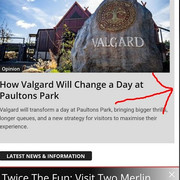
https://www.ukthemeparkspy.co.uk/
Thanks.
Calin Hi,
I just checked with my mobile and your website on mobile is full of ads https://prnt.sc/yqK44TLLhekr – https://prnt.sc/pCWZmkbIm9qx
Maybe you use an ad blocker on mobile, or you have a browser with AdBlock integrated.
Thank you!
 Sikandar
Blocks are not picking up any category filter. All post blocks are set to “all categories” even if I use a filter.
http://respawnfirst.com/wp-content/uploads/2026/04/Screenshot-2026-04-07-122123.webp


