
 agatay
Hello! Got this error. The error goes away when I disable the plugin cloud templates
Screenshot: https://paste.pics/J2FTS
I have sent all the data to your email.
 Archerix
 I fully agree! We have problems with the review schema (ex review with 10 stars, pros ans cons wich are now a ranking factor), problems and bugs with the positioning of ads, the cloud pro themes don’t allow us to make looks that the standar templates allows, problems in the implementation of Disqus, etc…
 Tropical Hainan
Hello
I am using newspaper Version 12 with default pro prebuilt website installed. I have customised the design and I am happy with the look and layout.
Now I would like to add an entertainment section to the site and I like the look and layout of Eastcoast Check Pro, but I cannot find templates for the pages in the cloud library.
How can I get the templates for Eastcoast Pro to add the entertainment section.
I’m looking for these two tempates
https://demo.tagdiv.com/newspaper_eastcoast_check_pro/
https://demo.tagdiv.com/newspaper_eastcoast_check_pro/tdtax_services/cafe/
Thank you
Patrick
 Anamaria
 Hello,
Please provide some screenshots.
Also, please make sure you have the tagdiv plugins active like Composer, and Cloud Library.
Thank you!
 MagnaR
 Hi mgiannelis. I fully agree with you. There is just nothing “Special” here at all. The functionality may be somewhere under the hood, but the “fabulous” is nowhere to be found. If I look at the footer of the default Newspaper Theme – https://cloud.tagdiv.com/#/single/footer/Footers/972 and this sorry attempt at UI in the East Coast Check Pro – https://demo.tagdiv.com/newspaper_eastcoast_check_pro/, I am equally disappointed in this release. Tagdiv Designers – Please take us seriously – The creator economy today insists on a delicate balance of fabulous & functional. If our audience does not find that balance, they will vote with their money elsewhere. #gonegorgeous #creatoreconomy
 dennisjpitocco
How do we display the “Notify me of responses/comment” CHECKBOX within the Comments Section of our Posts. We are using a Cloud Template. Our Site is http://www.bizcatalyst360.com
 Bettina
 Hello @brain4web!
Please note that you can edit and customize with the TagDiv Composer only cloud templates and not the default ones. The default templates can be edited normally in Gutenberg and assigned in the theme panel settings.
Thank you!
 brain4web
 Thank you Bettina!
One more question. Can I edit a template (for example category template) without importing any cloud template?
thanks
 sunilhzb1
Hi there, i am sunil i purchased newspaper12 and installed newspaper zip file on my wordpress again we have two requred plungins options one is tagDiv cloud labrary and tagDiv composer but when i tried to install/activate plungins button but i got a ajax error and try to manully, then i go to newspaper plungins section and push the install button tagDiv cloud labrary and i got install tagDiv clould labrary then angain when i try install tagDiv composer but i am not getting the install requred plugins and getting the 500 internal server error, my system status is good i used windows server of godaddy our website https://www.mumbaiescortsguru.com/ so now what to do again please help me fast sir/maam.
 emmalabbe
Hi, I was on my Cloud templates page, to work on my Attachment template that I downloaded from your Cloud library. And by mistake, on the Attachment template line, I ticked the box ‘Global’ (next to the Mobile template info). It’s now written in green that the template is Global and I cannot untick the box.
What does it mean to put a template Global ?
Thank you.
Anamaria Hi,
I saw you use a standard template, and this template is not a standard template.
The option is for a Single Post Template from tagdiv Cloud Library.
Thank you!
 ersandrino
 I did exactly as you suggested. Since yesterday the site is on the new php 8.1 and errors are always generated in functions.php as shown below. How is it resolved definitively? In the email you told me to wait for the update from the technicians. With the new version can I use the new php 8.1?
/home/ylnitcpg/public_html/wp-content/plugins/td-cloud-library/includes/tdb_functions.php on line 655
[06-Oct-2022 15:38:00 UTC] PHP Warning: Attempt to read property “slug” on null in /home/ylnitcpg/public_html/wp-content/plugins/td-cloud-library/includes/tdb_functions.php online 655
[06-Oct-2022 15:51:09 UTC] PHP Warning: Attempt to read property “slug” on null in /home/ylnitcpg/public_html/wp-content/plugins/td-cloud-library/includes/tdb_functions.php online 655
[06-Oct-2022 15:51:10 UTC] PHP Warning: Attempt to read property “slug” on null in /home/ylnitcpg/public_html/wp-content/plugins/td-cloud-library/includes/tdb_functions.php online 655
[06-Oct-2022 16:01:19 UTC] PHP Warning: Attempt to read property “slug” on null in /home/ylnitcpg/public_html/wp-content/plugins/td-cloud-library/includes/tdb_functions.php online 655
[06-Oct-2022 16:01:24 UTC] PHP Warning: Attempt to read property “slug” on null in /home/ylnitcpg/public_html/wp-content/plugins/td-cloud-library/includes/tdb_functions.php online 655
[06-Oct-2022 16:01:25 UTC] PHP Warning: Attempt to read property “slug” on null in /home/ylnitcpg/public_html/wp-content/plugins/td-cloud-library/includes/tdb_functions.php online 655
[06-Oct-2022 16:05:22 UTC] PHP Warning: Attempt to read property “slug” on null in /home/ylnitcpg/public_html/wp-content/plugins/td-cloud-library/includes/tdb_functions.php online 655
[06-Oct-2022 16:41:11 UTC] PHP Warning: Attempt to read property “slug” on null in /home/ylnitcpg/public_html/wp-content/plugins/td-cloud-library/includes/tdb_functions.php online 655
[06-Oct-2022 16:41:34 UTC] PHP Warning: Attempt to read property “slug” on null in /home/ylnitcpg/public_html/wp-content/plugins/td-cloud-library/includes/tdb_functions.php online 655
[06-Oct-2022 16:41:59 UTC] PHP Warning: Attempt to read property “slug” on null in /home/ylnitcpg/public_html/wp-content/plugins/td-cloud-library/includes/tdb_functions.php online 655
[06-Oct-2022 16:53:31 UTC] PHP Warning: Attempt to read property “slug” on null in /home/ylnitcpg/public_html/wp-content/plugins/td-cloud-library/includes/tdb_functions.php online 655
Anamaria Hello,
Yes, the cloud templates will be available soon in cloud library.
Thank you!
Anamaria Hello,
Usually the “Invalid reply from server endpoint error” is caused by insufficient WP_Memory_limit, if you’ll set it to 256M, and is still not working, please double it and check the rest of the settings from our guide -> https://forum.tagdiv.com/requirements-for-newspaper/ also make sure that you are using SSL and you have a good bandwidth, the one from our server is 1GB/s and the one that I use at home is 500MB/s, if you have low bandwidth, then you can access parts of the cloud, this can be done from the frontend, for example, if you are on a post -> https://i.imgur.com/4G74M7F.jpg or from tagDiv Composer -> https://i.imgur.com/2F6MhfI.png or from backend -> https://www.screencast.com/t/wekHmc7kJ8J
Thank you!
agatayInvalid reply from server endpoint
Hello! All settings are in place, but for some reason:
1. Can’t open Cloud Templates
2. Getting 404 when editing Cloud Templates file (video)
I sent all the necessary information (admin login, ICP manager) to your mail from agatay@qit.kz (this is my mail). I bought this theme 9 times, give me support. I urgently need
 samham
 Thanks for your reply, the code removes tooltips article names from everything apart from Single Post Featured Image element.
I think that may be the code is removing image article “title” from the tooltip and not removing the image “name” that appears by mistake.
Its fine to have the article name as a hover that is what I am used to in all other elements.
But showing image name results in things like Picv2fromweb, betterimage2 etc showing up, it looks really bad and I see the same the bug is in all Cloud Templates that use the “Single Post Featured Image” element.
Single Post BG Featured Image works as expected and shows the article title in the tooltip hover but that element dose not display images well or offer a light box link to compensate.
 wortpflege
I already have some directories on my site. E.g. one for local shops using a CPT for the entries, taxonomy for the businesses (like restaurants, furniture, clothing etc) and ACF for stuff like address, phone, website, opening hours.
Displaying them is a lot of manual work and I have to use a really not so well working maps plugin.
So as I saw the v12 changelog I really got stoked – everything out of the box!
The update worked well, but … maybe I’m just too stupid, but how do I get it working? I see no “directory” templates or options or anything. If I add a cloud template for a taxonomy there are no maps or filter objects.
Is there any tutorial on how to use the new directory/lists function, adding a map etc?
MagnaRHi,
With Newspaper 12 now being released, when will the new listing & directory cloud templates (home pages, elements & blocks) be available via the admin cloud template menu?
Thank you!
Anamaria Hello,
Please check if the tagdiv plugins are enabled like tagdiv Composer and tagdiv Cloud Library.
Thank you!
Anamaria Hi,
In order to disable the register/login you’ll need to deactivate this option from theme panel -> https://i.imgur.com/5whl4MT.png if you are using cloud header, then the login element need to be remove using the tagDiv Composer, edit the cloud header and delete the login element. -> https://i.imgur.com/37Wnp7m.jpg
Thank you!
 gooddayangel
I found an error in the tagDiv Cloud Library through WordPress email today. You have received the message.
At the exact time I received the message, my WordPress screen changed strangely.
All codes are displayed broken. The bluehost hosting technical support representative calls the plug-in td-cloud-library plug-in.
Blog posts are currently displayed at least twice as wide as before. Category must exist. However, there is currently no category on the right.
Can you help me?
my site >> https://wikikorean.com/
 Calin
Calin Hi,
This is how it was made the post template 7.
If you want you can use this css:
.single .td-paragraph-padding-2{

    padding-left: 0;

    padding-right: 0;

}
set it in the theme panel > custom code > custom css.
Or you can use a single post template from tagDiv Cloud Library, this can be edited using tagDiv Composer.
Thank you!
Calin Hi,
Unfortunately this can be done only using the SoundCloud or a mp3 sound that is uploaded on media library. For that you need to set the featured image as audio.
The Pulses_Pro use featured audio for posts and the sources are from the soundcloud.
Thank you!
 CarolinaEpicurean
Any help with this issue will be very appreciated!
https://carolinaepicurean.com/vintners-table-opens-softly-at-burntshirt-vineyards/
After changing my site to a new template, almost all post links stopped working. If you look at the above link to a post, you’ll see the bolded words in the quote above the gallery. They are linked, but not working.
When I logged into the post and opened non-working links, then re-saved, the links went live. Really don’t want to have to do this in every post. 🙁
I’ve cleared site cache and all cache via Cloudflare. Didn’t seem to help.
Thanks,
Laura
 M.Bussmann
Hi
I have a problem with Jetpack’s tiled galleries. I submitted the problem to the WordPress Support Forum and found out that my CSS is wrong. They told me to contact the theme developers. Can you please help me to solve the CSS problem?
Here is the CSS causing the problem. You can see this in the following screenshot:
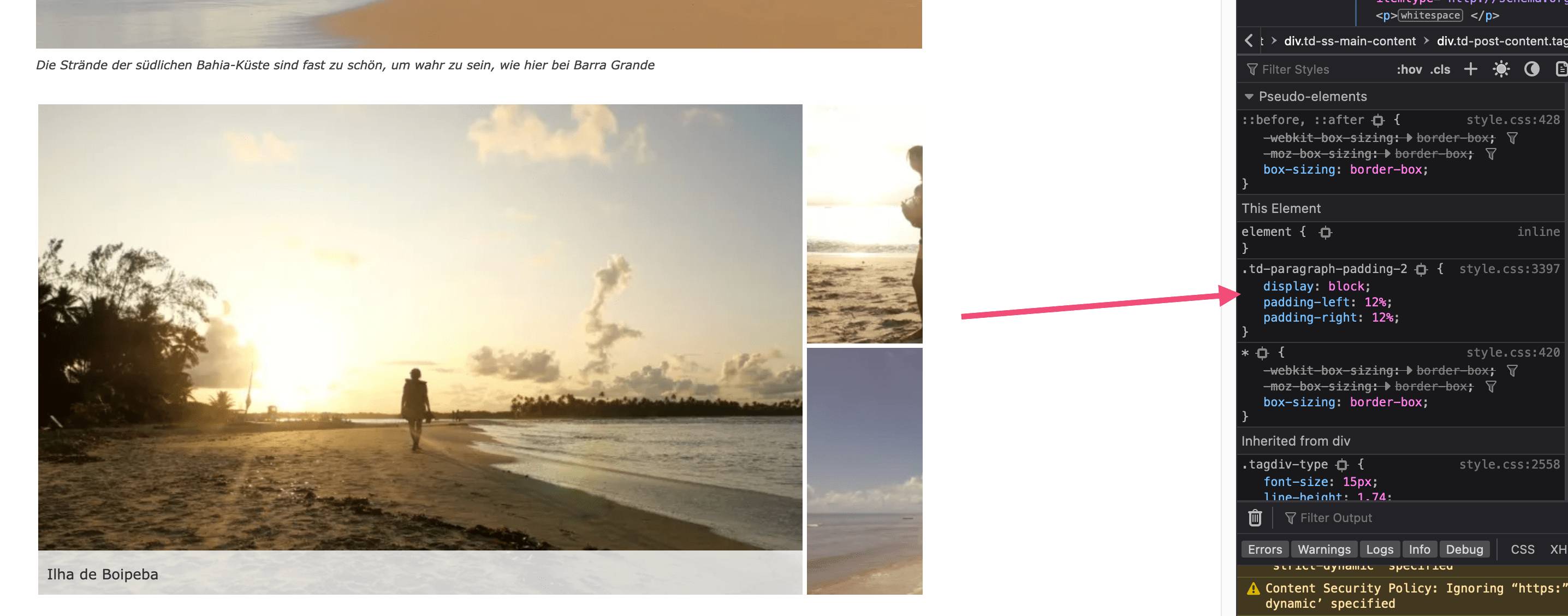
lastsplash (a11n) worte: If you remove the CSS it displays correctly:
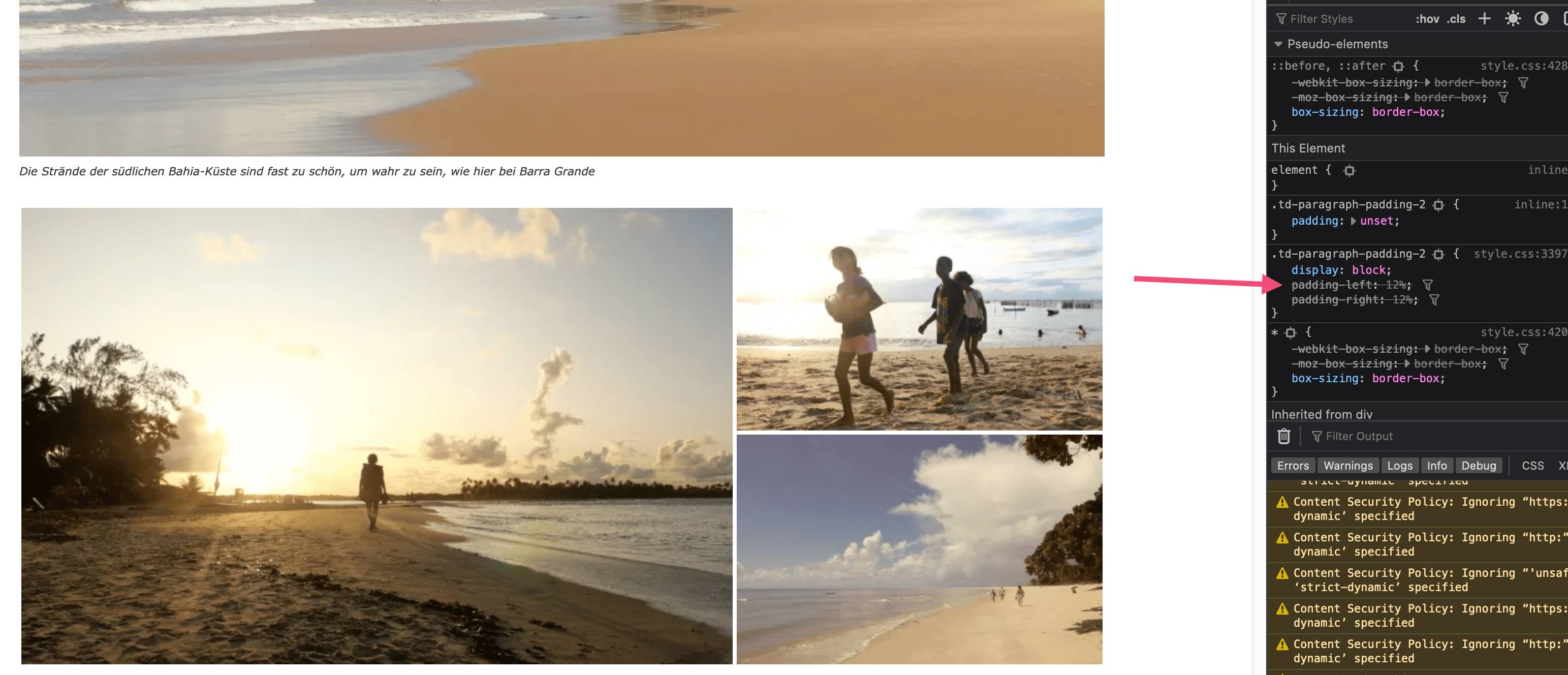
Here is the link to the post with all the details
https://wordpress.org/support/topic/problem-with-jetpack-tiled-mosaic-photo-galleries/#post-16069745
Thank you



