Bogdan B.
 Hello Erik,
Please be careful with plugins as plugin incompatibility is the number one reason issues occur on wordpress. The images will break upon a js error created by conflicting plugins so please try to deactivate all plugins except visual composer and check your images again. I have checked your website and saw that you have a few errors in your console: http://screencast.com/t/I4vct5VKrn including js errors.
Thank you!
Bogdan B. Hello,
The way you can customize category pages is through the theme panel: https://forum.tagdiv.com/how-category-settings-work/ You can select the grid, top post and the module in which posts will be displayed. Any customization beyond that will have to be made custom by editing the theme files.
As for the jetpack plugin, it has lots of settings/options. You can try to disable all other plugins except visual composer and jetpack to rule out any plugin conflicts.
You can try to remove and delete jetpack and install it again. The share and comments should work properly.
Thank you!
Bogdan B. Hello,
You can use shortcodes in posts also. You can activate visual composer for posts and add content blocks to your post directly: http://screencast.com/t/F4Kx1KXAqM (this option could create a few css issues as it’s not tested)
It depends on the shortcode if a post can accept it or not. for example you can use a custom ad spot in posts using an ad box shorcode: http://screencast.com/t/RlCcYPp2PK – http://screencast.com/t/x6Oiqytc result: http://screencast.com/t/y4UdT4lLez
I hope this helps.
Thank you!
Bogdan B. Hello,
I have checked your website with the structure data tool and saw the errors. Unfortunately these errors do not appear on any of our posts from the demo: http://demo.tagdiv.com/newspaper/
So the best thing you can do is to disable all your plugins except visual composer, clear cache and restore your minifications. Then test your post again.
Let us know how it goes.
Thank you!
Bogdan B. Hello,
I think the error message has to do with some plugin so please disable all your plugins except visual composer and clear your cache. Then edit your post again and see if the error is still there.
Let us know how it goes.
Thank you!
 Catalin
 Hello fermin,
I have tested on my side and the Video Playlist for Vimeo seems to work as expected, without any problem. I suspect being a problem that might be caused by interference between your untested plugins and our theme. Please try to disable all the active plugins, leave just Visual Composer and install only the plugins that come bundled with our theme and rule out the conflicting plugins. Please try to rule the theme without these plugins and check it again and see how it works.
Hope this helps and let us know how it goes!
Thank you for the message!
Bogdan B. Hello,
In order to update your theme and the visual composer plugin, it is enough to delete the ones you have and replace the files with the new ones via ftp. Your settings will not be affected as they are kept in the database. You can follow these guides to see how it can be done:
https://forum.tagdiv.com/how-to-update-the-theme-2/ and https://forum.tagdiv.com/how-to-update-visual-composer-plugin/
Thank you!
Catalin Hello
I have checked your website and I did not see errors with your main menu, everything seems to work as expected -> http://screencast.com/t/usl4c8jjw3Y This kind of issues might be caused by the conflicting plugins. Please try to disable all the active plugins, leave just Visual Composer and instal only the plugins that come bundled with our theme and rule our the plugins in conflict.
If you need more assistance in this regard, please provide more details about your problem. You can provide some screenshots with this error so I will be able to provide a more accurate response.
Thank you for the message!
Catalin Hello WorkWP,
The News Sticker is a Visual Composer element and you can set it from this plugin, like this -> http://screencast.com/t/SAnm3hry
Hope this helps!
It is not what you mean, please provide more details.
Thank you for the message!
Catalin Hello emirbalin,
I have checked your website again and saw that you have some untested plugins installed on the theme. Please try to disable all the active plugins, leave just Visual Composer and instal only the plugins that come bundled with our theme. These issues might be caused by interference between these plugins and our theme. Also, I noticed that you have Big Grid Slider on the top of your homepage which is not displayed. Please check your Big Grid settings and ensure you have filtered by some categories which have posts, otherwise, does not display anything. Please check this -> http://screencast.com/t/d0kn40siZTy1
Hope this helps and let us know how it goes!
Thank you for the message!
 Andrei L.
 Hi
I’ve tested the comment system on my side and works fine, the theme pick the right information for any user which comment or reply to a comment from a post: http://screencast.com/t/9f5LkxcdG8
I am not sure why this happens but you can try to deactivate all plugins except Visual Composer, clear ll caches and test again.
Let me know how it goers.
Thanks!
Bogdan B. Hello,
Please try to disable all your plugins except visual composer and clear your cache. This could be a plugin conflict. Also make sure you use the latest version of the theme. You can update following this guide if needed:
https://forum.tagdiv.com/how-to-update-the-theme-2/
Let us know how it goes.
Thanks.
 James Christou
 Hey,
We were able to add config to each of the block settings (in visual composer) using a function hooked to admin_init. This allows the user to specify a list of terms in that taxonomy and filter the results by those terms.
function extendCustomTaxonomyOptions() {

		// Check if Visual Composer is installed

        if ( ! defined( 'WPB_VC_VERSION' ) ) {

            return;

        }
// Retrieve all Lifestyle taxonomy
$terms = get_terms('name_of_your_custom_taxonomy_here');
if( !is_wp_error( $terms ) && count( $terms ) > 0 ) {
$dropdown = array(
'Disabled' => 'disabled',
'All Custom Taxonomy Terms' => 'all'
);
foreach( $terms as $term ) {
$dropdown["- {$term->name}"] = $term->term_id;
}
// Param to be added
$new_param = array(
'type' => 'dropdown',
'heading' => 'Filter based on custom taxonomy',
'param_name' => 'adv_filtering_custom_taxonomy',
'group' => 'Filter',
'admin_label' => true,
'value' => $dropdown,
'description' => __( 'If selected, will further filter the posts based on the custom taxonomy', 'vc_extend' )
);
// Integrate and add new parameter to the options available from the parent theme
// See https://wpbakery.atlassian.net/wiki/pages/viewpage.action?pageId=524335 for more info
for ( $i = 1; $i <= 16; $i++) {
vc_add_param( "td_block_{$i}", $new_param);
}
vc_add_param( "td_block_slide", $new_param);
}
}
Then we added some custom code in a child theme copy of the td_data_source class to read those settings and filter the results. This was added to the end of the td_data_source::shortcode_to_args() function, just before returning the $wp_query_args:
if( array_key_exists( 'adv_filtering_custom_taxonomy', $atts ) ) {

            if( $atts['adv_filtering_custom_taxonomy'] != 'disabled' && !empty( $atts['adv_filtering_custom_taxonomy'] ) ) {

                // Add new taxonomy in the query

                $query = array_merge( $wp_query_args, array(

                    'tax_query' => array(

                        array(

                            'taxonomy'  => 'name_of_your_custom_taxonomy_here',

                            'field'     => 'term_id',

                            'terms'     => $atts['adv_filtering_custom_taxonomy']

                        )

                    )

                ));

            }

        }
Hope that helps!
 krysn76
Hello Sir, i wanted to enquire abt the theme update + visual composer update , i saw the tut abt it…
Does the following way work without disturbing settings,etc of theme ?
1] From ftp, overwrite the theme “newspaper” folder with latest theme
2] then disable the visual composer n remove it & instal new one as said in its tutorial [https://forum.tagdiv.com/update-the-visual-composer-plugin-wpbakery/]
Awaiting reply
Best regards
 alexschneiderru
Hi,
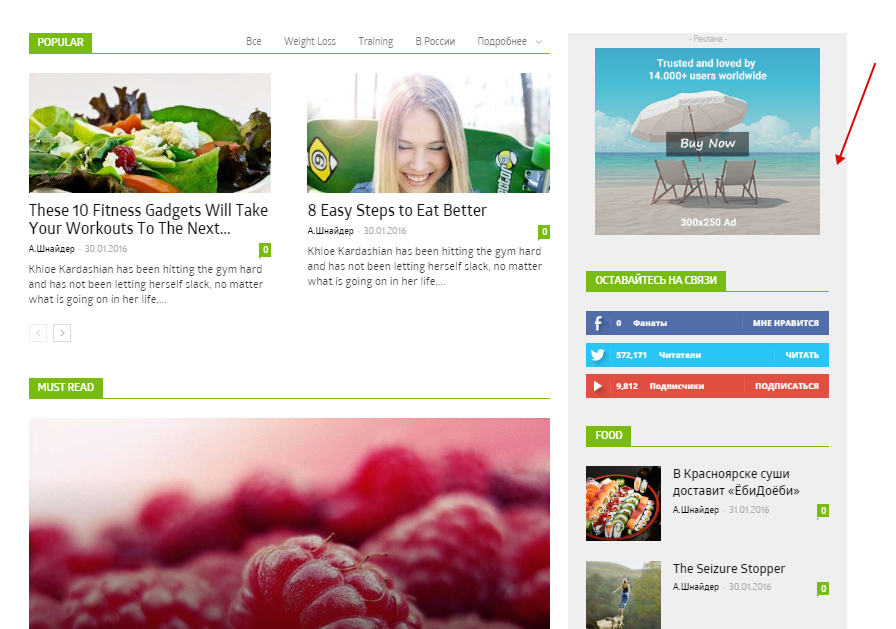
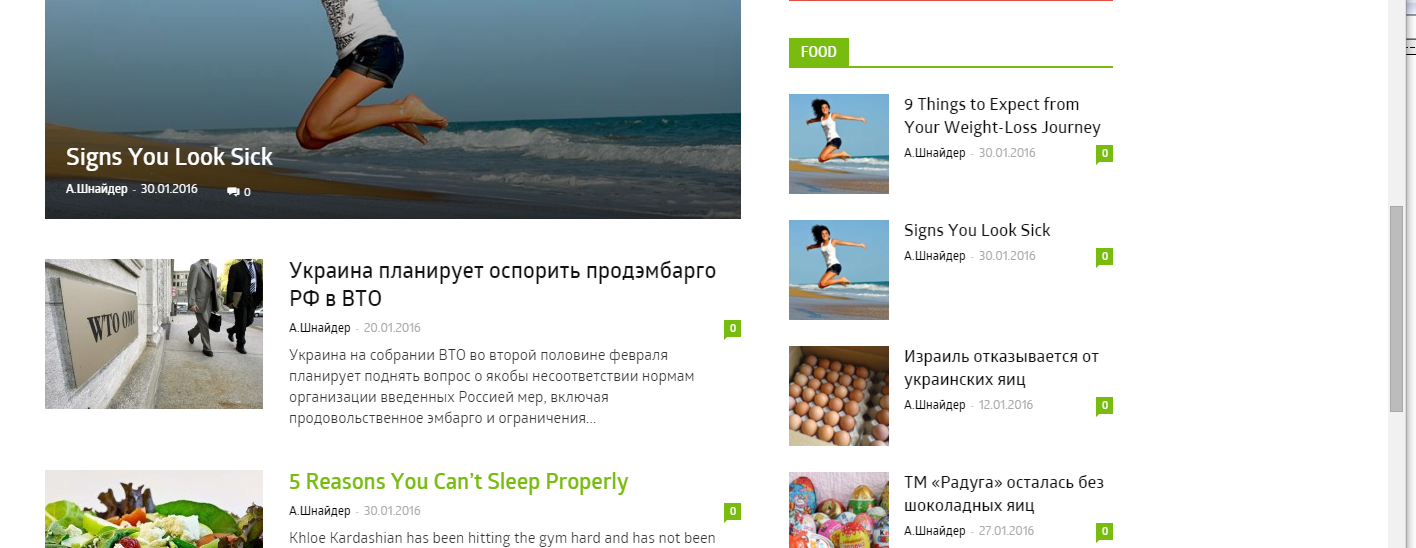
I try to change (through Visual Composer block attributes) background color of sidebar. In initial state everything is fine ( http://c2n.me/3tJgACr.png ) but after scrolling bar becomes white again ( http://c2n.me/3tJiOUt.png )
Is it possible to fix it?
Thanks in advance.
 Vesa
Vesa Hi Catalin,
I appreciate your continued help.
I had to restore a recent backup. Maybe you could have a look at our current layout and contrast it with that in the picture.
I do have Visual Composer installed; it’s just not the latest version. The funny thing was that the settings seemed to be correct (=the same as before theme update), yet for some reason there were additional, unwanted categories like “Latest articles”, “The most popular posts” and “Popular category” (all in Finnish, of course) at the bottom of the front page. They were not there before the update.
I also noticed that my translations were missing.
TagDiv’s instruction video says “Delete the old version of the theme.” At that stage I deleted the “Newspaper 4 child theme”, which was active. Afterwards I have wondered if I should have deleted the Newspaper 4 main theme, not the child theme. Which should one delete?
Note that I have made customizations to a number of php files – for example, td_block_8.php – and added customizations in the CSS Editor. Does this cause problems when updating?
Best,
Vesa
Andrei L. Hi
I can’t accuses your site: http://screencast.com/t/XPNeri3ly
Please make sure that you’re using the latest version of the theme available on themeforest, V2.3.5: https://forum.tagdiv.com/newsmag-how-to-update-the-theme/ clear all caches, deactivate all plugins except Visual; Composer and test again.
Thanks!
 janamtrup
 Yes it actually took 2 minutes, downloading the default.po from LOCALE folder, using poedit, and saving the .mo with the name: js_composer-xx_XX (your language code) uploading it to: plugins/js_composer/locale folder.
..:-)
Catalin Hello ape,
Please notice that DON’T MISS is a block on the homepage wich is added with Visual Composer. If you want to edit, you have to access the block settings like this -> http://screencast.com/t/BGcbqljeXPD and Style hunter, Vogue, Travel are some categories on the site and you have access for it from the panel like this -> http://screencast.com/t/yzXm6myShMKU -> http://screencast.com/t/oYC9gBoRb5e
For more information about blocks, and mega menu, please consult our documentation here -> https://forum.tagdiv.com/block-settings-tutorial/ -> https://forum.tagdiv.com/mega-menu/
If is not what you mean, please provide more details about your desired changes and also, provide your website URL so I will be able to provide a more accurate response.
Hope this helps!
Thank you for the message!
Bogdan B. Hello,
You can filter the categories shown in the big grid or on any visual composer blocks by setting the categories you want displayed in block settings: http://screencast.com/t/Uy780IYi
you can see the category id’s here http://screencast.com/t/c8iyl0MFKvos
You can read more about block settings here: https://forum.tagdiv.com/block-settings-tutorial/
Thank you!
 Hivvu
Hivvu Thanks Catalin,
That’s no problem, I’m a web developer too. I thought that my initial idea was possible with some options, but since it’s not I’ve being working to create another big grid, a custom one.
I’ve managed to achieve my idea with the shortcode mapper from the Visual Composer. I’m going to read the documentation to see if I’m doing everything how it’s supposed.
Thanks again and keep up the good work 😉
Best regards
Catalin Hello Vesa,
I have checked your image and saw that you do not have Visual Composer installed. Please try to update it to the latest version and also and the other that come bundled with our theme. Please try to redo your menu because on the 6’s version was changed and differs slightly from 4’s version. Also, please provide more details about what kind of layout do you want to have so I will be able to provide a more accurate response.
Thank you for the message!
Bogdan B. Hello,
You can maybe use the shortcode from the post page and add it in visual composer in a raw html or a text box. Unfortunately we have no official solution for it as the plugin is not tested and we have no idea of it’s functionality.
Thank you!
Bogdan B. Hi,
You can see every shortcode like Chris suggested like so:
add a block element in visual composer on a dummy page: http://screencast.com/t/jSkjHH9SH
then enter classic mode and text mode: http://screencast.com/t/sKvHNpoFCqx
Thank you!
Bogdan B. Hi JR,
You can also try to remove all plugins except visual composer to rule out a plugin issue. Also please make sure you use the latest version of the theme.
Thank you!