No search results were found in Documentation!
 coerrace
 This is not issue to enter the site. I forgot in previous message attach the photo links:
https://freeimage.host/i/3JRFj5v
https://freeimage.host/i/3JRFWga
https://freeimage.host/i/3JRFEs1
Check how the ‘ad column is shown always on top in mobile. And the ‘MOST POPULAR’ is not shown in the mobile version. For first problem I try to send the ad column to section below where I mark FINAL in the other photo if I select the icon for mobile and I do a copy and paste of the elements will work, but it also move in to desktop versions. For the desktop versions I don’t want to do anything just mobile in specific.
I say you this demo page because I have other pages I’m creating but I have that problems, then I just want to know only if you can indicate me with photos where to click to move:
1.-How you make visible that columns of the ‘MOST POPULAR’ in mobile? Is not showman. You say is hidden, I don’t know how you can hide an inner column in mobile in specific. Check your demo in that link the column ‘MOST POPULAR’ is not seen why? How you activate?
2.-How you move that two columns below where I mark with my arrow that says FINAL? I tried to click and reorder and if I reorder it works but it destroys the Desktop versions.
 ermannaro
I see page: https://forum.tagdiv.com/mega-menu/
I’m having some issues configuring the megamenu after importing the “animals” demo.
In the demo, the megamenu looks fine. The subcategories are properly organized, and on mouse hover, the posts update accordingly (see image below).
https://tinyurl.com/2craxygq
However, on my site, the subcategories appear one below the other, and the mouse hover functionality doesn’t work (see image below).
https://tinyurl.com/28x3pd92
Since I didn’t build this site myself, I want to make sure there’s no incorrect code, but I couldn’t find anything in **Appearance > Customize > Additional CSS** or in the theme’s CSS files.
How can I fix this?
tnx
 Bettina
 Hello!
You can use and modify the demo as you like. If there is no section on mobile, please add it on your end and ensure the block is not hidden. Also, the demo has CSS code there. Please check it on your mobile viewport. If you can provide screenshots, I can help you efficiently. Also, you can contact us via email at contact@tagdiv.com and provide wp-admin (URL and credentials). So I can log in and help you as soon as possible.
Thank you!
Bettina Hello!
I’m sorry to hear that. The page speed depends on many factors, and you can not optimize your website just by installing a WordPress theme. This issue has been discussed here as well; please check: https://forum.tagdiv.com/topic/problem-with-demo-speed/
You can request a refund here: https://themeforest.net/refund_requests/new
Thank you!
coerrace I want to add that in this demo:
https://demo.tagdiv.com/newspaper_aramis_pro/category/style/
How you send that 2 columns of my arrows in mobile to the section where says final.
For example, in all desktop versions and tablets is ok display as it is your demo but in mobile how you do this:
1.-As I said just in mobile phone how you send that 2 columns to where I marke in the photo that says FINAL with my arrow. Is below the other content of main category. By any reason I made all I see and I couldn’t send without destroy the desktop versions. Desktop versions are clear.
2.-Another issue, why is not displayed in mobile from that 2 columns of my arrows the section ‘MOST POPULAR’ and how you enable to see in mobile? Just in mobile is the problem. I see in all desktop versions or tablets.
 JordanUD
My website only has the Doctors pro demo imported, no additional content and the speed is so slow it times out. The other websites on our server are all loading fine.
I purchased the Newspaper theme today and have already come across numerous issues including problems importing demo content initially. Tagdiv is also buggy, I would like to request a refund please
 awilbanks
This is probably a dumb question, but I am using the Urban Observer demo on my site, but I can’t for the life of me figure out pages. I want to be able to add new pages (not posts) and edit them like normal posts, but it looks horrible in the Urban Observer demo, because only the header and footer is used. Is there no way to pick a template for a page like a post?
Bettina Hello!
If you use the Aramis PRO demo, the shortcode used to display the featured image is Single Post Featured Image. Did you test another single post template that has the same shortcode? Please check and let me know.
Thank you!
 Bakhti Roedarah
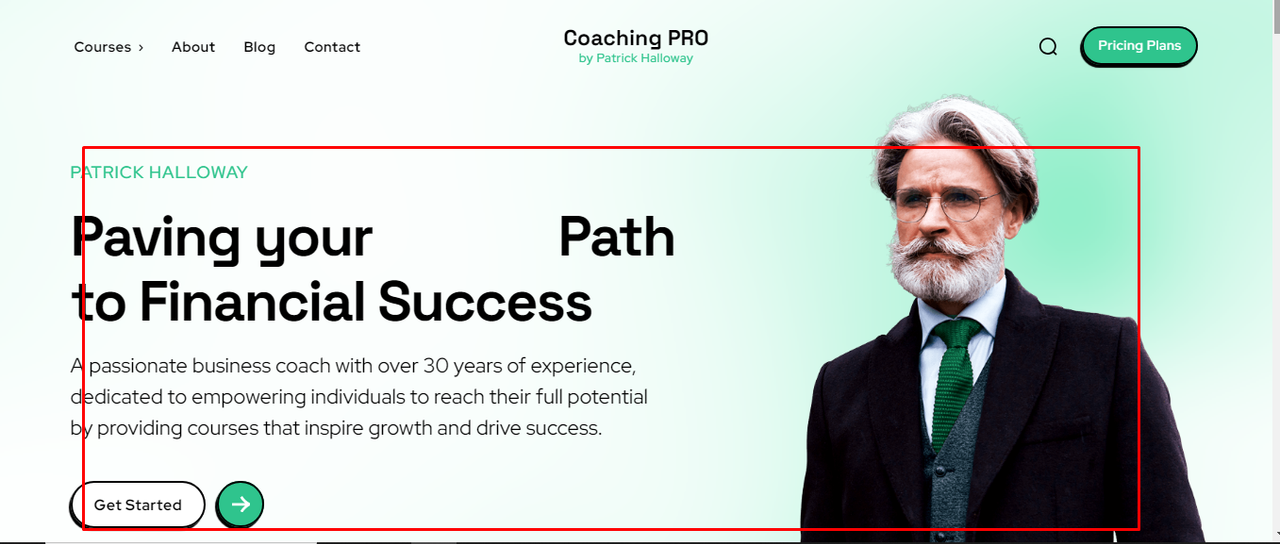
How can i remove the delay fadein from this top on my website – coaching pro demo – it takes 2-3 sec, I want to stop it
Bettina Hello!
I meant it’s not giving any error, so it is not working correctly. It’s a loop there.
They should be required fields. Check an example for the checkbox and the settings: https://app.screencast.com/JjrNlOITndmWW. It is from the APP demo.
Thank you!
 rosalinerosaline
I have installed Default Pro Demo Site of Newspaper Theme. Now I want to change the Lifestyle, Home Design, etc. Pre-installed categories of the demo site. How can I Do that?
 zenlounge
Hello. I have 2 questions about this demo Momentum PRO:
1.I installed demo data – Momentum PRO. There is a built-in user account, which began to conflict with my learning plugin tutor lms, I can’t go to the menu items in the control panel, it throws a 404 error. Is it possible to somehow disable the user profile from this theme? (photo attached)
https://freeimage.host/i/2miqhrX
https://freeimage.host/i/2miqX1t
2. I didn’t find where to control the mini images on top of the picture (photo attaches)
 silverchalk
How do you change the image and remove stuff from the home page with newsmag. I’m using the fashion template and can’t get rid of the demo content image. It only lets me edit one block too.
 Ericky
 So how can I set it up to look like in the demo? ACF plugin installed and active.
The guide doesn’t show what I need.
Bettina Hello!
This demo uses listings and is a taxonomy template, so you can not assign it on any page; it is only on a taxonomy. When you install the demo without content, you need to set it up to look like in the demo. When you install it with content, then you need to have the ACF plugin installed and active. For more info, check this guide: https://forum.tagdiv.com/installing-demos/
Thank you!
 Anamaria
 Hi,
Did you try to install it and received this error message, “ERROR: The package could not be installed. The theme is missing the style.css stylesheet.”? If yes, you are probably uploading the whole theme package. You have to upload only the theme zip file, not the whole package which contains other items
– https://help.market.envato.com/hc/en-us/articles/202821510-Theme-is-missing-the-style-css-stylesheet-error
Install via WordPress -> https://forum.tagdiv.com/install-via-wordpress/
Install via FTP -> https://forum.tagdiv.com/install-via-ftp/
Requirements for Newspaper => https://forum.tagdiv.com/requirements-for-newspaper/
After installing the theme and activating it you will find in the Prebuilt websites all the theme demos and you can import whatever demo you want => https://www.screencast.com/t/6rf5g0Dxc0K
Also, please let me know what error you have there.
A solution for sending a screenshot/video is this:
Download, capture, and send: https://www.techsmith.com/jing-tool.html
After making the screenshot, you will have a link; paste it here.
Thank you
ErickyHello there! First of all, Newspaper is an amazing theme, and I’ve thoroughly enjoyed using it until now. I own multiple licenses, but this is the first time I’ve encountered such a strange issue.
Up until now, I’ve installed dozens of your demos, and each one has been flawlessly complete—exactly as previewed on your website. However, this is absolutely not the case with Cali Sight.
When I imported the Cali Sight demo to my website, only the homepage transferred successfully. None of the other pages, including category pages or any items in the top menu, were imported.
For example, how do I create the page shown in the screenshot below? I can’t find any guidance on this. Only the homepage imported without issues.
Hi,
Did you try to install it and received this error message, “ERROR: The package could not be installed. The theme is missing the style.css stylesheet.”? If yes, you are probably uploading the whole theme package. You have to upload only the theme zip file, not the whole package which contains other items
– https://help.market.envato.com/hc/en-us/articles/202821510-Theme-is-missing-the-style-css-stylesheet-error
Install via WordPress -> https://forum.tagdiv.com/install-via-wordpress/
Install via FTP -> https://forum.tagdiv.com/install-via-ftp/
Requirements for Newspaper => https://forum.tagdiv.com/requirements-for-newspaper/
After installing the theme and activating it you will find in the Prebuilt websites all the theme demos and you can import whatever demo you want => https://www.screencast.com/t/6rf5g0Dxc0K
Thank you!
 endyuzo
I want to demo for you the newspaper theme. I found that there is a page break button that is been used, i need to know how to add it to my posts. here is the link – https://demo.tagdiv.com/newspaper_pro/td-post-china-helps-the-smartphone-production-reach-record-levels/
img link
Anamaria Hi,
Ok, the standard templates are also made like cloud templates. You can find your standard templates in the cloud, if you want to use them https://forum.tagdiv.com/installing-demos/
Thank you!
 qiurufeng
 I need this page
https://demo.tagdiv.com/newspaper_coaching_pro/category/blog/
qiurufeng chriswp
Hi there,
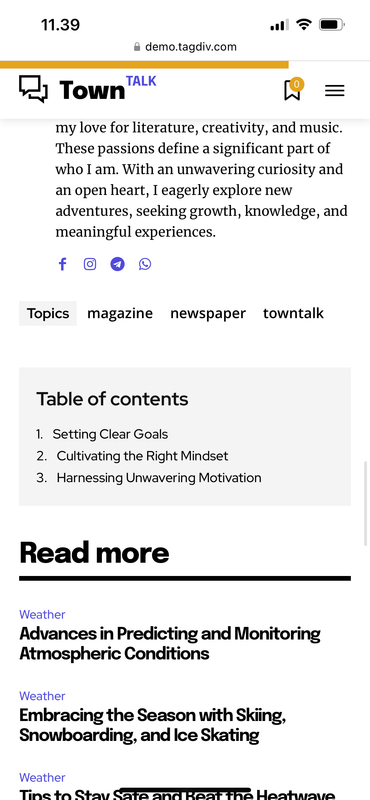
I am using the Town Talk Pro demo. When viewing a post on mobile the table of content is somehow placed after the actual content. Is it an easy fix to move it to the top of the page – preferably just before the actual text?
 nitzanginsberg
Hi,
When the website loads in mobile only, your demo logo is loaded and then the website logo.
Why is this happening and where do I remove your logo?