
- TutorialsDefault Block Settings Guide
 Vairao
 Hello,
Thanks for your answer. I used the header template and could change the logo 🙂
However I didn’t find how to change le logo and menus for the sticky bar ?
COuld you please help me for this ?
Regards,
Nicolas
 Calin
Calin Hi,
That menu is build with header builder
There are 2 header main menu and a header logo and the search, also the row have set this layout -> https://www.screencast.com/t/ObptGGOxMWwG so all you need to do is to set that row layout and set there the shotcodes.
Thank you!
 Simion C.
 Hi,
So the header is on top of the content? Maybe the headers you are trying use the overlay setting, this would explain it
– http://prntscr.com/my73ln
Check if that is the case, let me know.
Thanks
 investireoggi
 Hi,
I’ve disabled the login but I can’t find the orange Header Manager button for header builder.
 Catalin
 Hi,
Unfortunately, we do not recommend to change the size of your logo for Header Style 5 because you can easily break the header functionality, sorry! I recommend you to use the Header Builder template which allows you to create your own header style, using the TD Composer plugin. For more information about this plugin, please check the following documentation from here -> https://tagdiv.com/newspaper-theme-customize-the-header-manager/
Thanks for your understanding!
Calin Hi,
In order to set a menu for mobile theme you’ll need to go in appearance>menus https://www.screencast.com/t/1AXsFLJism
If you are not using mobile theme you can use the header builder -> https://www.screencast.com/t/Q72vMTPC
Get Slick Designs with the new Mobile Header Feature -> https://tagdiv.com/mobile-header-newspaper-theme/
Thank you!
Catalin Hi,
If you want to hide the menu, you need to use the code below ->
.td-header-menu-wrap{

display:none;

}
Hope this helps!
Thanks.
Calin Hi,
This can be achieve using the header builder and adding a header login shortcode -> https://www.screencast.com/t/gd9i27z2J
or if you are not using this feature of theme please check the settings from theme panel -> https://www.screencast.com/t/jgvIKZZH7erY
Thank you!
 melonscape
Hi, I am having problem stretching content part of my website to full width, even though the header can be full width. I tried every single one of the the stretch options in “ROW”, I tried importing full-width demo templates to test it out on my site. The width of the rows on my site even seems smaller compared to the demo site. I also tried “force full width” in theme panel, but it still did not work
My website is https://melonscape.com
Could you assist?
 vuolo89
I’m trying to import one of the Nomad headers from the Cloud Library. When it imports into the tagDiv Composer I only see what looks like an empty column instead of the header. Then when I try to look at the preview the header does not load properly and does not display like the preview in the Cloud Library. I’ve used the Cloud Library for other templates, such as Categories, successfully.
Does anyone know how to fix this?
Calin Hi,
1. Please provide some more details and some screenshots about this, for me is working to set more blocks with the same content -> https://www.screencast.com/t/ErJI3Yb1WdAQ
-> https://forum.tagdiv.com/block-settings-guide/
2. You can add those banners using the new header builder that was include in v9.5 -> https://tagdiv.com/header-main-menu-newspaper-theme/
3. For pages you can use tagDiv Composer and set a -> https://www.screencast.com/t/Qv8rD4ru7p
-> https://www.screencast.com/t/ajibC5Xm
-> https://www.screencast.com/t/JJbibq8crV
-> https://www.screencast.com/t/2fOktBfjyo
if you are using latest articles widgets Sidebar ads -> https://forum.tagdiv.com/sidebar-ads/
Thank you!
 titikkoma
Hi,
is it possible, I set the menu like this picture?
http://prntscr.com/my2tjc
Thankyou
VairaoHello,
How to configure background header in order to have the same result as this demo ?
https://ibb.co/m0SBvzw
with and/or without the post slider.
Regards,
Nicolas
VairaoHello,
I’m trying to find how to configure my header in order to have the logo at the center of the menu as on this demo :
https://demo.tagdiv.com/newspaper_decor/
capture : https://ibb.co/rpD54f5
Thanks for your help !
Nicolas
 Media Gazelle
If I change my menu by adding this:

Then NONE of the pages that has my menu will load in TagDiv editor anymore, they All fail with this error:
Error at zones: 5(models) : 6(dom). The model does not match the content
I think because the top level menu is in the header, and the header fails to load this type of menu item !!!
If I remove the menu again, they work again, everything loads.
How can I make this work?
Media GazelleI imported the NOMAD header, and it contains an empy column on top. There is not way to select this column or delete it that I can discern.
How would I remove this empty column (And others like it)?
Media GazelleWhenever I assign a cloud-imported header to a page using for example the header manager, the header goes ON TOP of the page content, hiding parts of the content, instead of pushing it down. How can I make the header NOT be on top of the page content?
Media GazelleWhen I save a Cloud header I’m editing, it saves almost all the content, EXCEPT new rows/columns and elements in the ‘phone viewport’ part of the editor.
I.e. if I add a DESKTOP HERO, it’s saved just fine, but if I add a Phone-viewport HERO, it’s NOT saved.
Note that if I just edit the phone-viewport LOGO or other ‘settings’ the are also saved just fine. It’s only elements that I add to the phone-viewport editor that are lost.
Look here:
Screenshot
 ToniRM
Hi everyone!
I have a problem on tagdiv composer!
I don’t see the Header Manager button with Newspaper 9.6!
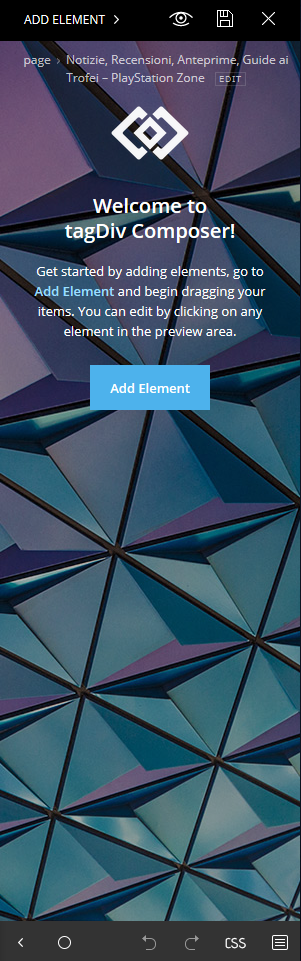
How can i solve it?
Thanks
Toni 🙂
 mwnp
mwnpHow do we increase the size of the logo in header style 5? We are using a child theme and would like to make it slightly larger.
 damedia
Hi, I don’t use the plug in mobile.
I set the menu correctly in sticky mode in Cloud Templates.
But I wouldn’t want the menu to see it in mobile mode(?!)
Thanks for support:)
https://www.dropbox.com/s/pngjauj612pme48/Schermata%202019-03-14%20alle%2020.39.13.png?dl=0
https://www.dropbox.com/s/1ltvocq07h73uo9/Schermata%202019-03-14%20alle%2020.39.04.png?dl=0
https://www.dropbox.com/s/v569dg2fb2v8rb8/Schermata%202019-03-14%20alle%2020.38.41.png?dl=0
Media GazelleHi, I’ve set all the custom fonts to “montserat”, including the Pages H1…. H5.
It looks like all the fonts HAVE changed, except the page headers, they stay “roboto”…
1) Could you PLEASE add a global default font setting, since I just clicked through about 100 hundred dropdowns to do this?
2) What’s up with the PAGE headers? It says the font it set in your style.css from the newspaper theme (So it get’s the right CSS file).
mwnpHi – how do we change the mobile menu? It looks like it just shows whatever is set as the main header menu, but most themes give an option for a separate mobile menu. How do we do this with Newspaper please?
Simion C. Hi,
That would be possible by designing the header with the header builder. The header builder elements will be available in the composer if the cloud library plugin is active.
The rows have a setting to set gradient colors
– http://prntscr.com/mxtppz
You can place the header shortcodes in the header as you wish
– http://prntscr.com/mxtq49
Place a logo, a menu, social icons – http://prntscr.com/mxtqml there is also a search form element – http://prntscr.com/mxtqtl
I used a full stretched row and added the elements inline
– http://prntscr.com/mxtsbf – http://prntscr.com/mxtsjh – http://prntscr.com/mxtsp9
– http://prntscr.com/mxttbp
Then these can be fine tuned further.
You can add as many header menu elements you want – http://prntscr.com/mxtroh each can display the menu you want.
Thanks
 nicole-rethink
 Hi Catalin,
Thanks for your response.
When viewing any of our blog posts there is our header and a blank screen. You can see a screen shot here: https://drive.google.com/file/d/1Dj-c0Xvl0jvI4WxQJ9vdGuu91z-LV2qt/view?usp=sharing
If helpful, this is the full error:
14 PHP Fatal error: Uncaught ArgumentCountError: Too few arguments to function objToArray(), 1 passed in /nas/content/live/rethink2018/wp-content/themes/Rethink/single_template_2.php on line 64 and exactly 2 expected in /nas/content/live/rethink2018/wp-content/themes/Rethink/single_template_2.php:25\nStack trace:\n#0 /nas/content/live/rethink2018/wp-content/themes/Rethink/single_template_2.php(64): objToArray(Array)\n#1 /nas/content/live/rethink2018/wp-includes/template-loader.php(74): include(‘/nas/content/li…’)\n#2 /nas/content/live/rethink2018/wp-blog-header.php(19): require_once(‘/nas/content/li…’)\n#3 /nas/content/live/rethink2018/index.php(17): require(‘/nas/content/li…’)\n#4 {main}\n thrown in /nas/content/live/rethink2018/wp-content/themes/Rethink/single_template_2.php on line 25
Thanks,
Shauna



