
- NewspaperHow to Add a Logo in Newspaper
- NewspaperShortcodes
- NewspaperHow to Set the Image Avatar
- NewspaperThe Mobile Theme
- NewspaperFavicon & iOS Bookmarklet
- NewspaperHeader styles
- NewspaperWhat’s Included in the Newspaper Theme Package
 bdil
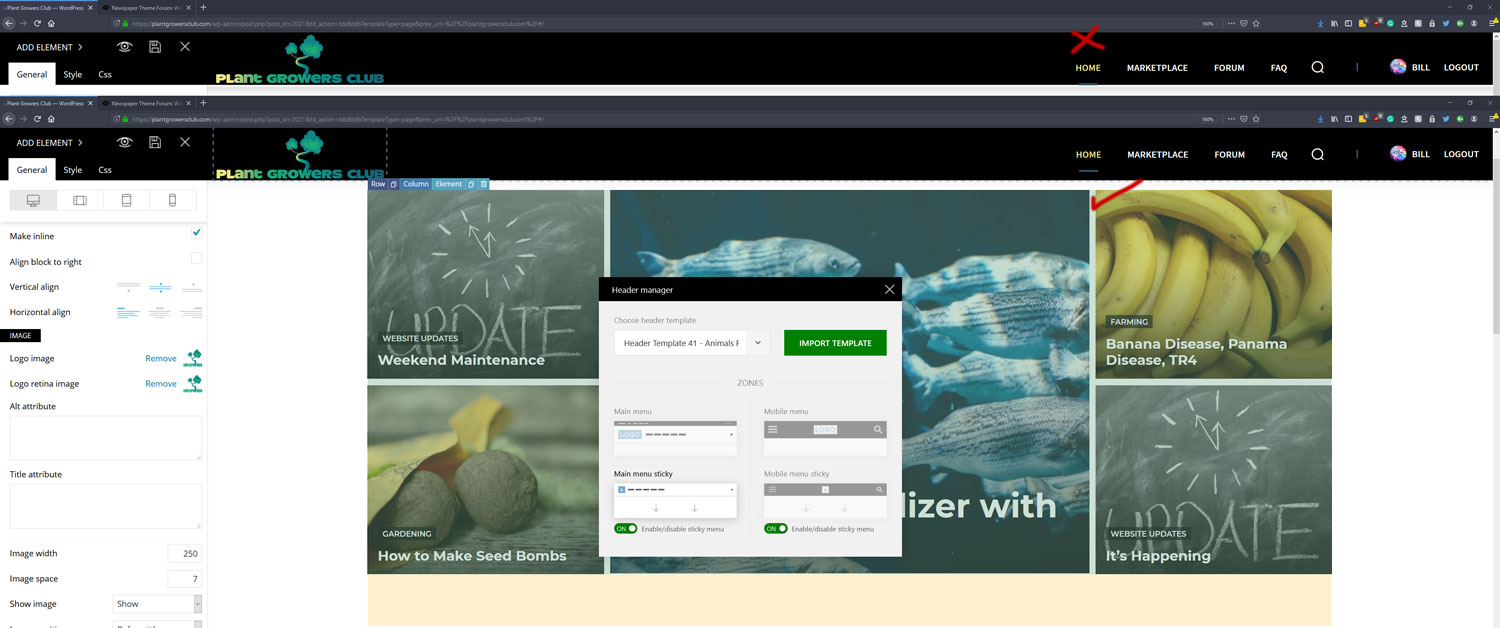
bdilI want my header logo sizing to look good with the rest of the header so I changed the image width from auto to 250 because it was making the header too big. Is this the best way to do this or should I use padding in the CSS options?
How can I make my header content stay centered on both scrolling sticky and when its at the top? Right now it changes the positioning on sticky scroll.
 findlay
Hi,
Try as I might I cannot achieve by using the TagDiv tools header tools available what I want to achieve for my header design.
What I really, really want is for the main menu to extend to the full width of the page starting with “Home” aligned with the waggly Dogs logo above.
Can you please tell me how to do this.
Thank you.
 Simion C.
 Hi,
Should work fine using one header template, WPML adds the language parameter to the permalink when the language is changed.
But it may be easier to create 2 header templates, so you can use for example different logos if needed, and different menus etc directly in the template. You can for example duplicate the template and customize it for each language – https://prnt.sc/p86qss
Thanks
 aleabuamer
 ok… And where I can choose what elements must appear in header?
I only see how to choose the logo element.
thx
 Vlad S
 Hello !
1. This option is available only with Flex Blocks.
2. No, usually regenerating the thumbnails is a process that has to be done when something does not work well.
3. The Slide element’s height can be changed by going into the Layout tab as you can see here: https://www.screencast.com/t/LndSB744EkQ
4. There is no option in order to remove those elements.
5. You can create your header using the Header Manager in order to add an Header Logo element and that will give you the ability to make the header logo as big as you want. Find out more about it here: https://forum.tagdiv.com/header-manager/
Thank you !
 Sibi Paul
Sir,
Kindly visit my site first from a desktop
then from a Mobile phone
Look at the Header, I placed my Logo and Changed Header Background Color
HEADER BACKGROUND COLOR
This refers to Logo and Ad background-color
in Desktop, The Logo Background color shows as Blue…
But, when I visit page from a mobile phone, then, it shows the default color…
Kindly help me to fix this.
 equalitygr
Hello,
can you please tell me:
1.How can i change the dimensions of thumbnail image to the block elements? for.ex block 4
2.Is it required to regenerate thumbnails every time i upload a post?
3.How can i change the dimensions of slide element?I want lower height.
4.How is possible to remove some elements from Category pull-down filter?
5.Change logo dimensions?
Thank you
 Precise14010
I have tried importing different headers from the cloud and nothing wants to save the way I put things. I just need to know what I can input into CSS to force the header ad to display below the logo and menu bar on mobile.
We have Header Style 1 implemented sitewide. The ad currently moves above the logo and menu on mobile and thats bad for earnings.
I imported one from the cloud and almost had this but it would not save after I made the changes. I would click save, it would say it saved but when I went to exit it would say that there were unsaved changes. And sure enough the centering I kept doing to the ad would never save.
So what can I do to Header Style 1 to force this on mobile only.
Thanks
findlay Simion C. Hi,
It is possible to set different headers for the translated pages, with the header manager.
I made a test using different headers each with logo elements in them. On English (default language) for example it will direct to the normal URL – https://prnt.sc/p7otl7 while on French using a different header it directs to the French URL – https://prnt.sc/p7ou79
You could do it like that, if you have more questions let me know.
Thanks
aleabuamer ok, thx
But if I do this, I only would have the logo in header and I need the other elements.
thx
 fatih-2
So I’m creating a new header in cloud template from scratch(blank header). We are using WPML for multilanguage.
My question is, do I have to create 2 headers for each main page to display? Because, we are placing URL for the header logo but have 2 main pages obviously which ends with .com and the other is .com/en/
Vlad S Hello !
On your page you can make the logo smaller by resizing the image. Also to me, you header looks ok: https://www.screencast.com/t/Fc6nIpf8Ac
Thank you !
 rs_cwi
Hi
I have recently installed the newspaper theme and created a new header from the blank cloud-template.
But I cant find a way to reduce the height of the header. How can i do it?
The boxes for the pictures/logos seems to big.
(check it out on socialisterna.org)
Best regards
Jonas
 cmamarkets
 Na minha pasta parts/header não encontro os arquivos logo-h1.php logo-mobile.php logo-mobile-h1.php logo-text.php
Apenas o logo.php onde removi a Tag ““.
Mas não surgiu efeito.
Como faço se não tenho estes arquivos, e mesmo retirando o código do arquivo que tenho, nada muda?
Vlad S Hello !
Sorry for missunderstanding your issues !
You can disable the H1 option from here: https://www.screencast.com/t/GhUMOjZ9SqT
Thank you !
In order to change the H1 in code you will have to look for all the td-logo tag in all the files in order to change the H1.
Thank you !
 mimicreature
 Your said solution does not solve the issue. After doing all those changes still my website is pulling logo as H1
It is really frustrating that a single change costing you so much of efforts and still there is no working solution .
 Minoumax
Hi, is it possible to make the logo bigger with this Header on this page?
http://metrografic.es/ACBE/
Thanks
 meri
meri As you can see https://ibb.co/q7Bx3NN the logo is really small.
The URL is https://www.google.com/amp/s/www.mondeoz.com/equipement-voyage/meilleur-sac-a-dos-voyage/%3famp
The %3famp seems also pretty weird to me as it should be ?amp
In the Theme Panel, I chose the option : Use the mobile theme for Mobile + AMP
Thanks for your help
mimicreature Anyone has any update on this? I modified the code in file logo-h1 and changed the h1 tags to h5 (As mentioned by Calin) but still my website https://riansclub.com is showing td_logo as the H1.
I am using default Multipurpose Header-3. I am not in mood to install any cloud library header and need the working solution for this issue,
Thanks for your help.
 JanStrmiska
 Hi Vlad,
I deactivated / cleared the cache / activated. And it didn’t help.
I have solved this problem once and had to restore the site from backups. Besides, I don’t use any special plugins (Envato market, Tagdiv plugins, updraft plus, WP supercache and Yoast).
Any more advice?
It makes sense to try another hosting? Can it help?
And can you answer me the questions about the logo size (previous question)?
Thank you very much
Jan
mimicreature Please make a note that I am using default header 3 and I modified the file to change the h1 tag to h5. Removed cached files and still when I access the website it is showing td_logo as H1. Please give me working solution …
mimicreature I made the changes like how you said. But still logo is the H1. How to fix that? See https://blogbyts.com to check header informations.
 rafaelsantarem
I update the data in the Theme panel, such as the logo and my social networks, and when saving, they do not appear on my home page. Can someone help me please ?
rafaelsantaremHi, I want to add my logo to my site, and I am doing the same procedure as I did on the previous site, but in this my logo does not load and continues with the original logo of the theme. Can someone help me ?
I took a photo of the screen to see if I am doing the correct procedure, the photo is in the link below:
