
- NewsmagLogo & Favicon
- NewsmagWhat’s included in Newsmag theme package
- NewsmagMain menu
- NewsmagHeader styles
- NewsmagFooter templates
- NewsmagTheme colors introduction
 coachkriswatkins
 So I tried to remove the mobile logo then go look and now it seems as if there is not a mobile menu button
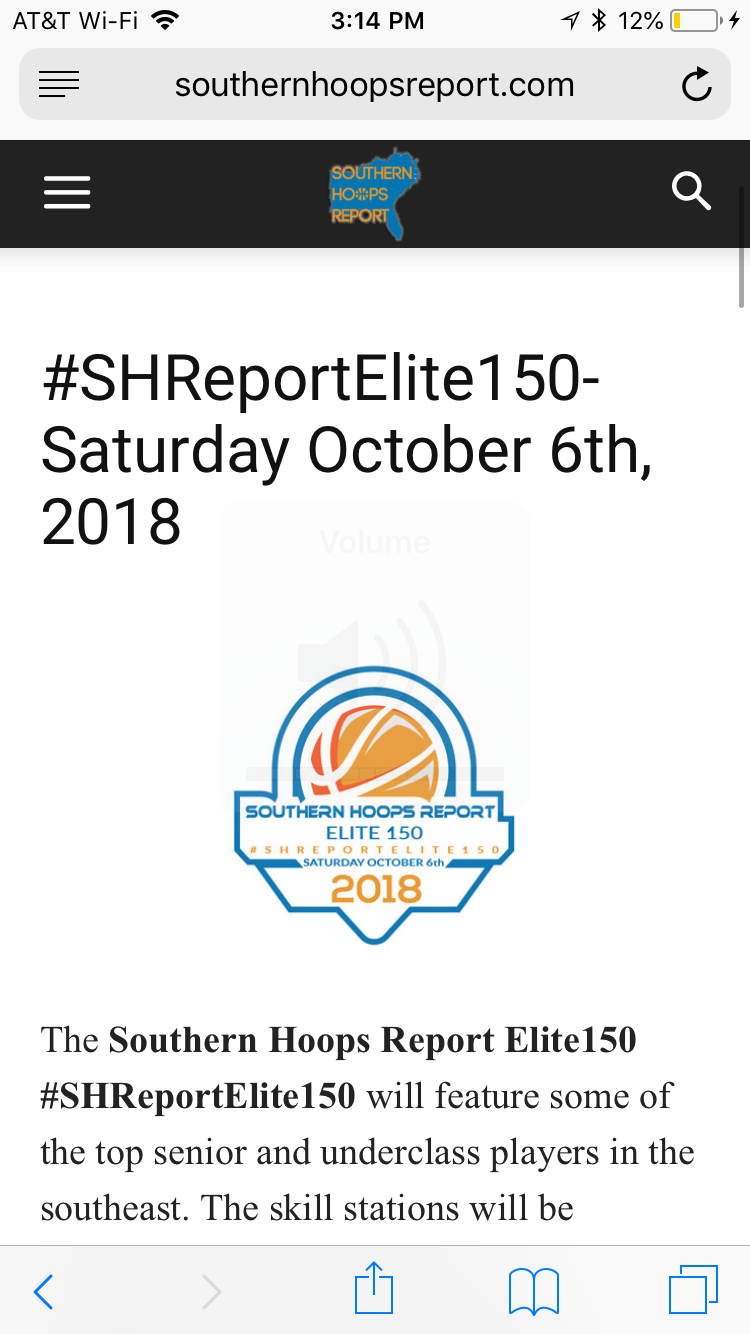
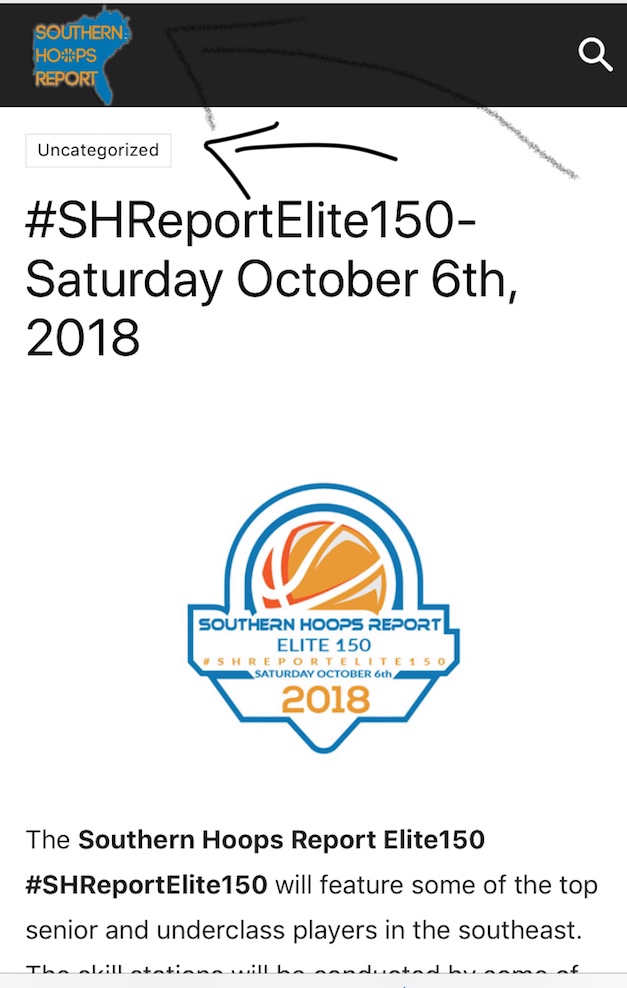
coachkriswatkins Thanks for getting back to me, however, I have check and the issue exist for users on iphones. Like I said it only happens when someone clicks on a link to get to the site. I have about 20 different sites with different themes and this is the only site I have this issue with and its with this theme. Please try clicking the link in the tweet I linked below and see if you see the issue I noted with the category showing and the logo moving to the left and covering up the menu button as noted in the second picture above
Southern Hoops Report Elite150#SHReportElite150
? Saturday Oct 6th
? Pope HS (GA)
Top Competition ☑️
National Media Exposure ☑️
Top HS Prospects ☑️
College Coaches ☑️Register Here:https://t.co/I4WITVgoLb
Why Attend?
Watch the recap from our Last Event ⬇️ pic.twitter.com/b6R6P2BieN— Kris Watkins (@KrisWatkinsPSB) August 19, 2018
 Simion C.
 Hi,
But if you shift the menu to the right what about the search icon? Maybe like this
– https://forum.tagdiv.com/topic/how-to-change-mobile-icon-menu-to-the-right/
Or maybe switch them? – https://www.screencast.com/t/EWt7fDFfEWc
#td-top-mobile-toggle {

position: absolute;

right: 0;

}

.header-search-wrap {

right: auto;

}
Also with the menu to the right as you mention
– https://www.screencast.com/t/Iqp57AJP
#td-top-mobile-toggle {

position: absolute;

right: 0;

}

.header-search-wrap {

right: auto;

}

.td-main-menu-logo img {

left: auto;

right: 54px;

}
Modify the codes as you want, then enter them in the phones section in the Advanced CSS.
Thanks
 Bogdan B.
 Hello,
The space is being held by the header ad. Here is an example of what removing the space will result in: https://www.screencast.com/t/yxFNHRgvqv
You can improve it a bit to a certain point using this guide:
.td-header-style-1 .td-header-sp-recs{

margin: 5px 0 9px 0;

}

.td-header-style-1 .td-header-sp-logo{

    margin: 0px 28px 0px 28px;

}
Thank you!
coachkriswatkinsHi,
I am having some trouble with my site showing up correctly on mobile device when someone gets to it by clicking a link to the site (twitter, facebook, text message, etc) It shows the category (which I do not want) and it moves the logo over the menu button. This is not an issue if you go to the site directly on a mobile device, only when someone is directed to site via a link
 likocorp
Hello
Please take a look at this pic https://ibb.co/fHUdLK
Where can I change the space size above and below the logo?
Thank you!
 Arafat
Hello, I want to shift Mobile menu left side to right side use custom CSS. How can I do that? Also, shift mobile logo center to the right side using custom CSS.
Thanks!
 tanteidee
 I am aware that there is not an option for this, but I think we can solve the problem by using code in the functions.php file, surely starting from
if (strpos ($ url, '.it / en /') {

...

else

...
And of course you know the parameters related to the logo in the header and footer.
I ask you a little help.
Read also here https://www.webhostinghero.com/how-to-change-the-custom-logo-depending-on-the-page-in-wordpress/
 Catalin
 Hello tanteidee,
Unfortunately, the theme does not have any such an option that allows you to change the URL of your logo, sorry! This task involves doing such additional customizations and we cannot provide something like this, sorry! If you are not aware of the steps which are needed to take in this case, please consider hiring a freelancer/developer to help you! Usually, we recommend the developers from studio.envato.com.
Thanks for your understanding!
tanteideeHi,
i need to change the URL of logo LOGO UPLOAD and RETINA LOGO UPLOAD (header) if I visit certain pages containing in the URL .it/en/ (english version of my site)
if(strpos($url, '.it/en/') {
Can you please tell me the correct code for a function?
I think that the same function can be replicated for the logo in the footer.
Thanks!
 cucuteanu
Hello,
I downloaded some author cloud template and author photo is not showing properly (it shows an image with logo).
Thank you,
Dan
 valiente123
Hi, i want to show on author image like that http://prntscr.com/kq6s95 it appear right now like that http://prntscr.com/kq6sje how can we enable little avatar author, thank you.
Simion C. Hi,
There are a few topics you can check to see how you can find the theme strings
– https://forum.tagdiv.com/topic/theme-translation-with-wpml-in-spanish/
– https://forum.tagdiv.com/topic/wpml-and-header-text-logo/
– https://forum.tagdiv.com/topic/wpml-theme-translate-logo/
If the chosen strings are not visible in the translation after adding them, it could be the problem from here (this solved many similar issues)
– https://wpml.org/forums/topic/cant-add-string-for-translation-from-admin-strings/
Thanks
Simion C. Hi,
The theme will set the website logo as h1 as explained in these topics
– https://forum.tagdiv.com/topic/h1-on-logo-inside-pages/
– https://forum.tagdiv.com/topic/h1-in-logo/
– https://forum.tagdiv.com/topic/multiple-h1-in-a-my-custom-page/
Header style 3 and multipurpose header style 3 are different header styles. The non multipurpose styles can be modified in a child theme, the others cannot (they are added by the former multipurpose plugin now included in the tagDiv composer).
Thanks
 Portekoi
Hello,
All is in the title : how can I add my own Post templates ?
In fact, I need a Post templates without social links, related posts etc. Only my logo, featured image and post text.
Thanks,
 xavig
xavigHello.
I really want to remove H1 from Logo because I like to add the h1 tag in every page by myself. But I have some doubts about do that. I did that:
1. It seems that I need to create a Child Theme. I followed this steps to do that and everything was perfect: https://forum.tagdiv.com/topic/creating-a-child-theme/
2. I use header 3 multipurpose for my website. So I copy the file header-style-3.php from my parent theme to Newspaper-child/parts/header/header-style-3.php
3. Change the code like this: http://www.screencast.com/t/HkuuAayUyX4U (I used the WordPress Editor)
But It doesn’t work, Logo in Home is h1. What I’m doing bad?
Thank you very much
Bogdan B. You can upload it as a logo on header styles 9, 10 or 11 which will show the logo full width like this example: https://demo.tagdiv.com/newspaper_cars/
The big car banner is the site logo.
If you want o have a banner as well as a logo besides the menu, then you need custom modification to implement the banner.
Thanks.
 Garba
Garba I had great hope that I wrote it clearly. I need the banner, not a logo. As it is here – https://www.cosmopolitan.com/
 SPAREGmbH
Hi there,
i was wondering if its possible to add a Logo above the Menu on Mobile.. just below the login/register option
https://prnt.sc/kooen3
Can this be achieved somehow? Also is it possible to color the X Button on the top right?
thank you so much
Bogdan B. hello,
The amp template was implemented according to the current standards. It is the exact same implementation made by Yoast for example: https://yoast.com/wordpress-seo/amp/
As you can see there is no menu on their website as well. But we will consider implementing this into our themes as this request becomes more and more popular.
The amp plugin uses the mobile logo so please check your mobile logo in the theme panel. Make sure it is high quality. Check from your mobile device also, not from desktop as AMP i a mobile only implementation. A user cannot access it using desktop unless specifically wanting to by adding /amp after the url
The search button redirects you to the main page which is what it needs to do so the user can get to your site as well.
Your amp version works properly.
Thank you!
@dgc97
Please open a new topic and provide a link to your site and more details to what exactly is not working.
Thanks
Bogdan B. Hi,
Yes you can ad an animated gif as a logo. Our main logo is a gif actually: https://demo.tagdiv.com/newspaper/
Thank you!
 ib4ud2014
 UPDATE:
I removed the logo.
https://www.irelandbeforeyoudie.com/wp-content/uploads/2018/08/SCROLL-MENU-PROBLEM.png
This is a screen of what the menu looks like when it loads compared to when I scroll down and back up (not to the very top). When you reach the very top, the search button moves to the left again.
Any ideas how to fix this and to ensure it stays the same?
Bogdan B. Hello,
you ca remove the left margin but it depends on whether your logo image has spacing or not. The newspaper logo by default has a bit of spacing around it so it cannot start at the very left because of that spacing coming from the image itself: https://www.screencast.com/t/zIAW2w0LV3o
Make sure your logo image has no left spacing and then use this code:
.td-header-style-1 .td-header-sp-logo{

margin: 28px 45px 6px 0px;

}
Thank you!
 pinnaclecompass
 Additional information: We’re using header ‘Style 2 – Multipurpose’ for desktop view, Smart snap (mobile) sticky menu with mobile logo. Social icons are disabled.
Site in question: https://www.caymanhealth.com/
 Vladimír Juroško
Hi team,
Could you please advise me?
I do not see menu button and menu on my amp page. E.g.: https://jurosko.sk/wordpress-pridat-stranku/amp/
Also the logo is blurred.
And search button is not working 🙁
Thank you much in advance,
Vladimir Jurosko

