
- NewsmagSmart list ads
- NewsmagIntroduction
- NewsmagMain menu
- NewsmagLogo & Favicon
- NewsmagHeader ads
- NewsmagSmart sidebar
- NewsmagSharing buttons
- NewsmagCategory tag on modules/blocks
- NewsmagBackground introduction
- NewsmagTheme colors introduction
 ChandlerBing1985
Hi, I recently installed this theme on http://www.contra-ataque.it and wanted some clarifications. Given the new Google regulations is it better to activate only AMP for posts or the mobile version of posts? Currently amp is active but I can’t change the layout of AMP and also I can’t change the layout of the mobile theme (in the image you can see how, despite different settings, the logos and colors of the demo gossip theme are present https://ibb.co/Jd5xvX4). Where can I change logo and other parameters? Moreover, with Google Site Kit I can’t get the banners in the mobile version automatically. Finally I noticed in Analytics the suffix at the end of the url tdb action=tdb ajax, what does it refer to?
 Satheeshraj
How can I change the post title font size for mobile theme?
 Calin
Calin Hi,
Unfortunately, there is no option in mobile theme plugin for that. It is used the general option from the theme panel -> https://i.imgur.com/pE4nxho.png but this will apply on default post templates too.
On solution will be to use a custom css:
.td-post-featured-image{

display: none;

}
This need to be set in the theme panel> mobile theme > custom code> css.
I hope this will help you!
 Bettina
 Hello!
I can see that your slider on desktop and mobile is fullwidth: https://www.screencast.com/t/jvqf5BD4YWo
Did you solve your issue?
Thank you!
 dennisjpitocco
Cloud Footer appears fine on Desktop but extra/blank Footers appear above on Mobile devices. Site is https://www.bizcatalyst360.com/homepage-bc360/
 dimitrisv
 Thanks Bettina. I was just unaware that the lazy loader also provides this effect.
One more silly question.
Can you please confirm that if we like our readers to see in their mobiles the newspaper theme, we have to mark the AMP choice?
I noticed that if we select Mobile or Mobile+AMP, it displays the simplified/plain version.
Thank you!
Bettina Hello!
This situation appears when you are using the mobile theme plugin and the cache plugin that you have does not feature options for a separate mobile theme plugin therefore do not know when to deliver the mobile version and when to deliver the desktop version.
We tested with our theme the WP Super Cache and with the settings from our guide this is working correctly: https://forum.tagdiv.com/cache-plugin-install-and-configure/
Hope that helps you!
Thank you!
 lpro
lproHi,
I want to hide the featured image on posts in mobile theme
but i don’t have this option “Post settings ” -> screenshot
Bettina Hello!
I’ve checked your post and I can see only the social share buttons: https://www.screencast.com/t/ltNKdpJj
Those are displayed in your mobile theme.
This issue has been discussed already here: https://forum.tagdiv.com/topic/it-does-not-show-top-article-like-button/
Also, I can not see any subtitle. Do you mean the caption https://www.screencast.com/t/N1iRQ2kzbv ?
There you need a CSS code in order to change the font.
Thank you!
 AndreaPagani
Hi! I’m trying to track my website http://www.officina.news in mobile version (AMP), but I can’t display Google Analytics code.
I think I’ve pasted the right code in Theme settings – Mobile Theme – AMP Analytics (because I can see it with Analytics while browsing categories).
{
“vars”: {
“account”: “UA-XXXXXXXXX-1”
},
“triggers”: {
trackpageview”: {
“on”: “visible”,
“request”: “pageview”,
}
}
}
What’s wrong with the website?
Thanks!
Andrea
 bidhi
bidhi in mobile it is showing left and right space check attached screenshot
 Legally Flawless
Greetings,
We are having a problem with our website for the past 1 month or so as many times the mobile view is showing on the PC and vice versa. Kindly help us regarding the same as our visitor experience is being hampered.
Thanks and regards.
Team Legally flawless
http://www.legallyflawless.in
E-mail: legallyflawless.info@gmail.com
 kibiribi
 “Houston, we have a problem” – in this case
My mobile banner was demonstrated ok before – https://drive.google.com/file/d/1YeFolyFD3wAuIszX35QafFOcBe331h4m/view?usp=sharing
Settings here – https://drive.google.com/file/d/1t8gJGrn_wsgzr1eT_qrSkEBdggXoEq9o/view?usp=sharing
When Tagdiv Mobile plugin will be disabled -https://drive.google.com/file/d/1AkGgtOOBWgLKvvfekYt8Am66VVHAxQyX/view?usp=sharing
Mobile header banner was not visible – disabled Mobile TagDiv plugin – https://drive.google.com/file/d/11RiRW7DdOWM53ArIH8zRh_n0Ywwvc0JY/view?usp=sharing
Any workaround how to avoid this?
 Hispanic L.A.
 Thank you. I will divide this per topic.
In Theme Panel -> Post Settings -> Sharing -> One can enable or disable
the “top article like”. I find it very useful
But this doesn’t exist in the Mobile theme. There is no “like” button in the posts.
The result is that only those visitors that are on desktop
can react, rendering a very partial picture.
If you go to https://hispanicla.com/la-nina-salvaje-de-california-28462 on a desktop you will see the “like” button below the image. If you instead use your cell, below the image are only the social media buttons. What I am asking is to make possible to add the “like” button in the mobile theme.
Best,
G
 danna
dannaHello,
as CLS get’s more important i just wanted to know how i can fix he following issue:
I’ve activated the mobile theme and it seems like scrolling causes a CLS as you can see on the screenshot:
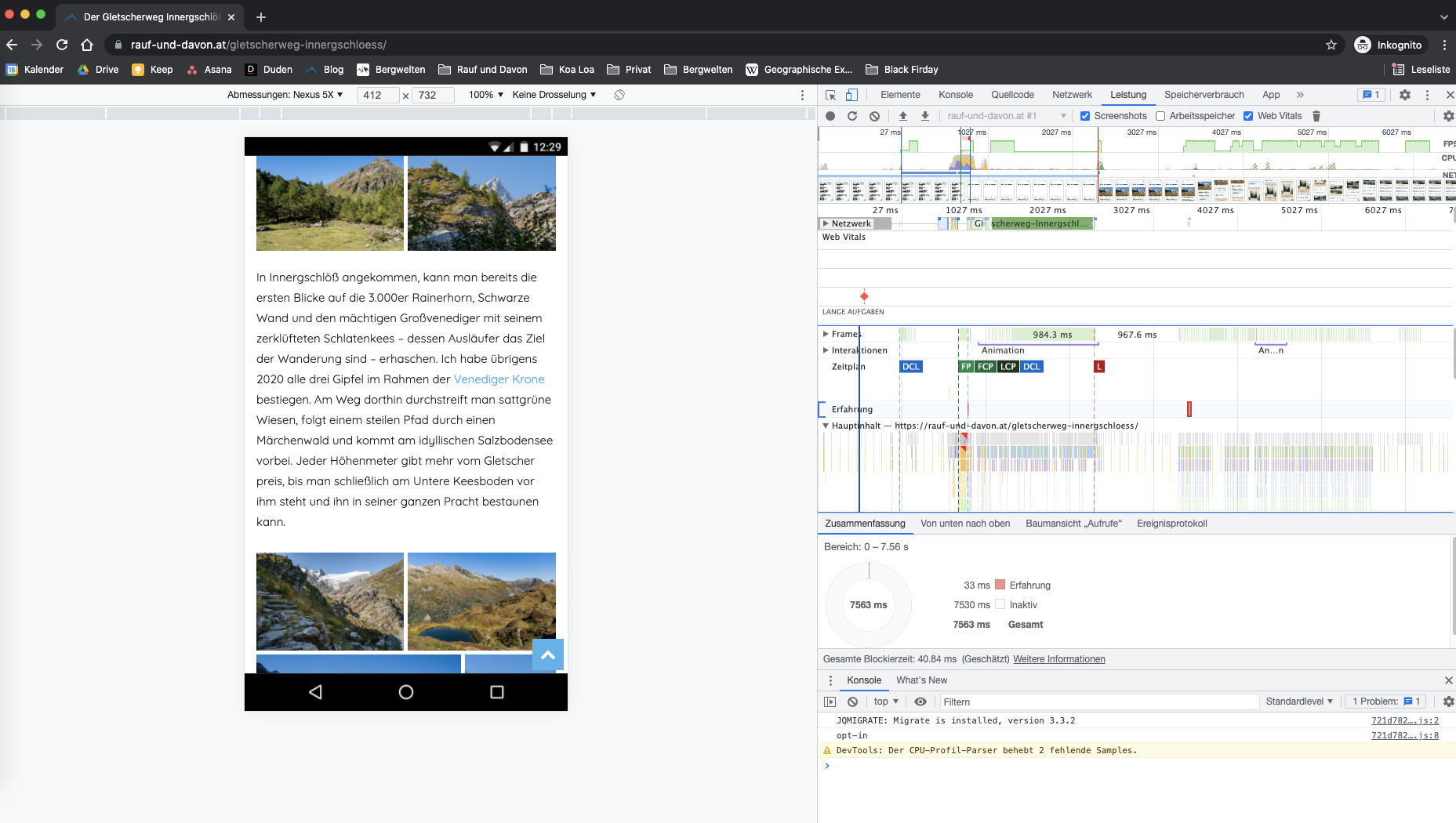
This always happens on every page but only when you start scrolling. Can you please take a look at it and tell me how to fix that 🙂
For example here: https://rauf-und-davon.at/reedsee-wanderung/
All the best and thanks,
Daniel
Bettina Hello!
Unfortunately, child theme support for mobile theme is not available at the moment in our theme.
Thank you for understanding!
kibiribi Thanks for the quick reply!
Done, it works after Mobile Plugin disable – https://prostobzor.com/garmin-leather-bands-catalog/
But I’m afraid, is ok for all other pages with mobile support?
P.S. And some element was not shrank – https://drive.google.com/file/d/1tg-0tkS4o96N4VYsAec_zEZLXMcyRf5S/view?usp=sharing
Should I repair it myself?
 Anamaria
 Hello,
Please disable the mobile theme plugin.
Thank you!
kibiribi Hi there, Anamaria.
It seems you didn’t see me video. 🙁
I’ve disabled AMP, I want responsive page format
according to this manual – https://tagdiv.com/newspaper-10-3-7-update-brings-customizable-and-fast-mobile-pages/
I’ve created mobile page
But mobile data is empty.
Watch video please – https://drive.google.com/file/d/1kmjPK5ughfeDFPrqUbEpOHo5-mZwgXDz/view?usp=sharing
Satheeshraj Can we do the same for tagdiv-composer plugin?. Because mobile theme related header and footer are in that plugin only.
Anamaria Hello,
Please check this topic where I explained each mobile version -> https://forum.tagdiv.com/topic/mobile-version-not-working-properly-2/ and choose what mobile version you want.
After that, if you still have questions about the mobile version you can ask me.
Thank you!
Bettina Hello!
If you uninstall the Mobile Theme plugin, then it will appear how you’ve set up the mobile version from Composer.
This situation appears when you are using the mobile theme plugin and the cache plugin that you have does not feature options for a separate mobile theme plugin therefore do not know when to deliver the mobile version and when to deliver the desktop version.
We tested with our theme the WP Super Cache and with the settings from our guide this is working correctly: https://forum.tagdiv.com/cache-plugin-install-and-configure/
Hope that helps you!
Thank you!
Anamaria Hello,
So, if you want to have the mobile responsive version, you can simply disable the mobile theme plugin.
Also, please check this topic where I explained each mobile version -> https://forum.tagdiv.com/topic/mobile-version-not-working-properly-2/ and choose what mobile version you want.
Thank you!
Bettina Hello Sebastian!
For the mobile menu when you are logged, you need to change this link from wp-content\plugins\td-composer\legacy\Newspaper\parts\logged.php 8 line
Thank you!
Anamaria Hello,
From your screenshot seems you have the mobile theme plugin activated, please deactivate it, clear all cache and check after the mobile version.
Also, please check this topic where I explained each mobile version -> https://forum.tagdiv.com/topic/mobile-version-not-working-properly-2/ and choose what mobile version you want.
Thank you!

