- TutorialsFrom WPBakery to tagDiv Composer
- TutorialsWhat is Ajax preloading?
 besthomegear
 Bettina
Thank you for your quick reply. However, there is no mention of a remedy to fix no-load videos when viewing our site in MOBILE with VPN enabled. Videos in Mobile only open when a user’s VPN is Disabled. Since 69% of users use VPN for mobile devices, this is critical.
Thanks again for directing us towards a setting(s) to remedy the VPN issue with your theme.
Kevin
 duleybr
 Hi Bettina, I disable preatty much all plugins in website.
I leave enabled only AMP, Slider revolution and all tagdiv plugins
tagDiv Cloud Library
tagDiv Composer
tagDiv Mobile Theme
tagDiv Newsletter
tagDiv Opt-In Builder
tagDiv Shop
tagDiv Social Counter
tagDiv Standard Pack
Clean all possible caches and reload the site.
Still displaying ads.
2 thinks I did.
1. I try to search for a possible injection of ads from other account. I didn’t find anything in code, only my adsense code.
2. Remove google site kit plugin
Even removing site kit I am still able to see ALL possible ADS.
I came from another good theme to Newspaper, I really enjoy it but, I was not expecting this one! =]
 Bettina
 Hello!
It works after two clicks on play. Check the documentation about mobile pages here: https://tagdiv.com/newspaper-10-3-7-update-brings-customizable-and-fast-mobile-pages
You should assign a mobile page for each template.
Thank you!
Bettina Hello Aline!
You can hide any shortcode, including the ad box shortcode, on each viewport. You can hide it on desktop and tablet viewport and make it visible only on mobile: https://app.screencast.com/ocBb9hWOVZRPs?conversation=hTxKinRUQnBBLCqE2JpJlM
Also, you can build a mobile page, copy homepage content, and add your ads with the help of the Ad box too. Mobile pages: https://tagdiv.com/newspaper-10-3-7-update-brings-customizable-and-fast-mobile-pages
Thank you!
Bettina Hello Alessandro!
I’ve checked your website, and it seems to work well, but you do not have a background color or image. Here you can remove/set a picture for mobile menu background: https://www.screencast.com/t/x3Xrln2b88x
And the background color here: https://www.screencast.com/t/PbU3hQpDqHh
The opacity of the mobile modal can be changed from Theme panel -> Background -> Mobile menu/search background: https://www.screencast.com/t/hcRoHastuO -> https://www.screencast.com/t/SQapAaaiLRwY
You can also use a modal popup for a mobile menu and create your own design on a separate page that displays in a modal: https://forum.tagdiv.com/modal-popup/
Thank you!
besthomegear First Screenshot didnt upload for single post mobile template – which appears to not be in place. Attempting it again here
besthomegearWe have been using the Tagdiv Newspaper theme for over 3 years. By all appearances, it appears to operate efficiently. However, we recently discovered that none of the videos on our site (Posts or Video Watch Page) open when clicked on, they simply spin.
Then we tried the same procedure with Nord Vpn disabled, and ALL videos will open. I’m not sure if this is a new setting with Nord or if my WP developer didn’t set up the mobile template correctly.
If you will, please open our site (www.besthomegear.com) using a Mobile device >open any posts>scroll to any video (like this one; https://www.besthomegear.com/video/ego-electric-riding-mower/) with a VPN enabled, then disabled, and see if the same VPN blocking issue occurs for you.
Also, we don’t find any mobile templates

 aline@nordsip.com
Hello! I’m trying to set up an ad on my mobile page but it isn’t working. Could you help me?
The set up is: for each page I have a normal desktop version and a separate mobile page. On the desktop page, I have an ad placed at the top which is the “Header Ad” slot. On the mobile page, I have an ad placed at the top which is the “Custom ad 1”.
If I place the “Custom ad 1” on the desktop version it works on desktop and mobile, as long as I don’t have any mobile template for that page (i.e. just running the desktop version on mobile). So the code is not an issue.
What am I doing wrong?
Thanks!
Aline
 Alessandro
On my website, the hamburger menu doesn’t work on the mobile version, but only on iPhone.
I’ve noticed that it works fine on Android smartphones. I’ve tried many things: I cleared the browser caches, the SiteGround cache… but nothing changed.
Wordpress version: 6.8.1
Newspaper version: 12.7.1
The site is: http://www.imuc.it
Could you kindly help me?
Thanks, Alessandro.
Bettina Hello!
The mobile theme has settings that can be found in the newspaper -> theme panel -> mobile theme. You should change it from there.
We have three options available for mobile versions that you can use:
1. Responsive version: A responsive version of your website looks similar to the desktop version. TagDiv Composer is used to edit the page. Click on the mobile viewport: https://www.screencast.com/t/XDQJedlggSB. You can see your mobile version there and edit or adjust the elements to look better.
2. Mobile pages: https://tagdiv.com/newspaper-10-3-7-update-brings-customizable-and-fast-mobile-pages
3. Mobile theme plugin: The Mobile Theme is a performance-optimized theme included in the main Newspaper theme that only loads on mobile devices. It comes with its own templates and designs for pages, posts, categories, etc., so your current templates from the desktop theme will get converted to the mobile theme layout. Please see https://forum.tagdiv.com/the-mobile-theme/ and https://forum.tagdiv.com/mobile-theme-introduction/ for more information.
A full explanation is here: https://www.youtube.com/watch?v=SpGkOnJeNZY
If you need to use mobile version 1 or 2, then you need to uninstall the Mobile Theme plugin and AMP.
Thank you!
Bettina Hello!
Unfortunately, it won’t work.
We have three options available for mobile versions that you can use:
1. Responsive version: A responsive version of your website looks similar to the desktop version. TagDiv Composer is used to edit the page. Click on the mobile viewport: https://www.screencast.com/t/XDQJedlggSB. You can see your mobile version there and edit or adjust the elements to look better.
2. Mobile pages: https://tagdiv.com/newspaper-10-3-7-update-brings-customizable-and-fast-mobile-pages
3. Mobile theme plugin: The Mobile Theme is a performance-optimized theme included in the main Newspaper theme that only loads on mobile devices. It comes with its own templates and designs for pages, posts, categories, etc., so your current templates from the desktop theme will get converted to the mobile theme layout. Please see https://forum.tagdiv.com/the-mobile-theme/ and https://forum.tagdiv.com/mobile-theme-introduction/ for more information.
A full explanation is here: https://www.youtube.com/watch?v=SpGkOnJeNZY
If you need to use mobile version 1 or 2, then you need to uninstall the Mobile Theme plugin and AMP.
Thank you!
Bettina Hello!
In the latest version, we treat onkky a security issue: https://tagdiv.com/newspaper-changelog/
Does the problem persist in the previous version too?
A responsive version of your website looks similar to the desktop version. TagDiv Composer is used to edit the page. Click on the mobile viewport: https://www.screencast.com/t/XDQJedlggSB. You can see your mobile version there and edit or adjust the elements to look better.
Thank you!
 MotachiiiXi
How do I edit off the NEWSPAPER text Logo and Tagline (Discover the Art of Publishing) on the Mobile theme of my website. I cant find it in the mobile section or anywhere else and not clear on the documentation
 624alicante
Hi there,
kindly need some help, i want to display a shortcode in Mobile Theme Ads
like that
[srr_feed display_type=”grid”]
but shows nothing up
Any idea?
 Anamaria
 Hello,
Do you use a mobile page? Also, have you checked for a plugin conflict? Please also use force refresh when you resize the browser window.
Thank you!
 Simion C.
 Hi,
That is pretty unusual.
First, installing woocommerce doesn’t cause the AMP plugin and our mobile theme to also be installed. These two plugins are optional and have no relation to woocommerce. And the plugins can’t just install themselves.
Second, even if the two plugins are installed, it should be possible to deactivate and delete them, as with any plugin. But if you tried to remove them without success, I will take a look at this as well. Please send us an email at contact@tagdiv.com and provide admin login (user and pass) for the website.
Thank you!
 DashDesigns
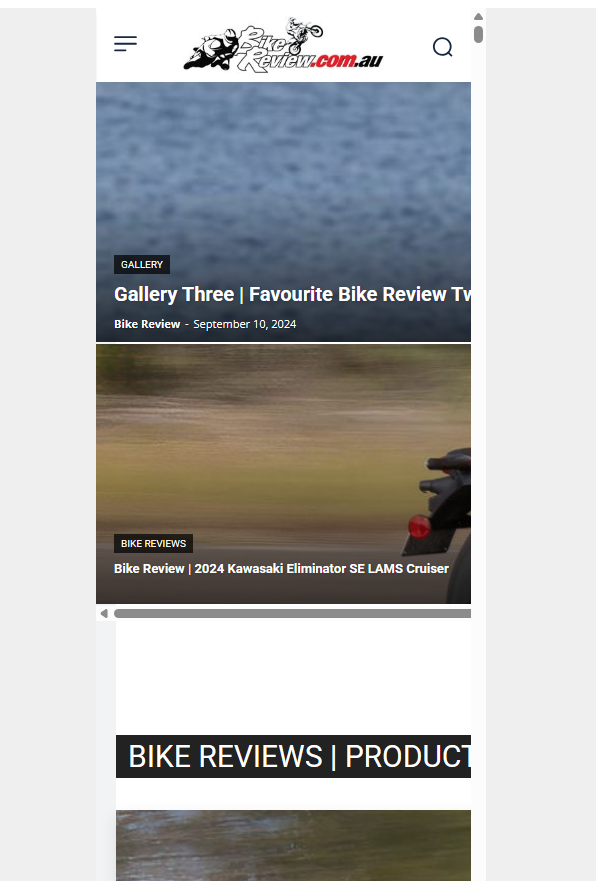
Hi. For some reason when I check the mobile view, this is what I see:
https://bikereview.com.au/images/newspaper-theme-mobile.png
I tried installing the mobile theme plugin, but still the page displays like this in the editor and also if I resize the browser window. Why is it not responsive?
I cannot show you the website as it is not an active URL and you would need to add a record to your HOSTS file to see it.
Please let me know why the mobile view is not working.
 bethscal
We have many custom pages created via tagdiv composer – example here: http://www.orangeslices.ai/govcon-ma
We recently did some updates and added woocommerce to the site, which caused several other plugins to be activated – namely AMP and the Tagdiv mobile theme plugins.
This has caused quite a few issues with customers unable to see anything on those custom pages on mobile except the header and footer.
We are using the Newsmag theme. We have tried to deactivate the plugin or looked for a way to turn it off but it does not deactivate and there is nothing in the theme panel that we have found to turn off the mobile theme plugin settings. We have almost 10K users and this is very stressful.
We are using the classic editor and I do not see any options to turn off the mobile theme per page either. Please advise us how to remove this plugin. We tried to do so via blogvault and it crashed the site and we had to reboot it. Thank you.
Simion C. I think I know what’s going on. Are you using zoom in the browser? Does it maybe appear like so if you check https://prnt.sc/I2r90s204WVy By zooming out the mobile viewport doesn’t fit on the same line with the others and drops down below them. Please remove the zoom and it should display correctly. Please try it and let me know.
Thank you!
Simion C. I checked but I did not find an email from you, not even in the spam. Not sure what happened but there is no email from you.
Please send it again, and include a link to this topic in the email -> https://forum.tagdiv.com/topic/mobile-responsive-editing-tab-is-gone/
Please let me know after you send it again.
Thank you!
 YoonHo, Lee
Hello. Thank you for your hard work.
BlockChain PRO pre-built theme (including content) has been successfully installed.
After that, the first section of the homepage works normally on large screens. However, on mobile (small screens), there is an issue where the pages overlap behind the menu, or the screen is cut off and overlaps again after a little manipulation.
It seems that the basic settings such as height are different from the example (sample) theme. Please let me know what to do.
* Use the latest version of Chrome browser on desktops (PCs).
* Use iPhone and Chrome browser on mobile devices.
* Please refer to the attached My site, video, and images.
https://xn--9y2bv4wp6fc6a.com/
https://drive.google.com/file/d/1lcgFSIo5L_JNHBdKAO_Gw_bWuz_Gb-FY/view?usp=sharing
https://drive.google.com/file/d/1jJrQVtfd8GlkpnKmr8tAn1jsHQJ0tAPT/view?usp=sharing
Bettina Hello!
A workaround could be to use two shortcodes with different settings and hide the mobile one on desktop and tablet. Check this guide to activate the option to see the hidden elements: https://forum.tagdiv.com/tagdiv-composer-website-manager/
Thank you!
Simion C. From what I see there is very little space there. Normally there is more space between the elements by default, but I see there is a negative margin on that row https://prnt.sc/k-zw4DIAQyFS I would say to set a bigger margin on mobile but since you cannot use the mobile viewport in the composer it can’t be done. That issue will have to be investigated first, to see why the mobile viewport doesn’t appear in the composer. I can check it as soon as you send us the email with the website login (user pass) and login URL if you use a custom one instead of wp-admin. Let me know.
Thank you!
 muktipolice

Is there a way to hide the 3 column layout in responsive mode, or make it a horizontal 3 column layout on mobile? Is it paid?
muktipolice I disabled the mobile theme in the page edit screen and the page was exposed. I solved it. Thank you.