
- TutorialsFrom WPBakery to tagDiv Composer
- TutorialsWhat is Ajax preloading?
 JillCooper
 just installed those 2 plugins and then deleted them again, and the mobile site seems to be working?!
Problem solved, hopefully for good!
Thanks so much!
 Zdenko12
 Hi,
Can u help me i have just one problem just on mobile homepage footer,,
https://screenrec.com/share/qd172PTXBZ HOMEPAGE
https://screenrec.com/share/14N69hK5rl SINGLE POST
Regards
Zdenko
 Seczen
Hello,
every time I’m choosing a menu for a mobile menu element and click save, my selection is not saved and the list of available menus returns to –select menu- state instead of showing the menu I’ve chosen. Is it a bug or am I making some kind of mistake?
JillCooper Thanks so much for this information. I am using version 1 and do not have the Mobile Theme or AMP plugin installed. It’s still reverting back to an unsaved version. Any other ideas? Thanks so much!
 scohen
 when I was trying to fix this yesterday, i switched the theme to the tagdiv mobile page and the photos were visible, but when i switched back to urban observer theme they were gone.
scohen No, I still don’t see photos on mobile. when you look inside the tagdiv composer the photos can be seen, and when you go online, they can be seen, but no on the mobile phone.
 Bettina
 Hello Zdenko!
You can increase the PHP, WordPress and the theme version.
Make sure you use the same global header on the homepage as in the single template and not a default header that can not be edited with the tagdiv Composer.
We have 3 options available for mobile versions that you can use:
1. Responsive version: A responsive version of your website looks similar to the desktop version. TagDiv Composer is used to edit the page. Click on the mobile viewport: https://www.screencast.com/t/XDQJedlggSB. There, you can see your mobile version and edit or adjust the elements to look better.
2. Mobile pages: https://tagdiv.com/newspaper-10-3-7-update-brings-customizable-and-fast-mobile-pages
3. Mobile theme plugin: The Mobile Theme is a performance-optimized theme included in the main Newspaper theme that only loads on mobile devices. It comes with its own templates and designs for pages, posts, categories, etc., so your current templates from the desktop theme will get converted to the mobile theme layout. Please see https://forum.tagdiv.com/the-mobile-theme/ and https://forum.tagdiv.com/mobile-theme-introduction/ for more information.
A full explanation is here: https://www.youtube.com/watch?v=SpGkOnJeNZY
If you need to use mobile version 1 or 2, then you need to uninstall the Mobile Theme plugin and AMP.
Thank you!
Zdenko12Hi i have problem with CPU and slow loading website,, newspaper theme.
Can u see i have now 7.4 php it is ok?
How to change on mobile version header where is logo mobile homepage is black background and on single page is ok!
Where can i to change ?
kucnilekar.com is name or url of website.
Regards
Zdenko
 Anamaria
 Hello,
Please check if you created a mobile page -> https://i.imgur.com/fQlIRNq.jpeg if yes, then you need unassign the page, or edit it with composer to look like desktop version.
You must convert the header and footer -> https://www.screencast.com/t/HrjOBNayd to be able to edit with tagdiv Composer. Please check this video https://www.youtube.com/watch?v=SpGkOnJeNZY
Thank you!
Anamaria Hello,
Please let me know how you added the code for the ads, what elements you added, and what type of ads you used.
Also, do you use a mobile page?
Now seems that you have ads on mobile version https://i.imgur.com/qjwF4zN.png
Thank you!
Bettina Hello!
We have 3 options available for mobile versions that you can use:
1. Responsive version: A responsive version of your website looks similar to the desktop version. TagDiv Composer is used to edit the page. Click on the mobile viewport: https://www.screencast.com/t/XDQJedlggSB. There, you can see your mobile version and edit or adjust the elements to look better.
2. Mobile pages: https://tagdiv.com/newspaper-10-3-7-update-brings-customizable-and-fast-mobile-pages
3. Mobile theme plugin: The Mobile Theme is a performance-optimized theme included in the main Newspaper theme that only loads on mobile devices. It comes with its own templates and designs for pages, posts, categories, etc., so your current templates from the desktop theme will get converted to the mobile theme layout. Please see https://forum.tagdiv.com/the-mobile-theme/ and https://forum.tagdiv.com/mobile-theme-introduction/ for more information.
A full explanation is here: https://www.youtube.com/watch?v=SpGkOnJeNZY
If you need to use mobile version 1 or 2, then you need to uninstall the Mobile Theme plugin and AMP.
Thank you!
 SamW2023
The H3 paragraph formatting in the Mobile version is a very tight space for two lines in the same sentence. The space between the two lines is so small that it seems like the 2nd line is overlapping the first line.
scohenHello, photos are not showing and header/menu isn’t responding on mobile but everything looks fine when I am in the editor in tagdiv composer. This just started happening. How can i fix this? thank you
 vonny
vonny ok look at the following back up domain if resolved will switch back theme
https://anderson.nnbconsultants.com/
Want the mobile to have the exact content and logic flow as the desktop version
Regards
JillCooperHi there! I created a mobile page via TagDiv composer, and my changes show up on my mobile phone at first, and then when I go to check it within a few minutes it doesn’t save what I’ve done. When I open the mobile page in TagDiv and just hit save, it then works again for another few minutes. Any ideas on what’s happening? Thanks!
 crazydrake
Hey –
Our ads aren’t displaying on the homepage mobile experience. We’ve followed all recommended AD display rules from your documentation – yet – the code is showing a display: none on mobile. This is eating at our ad revenue.
Can someone please help
barrettmedia.com
Anamaria Hello,
You have the mobile theme plugin activated; please disable it.
Using our theme you can choose from 3 mobile versions
-> mobile responsive => https://www.screencast.com/t/oJ2ShOp47
-> mobile theme plugin => https://forum.tagdiv.com/the-mobile-theme/
-> mobile page => https://tagdiv.com/newspaper-10-3-7-update-brings-customizable-and-fast-mobile-pages/
If you created the mobile pages with tagDiv Composer, then when you install the Mobile Theme plugin, your pages will be overwritten by the plugin (the mobile theme comes with its templates for page, post, category, etc so your current templates from the desktop theme will get converted to the mobile theme layout, the page content is made without builders in mobile editor => https://www.screencast.com/t/xbgZG8kH also, the options that are provided to edit the mobile theme version are limited (this keeps the things simple)).
This is a video about Responsive Newspaper Theme, AMP & Mobile Theme, Mobile Pages & Templates -> https://www.youtube.com/watch?v=SpGkOnJeNZY
So, the mobile responsive is what you see then that you select the viewport on phone => https://www.screencast.com/t/matV17hH, so some settings may apply for each viewport(where is the border blue), and others are not(where the border is black).
The mobile page has the mobile templates from Cloud Library => https://www.screencast.com/t/YCcZ8rL8
Mobile responsive version of the theme and the mobile page editor can be edit with tagDiv Composer, the mobile theme plugin not.
For example, you can have the mobile theme plugin activate and use the mobile page/mobile responsive version for the homepage/pages, but for the categories pages/404 page you can’t use the mobile page/mobile responsive version if you have the mobile theme plugin activate.
So, if you want to design the pages with tagDiv Composer, you can use the mobile page or mobile responsive version.
Thank you!
 SEQU3R
Hello. I have a problem with newspaper. The site doesn’t look alike on view on pc when editing homepage. It looks like it is loading from site defaults, from newspaper theme and the tagdiv doesn’t change anything on mobile. I don’t use JetPack, so this isn’t a problem.
Plugins I use:
– All in one seo
– AMP
– Classic editor
– Elementor
– Essential addons for elementor
– EWWW Image optimizer
– Copy and delete posts
– max mega menu
– nitropack
– premium addons for elementor
– royal elementor addons
– simple local avatars
– sitekit google
– snippet shortcodes
– tagdiv cloud library
– tagdiv composer
– tagdiv mobile theme
– tagdiv newsletter
– tagdiv opt-in builder
– tagdiv shop
– tagdiv social counter
– tagdiv standard pack
– wp statistics
– translatepress
– wpcode lite
– wpdatatables
I tried to on/off NitroPack, but still this didn’t worked.
URL of the site: https://superiongg.pl
 Tommycreative
 Good morning, thank you for your support.
On desktop the problem seems not to have reoccurred, while on mobile some pages are still not displaying correctly, with the mobile theme setting I built.
In addition there are also a couple of display issues:
Within the article, where there is a gallery, the second photo in the gallery never displays:
https://prnt.sc/8A-rpSYjO5yl
In the main menu on desktop, I entered the megamenu display but for the sports and accessories section, but again there is a display problem. A part of the menu is displayed with a white stripe at the top (for example in sports the word Dakar is also at the top):
https://prnt.sc/CpoktJxRngTx
Is it possible to fix these display problems please?
Thank you very much.
Thomas
 nguyenxuan
 Oh, i just discovered Fixed TOC plugin on my website that display error too.
The cause is a conflict with Modal popup (mobile menu).
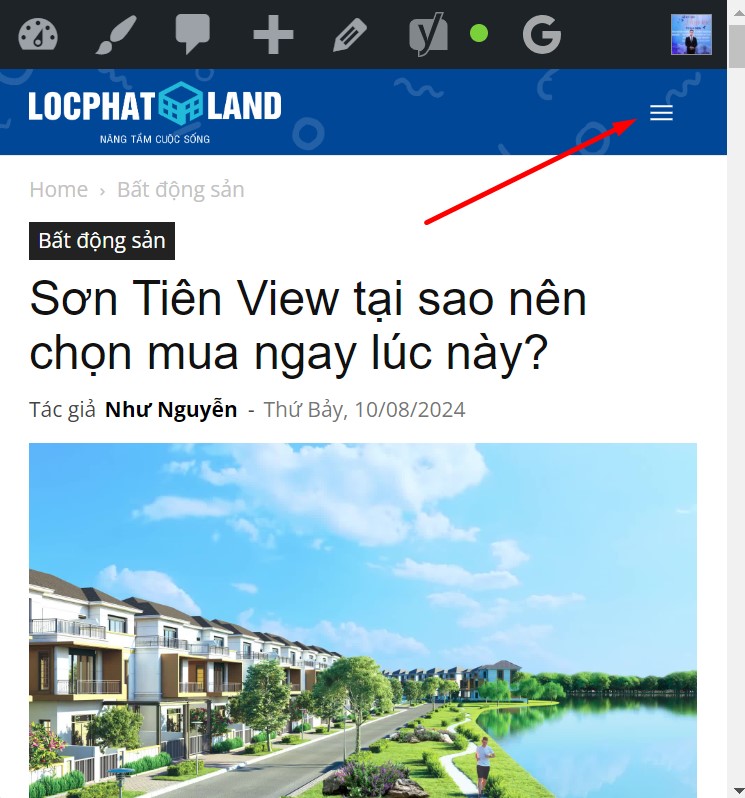
I tried changing another header, the result was that both TOC and the stars displayed normally.
-
This reply was modified 2 years by
nguyenxuan.
nguyenxuan Thanks for your quick response.
I checked again, sure, Schema Pro plugin settings only for posts. And modal page settings not any star.
Post: https://locphatland.com/son-tien-view/ -> have 64 star Reviews -> on mobile, below search bar (menu) there are 64
Other post: https://locphatland.com/ky-gui-homyland-riverside/ -> have 1 star Reviews -> below search bar there is 1
=> So, “maybe you can exclude that from appearing or use some CSS code to hide it only from there” please help me that.
nguyenxuanHello i am using header cali.
And the plugin Schema Pro (by Brainstorm Force) sticks stars on posts.
However, on the mobile, when entering any article, for example: https://locphatland.com/son-tien-view/
You click on the menu icon, stars appear below the search bar (I’ve never seen this before with a regular menu and header). How to turn off this display, without turning off the display of post stars?
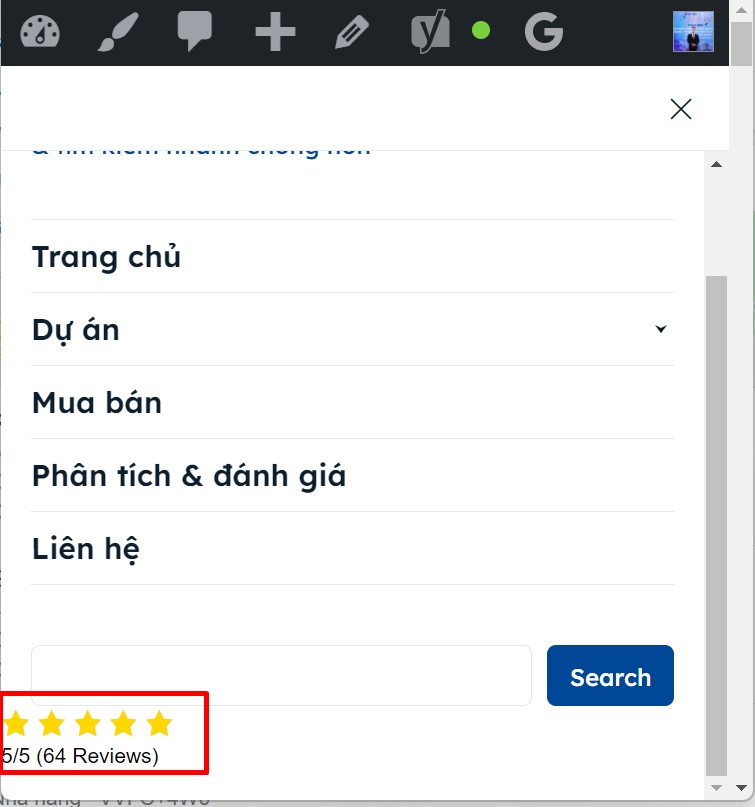
Thanks in advance 🙂
Anamaria Hello Paolo,
Normally, for all social icons is added the name https://i.imgur.com/8aREMDY.png
The social icons from the mobile menu come from the Theme Panel -> Social/Apis -> Social Networks -> https://i.imgur.com/kKYIECB.png. Remove/edit them as needed.
Flex block shows the image like a background image, not using the parameter img and this one wouldn’t need a description.
Thank you!
Anamaria Hello,
In normal mode, you shouldn’t have SEO problems when using the Mobile theme plugin, but it also depends on what customizations you make related to SEO. Please let us know what SEO problems you are experiencing
Thank you!
 poporil
If I have the tagDiv Mobile Theme enabled, and it loads quickly on mobile, does it only benefit those who enter the article on their own?
I mean, does it help Google see that this article is “light” and possibly give it a better position in SEO?
I’ve noticed over the past year that my SEO hasn’t been good, even though it used to be excellent. With a simpler theme on another site of mine, I have better SEO.



