
- TutorialsDefault Block Settings Guide
- TutorialsSystem status parameters guide
 Alin [tagDiv]
 Hi,
Glad that your solved this!
Unfortunately is usually happens because of the speed booster plugin which move the css and js at the bottom of the page structure so that the page will load faster, this is why the theme’s color appears first then changes, because of the cascading property of css. To avoid this you could try to make the changes directly into theme’s style file.
Thanks!
-
This reply was modified 11 years by Alin [tagDiv].
 masilusiones
Hi,
I want to remove the sidebar on mobile devices I have this CSS sidebar but still , any ideas
@media(max-width: 767px){
.single .td-main-sidebar {
display: none;
}
}
.td-header-style-10 .td-header-text-logo {
margin: 0px 10px 30px 30px
}
.td-footer-container {
margin-right: auto;
margin-left: auto;
position: relative;
background-color: #222222;
padding: 0px 0 0px 0;
color: #ffffff;
}
.td-pb-padding-side {
padding: 8px 0px 0px;
}
.td-footer-container .td-footer-info {
margin-bottom: 0px;
}
.footer-logo-wrap {
margin-bottom: 0px;
display: block;
}
.sf-menu > .current-menu-item > a, .sf-menu > .current-menu-ancestor > a, .sf-menu > .current-category-ancestor > a, .sf-menu > li > a:hover, .sf-menu > .sfHover > a {
background-color: #2daae1;
color: #000000;
z-index: 999;
}
.td-ss-main-content{
margin-left: 10px;
margin-right: 10px;
}
.td-page-title {
display:none;
}
.sf-menu > .current-menu-item > a, .sf-menu > .current-menu-ancestor > a, .sf-menu > .current-category-ancestor > a, .sf-menu > li > a:hover, .sf-menu > .sfHover > a {
background-color: #2daae1;
color: #ffffff;
z-index: 999;
}
.td-sub-footer-container {
padding: 0px 10px 0px 10px
}
.td-category-description{
padding: 23px;
}
.titulares {
font-family: ‘Roboto Condensed’, sans-serif;
font-size: 25px;
line-height: 35px;
font-weight: normal;
font-style: italic;
text-align: center;
text-transform: uppercase;
color: #4db2ec;
}
THX
 simchris
 You can add it at bottom of your single-loop.php template, or bottom of the post template you’re using.
For example I use loop-single-2.php for my default post template, along with single_template_2.php …
I moved the categories to right above my tags with a line break as they conflicted with Google News scraping the headline, but I did want them on the page.
SO, you could easily insert a shortcode your your HTML in that spot, such as here:
            <?php echo $td_mod_single->get_social_sharing_bottom();?>

            <?php echo $td_mod_single->get_next_prev_posts();?>

            <?php echo $td_mod_single->get_author_box();?>

	        <?php echo $td_mod_single->get_item_scope_meta();?>

[ your custom code ]

        </footer>
<?php echo $td_mod_single->related_posts();?>
[ your custom code ]
 Emil G
 Hi,
1) and 2) The js was moved at the bottom – http://screencast.com/t/VOSuXqWz
The css is still at the top, maybe you added those lines in the wrong section, please provide the content of your speedbooster plugin file to take a look, use pastebin – http://pastebin.com/ – Even if you move all css and js at the bottom Google pagespeed test may still show the warning because you have too many resources on the page.
3)On leverage you have the google ads and other js which comes from external resourcess – http://screencast.com/t/tjIX5RnvVJqS , it has a leverage set but it’s considered too low by the pagespeed test, basically google penalizes you for using their ads for which you can’t set a higher leverage.
For css js minifications you have to use a plugin, the settings depend on the plugin used, some may give errors when you minify their css or js so basically you have to make some tests.
Also use a cache plugin, we recommended W3TC in the past but now we made some tests and WP Super Cache seems faster.
Thank you, Emil G.
 saibharath
Hi,
I just want to know how to remove the spacing from Article inline Ad and in article bottom ad
http://www.screencast.com/t/wS6sVtKeICu
Thanks
Bharath
 Praveen
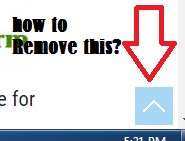
Hi, is there any way to remove this bottom to top option for mobile devices ?
 WakeUpCallProject
 Hi Alin,
Thanks for your quick reply.
If I place the ad in “article bottom ad” it places it and the custom ad 1 above the ‘share’ and ‘tags’.
Placing it in the custom ad 1 on it’s own and editing the code is working best so far (http://www.tntreport.com/sweden-cuts-rates-below-zero-launches-qe/), but for some reason leaves a large gap from the ads to the bottom of it. Even if I edit the images to be smaller.
FYI, the same coding works fine on my other 2 sites (using different themes) for this ad, so am assuming the issue might be theme coding related.
What else can we try?
Here’s the CSS editing I did based on your recommendation:
http://www.tntreport.com/wp-content/uploads/2015/05/Screen-Shot-2015-05-19-at-8.40.59-pm.jpg
Also, do you know how I can remove the area where it says “NO COMMENTS Comments are closed.”?
As I will not be having comments in any of the articles on the site.
Thanks
 Sayeed
 Hi alin!
I tired on my laptops but it’s not functioning the way it was supposed to be… I tested on chrome and mozzila it has issue but on safari it works… I tried on different laptops and issue is there…
Two addon questions.
1. How can remove the square blue button in bottom right.
2. How can I change the font size for H5 (Heading 5) for mobile devices to smaller size
THanks!
 Lucian
 Hi,
Sorry for the delay!
Our theme has the speed booster plugin which, when used it automatically moves the scripts and css stylesheets to the bottom of the page so the jQuery library is also moved. I’ve taken a closer look into this and found that you use the speed booster plugin so the jQuery is moved also causing this. Test this without using the speed booster plugin and let us how it goes.
If you still can’t manage to figure this out and solve it please give wp-aces so we can have a look and also include a link tot his tread. Send your wp-admin login details via email at contact@tagdiv.com
Thanks
Alin [tagDiv] Hi,
Unfortunately is usually happens because of the speed booster plugin which move the css and js at the bottom of the page structure so that the page will load faster, this is why the theme color appears first then changes, because of the cascading property of css. A solution is to make your changes in style.css like already Christopher suggested.
Thanks!
Alin [tagDiv] Hi,
Yes, you can change also default color for top menu(if you use full top menu) – http://screencast.com/t/6dXKagVAZ
and for border – http://screencast.com/t/xQw5qeml7CbC
Unfortunately is usually happens because of the speed booster plugin which move the css and js at the bottom of the page structure so that the page will load faster, this is why the theme color appears first then changes, because of the cascading property of css.
Thanks!
simchris Update:
testing again today … managed to move another site from NM 1.6 and VC from Jan., to NM 1.71 with Shim Beta 1.02.
One minor issue with a full width (2 col) divider class on home page and full width text block (which I used to put some H1 text bottom of home page about the site).
Radu, sent you couple emails around 12pm PDT 5/11/15.
Presumably only downside to using the “shim” — is that one would need to switch VC back on to edit a page (e.g., static home page), and turn off the shim. I will be testing that usability here momentarily.
So, likely process would be
a) develop home page w/ VC turned on; shim OFF
b) switch off VC plugin
c) switch on TD shim plugin
d) check home page works properly
If one needed to edit
a) switch OFF the td shim beta
b) switch on VC
c) edit page, then repeat process in first block above.
Anecdotal for anybody wondering what is up with this beta testing 🙂
Not sure how mod_pagespeed would work with the swap out of VC vs shim …
==============
mod_pagespeed note:
for the first site I was testing shim with from last week;
I today switched back on mod_pagespeed (for those unaware, this is an Apache optimization plugin from Google which runs on server) and put back in all my htaccess optimizations and it’s working A-Okay (I had turned off all such optimizations for testing the SHIM plugin first try to avoid any conflicts with that).
 Alin [tagDiv]
 Hi,
If you have so many resources you cannot stop this error, but you can use the tagDiv Speed Booster plugin to move the css and js at the bottom of the page and try to avoid the page render blocking: https://forum.tagdiv.com/how-to-make-the-site-faster/ – https://forum.tagdiv.com/pagespeed-guide/
Also you can read Christopher tutorial – https://forum.tagdiv.com/topic/tutorial-chriss-custom-optimizations-for-functions-php-etc/ and you could try to also test this without plugins and check to see if you noticed any differences.
Thanks!
Alin [tagDiv] Hi,
1. The link color in backend is blue, the theme color is applied only in frontend – http://screencast.com/t/EtVtuWQC5Xyp
You can change that color if you need it by adding this css in type.less: http://screencast.com/t/BzyneEf4DXfQ
.mce-content-body a {
color: red;
}
2. Unfortunately is usually happens because of the speed booster plugin which move the css and js at the bottom of the page structure so that the page will load faster, this is why the theme color appears first then changes, because of the cascading property of css. What you can do is to change the color directly into the css style-sheet which will make your colors to load first and stay that way. You could also deactivate the plugin if you don’t need it.
Thanks!
-
This reply was modified 11 years by Alin [tagDiv].
Alin [tagDiv] Hi,
If you are using this module you don’t need to float left the ad – http://screencast.com/t/BVuxyWyzl so please remove that css part leave only margin bottom.
Thanks!
 sunkast
I’m sure I’m one of the few people that actually use templates and tabs in Visual Composer. I even bought the Templatera plugin to do my own templates. There is a weird bug between v4.4.2 and v4.4.4 with tabs and templates in VC. In v4.4.4 when I add a template that has tabs, it for whatever reason adds 2 extra blank tabs. If I delete these 2 tabs, the GUI for the tabs actually changes positions and moves to the bottom, rather than the top of the tab content. I put together a short video demonstrating this. I have ruled out the Templatera plugin being the cause of this since the latest version doesn’t have this issue. It’s only if I use VC v4.4.4. If I downgrade VC to v4.4.2, everything is fine again.
Any ideas?
Also, I still have this issue with VC.
Lucian Hi,
You can also add the category description like this: http://screencast.com/t/WDAdZta2 – this is the condition you need to add there: http://pastebin.com/yXcXsFXc
You’ll get this result: http://screencast.com/t/TvlKcq13 ..and you also need to use the css code from below – add it in theme panel custom css section:
 .category .td-category-description {

  font-family: 'Open Sans', arial, sans-serif;

  font-size: 13px;

  font-style: italic;

  line-height: 22px;

  color: #444444;

  border-top: 1px dashed #f1f1f1;

  border-bottom: 1px dashed #f1f1f1;

  padding: 11px 0 14px 0;

  margin-bottom: 20px;

}
The previous description can be removed from here: http://screencast.com/t/vcv4RF0Ea
Thanks
Alin [tagDiv] Hi,
The height of featured image in post style 4 can be increased via custom css in Theme Panel > Custom Css here is an example for desktop screen:
@media (min-width: 1019px){

.single_template_4 .backstretch {

height: 800px !important;

}

.single_template_4 .td-big-slide-background {

height: 800px !important;

}

.single_template_4 #td-full-screen-header-image{

height: 800px !important;

}

.single_template_4 .td-template4-header {

top: -270px !important;

}

}
Also you can remove main menu border using this custom css: http://screencast.com/t/32Scya2f58
.td-full-layout .td-menu-background {

border-bottom: none;

}

.td-full-layout .td-menu-background:after {

display: none;

}
Unfortunately we don’t have any videos, but you can use Slider in your page at full width row(3 columns): http://screencast.com/t/ucrXI0Gflsot like you can see on our demo – http://demo.tagdiv.com/newspaper/ios-slider/
Thanks!
simchris Be sure to clear your cache as it does work … 🙂
It will move js to bottom but not main CSS which is supposed to be at top or page would flash with no styles first … for any custom plugins stuff you’d have to add those items to the plugin per the theme docs to have the move to bottom.
Luckily a lot of savvy plugin devs are now automatically having option to move stuff to bottom vs putting at top.
simchris Probably need to edit the single post template you’re using and move that section from bottom of template to top and experiment with that. For circle image you’d need to add CSS to make a round mask.
If you don’t know how to do any of that you might have to hire a developer.
Tagdiv support back on Monday might give more specific answer.
Alin [tagDiv] Hi,
Please make sure that your Social Counter plugin is updated to the latest version 2.9 and you follow this guide to set it: https://forum.tagdiv.com/how-to-manage-the-social-counter/
If you need to update the plugin you ca find it in theme files that you downloaded from themeforest in /plugins folder.
You can use the tagDiv Speed Booster plugin to move the css and js at the bottom of the page avoiding the page render blocking: https://forum.tagdiv.com/how-to-make-the-site-faster/ – https://forum.tagdiv.com/pagespeed-guide/
Please check Revolution Slider documentation if you want to use it: http://revolution.themepunch.com/documentation/
Thanks!
Alin [tagDiv] Hi,
How you can see the bottom ad is a part of the post content – http://screencast.com/t/jng4o2dJd so it no do easy to move it bellow reviews.
But you can paste your adsense code in a custom ad – http://screencast.com/t/P4RlrVp9CaU0 and use do_shortcode function to display it bellow reviews like this: http://screencast.com/t/swOSa31Pfd4
Result: http://screencast.com/t/OPL62EOz
Thanks!
Alin [tagDiv] Hi,
Please try this custom css in Theme Panel > Custom Css to remove spaces: http://screencast.com/t/ykRDYlNbQj9 – http://screencast.com/t/rsscO8XrU
.et_monarch .et_social_inline_top {
margin-bottom: 0px;
}
.et_monarch .et_social_inline_bottom {
margin-top: 0px;
}
.single .td-post-content .post {
padding-bottom: 0px;
}
.td-g-rec-id-content_bottom .adsbygoogle {
margin-bottom: 0px;
}
.td-social-like-tweet ul, .td-social-sharing {
margin: 0px;
}
To change the order of the like buttons please make this change: http://screencast.com/t/SnGvC0no
Result: http://screencast.com/t/j22YsTMa083s
Unfortunately the bottom ad is in the content and it cannot be moved so easily, but you can paste the code in a custom ad(don’t use bottom ad anymore), edit you post template that you need and echo your custom ad there after the like buttons: http://screencast.com/t/n4wZ6esrtEsq
<?php echo do_shortcode('[td_ad_box spot_id="custom_ad_1"]'); ?>
Result: http://screencast.com/t/JceFCM9NT7
Thanks!
-
This reply was modified 11 years by Alin [tagDiv].
-
This reply was modified 11 years by Alin [tagDiv].
Alin [tagDiv] Hi,
1. What header style do you use? When you remove the code from header ad should not be any space. You can use a header style with ad bottom like this one: http://screencast.com/t/YmF100QZmvf – http://screencast.com/t/k0saRd1M7Dn
Result: http://screencast.com/t/PXPIPcBT
2. You can comment title from post template that you use: http://screencast.com/t/xZYI5uL2I
3. Please add a game that you use for test and provide a link so we can take a look.
Thanks!
Alin [tagDiv] Hi,
Yes this is the best way to achieve that, to move the code from Ad bottom to a custom ad. Like I said the bottom ad comes with the post content and the post pagination is called after the content( is not included in the content): http://screencast.com/t/AH9qsFNqt
Thanks!

