
- TutorialsFrom WPBakery to tagDiv Composer
- TutorialsDefault Block Settings Guide
- TutorialsOffset Feature
- TutorialsSystem status parameters guide
- TutorialsWhat is Ajax preloading?
- TutorialsHow to Update the WPBakery Page Builder plugin
- TutorialsHow to Install bbPress forum
 kobzeci
Hi,
Three days ago i’ve purchased and installed Newsmag. Today i received the following mail from dreamhost:
We have recently scanned one or more users on your DreamHost account for
potential security threats. Unfortunately, we found some potential
indications that your website(s) *may* be compromised.We understand that this may not be the best news you can get. This
notification is intended to help you through the process and serve as
a starting point to assist you in getting your account cleaned and
secured. While we won’t be able to complete these processes for you, if
you have any questions about the items that follow please don’t hesitate
to reply to this email and we will be happy to clarify any points or
offer any further guidance to help you through getting your account back to normal.The following files/directories had insecure permissions (777), which
have been remediated.…/doyouknowturkey.com/wp-content/uploads/js_composer
Additionally, the following steps should be taken to ensure password
security.Change your users password(s) by clicking under the Action Column for
that user in our Web Panel: https://panel.dreamhost.com/index.cgi?tree=users.users
Change your database password(s) by clicking the database username in
our Web Panel: https://panel.dreamhost.com/index.cgi?tree=goodies.mysql
IMPORTANT: You may need to modify your site’s configuration file to
reflect the new password.Use a complex (8-31 characters) password or passphrase that contains
mixed case letters, numbers, and symbols. You should avoid using
dictionary words (in any language), names, dates, addresses, phone
numbers, etc. as these can potentially be guessed or acquired through
other sources. The username that the password is being used for, or the
domain name/site name the user is attached to should never be included
in any part of the password. Also note that it is a good idea to
periodically change your passwords.
If you have any questions, please reply to this email and we will be
more than happy to assist you with securing your sites.Please also see https://help.dreamhost.com/hc/en-us/articles/214916918_keeping_your_website_secure
If you have any questions or concerns, you can submit a ticket, open
a LiveChat, or request for phone support here!
I had 4.12.1 version installed.
Now i’ve deleted the plugin but i am not sure what to do with this…?
 ilu777
Can you tell me , I got offer from adsense about matched content, in which you will be able to show native and recommended articles (related posts), i cant see related post here – http://prnt.sc/dd8wiu , but they recommended how you can do so
(Add a unique image to each of your content pages.
Use popular meta-tag protocols such as the Open Graph on your pages. You can find other useful meta-tags on our Snippet tool page on the Google Developers site.)
can you please tell me how can we show related articles via theme or editing something in the theme?
 Bogdan B.
 Hello Nancy,
Pleas make sure the image is present in the url you specify. The url seems ok but you also need to make sure the image is present in the destination. Here is an example ad you can use instead. It’s from an extrenal source so it should work on your end as well just as a test:
<div class="td-all-devices"><a href="#"><img src="http://bigmobile.com/wp-content/uploads/2014/08/728x902.gif" /></a></div>
(this is another code which targets all devices, not a specific viewport)
If you still have trouble with the ad, please provide a link to your site so I can inspect the ad and see why this happens.
I hope this helps.
Thank you!
Bogdan B. Hello Nancy.
Please read the ad section of our documentation to learn about the different ad spots our theme provides: https://forum.tagdiv.com/header-ads-adsense/
Here is the guide needed for using different ads than adsense: https://forum.tagdiv.com/using-other-ads-non-adsense-ads/
Thank you!
 Sasser
Hello. How to change these green colors to another color on all sub pages/posts?
http://www.tv-helse.se/wp-content/uploads/2016/11/colors-tvhelse.se_.png
 viishnu
how to give access only to theme panel ads for other users without giving access to all theme panel settings.
 Catalin
 Hello ghostmi,
I suppose that you are using some untested plugins which can interact with our theme and cause a lot of unknown issues, like Rocket Loader, WP-Rocket, etc. Please notice that we cannot provide support for untested plugins. Try to disable all of the plugins, leave just Visual Composer to active, clear all your caches and install only the plugins that come bundled with the theme packet and rule out any conflicting plugins. For more information about our Ad System, please consult the documentation here -> https://forum.tagdiv.com/newsmag-header-ads/ -> https://forum.tagdiv.com/using-other-ads-non-adsense-ads/ Also, if the problem is still there, please try to make a new fresh install via FTP because this is the surest method in this regard and check the results.
Hope this helps and let us know how it goes!
Thanks for the message!
 Gadgetsay
As recently my friends have told me the site sometimes looks mobile view on desktop browsers and when I clear the cache using comet cache and the other one provided by Godaddy clearing cache the site looks back,
Why this caching issue is there? I dont like to use W3 cache, it loads on site as well as on server so I choose comet cache, is there any more information or things going on with me site,
Another thing is should I use Tagdiv site booster plugin? I already have some plugins installed and will it compitable?
Thanks
Gadgetsay
Bogdan B. Hello,
Please read this section of the theme docs: https://forum.tagdiv.com/using-other-ads-non-adsense-ads/
Thank you!
Bogdan B. Hello,
You will have to set the mobile theme from the mobile theme settings in the theme panel: http://screencast.com/t/yPuBpBQmQy ads, colors, etc.. and you have to be careful on pages as there is another mobile editor now that does not use visual composer. You have to add content to the mobile editor in order to show anything on the mobile page. The homepage is an exception as it;s predefined.
Thank you!
 Leofitz
 I cleared caches and also worked through all the menu styles. I found that the login would appear when using styles 1,3,5,7,8,10,and 11. But not 4,5,6 unless I deleted the logo image.
I’m trying to create a menu bar that’s short in height and includes the menu tabs plus the Login on one line. When the Login appears above the main menu row of text, its almost as high as including the original top menu bar.
I tried shifting the PHP login widget code after the menu code in the ‘header-menu.php’ file but it didn’t shift the login text to the right side.
I’m now testing some Login plugins to see if I can get a menu bar about 45 px high that includes a login.
I have another question related to the loading of the menu and all the site pages. When a menu tab is clicked why does the menu always flash load the default black-blue colors first, and then replace with my chosen custom colors? The menu font also goes to bold then back to the normal capitalized which I have selected in the Newspaper settings.
Also why do the pages always flash and completely reload when each new pages is opened?. It seems that some pre-loading is required or there’s a coding loop somewhere that double loads the menu, the background image, and the pages.
Could you suggest a fix? It’s distracting as is.
You can view this by visiting wwwthetradershedge(dot)com
Thanks
 lochan2014
I have purchased ‘Newsmag’ quite some time ago but didn’t use till now but want to use it but only constraint is ‘Ads management’.
as i read in your documentation that newsmag automatically changes unresponsive ads to responsive ones, so may be
modifying adsense code a bit(which is not acceptable in Google).
and what if i already have responsive ads then how to use it, i am technically naive( yes really) so i have found your documentation not much elaborative on this issue otherwise the documentation provided by you is best for any WP theme i have gone thru.
Kindly help me by by explaining in detail.
 Edward
 Here read it: https://forum.tagdiv.com/using-other-ads-non-adsense-ads/ ?
If you want to use other ad networks (non AdSense ads) with our ad system, you just have to paste the code in the ad box.
 portuga
Hi,
I recevied a notification from AdSense and I think is related to the Ad titles that were missing. The problem is that when I set the titles at the Theme Panel, the titles doesn’t appear. All others Ad blocks work fine (widgets and visual composer).
I’m using the Black version.
Tks
Bogdan B. Hello,
Header style 11 will use your full logo. In your case it’s http://www.thedowntowndweller.com/wp-content/uploads/2016/11/unbothered1-01.png If you want a smaller logo, simply re-size it in your preferred photo editor as the theme will use exactly the size you upload on the 3 full logo header styles: 9, 10 and 11
Thank you!
 tiffany976431
I’ve got the Say What stack installed, and my website is supposed to look like yours. It does for some people on their computers, but not on others.
Homepage:
http://meanlefthook.com/
Sample 1
Correct post, showing normal sized image and sidebar:
http://meanlefthook.com/2016/11/fox-news-token-black-king-defend-sessions/
Sample 2
Incorrect post, showing huge image and no sidebar:
http://meanlefthook.com/2016/11/taxpayers-spend-millions-protecting-ho-spawn-wont-leavegold-layered-penthouse/
I put my ad code in your customized spots, but ads weren’t showing on the posts that blow up to cover the whole page. I’ve examined closely and see no difference in the way Sample 1 and Sample 2 were written or in the settings.
As you can imagine, significant loss of revenue on what should have been our first huge day.
I have 88K page views today and Adsense only showing 8.4 because of the incorrect posts (Sample 2).
What are we doing wrong?
Bogdan B. Hi,
Please provide a link to your site and an example of how you implemented the ad. We recommend using and ad box element and placing the ad in the theme panel ad spot: https://forum.tagdiv.com/using-other-ads-non-adsense-ads/
Thank you!
 aldinlapinig
 Hello Catalin,
Thank you for your immediate response but the black background is not my concern. As the title of my post says, I need to set a custom two-line slide title on a specific post I want… I can choose how long a title goes before it makes two lines, I can set other titles to one line if I want, etc.
The black in the picture is just to cover the previous text. Sorry I wasn’t so clear about it. Thank you.

Catalin Hello theleaderdotinfo,
Do you are using the Mobile Theme plugin? If you are using this, you should add here -> http://screencast.com/t/cFuX6sX9tz your ad code if you want to display the advertisement at the mobile theme.
Please notice that the Revive Adserver is not tested with our theme and we cannot say for sure if it will work or not with our product, sorry! You should try it and check the results. Notice that the AdSense Ad system and DIV’s method seems to work as properly. For more information about this, please consult our documentation here -> https://forum.tagdiv.com/header-ads-adsense/ -> https://forum.tagdiv.com/using-other-ads-non-adsense-ads/
Hope this helps!
Thanks for the message!
 Siddhartha Mukherjee
 Hey Bogdan,
Appreciate the advice very much. As for the 4th point: The ‘above the footer’ ad placement with background color I mentioned was about placing the same directly in the theme template files. The color is visible when I use the visual composer rows when creating the posts by just adding the rows the normal way. But when I placed the same – following the instructions on ‘custom ad placements’ in template files, the ad was visible, the background color wasn’t. So was inquiring if I needed to add something else other than what is mentioned in the instructions.
HOW TO INSERT ADS IN CUSTOM AREAS ON WEBSITE
What I tried was this: A stretched visual composer row with background color.
Thank you.
 tonikusi4
 Bogdan thanks ,,,But seems no one is getting me , I have that ad spot occupied with an adsense code …Like this http://www.screencast.com/t/OmbHtJzmy… But my content ad . pushes it down …like this http://www.screencast.com/t/ziep6t5O
And I want to put another ad here >> http://www.screencast.com/t/69itiOTaB
Check my url here so you will understand me better Here
Bogdan B. Hello Jiom,
Well, we have nothing against it, only that you will probably have a hard time updating your theme, as the modifications involve editing lots of files as each theme element needs to be adjusted to the new width. This might cost you more than you payed for the theme unfortunately as custom work is not cheap.
You will be better off using other sizes than editing the entire content to serve 738 px ads.
Another alternative would be not to use sidebars. If you do not use a sidebar there will be enough space to show the ad size you mention.
I hope this helps.
Thank you!
Catalin Hello Gordon,
This is a simple custom Ad 1 which can be added on your front page from Theme panel. As you can see, first of all, you should add your desired ad code in Custom Ad 1 and then, be using the Ad Box element, you should call this ad inside your homepage, every you ant, like this -> http://screencast.com/t/ZDexw3t1Ol -> http://screencast.com/t/2YiVNjSnuB For more information about our Ads, you should consult the documentation here -> https://forum.tagdiv.com/header-ads-adsense/ -> https://forum.tagdiv.com/using-other-ads-non-adsense-ads/
Hope this helps!
Thanks for your understanding!
 LTH
LTHHello,
I have a little problem with the comment count on my homepage.
My first posts, managed by Visual Composer, are in a Slide + Block 21 configuration. All posts show O comment. This is not the right comment count.
The other posts, managed by Newspaper, are in a Block 21 configuration. They have the right comment count.
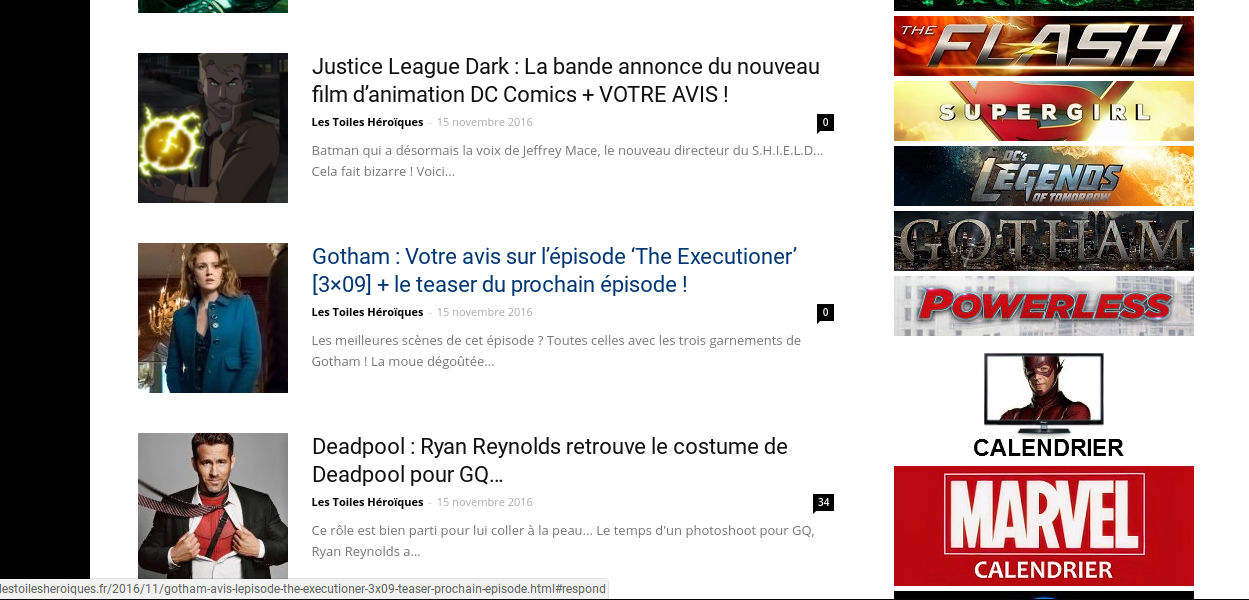
I noticed the following thing :
=> With Visual Composer, the comment count’s adress is http://exemple#respond.
=> With Newspaper, the comment coun’ts adress is http://exemple#comments.
What should I do to solve this problem?
Thank you in advance.
tonikusi4The last time I asked I can put two adsense codes in one ad spot , the answer was a definite NO. It was suggested I use adrotate but I am finding difficulty in using it and I dont know if this is the right place to even ask this .But sorry , I have “googled” and all that but not getting the answer to what I want.
My issue ;- I want to place an ad right after my article ( NB: the one in the theme settings is already occupied with another ad code )
Please any help , especially from those who are using adrotate..Thanks


