
- Apitd_api_single_template::update_key
- Apitd_api_single_template::update
- Apitd_api_single_template::add
- ApiAPI – Single Template – Introduction
- ApiPractical example – How to add a new Block and Module
- ApiAPI – Category top section style – Introduction
- Apitd_api_module::update
- Apitd_api_module::add
- ApiAPI – Modules – Introduction
- Apitd_api_block::update
- Apitd_api_block::add
- ApiAPI – Blocks – Introduction
- ApiUsing the Theme API in plugins
 Calin
Calin Hi,
“When it comes to heading in related posts, I’ve edited line 25 code, like this: https://imgur.com/V3z16y8” – this is because it was not correctly edited, you have there 2 tips of commas and you have only one parameters, not 2 like in my example, the line should be like this – https://i.imgur.com/aiDvPnH.png
The H1 is set by default on logo, but on pages and posts that have set the title it will be removed from logo and use on post/page title. In this case you need to set for page template this option – https://i.imgur.com/716seCA.png
Thank you!
 Bettina
 Hello!
Edit the homepage with Gutenberg and make sure you have the default template set it here: https://prnt.sc/8m3uOhEZ6AAa
Thank you!
 hadharm
 I think it is your browser or network. It loads properly from my end even in incognito. I also noticed the share buttons are not loading for you. Pls try incognito or another browser.
What I want to achieve is when a user clicks on apply now button, they should be presented with either an email address, phone number, a form, or a clickable button with external url showing “apply on the company website”.
It should only show what the job poster input at https://hiideemedia.com/post-a-job/
I have achieved that (check https://hiideemedia.com/tdcpt_jobs/content-writer/) but the problem is when a user leave the job details field empty, I want my website apply now form to come up. Which I thought the plugin should have by default. The submitted info will also automatically show up in both tds my account and backend job applications list after being filed and submitted by applicants.
You can also tell me how the jobhunt pro plugin works because I noticed there is a backend page showing job applications that I thought will show the list of job applications submitted by users from the frontend.
Where is the sample form/template that job applicants will fill out to get the job applications submitted with their CV attached?
Pls, I also need post types slug for bookmarked jobs, I couldn’t get that e.g. tdcpt_jobs, tdcpt_companies.
Thanks.
-
This reply was modified 3 years by
hadharm.
Bettina Hello @sukru!
Actually, we have 3 options for mobile versions that you can use:
1. Responsive version: A responsive version of your website looks similar to the desktop version. TagDiv Composer is used to edit the page.Click on the mobile viewport: https://www.screencast.com/t/XDQJedlggSB. There, you can see your mobile version and edit or adjust the elements to look better.
2. Mobile pages: https://tagdiv.com/newspaper-10-3-7-update-brings-customizable-and-fast-mobile-pages
3. Mobile theme plugin: The Mobile Theme is a performance-optimized theme included in the main Newspaper theme that only loads on mobile devices. It comes with its own templates and designs for pages, posts, categories, etc., so your current templates from the desktop theme will get converted to the mobile theme layout. Please see https://forum.tagdiv.com/the-mobile-theme/ and https://forum.tagdiv.com/mobile-theme-introduction/ for more information.
A full explanation is here: https://www.youtube.com/watch?v=SpGkOnJeNZY
If you need to use the mobile version 1 or 2, then you need to disable the Mobile Theme plugin.
Thank you!
Bettina Hello @rodrigolsantana !
From my point of view, if you don’t use the Mobile Theme plugin, then there is no reason or benefit to AMP. Please note that if a page is made by Composer, than the content won’t be displayed on Mobile theme version. You should create the content with the Mobile Editor.
Actually, we have 3 options for mobile versions that you can use:
1. Responsive version: A responsive version of your website looks similar to the desktop version. TagDiv Composer is used to edit the page.Click on the mobile viewport: https://www.screencast.com/t/XDQJedlggSB. There, you can see your mobile version and edit or adjust the elements to look better.
2. Mobile pages: https://tagdiv.com/newspaper-10-3-7-update-brings-customizable-and-fast-mobile-pages
3. Mobile theme plugin: The Mobile Theme is a performance-optimized theme included in the main Newspaper theme that only loads on mobile devices. It comes with its own templates and designs for pages, posts, categories, etc., so your current templates from the desktop theme will get converted to the mobile theme layout. Please see https://forum.tagdiv.com/the-mobile-theme/ and https://forum.tagdiv.com/mobile-theme-introduction/ for more information.
A full explanation is here: https://www.youtube.com/watch?v=SpGkOnJeNZY
If you need to use the mobile version 1 or 2, then you need to disable the Mobile Theme plugin.
Thank you!
hadharm Thanks for the response.
1. As for the apply now button. It is meant to be shown for logged-in users by default but I have made it visible for everyone now so that you will see it from your browser now at https://hiideemedia.com/tdcpt_jobs/content-writer/. Also, here is a screenshot => https://prnt.sc/ATowFQysmVKE
After clicking on apply now button which uses modal popup element from backend. It attempts to load a page/template but I can’t find this template in cloud templates, so that page is empty for now.
Generally, job applications can be through email, phone contact, a form to submit information to companies and wp dashboard or an external URL to company apply page.
Bettina Hello!
You can use big grid flex or a flex block in any cloud page. But you cannot use a single post shortcode on a page, only in a single post or article template.
More documentation about the cloud templates is here:
– https://forum.tagdiv.com/cloud-library-templates/
– https://forum.tagdiv.com/design-post-pages-using-cloud-library-templates/
– https://forum.tagdiv.com/cloud-library-category-templates/
Thank you!
Bettina Hello!
Every page should have the Live CSS box: https://forum.tagdiv.com/create-custom-code-using-the-browsers-inspector/ in order to adjust the way it looks.
In order to edit any custom page with the TagDiv Composer, you can create a new page from Dashboard -> Pages, edit it with the TagDiv Composer: https://prnt.sc/_Qz1sVbjqZqG and assign a blank page from Cloud templates. You can start customize it as you need.
More documentation about the cloud templates is here:
– https://forum.tagdiv.com/cloud-library-templates/
– https://forum.tagdiv.com/design-post-pages-using-cloud-library-templates/
– https://forum.tagdiv.com/cloud-library-category-templates/
Actually, we have 3 options for mobile versions that you can use:
1. Responsive version: A responsive version of your website looks similar to the desktop version. TagDiv Composer is used to edit the page.Click on the mobile viewport: https://www.screencast.com/t/XDQJedlggSB. There, you can see your mobile version and edit or adjust the elements to look better.
2. Mobile pages: https://tagdiv.com/newspaper-10-3-7-update-brings-customizable-and-fast-mobile-pages
3. Mobile theme plugin: The Mobile Theme is a performance-optimized theme included in the main Newspaper theme that only loads on mobile devices. It comes with its own templates and designs for pages, posts, categories, etc., so your current templates from the desktop theme will get converted to the mobile theme layout. Please see https://forum.tagdiv.com/the-mobile-theme/ and https://forum.tagdiv.com/mobile-theme-introduction/ for more information.
A full explanation is here: https://www.youtube.com/watch?v=SpGkOnJeNZY
If you need to use the mobile version 1 or 2, then you need to disable the Mobile Theme plugin.
Thank you!
Bettina Hello!
Actually, we have 3 options for mobile versions that you can use:
1. Responsive version: A responsive version of your website looks similar to the desktop version. TagDiv Composer is used to edit the page.Click on the mobile viewport: https://www.screencast.com/t/XDQJedlggSB. There, you can see your mobile version and edit or adjust the elements to look better.
2. Mobile pages: https://tagdiv.com/newspaper-10-3-7-update-brings-customizable-and-fast-mobile-pages
3. Mobile theme plugin: The Mobile Theme is a performance-optimized theme included in the main Newspaper theme that only loads on mobile devices. It comes with its own templates and designs for pages, posts, categories, etc., so your current templates from the desktop theme will get converted to the mobile theme layout. Please see https://forum.tagdiv.com/the-mobile-theme/ and https://forum.tagdiv.com/mobile-theme-introduction/ for more information.
A full explanation is here: https://www.youtube.com/watch?v=SpGkOnJeNZY
If you need to use the mobile version 1 or 2, then you need to disable the Mobile Theme plugin.
Thank you!
 Anamaria
 Hello,
Please disable then the mobile theme and amp plugin from newspaper -> plugins.
Using our theme you can choose from 3 mobile versions
-> mobile responsive => https://www.screencast.com/t/oJ2ShOp47
-> mobile theme plugin => https://forum.tagdiv.com/the-mobile-theme/
-> mobile page => https://tagdiv.com/newspaper-10-3-7-update-brings-customizable-and-fast-mobile-pages/
If you created the mobile pages with tagDiv Composer, then when you install the Mobile Theme plugin, your pages will be overwritten by the plugin (the mobile theme comes with its templates for page, post, category, etc so your current templates from the desktop theme will get converted to the mobile theme layout, the page content is made without builders in mobile editor => https://www.screencast.com/t/xbgZG8kH also, the options that are provided to edit the mobile theme version are limited (this keeps the things simple)).
This is a video about Responsive Newspaper Theme, AMP & Mobile Theme, Mobile Pages & Templates -> https://www.youtube.com/watch?v=SpGkOnJeNZY
So, the mobile responsive is what you see then that you select the viewport on phone => https://www.screencast.com/t/matV17hH, so some settings may apply for each viewport(where is the border blue), and others are not(where the border is black).
The mobile page has the mobile templates from Cloud Library => https://www.screencast.com/t/YCcZ8rL8
Mobile responsive version of the theme and the mobile page editor can be edited with tagDiv Composer, the mobile theme plugin not.
For example, you can have the mobile theme plugin activated and use the mobile page/mobile responsive version for the homepage/pages, but for the categories pages/404 page you can’t use the mobile page/mobile responsive version if you have the mobile theme plugin activated.
So, if you want to design the pages with tagDiv Composer, you can use the mobile page or mobile responsive version.
Thank you!
Bettina Hello @webowner001 !
Edit the pages with the TagDiv Composer and you can change the name/logo from that header.
More documentation about the cloud templates is here:
– https://forum.tagdiv.com/cloud-library-templates/
– https://forum.tagdiv.com/design-post-pages-using-cloud-library-templates/
– https://forum.tagdiv.com/cloud-library-category-templates/
Sometimes, the issue can be from a plugin conflict or a cache issue. That’s why we recommend first deactivating ALL plugins except tagDiv ones; if you are using a cache plugin, deactivate it, clear all cache (also from your browser), and see the results.
Thank you!
Bettina Hello!
Actually, we have 3 options for mobile versions that you can use:
1. Responsive version: A responsive version of your website looks similar to the desktop version. TagDiv Composer is used to edit the page.Click on the mobile viewport: https://www.screencast.com/t/XDQJedlggSB. There, you can see your mobile version and edit or adjust the elements to look better.
2. Mobile pages: https://tagdiv.com/newspaper-10-3-7-update-brings-customizable-and-fast-mobile-pages
3. Mobile theme plugin: The Mobile Theme is a performance-optimized theme included in the main Newspaper theme that only loads on mobile devices. It comes with its own templates and designs for pages, posts, categories, etc., so your current templates from the desktop theme will get converted to the mobile theme layout. Please see https://forum.tagdiv.com/the-mobile-theme/ and https://forum.tagdiv.com/mobile-theme-introduction/ for more information.
A full explanation is here: https://www.youtube.com/watch?v=SpGkOnJeNZY
If you need to use the mobile version 1 or 2, then you need to disable the Mobile Theme plugin.
Thank you!
Bettina Hello @cryptopsyche !
Actually, we have 3 options for mobile versions that you can use:
1. Responsive version: A responsive version of your website looks similar to the desktop version. TagDiv Composer is used to edit the page.Click on the mobile viewport: https://www.screencast.com/t/XDQJedlggSB. There, you can see your mobile version and edit or adjust the elements to look better.
2. Mobile pages: https://tagdiv.com/newspaper-10-3-7-update-brings-customizable-and-fast-mobile-pages
3. Mobile theme plugin: The Mobile Theme is a performance-optimized theme included in the main Newspaper theme that only loads on mobile devices. It comes with its own templates and designs for pages, posts, categories, etc., so your current templates from the desktop theme will get converted to the mobile theme layout. Please see https://forum.tagdiv.com/the-mobile-theme/ and https://forum.tagdiv.com/mobile-theme-introduction/ for more information.
A full explanation is here: https://www.youtube.com/watch?v=SpGkOnJeNZY
If you need to use the mobile version 1 or 2, then you need to disable the Mobile Theme plugin.
Thank you!
 rodrigolsantana
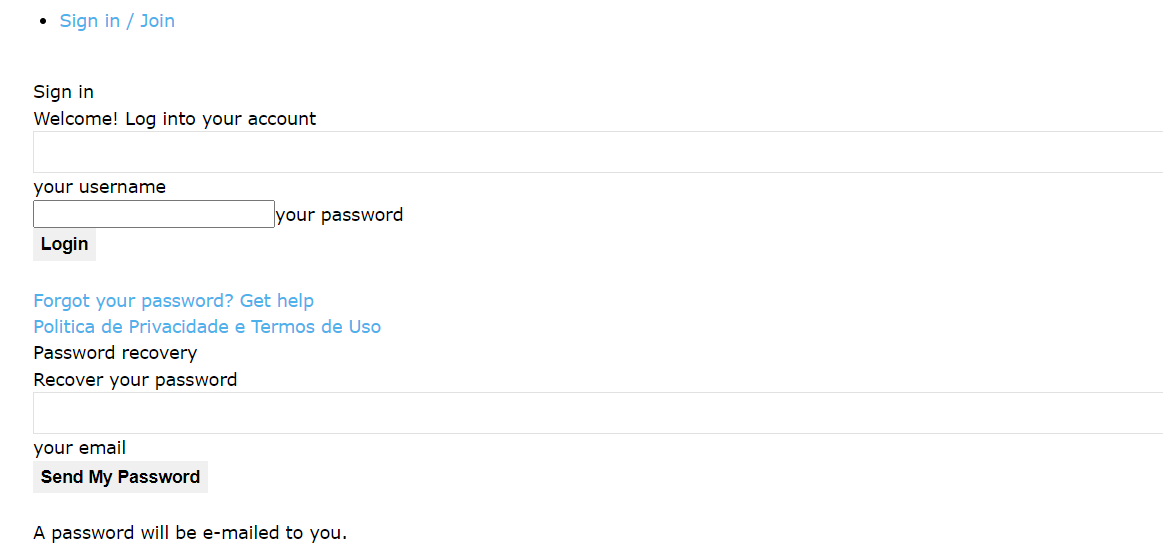
I have had several problems with the template on my site, sometimes login and password appear overflowing my template, time appears only as amp, and this has affected access to my site, how can I solve it?
dicaappdodia.com
 simchris
Hey folks — just heads up if you get the site messed up after upgrading from 5x to 5.4, in my case the solution was I had to reactivate the td-composer plugin.
If you update and notice custom fonts, footer gone, wrong post template, wrong archive template, home page just block of code … that likely the reason.
I did manual FTP upload;
a) delete old plugin; delete old theme
b) upload new plugin; upload new theme
c) go to plugins > activate the td-composer
Most smart folks likely figured this out. But I had panic moment there 🙂
hadharmGood day sir/ma, I just installed the jobhunt pro plugin and my portal is live at https://hiideemedia.com/jobz/
Now I have the below issues (kindly note am using WP multisite feature);
1. The apply now button (i.e. https://hiideemedia.com/tdcpt_jobs/content-writer/) shows nothing and I can’t find any page template for it. I also can’t find any option to include apply now external link while submitting the job or for admin editing. I want the job details page to use both my website apply now and the external link apply now (User or admin will choose anyone that I want).
2. My tds account page (https://hiideemedia.com/my-account/) didn’t show job listings tabs, tabs showing applicants applied or anything relating to jobs. How can I activate this feature in my account page for users to have access to their submitted job listings from dashboard?
3. I have a pricing plan page for jobs at https://hiideemedia.com/jobs-pricing-plans/ but I can’t see any settings to setup pricing plans from WP dashboard. Pls, how can I go about that?
4. The jobs, categories, benefits, companies, and other taxonomies shows ../tdcpt_jobs/.. in permalinks. How can I edit this permalink to just /jobs/. e.g. from https://hiideemedia.com/tdcpt_jobs/content-writer/ to https://hiideemedia.com/jobs/content-writer/
5. I have normal WordPress job posts (up to 80 posts) from another wordpress website. I want to import all these posts into the list of jobs and manually update the apply now button and other custom details. Just to have the normal description and featured image imported to make the work easy. Pls this possible with jobhunt pro and how???
Thanks in advance.
 webowner001
Hello,
I can’t figure this out.
I have ALL Post Settings correct, to go to the Cloud Template I want. I have each Mobile Header/Mobile pages set and turned on, and yet – on this page, as you can see it is still coming up with the LIVING MAGAZINE header. How do I get rid of this, and go back to my own Mobile header?
https://fodphotosite.com/whatsnew/awesome-exercise-buddy
Mobile – Samsung S23 Ultra
iPad – Apple iPad Pro x 11 inch
Laptop – seems fine and so does PC
Screen shot here – https://imgur.com/Pi6b7nO
Very strange, some how Newspaper is NOT saving or assigning the Post Template / Mobile Header on the “Post” pages. I have many and it would be very helpful to do this globally, all at once. Any ideas? I can share web admin access if absolute necessary..
Thank you.
 cryptopsyche
Right now I have the mobile theme at the default url: https://content.triethocduongpho.net/home-mobile/
But what I want to have is when the home page https://content.triethocduongpho.net is accessed through a phone, the content of https://content.triethocduongpho.net/home-mobile/ is shown.
Right now the default template is shown (with the grids and the latest articles).
Do I need to install AMP for this? I’m using version 12.4
Thanks for any help.
 libertylens
 This article has to do with the sidebar, and it alludes to showing different articles from the same category. That’s a little different from what I’m trying to accomplish, though I know that duplicating the template (and editing one) is part of what is needed. I also need to know how to edit a template and change a post, page, etc from a current template to a new one. I cannot figure out how to do that from the article you provided.
I really need video recordings or something more substantial than these articles, as they just lead to additional questions. I’m sure it’s not that difficult, but the articles and responses are missing the specificity I need.
Incidentally, I removed the former fields with the TagDiv editor inside a post. I want a block type *with* those elements, and one without them.
Anamaria Hello,
Please follow the steps from this topic https://forum.tagdiv.com/topic/error-at-zones-6models-1dom-the-model-does-not-match-the-content-currene/ if you have a child theme; please use the main theme.
You can try to revert an old revision on a page/template -> https://www.wpbeginner.com/beginners-guide/complete-guide-to-wordpress-post-revisions/
If there is still a problem, you can send us an email at contact@tagdiv.com and provide wp-admin and cPanel login. We will take a look at the problem and we’ll fix it. Include a link to this topic in the email.
Thank you!
webowner001Hi,
How do I get my MOBILE header to appear on ALL pages, of course on the mobile version of my site?
Right now I am individually adding a customized mobile header to EVERY PAGE or SECTION – and there must be an easier way??
I do not see anywhere in CLOUD – Templates to set the MOBILE header – Globally
Please offer your tips & Suggestions to fix this.
Right now, as you can see – some pages (ON MOBILE) are reverting to the Newspaper LIVING Magazine header – NOT what I want. You can check this page for example – http://fodphotosite.com/latest-photos-galleries/downtown-vancouver
I have MANY other pages that also come up with the LIVING MAGAZINE LOGO / Header on Mobile. I want to change this to my Mobile Header – but on ALL pages…
There must be an easy way???
Thank you.
 mik989
I would like the URL of the 404 page to be venetoclub.it/404.
Instead, it currently shows:
venetoclub.it/tdb_templates/404-2-2/
I can’t figure out where and how to make the necessary changes to achieve what I want.

 Music Instrument News
Hi,
I contacted you on your Support page (through another account) as I run this website for my client.
https://www.musicinstrumentnews.co.uk
I’m copying and pasting our conversation below for reference.
This is the conversation we had:
Hi, I helped build a website for my client a few years ago using this theme but it has not been updated since version 8.1.1. We are looking to update it to take advantage of the new Black Pro theme but we have noticed some potential issues that we need to understand before making any changes.
1. We can see that you have stopped supporting WP Bakery. Is it an easy transition to your new builder or will the site need extensive work to change it over?
2. We are also heavily using the AdvancedAds plugin and need to make sure this will also work on the theme. We use this within the Widgets section and with ShortCodes on the Pages. (Basically MPU & Banner ads)
3. Does the custom sidebars feature still work too? We have multiple sidebars on the site and need to keep those.
We are looking to purchase some extra Support from you to make the upgrade but we need to know if these issues are something you can help us with?
Would you be able to advise us on these issues please? Many thanks!
You replied:
Hi,
That is quite an old theme version. Updating is possible however.
1. We still provide WPBakery in the theme package. When we introduced our own composer we recommended switching to it if possible. It can still be used, but the features we added in the theme since then are for the composer specifically. In case you do not want to switch to the composer just yet, you can leave it active and there should be no problems after updating the theme. WPBakery should be updated as well, it is in the full theme package in this folder https://prnt.sc/jP4ve1qhkBUB
As a note, after updating the theme, for older websites it will be required to install and activate the standard pack plugin we added in update 10 https://prnt.sc/rpCKZAN8g2pO This plugin contains all the older blocks and templates used at the time.
2. The plugin should continue to work same as it does with the older version of the theme.
3. The widget sidebars aren’t affected by updating the theme. The only thing that may happen, if the theme is update through wordpress, is that the widgets from the sidebars may be moved in the inactive widgets section. They will retain their settings however, so all that is needed is to add them again in their sidebars.
We can help as well in case there are any issues with the update. You can contact us by email at contact@tagdiv.com and let us know. Provide in the email a link to the website, admin login, and a few details about the issues or any questions you have.
Regards, Simion C.
We need to do some core updates but in order to make sure this theme upgrade goes as smoothly as possible, would it be best to email you or message here some admin information for you so that you can let us know if there are any issues we need to be aware of before making any changes? Appreciate this is a leap in upgrade!
Many thanks!
libertylens It help a little, but I don’t understand how to actually DO that. Can you provide a recording? These are the areas where I need understanding and help:
– I don’t really understand the difference between a “post” template, and the “block” templates.
– I need to have different versions of each of these templates.
I need to understand how to modify these templates.
– There appear to be separate templates for mobile and desktop (both block templates and post / page templates.
I had everything the way it needed to be, but I wanted to adjust one template / content type without affecting others. I need help repairing this, and setting myself up for being able to edit templates and content types, independently, without compromising others.
Thanks,
Ken
webowner001Hi,
So, I have played with this multiple times and felt sure the mobile header is set on the “Edit Mobile page” section – I hit save, and ensure the ON button is on (left side menu options) – but when I view the site on my mobile – it seems to keep reverting back to the default header which I do NOT want – Living Magazine…
I feel like I am missing a section somewhere.
In Cloud-Templates, I do not see anywhere to set a mobile header for ALL mobile pages.
For instance please look at – http://fodphotosite.com/about-us – as you can see it shows LIVING MAGAZINE header, and not the newly created FOD Mobile Header I have set in place.
I am going into EVERY page – “edit mobile header” – to set the FOD Mobile header and SAVE – but it seems like it does not show up on a mobile.
SECOND PROBLEM:
Then on the NEWS page – it comes up with my mobile header, but the LOGO is there – not a text/icon logo that I would like instead. I have imported my good FOD Mobile Header and Saved, but same problem.
I have a S23 Ultra and have also checked in numerous browsers. I have also cleaned cache of my mobile browsers – same problem.
Please confirm the same, and send me immediate Tips & Suggestions to fix this immediately. I can give you access if absolute necessary so you can fix at your end. Ideally I would want ALL Mobile headers on ALL pages, the Same – and ALL regular headers on all pages the same.
Thank you soooo much.


