- NewsmagRequirements for Newsmag
- NewsmagBlock settings tutorial
 Anamaria
 Hello,
1. Please also remove the Facebook account, and Instagram should be deleted too.
Due to certain data security requirements, access to personal accounts is restricted. We recommend switching to a business account -> https://help.instagram.com/502981923235522 and logging in to the Theme Panel -> Social/APIS -> https://i.imgur.com/Yx9KEOG.png. You need to be connected to a Facebook page. We will attempt to resolve this, but we cannot guarantee anything as it is beyond our control.
2. Please check this topic https://www.quora.com/Why-at-the-end-of-my-meta-title-my-website-URL-is-automatically-added-At-the-end-of-all-the-meta-titles-of-all-my-pages-and-posts-my-website-URL-sekitchen-com-is-automatically-added-What-is-the-reason-of-it
Thank you!
Anamaria Hi,
Please make sure that you don’t have mixed content errors; you can check the console. You have to use an SSL plugin to fix it and then try to activate it again -> https://www.hostinger.com/tutorials/fix-mixed-content-wordpress/ -> https://wordpress.org/plugins/really-simple-ssl/
Also, if the theme can’t be activated, please check the console and see if there are message errors.
Also, make sure that all the settings are like in our requirements, please follow the guide carefully: https://forum.tagdiv.com/requirements-for-newspaper/
and please increase all requirements that are lower, and follow all steps.
Thank you!
Anamaria Hello,
Please set the wp-memory in wp-config.php -> https://forum.tagdiv.com/requirements-for-newspaper/
Also, check the console and see if there are errors.
Thank you!
 Calin
Calin Hello,
The forum is in process to move on a new server and until then is temporary
hold on a temporary server, we are sorry for any inconvenience!
Related to the mentioned problem make sure that the theme requirements are set and an you have php v8.1 or 8.2 this should resolve the problems.
Thank you!
 nagi
nagiRespected Sir/Mam,
We have a few requirements for our website. I am hereby mentioning our issues and requirements.
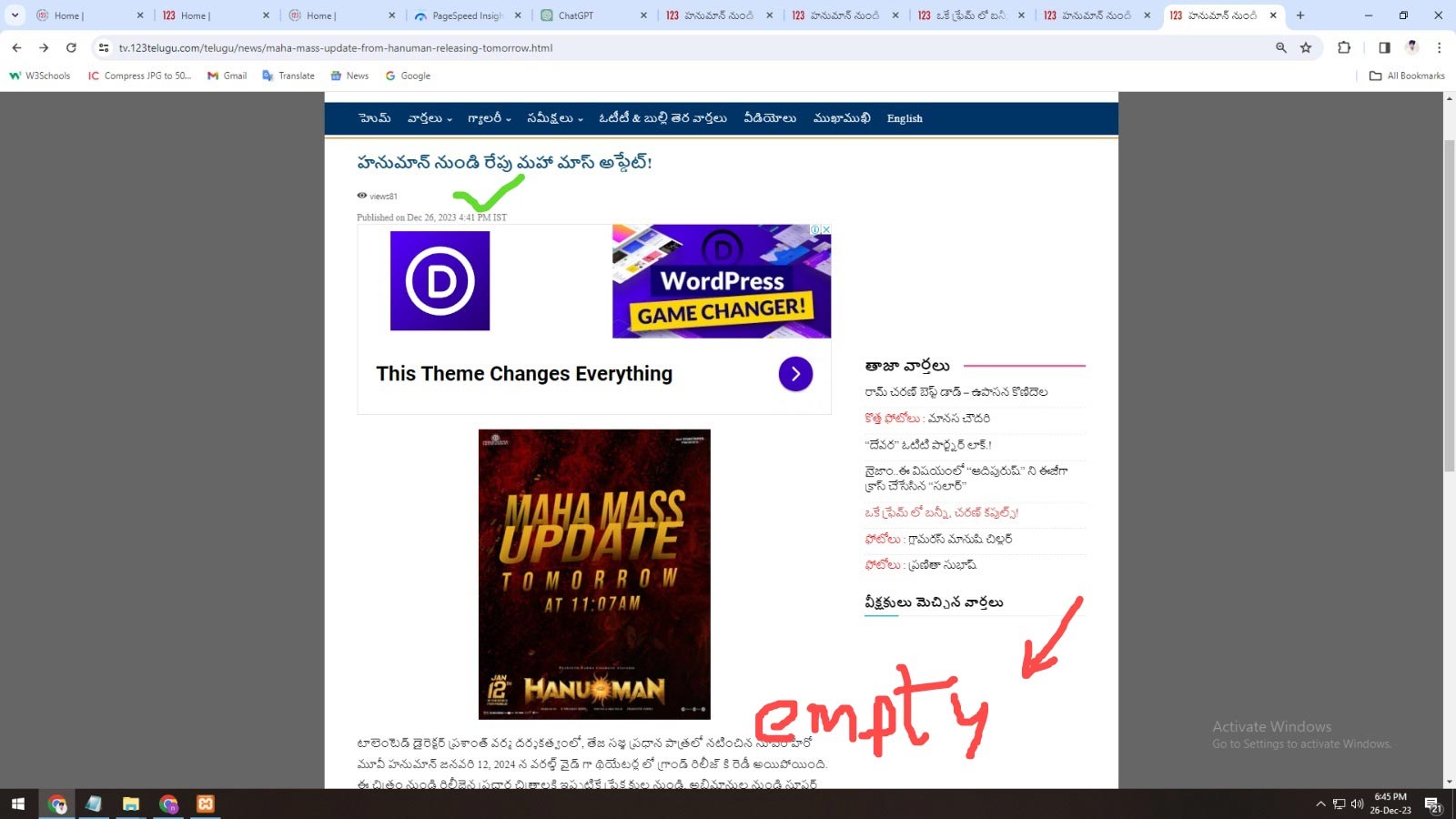
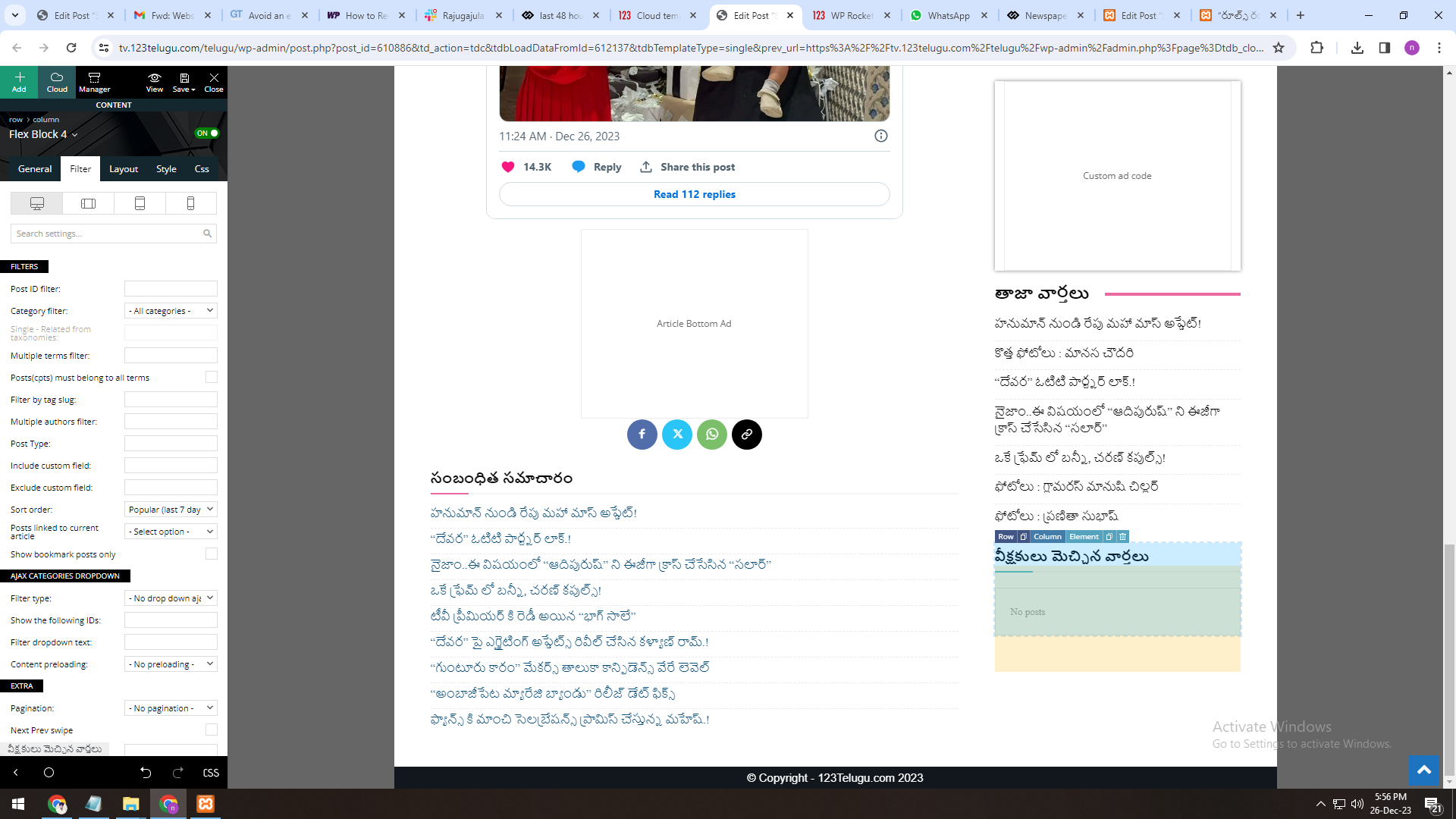
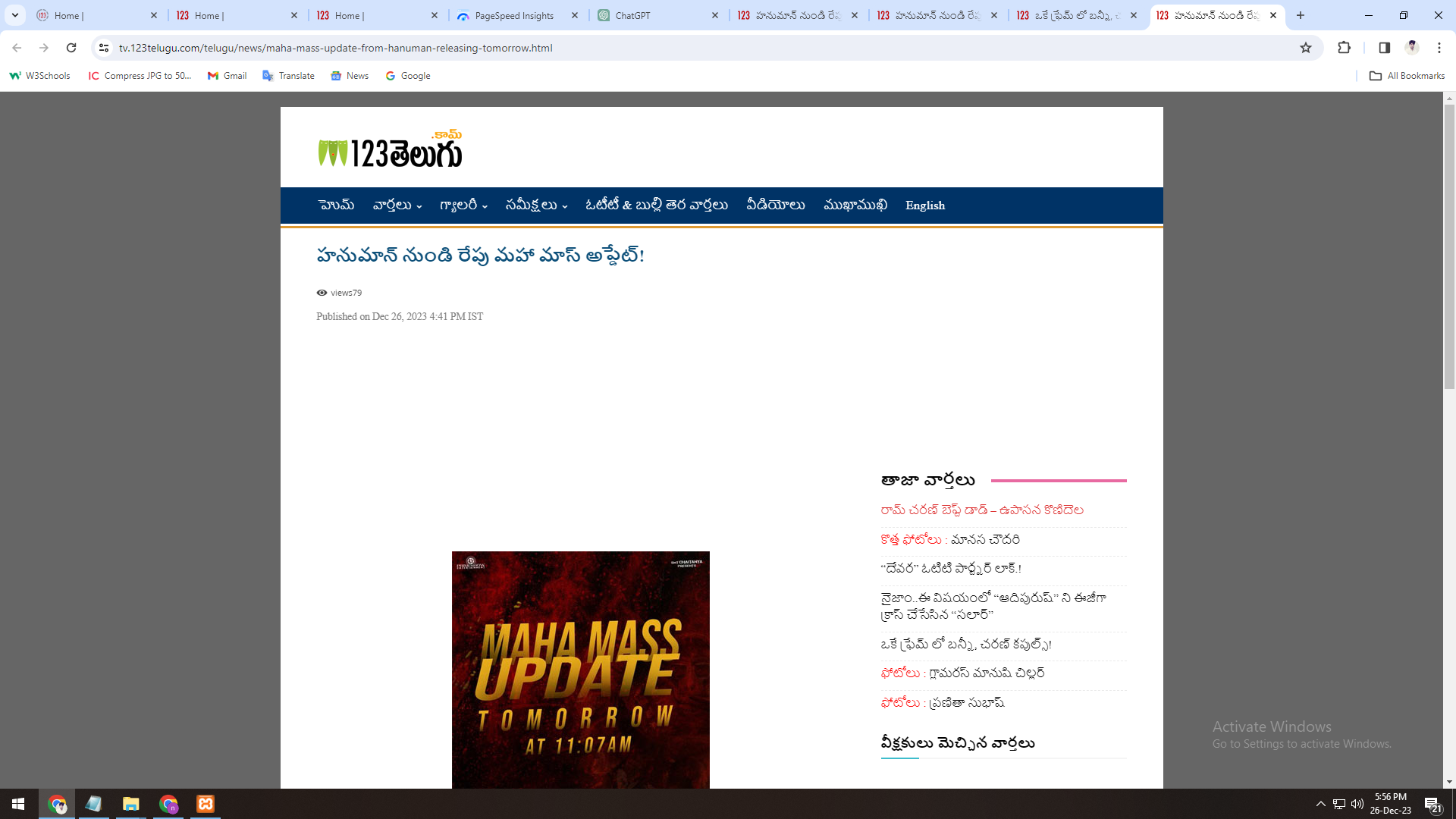
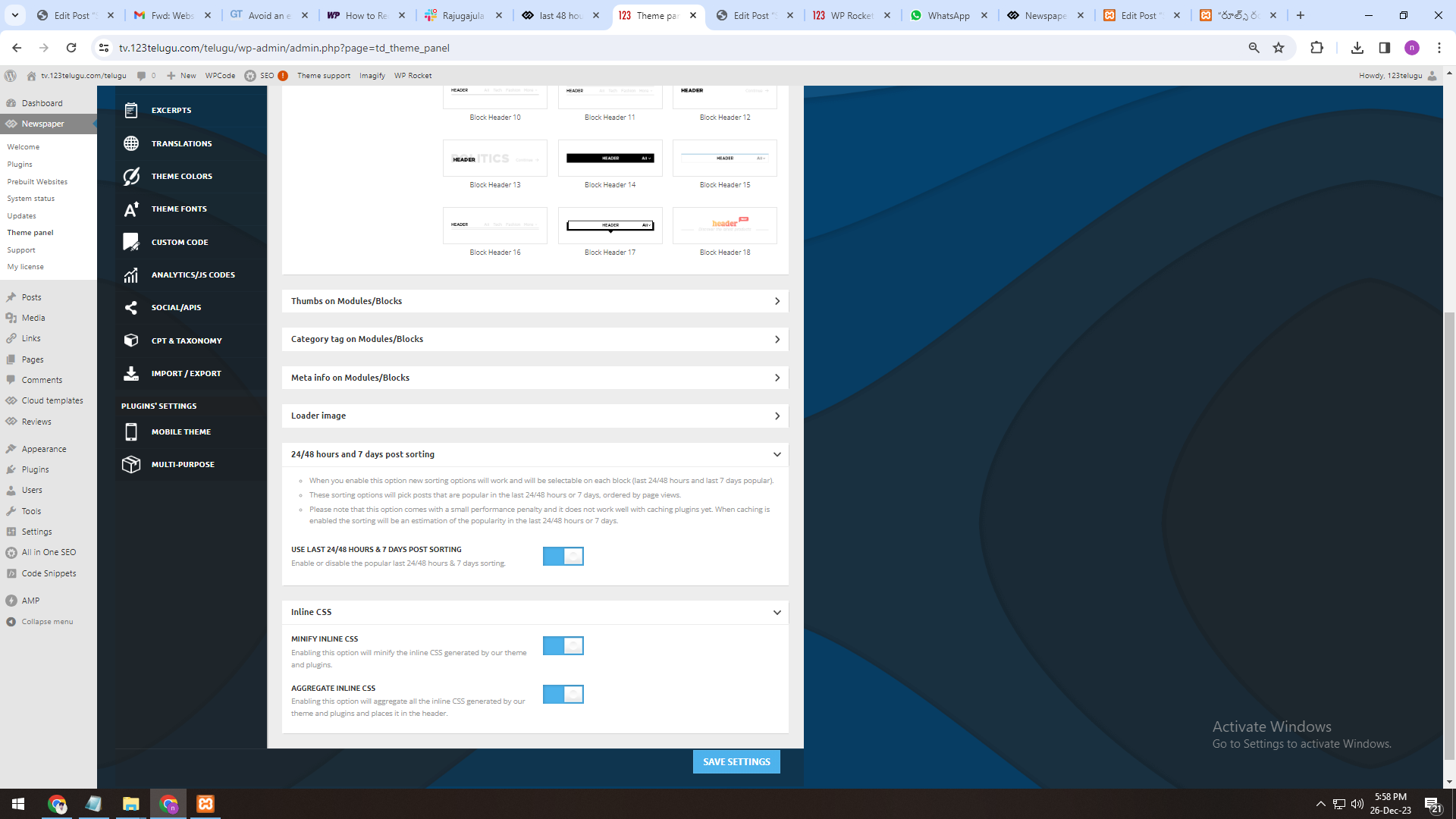
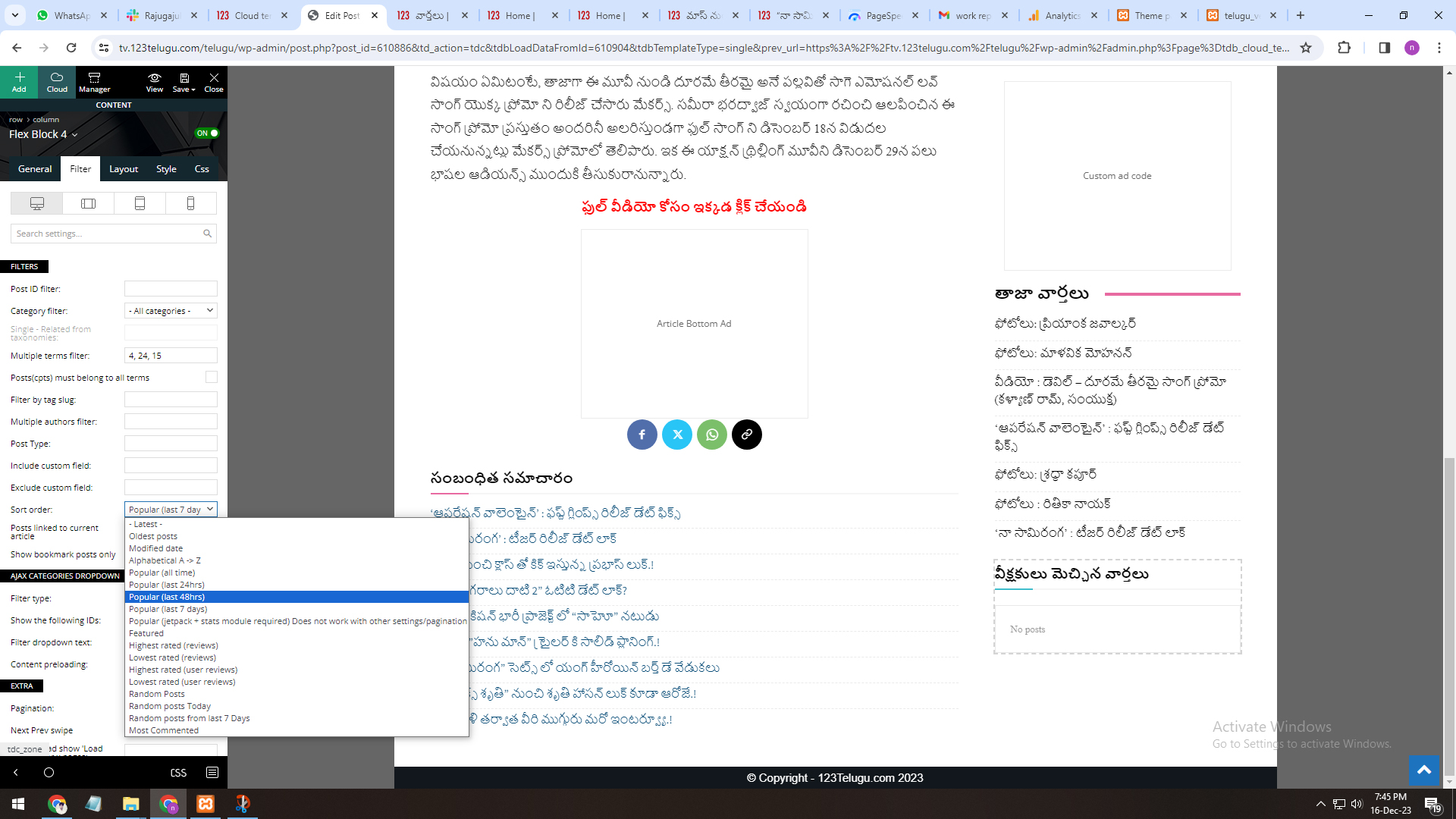
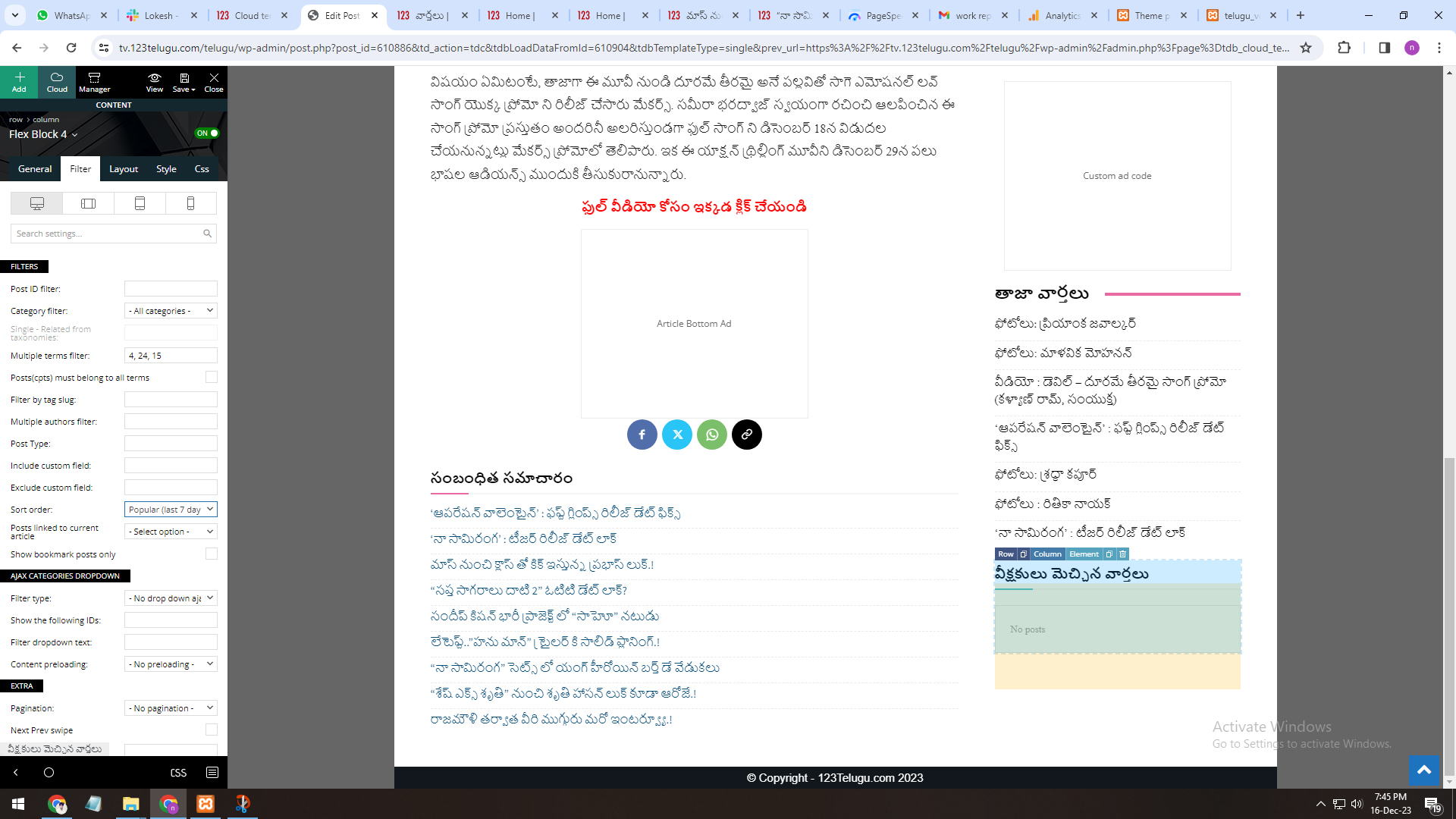
1. The most popular 24 hours, 48 hours, and 7-days section isn’t working properly in the 12.6.3 Newspaper
Theme version (In the filter section).
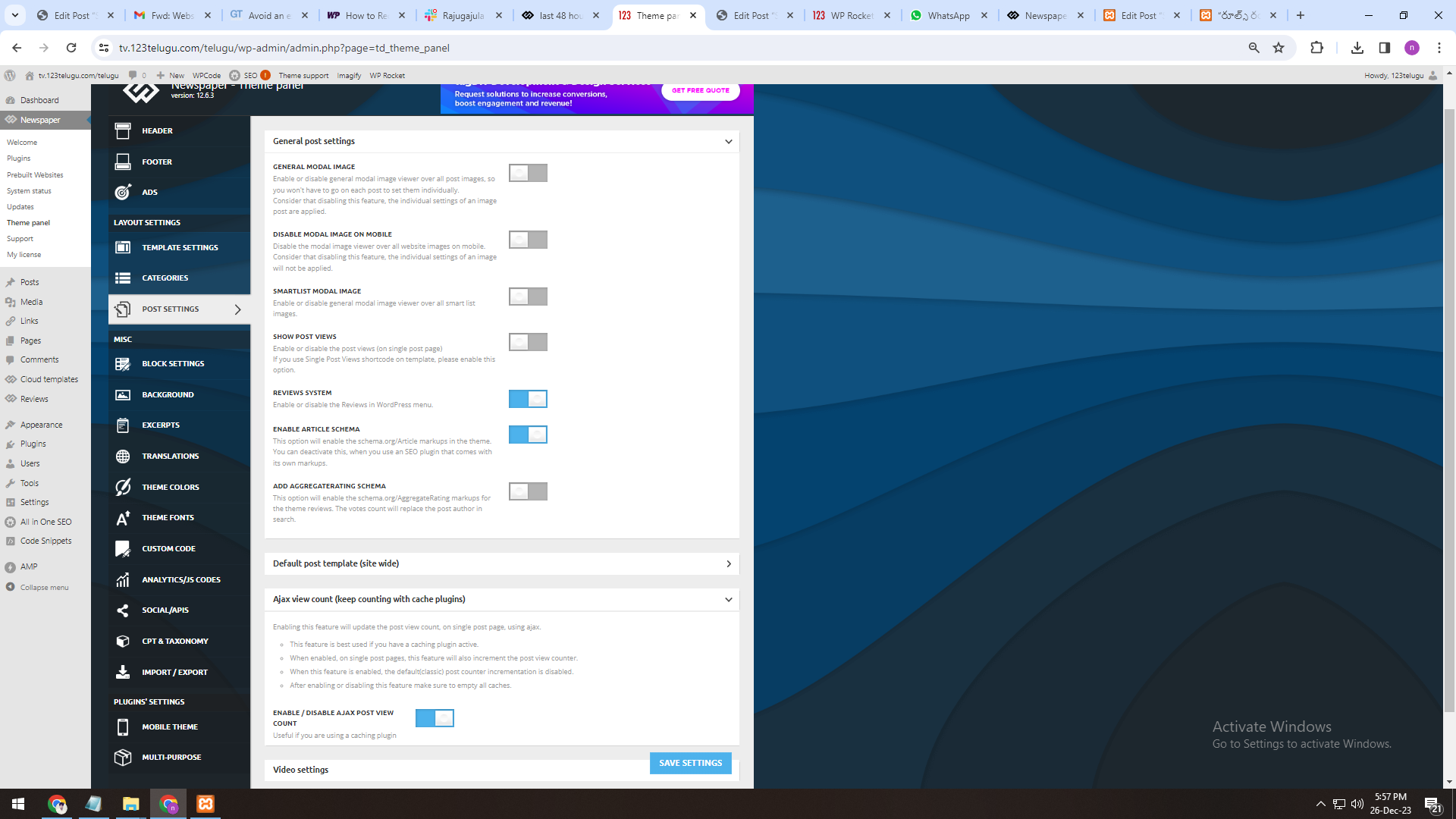
We are sending the screenshots through a link. Page View Count is enabled
and working well, though. Website Inner Page URL: https://tv.123telugu.com/telugu/news/maha-mass-update-from-hanuman-releasing-tomorrow.html
https://gallery.123telugu.com/images/theme_test/img.jpg
https://gallery.123telugu.com/content/images/a.png
https://gallery.123telugu.com/content/images/b.png
https://gallery.123telugu.com/content/images/c.png
https://gallery.123telugu.com/content/images/d.png
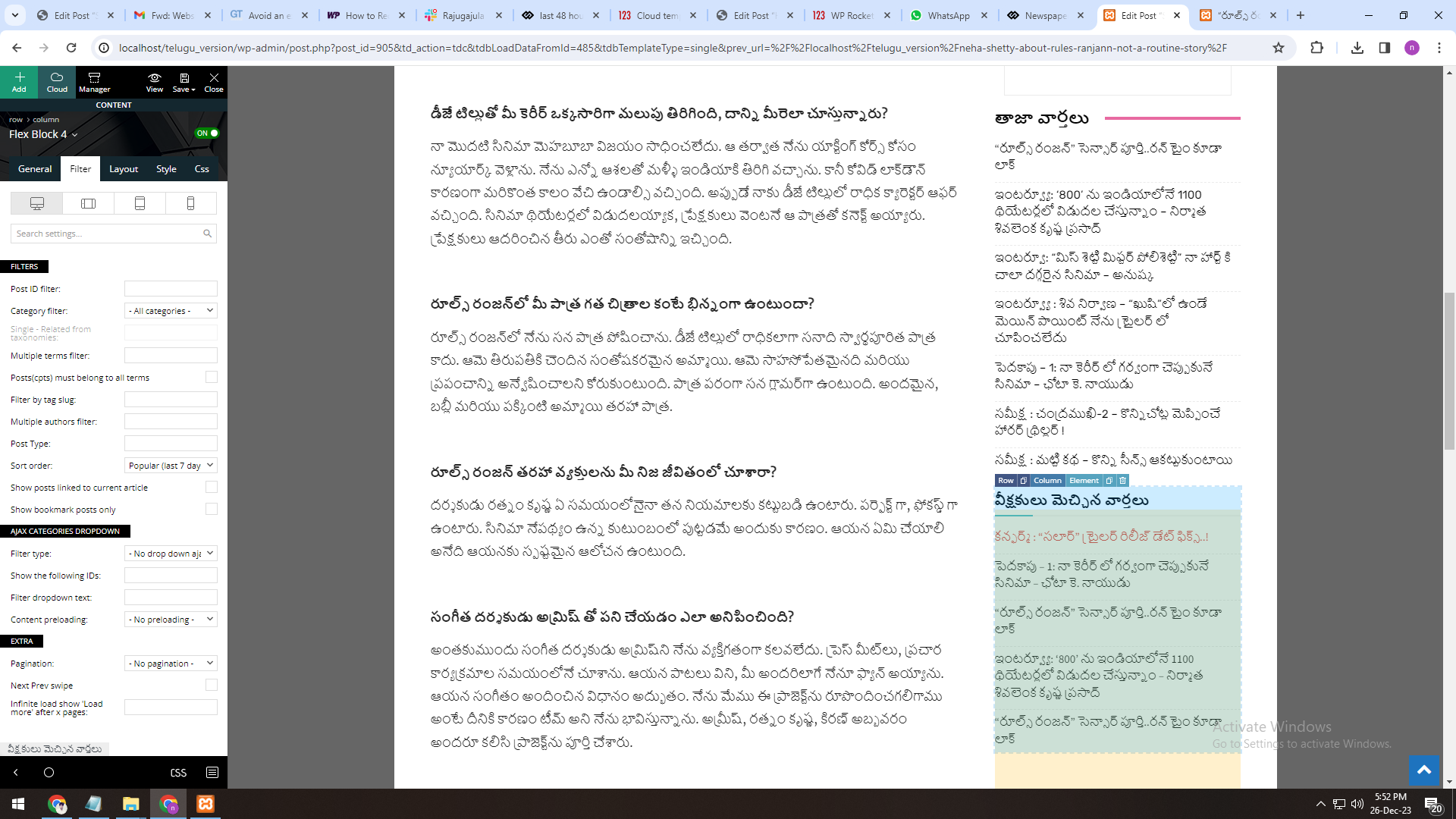
2. The most popular 24 hours, 48 hours, and 7-days section working properly in the 12.4 Newspaper Theme version (In the filter section) on my Local host.
We are sending the screenshots through a link. Page View Count is enabled and working well, though.
Website Inner Page URL: https://gallery.123telugu.com/content/images/e.png
We need to display most popular articles (by views) in last 48 hours for Newspaper 12.6.3 version, can you please check and help us.
Anamaria Hi,
Please also remove the Facebook account, and Instagram should be deleted too.
Due to certain data security requirements, access to personal accounts is restricted. We recommend switching to a business account -> https://help.instagram.com/502981923235522 and logging in to the Theme Panel -> Social/APIS -> https://i.imgur.com/Yx9KEOG.png. You need to be connected to a Facebook page. We will attempt to resolve this, but we cannot guarantee anything as it is beyond our control.
Thank you!
 bhcrow
 I had similar problem with my website with this popular posts. I solved it in a way that I made custom shortcode for sorting based on total number of views (not in last 7 days or 48h). In shortcode you have the option to choose how old you want your posts to be. hat means that it wont show posts older than 7 days (or any other number of days defined in shortcode) even though if they are visited.
Here is my codes which works for me in my Newspaper child theme. Use it freely if it suits you and your website.
Code in functions.php file in child theme:
// Include the popular posts shortcode file
include_once get_stylesheet_directory() . '/sedamdana-popular-shortcode.php';
File in child theme whic I named “sedamdana-popular-shortcode.php”
(this forum is not allowing me to share code from my php file, so I uploaded it on link: https://file.io/PSWL4VdNb7xN)
The shortcode output is styled using CSS defined in the PHP code. You can further customize the styles by modifying the CSS within the bhcrow_posts_shortcode_styles function.
Once the PHP code is added, you can use the [bhcrow_posts] shortcode in your posts, pages, or widgets where you want to display the list of posts.
Example usage: [bhcrow_posts title=”Popular Posts” number=3 days=30 category=”technology” sort=”visits” show_date=false]
Customize the shortcode attributes as per your requirements. For example, you can change the number of posts displayed, the sorting criteria, or whether to show thumbnails or dates.
The shortcode [bhcrow_posts] can accept several attributes to customize its behavior. Here are the available attributes and their default values:
title (default: ‘Posts’): The title of the section.
number (default: 5): The number of posts to display.
days (default: 7): Number of days to consider for displaying posts.
category (default: none): The category of posts to display.
show_thumbnails (default: true): Whether to show post thumbnails.
show_date (default: true): Whether to show post dates.
show_visits (default: true): Whether to show visit counts.
show_category (default: true): Whether to show post categories.
show_title (default: true): Whether to show post titles.
sort (default: ‘visits’): Sorting criteria for posts (‘visits’ for popularity, ‘latest’ for latest posts).
title_limit (default: none): Character limit for post titles.
cache_duration (default: 60): Cache duration in minutes.
The final output is cached using set_transient to improve performance by avoiding repeated database queries.
After adding the shortcode to a post or page, view the page on your website to see the output. The posts should be displayed based on the attributes you’ve specified in the shortcode.
Remember to backup your files before making any changes, especially when editing theme files or using any PHP code.
I use it without any issues on my website Visoko.co.ba news portal
Here is the screenshot of it. I use it with minimum options on my homepage.
-
This reply was modified 2 years by
bhcrow.
Anamaria Hi,
Please make sure that you don’t have mixed content errors; you can check the console. You have to use an SSL plugin to fix it and then try to activate it again -> https://www.hostinger.com/tutorials/fix-mixed-content-wordpress/ -> https://wordpress.org/plugins/really-simple-ssl/
Also, if the theme can’t be activated, please check the console and see if there are message errors.
Also, make sure that all the settings are like in our requirements, please follow the guide carefully: https://forum.tagdiv.com/requirements-for-newspaper/
and please increase all requirements that are lower, and follow all steps.
Thank you!
Anamaria Hello,
Due to certain data security requirements, access to personal accounts is restricted. We recommend switching to a business account -> https://help.instagram.com/502981923235522 and logging in to the Theme Panel -> Social/APIS -> https://i.imgur.com/Yx9KEOG.png. You need to be connected to a Facebook page. We will attempt to resolve this, but we cannot guarantee anything as it is beyond our control.
Thank you!
Anamaria Hi,
Please make sure that you don’t have mixed content errors; you can check the console. You have to use an SSL plugin to fix it and then try to activate it again -> https://www.hostinger.com/tutorials/fix-mixed-content-wordpress/ -> https://wordpress.org/plugins/really-simple-ssl/
Also, if the theme can’t be activated, please check the console and see if there are message errors.
Also, make sure that all the settings are like in our requirements, please follow the guide carefully: https://forum.tagdiv.com/requirements-for-newspaper/
and please increase all requirements that are lower, and follow all steps.
Thank you!
Anamaria Hi,
Please check the requirements https://i.imgur.com/d8sEcFZ.png -> https://forum.tagdiv.com/requirements-for-newspaper/
Thank you!
Anamaria Hello,
Due to certain data security requirements, access to personal accounts is restricted. We recommend switching to a business account -> https://help.instagram.com/502981923235522 and logging in to the Theme Panel -> Social/APIS -> https://i.imgur.com/Yx9KEOG.png. You need to be connected to a Facebook page. We will attempt to resolve this, but we cannot guarantee anything as it is beyond our control.
Thank you!
nagiRespected Sir/Mam,
I am a developer at Mallemaala Entertainments, located in Hyderabad. We have a few requirements for our movie review website. I am hereby mentioning our requirements.
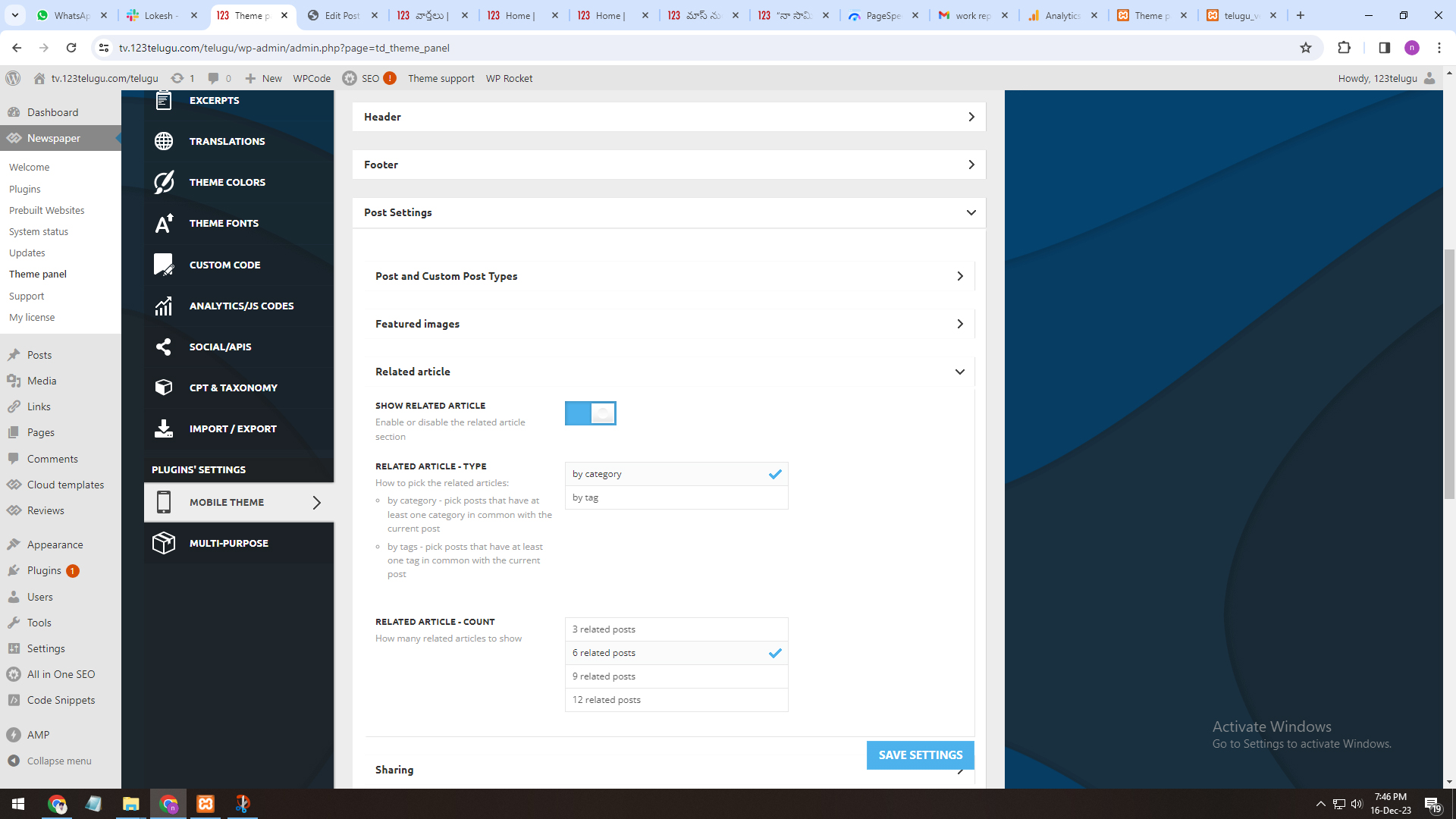
1. Related Articles
We have one issue while implementing Newspaper theme
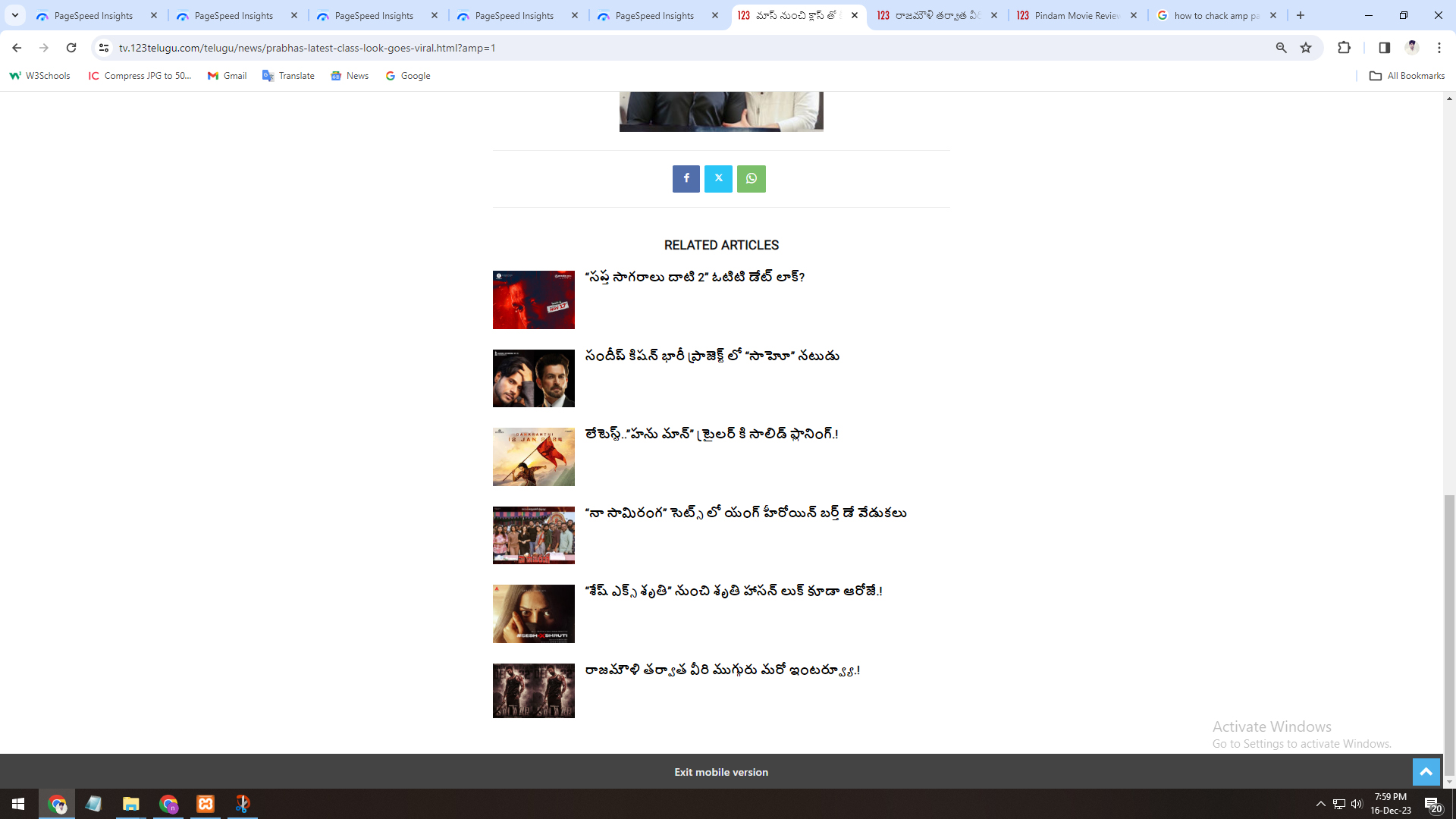
One is in Amp inner pages, is there any option to display related articles of that particular category.
Currently, when we open any amp page, related posts are coming from all categories, but we need to display particular category.
https://gallery.123telugu.com/images/theme_test/Narender-16-12-2.jpg
https://gallery.123telugu.com/images/theme_test/Narender-16-12-1.jpg
nagiRespected Sir/Mam,
I am a developer at Mallemaala Entertainments, located in Hyderabad. We have a few requirements for our movie review website. I am hereby mentioning our requirements.
Hi,
Most viewed articles for last 48 hours (Regarding the sort order settings).
On the single page, in the most viewed article section, we want to see the most viewed articles in the last 48 hours (Regarding the sort order settings).
We are sending you the settings regarding it through a link with the screenshots.
https://gallery.123telugu.com/images/theme_test/Narender-16-12-4.jpg
https://gallery.123telugu.com/images/theme_test/Narender-16-12-3.jpg
 Bettina
 Hello!
Check this out: https://www.seopress.org/newsroom/featured-stories/wordpress-indexing/
There are some requirements: https://answers.microsoft.com/en-us/bing/forum/all/what-are-the-requirements-to-display-favicon-on/236d6598-41e2-483c-9950-aae8714d943c
Thank you!
Calin Hi,
Please make sure that the theme requirements are set and the license key is assigned.
Thank you!
Bettina Hello!
Update WordPress, PHP, the theme, and plugins to the latest version.
Check all these requirements for the theme: https://forum.tagdiv.com/requirements-for-newspaper/
Thank you!
Bettina Hello!
Update WordPress, PHP, the theme, and plugins to the latest version.
Check all these requirements for the theme: https://forum.tagdiv.com/requirements-for-newspaper/
Thank you!
Bettina Hello!
Yes. Please deactivate all the non-tested plugins with our theme before updating.
Update WordPress, PHP, the theme, and plugins to the latest version.
Check all these requirements for the theme: https://forum.tagdiv.com/requirements-for-newspaper/
Let me know the results!
Thank you!
Anamaria Hi,
Did you set the icon here https://www.screencast.com/t/lY9WEOZEj ?
Also, check those topics https://wordpress.org/support/topic/favicon-not-showing-on-bing/ -> https://answers.microsoft.com/en-us/bing/forum/all/what-are-the-requirements-to-display-favicon-on/236d6598-41e2-483c-9950-aae8714d943c
Thank you!
 sdfasdfsdf
 Hi,
Thanks for your reply, the undo and redo button are working.
I had already updated all you mentioned. My site is hosted on SiteGround and meets all the requirements.
I must clarify that the issue is not with page speed or the delivery of content on my site, the issue is with the TagDIV Composer itself as I can edit (with the WP editor) and view the page as normal.
The TagDiv Composer takes 5+ min to load any page, often failing to load entirely and any changes made lag considerably before they are reflected in the preview, often with the window freezing entirely. This is only a recent problem, after changing to the Ridgemont demo site and I am using a fairly powerful computer which rules out any hardware issues.
Bettina Hello!
Update WordPress, PHP, the theme, and plugins to the latest version.
Check all these requirements for the theme: https://forum.tagdiv.com/requirements-for-newspaper/
You should enable this option: https://app.screencast.com/RyRHDwn8G4Jad in order to have the undo and redo buttons.
Please note that page speed or optimization is not covered by the support team: https://forum.tagdiv.com/newspaper-theme-support/
Thank you!
Anamaria Hello,
Usually the “Invalid reply from server endpoint error” is caused by insufficient WP_Memory_limit, if you’ll set it to 256M, and is still not working, please double it and check the rest of the settings from our guide -> https://forum.tagdiv.com/requirements-for-newspaper/ also make sure that you are using SSL and you have a good bandwidth, the one from our server is 1GB/s and the one that I use at home is 500MB/s, if you have low bandwidth, then you can access parts of the cloud, this can be done from the frontend, for example, if you are on a post -> https://i.imgur.com/4G74M7F.jpg or from tagDiv Composer -> https://i.imgur.com/2F6MhfI.png or from backend -> https://www.screencast.com/t/wekHmc7kJ8J
Thank you!
Bettina Hello @bananaj!
Please deactivate all the non-tested plugins with our theme before updating.
Update WordPress, PHP, the theme, and plugins to the latest version.
Check all these requirements for the theme: https://forum.tagdiv.com/requirements-for-newspaper/
Let me know the results!
Thank you!
Bettina Hello!
Please ask your host provider to check as well, and maybe he has an idea why this is occurring on your website. Check this guide: https://forum.tagdiv.com/requirements-for-newspaper/
It could be caused by the host.
Thank you!