
- NewspaperModules Builder in Newspaper Theme
- NewspaperSingle Post Shortcodes
- NewspaperThe Mobile Theme
- NewspaperSmart Lists
 Iqtidar
 So, I tested the TagDiv Newspaper Default theme with the Google Mobile Friendly testing tool. Screenshot of the Google test result
The test result: https://search.google.com/test/mobile-friendly/result?id=8M2iKKmwbUhHvAHJwHagRQ
This shows the video Outside the Viewport, and this is what the Google Bot is seeing and resulting in errors.
If we can fix this issue, it will help countless other website owners and publishers as well.
 azzawi
I newly installed newspaper theme the RTL version and now whenever I try to click on article it shows 404 page.
 MelCompton
 Hi Simon,
I figured out what is doing it. I’ve tested it out on another website that I use Newspaper 12 on and it worked the same way. I am going to send you all an email with screenshots with the issue and resolution and then you can decide how to distribute.
Long story short… Double gzip compression from the web host and WP Super Cache…
You should get the email shortly…
Thanks,
Melissa
 realityyys
Hi, I am modifying single templates in cloud templates. The single post template is using Default RTL PRO, but I have a question. When I go to my site, I see the blue circled Related part, and I want to delete it, but when I go to Edit with TD Composer, I don’t see the Related screen and I can’t delete it. I want to get rid of the blue circled part and I would appreciate if you can tell me how to do it.


 Anamaria
 Hi,
There are different types of smartlists https://forum.tagdiv.com/smart-lists/, the extra that you want can be achieved with custom code css like applying border radius on the button.
Thank you!
 Billinter
The WP Limit shows as only 40 MB but I have set WordPress to 256MB and php.ini also shows 256M. I am not having any problems with the site or the Theme – just this message.
 Bettina
 Hello!
I suggest you don’t reply so much there and please be patient, so my colleague will reply you shortly. We reply from oldest to newest.
Thank you so much for your understanding!
 TrackTollywood
 Shortly after posting this I figured out through css inspector and I am able to see the menu now.
-
This reply was modified 3 years by
TrackTollywood.
 besthomegear
 Thanks, Anamaria
As I see it to fix the Modal setting issue that is distorting the images loading on my site I can employ one of two options.
Option #1: (As you refer above – Make changes to WP Rocket settings)
All I need to do in the exclude modal images is in the disable box of WP Rocket – copy and paste this exact type: td-modal-image
No other letters or symbols?
Then I save and clear the cache in WP Rocket and that’s it right?
Option #2: Make changes to TagDiv “Post Settings” instead…
See this screenshot. I am paying for WP Rocket Premium to optimize my site in many ways, what if, I make the changes in TagDiv Modal settings instead?
Specifically, I would do this; disable “General Modal Image”, Disable “Modal image on MOBILE, and Disable “Smartlist” modal image. Disable All Three?
Wouldn’t this accomplish the same objective as reconfiguring my WP Rocket settings? Confirming, I really don’t need the modal options enabled to properly run the theme correct?
Thanks again for your prompt response and help!
Kevin
Anamaria Hello,
You can use a plugin for this https://wordpress.org/plugins/url-shortify/ or if you have already jetpack https://wordpress.com/support/shortlinks/
Thank you!
Bettina Hello @scoopzeu !
You can use the RTL if you want to have the Arabic design already done.
Thank you!
 snoopy
Hello,
New instalaltion, i need it to support multiple languages starting with Arabic and English.
should i use the Default Pro + WPML or the DEfault RTL PRo?
Thank you,
 sudanair
hi there, I’m using the RTL mag. theme, I wanted the top slider to show the latest articles from one category only.
 diriras
Multiple php errors in the first page after update to tgge latest version
Warning: Undefined array key “undefined” in /home/sportlive.gr/public_html/wp-content/plugins/td-composer/legacy/common/wp_booster/td_css_res_compiler.php on line 545
Warning: Undefined array key “undefined” in /home/sportlive.gr/public_html/wp-content/plugins/td-composer/legacy/common/wp_booster/td_css_res_compiler.php on line 545
Warning: Undefined array key “undefined” in /home/sportlive.gr/public_html/wp-content/plugins/td-composer/legacy/common/wp_booster/td_css_res_compiler.php on line 545
Warning: Undefined array key “undefined” in /home/sportlive.gr/public_html/wp-content/plugins/td-composer/legacy/common/wp_booster/td_css_res_compiler.php on line 545
Warning: Undefined array key “undefined” in /home/sportlive.gr/public_html/wp-content/plugins/td-composer/legacy/common/wp_booster/td_css_res_compiler.php on line 545
Warning: Undefined array key “undefined” in /home/sportlive.gr/public_html/wp-content/plugins/td-composer/legacy/common/wp_booster/td_css_res_compiler.php on line 545
Warning: Undefined array key “undefined” in /home/sportlive.gr/public_html/wp-content/plugins/td-composer/legacy/common/wp_booster/td_css_res_compiler.php on line 545
Warning: Undefined array key “undefined” in /home/sportlive.gr/public_html/wp-content/plugins/td-composer/legacy/common/wp_booster/td_css_res_compiler.php on line 545
Warning: Undefined array key “undefined” in /home/sportlive.gr/public_html/wp-content/plugins/td-composer/legacy/common/wp_booster/td_css_res_compiler.php on line 545
Warning: Undefined array key “undefined” in /home/sportlive.gr/public_html/wp-content/plugins/td-composer/legacy/common/wp_booster/td_css_res_compiler.php on line 545
Warning: Undefined array key “undefined” in /home/sportlive.gr/public_html/wp-content/plugins/td-composer/legacy/common/wp_booster/td_css_res_compiler.php on line 545
Warning: Undefined array key “undefined” in /home/sportlive.gr/public_html/wp-content/plugins/td-composer/legacy/common/wp_booster/td_css_res_compiler.php on line 545
Warning: Undefined array key “undefined” in /home/sportlive.gr/public_html/wp-content/plugins/td-composer/legacy/common/wp_booster/td_css_res_compiler.php on line 545
Warning: Undefined array key “undefined” in /home/sportlive.gr/public_html/wp-content/plugins/td-composer/legacy/common/wp_booster/td_css_res_compiler.php on line 545
Warning: Undefined array key “undefined” in /home/sportlive.gr/public_html/wp-content/plugins/td-composer/legacy/common/wp_booster/td_css_res_compiler.php on line 545
 dano1066
I know there are third party plugins for this but i feel this would be quite simple to do if i could style the comments differently. Add a category called “question” and the title/post content would make up the question and then the comments could be the answers. Its already the perfect hierarchy. All i would need to do is use a different theme for posts of this category. I would style it so the comments are a more prominent part of the page so the user could clearly see the answers to the question at the top.
I was hoping there might be a cloud template for this but I couldn’t see one. I have tried creating this but I am struggling to restyle the comments to make them look more like answers to a question as opposed to traditional comments. Theres also no way to modify the title of the comment block to read “2 Answers” instead of “2 Comments”.
 Archerix
 Hi, have recieved the same email
The problem is only in “mobile”, i’m using the tagDiv Mobile Theme
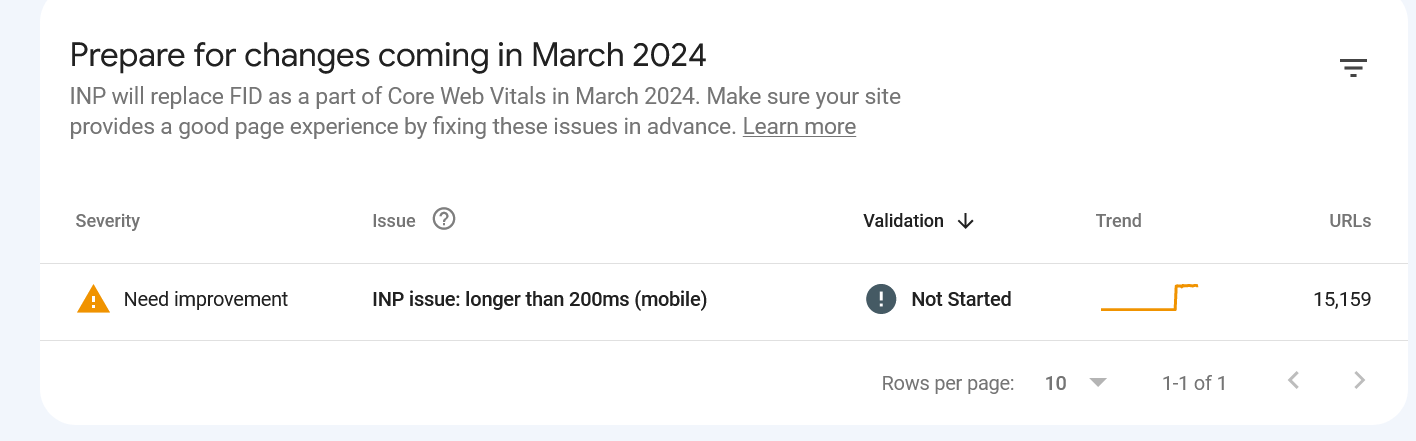
Also, the tagDiv Mobile Theme as a problem with “smartlist” forcing always in mobile the “smartlist 1” ignoring options we have selected and that shows correctly on desltop
 mouawiaa
 MexicoNewsDaily
Hello Newspaper Support folks,
Read through some of the other support articles on this issue but none seem to fit/work.
Although in the WP Admin the checkbox “Before a comment appears : Comment must be manually approved” is checked…. Comments aren’t being held for Moderation when adding a Comment with the Comment Element in the Single Post file.
Test page :
https://mexiconewsdaily.com/news/turtles-begin-arriving-to-nest-on-oaxaca-beaches/#comment-506
Although I think it did it the first time a comment was submitted?
We want to hold “ALL” Comments for moderation… do you know if there is something we can do or change to allow for this?
Thanks so much for your time,
Tim Roman
Bettina Hello!
Unfortunately, the mobile theme won’t work like that. If you uninstall the mobile theme, then you will see that the smartlists will display on the mobile viewport as well.
Actually, we have 3 options for mobile versions that you can use:
1. Responsive version: A responsive version of your website looks similar to the desktop version. TagDiv Composer is used to edit the page.Click on the mobile viewport: https://www.screencast.com/t/XDQJedlggSB. There, you can see your mobile version and edit or adjust the elements to look better.
2. Mobile pages: https://tagdiv.com/newspaper-10-3-7-update-brings-customizable-and-fast-mobile-pages
3. Mobile theme plugin: The Mobile Theme is a performance-optimized theme included in the main Newspaper theme that only loads on mobile devices. It comes with its own templates and designs for pages, posts, categories, etc., so your current templates from the desktop theme will get converted to the mobile theme layout. Please see https://forum.tagdiv.com/the-mobile-theme/ and https://forum.tagdiv.com/mobile-theme-introduction/ for more information.
A full explanation is here: https://www.youtube.com/watch?v=SpGkOnJeNZY
If you need to use the mobile version 1 or 2, then you need to disable the Mobile Theme plugin.
You can choose the mobile version and the menu you want to use. By default, we use option 1 for mobile, and you can customize it from the tagdiv Composer.
Thank you!
 ste.terracina
Hello, we’ve been using newspaper on our wp magazine since version 9, and so when upgrading to version X and higher we had to use the standard pack. A couple of weeks ago I finally removed all of the standard pack dependencies, created new cloud templates for our needs and deactivated the plugin. The problem is, when creating smart lists using the new cloud template they don’t show correctly on mobile theme, while everything is fine on desktop.
examples of the issue:
https://www.moviestruckers.it/approfondimenti-film/the-flash-spiegazione-finale-implicazioni-futuro-dcu/
https://www.moviestruckers.it/approfondimenti-film/la-sirenetta-20-differenze-film-animazione-live-action/
here are the settings (edit: adding plain urls, as imgur doesn’t work with the img button of the forum)
https://imgur.com/a/zNgWFiF

and this is how the smart list is set up
https://imgur.com/uW13cyb

I also tried creating a mobile theme with the same smartlist setup, but with no luck.
I tried browsing your demo website to replicate the issue, but the mobile theme is not in use. Is it still mantained?
Thank you
Bettina Hello @mouawiaa!
Instead of editing every element and set the float to the left, you could use the RTL demos already set it up: https://prnt.sc/nORzLv7nLWws. You can also import sections, pages and copy-paste the element in the tagdiv Composer.
Thank you!
mouawiaaHow can i correct diraction of BLOCK HEADER TEMPLATE to (RTL) diraction


 Tekayi
Hello,
I accidentally deleted category template from “Cloud templates”. I had “Category template – Default Pro”. Now, I can’t find this category template in Cloud Library. How am I supposed to get it back please? Only one that is there is Category template – Default RTL Pro. But Im not Arabic, I don’t use RTL pages.
Please, help.
Thank you
 zhangleji
 Hi Calin,
Regarding the colors of TinyMCE editor that I asked you last month, I found out how to ‘partly’ change them with these code:
/* This is for the button color */
.mce-btn-group .mce-btn {
background: none ;
}
/* This is for the icon color */
.mce-toolbar .mce-ico {
color: white;
}
But they still have black background color which I can’t remove with the above code. I think that’s from the theme. See here https://snipboard.io/9QGb7E.jpg Did you have any chance to check with the developers how to solve this?
Another thing is that the sidebar width remains unchanged here on this page (forum list page and topic page), although the sidebar width on the frontpage of the forum is changed to 25% with your help. How can I change the width here as well?
Thanks!
 Cuma
Cuma I also want to ask there can be ads below the picture in smartlists. Right here https://demo.tagdiv.com/newspaper_pro/td-post-10-fabulous-over-the-ankle-shoes-to-wear-this-cold-season/2/ – just like Newspaper 9 and below.


